Boiler Replacement Application and Share Entry Campaign Site
A campaign site covering mobile from one desktop comp
One desktop comp, every screen
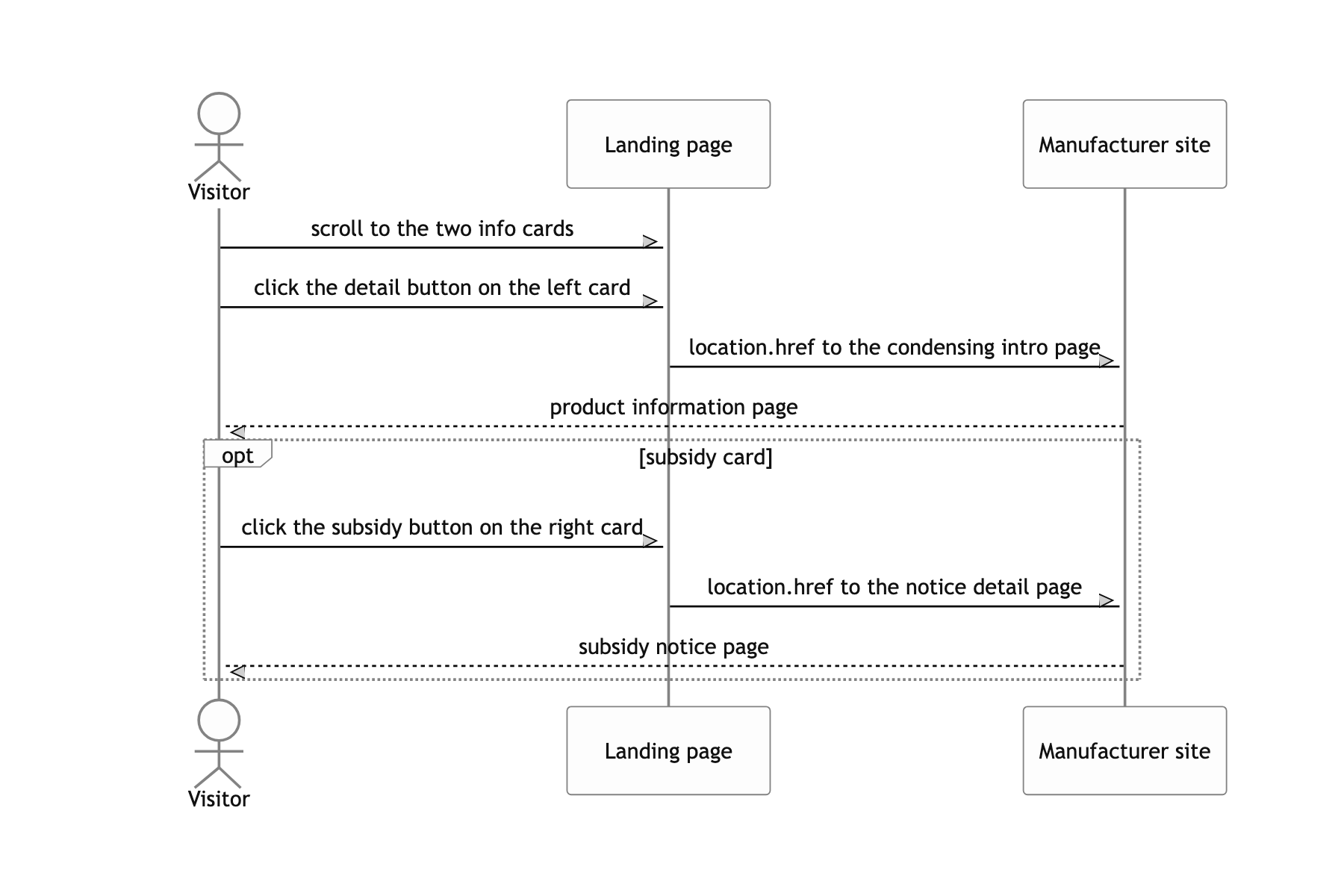
A single campaign page that announces the policy making condensing boilers mandatory, takes replacement applications for old units, and collects SNS share entries. Applicants enter a name and phone number, a road address, and their housing type; share participants leave the URL of the post they published.
Three constraints shaped the build. The design existed only as one desktop comp 740px wide, and the same comp had to render on mobile as drawn. IE support was required. The deployment target was one server on a single IP address.
A rem coordinate system, not a framework
Three static HTML pages baked by webpack multi entry, no framework
95% of the screen is sliced design PNGs, and the only thing that deserves the name state is the form input. I ran HtmlWebpackPlugin three times to emit index.html, popup1.html and popup2.html, each with its own chunk. The deploy target was one server that static files get dropped onto, and the support floor was IE9 (targets.ie: 9 in @babel/preset-env).
A coordinate system with the root font-size at 100px and every length written in rem
So that comp pixels could be typed in as they are. rem(374) is 1:1 with 374px in the comp, and when the viewport narrows, one root value decides the scale of the whole page. With no mobile comp, there was no option other than shrinking the desktop comp uniformly.
jQuery, select2 and the postcode script load from CDNs, and the bundle reaches them through window.$
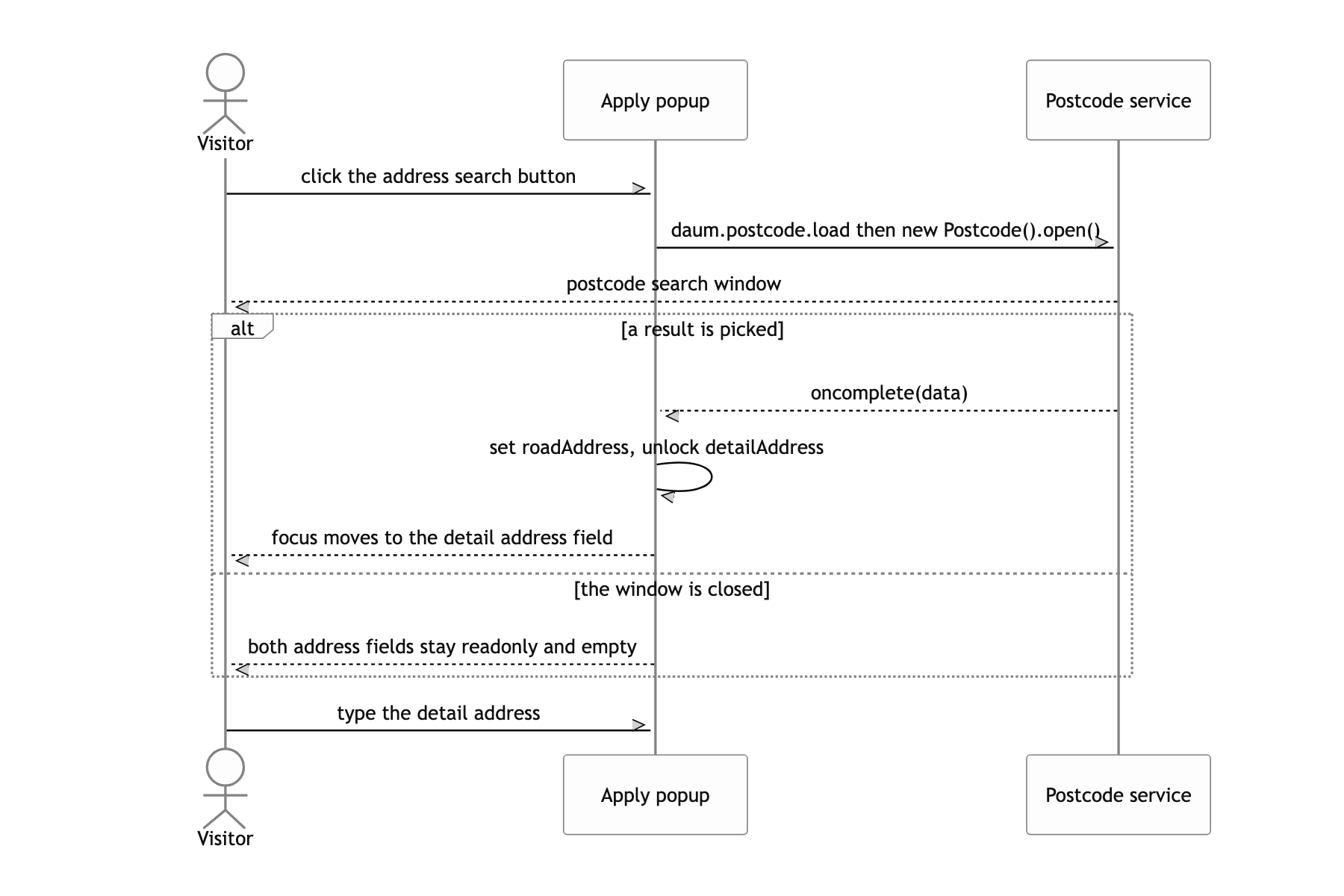
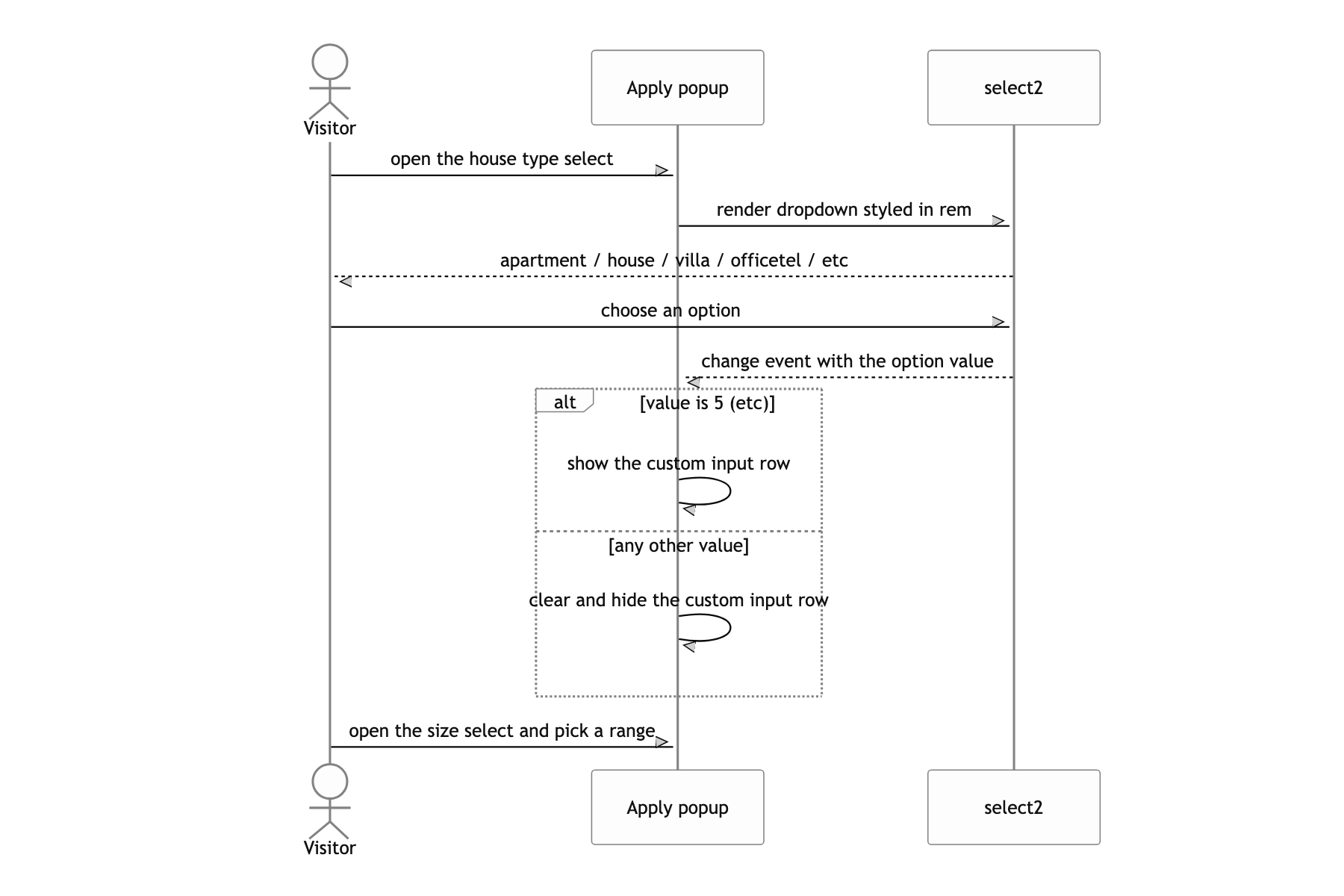
A native select cannot produce the blue rounded box in the comp, and postcode search is what Korean users expect for an address. All three assume globals, so I took them with const $ = window.$ and never put jQuery back into the bundle. The postcode script only works on the global daum object, so it cannot be wrapped as a module.
imagemin-webpack-plugin with pngquant, quality floor raised to 95
Every word of body copy lives inside an image, so a compression artifact reads as a smeared letter. I needed the bytes down but the letterforms intact, so I narrowed the range to 95-100. During development it is off via disable: process.env.NODE_ENV !== 'production' to keep rebuild times short.
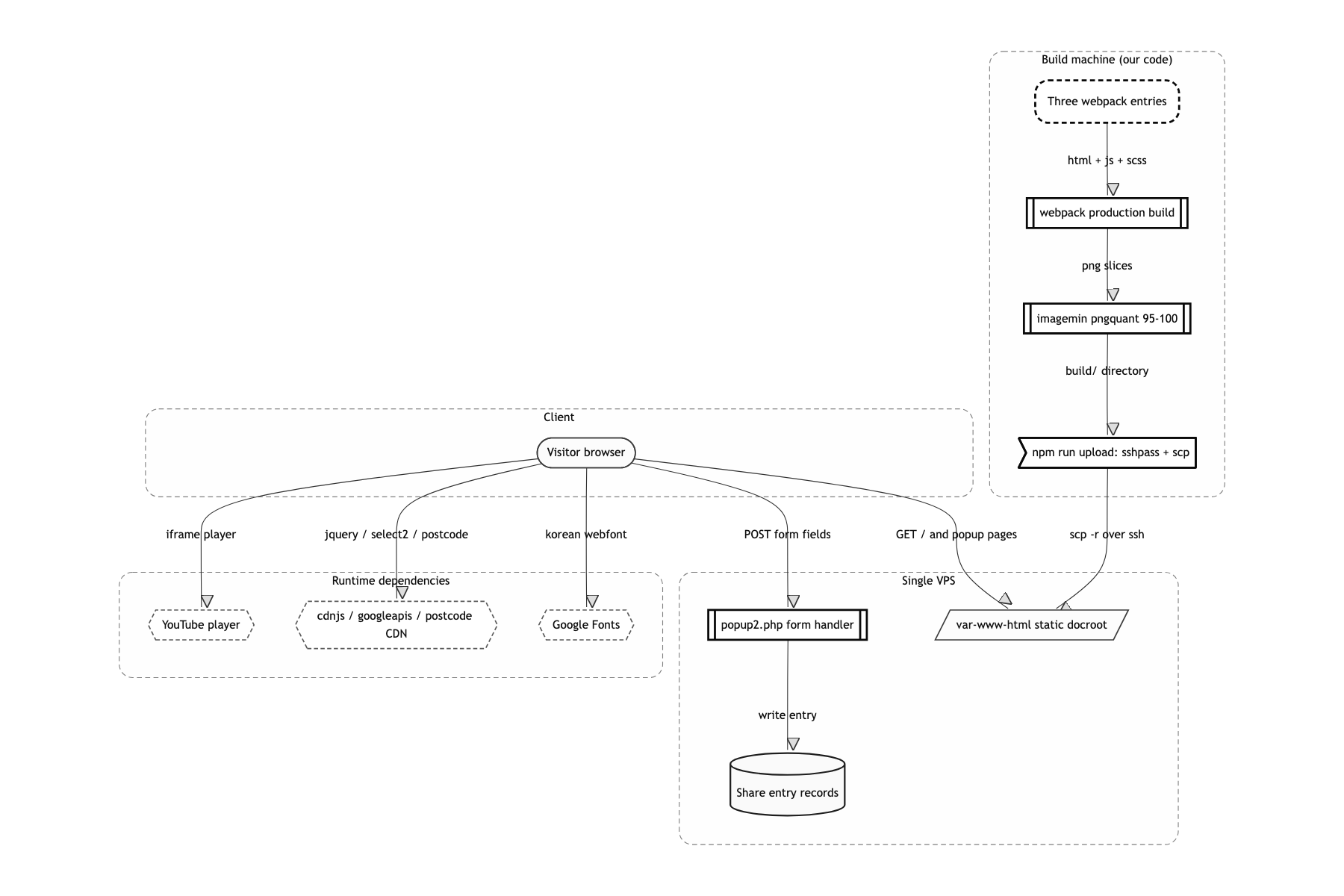
npm run upload: one line that builds and then scp's the result
For a campaign measured in weeks, getting a review note live in 30 seconds mattered more than standing up CI. What I was handed was a server IP and a root password, nothing else. There is no rollback and the password flows through a shell environment variable, so this was a choice made on the assumption that all of it gets thrown away when the campaign ends.
Three HTML pages, one static server
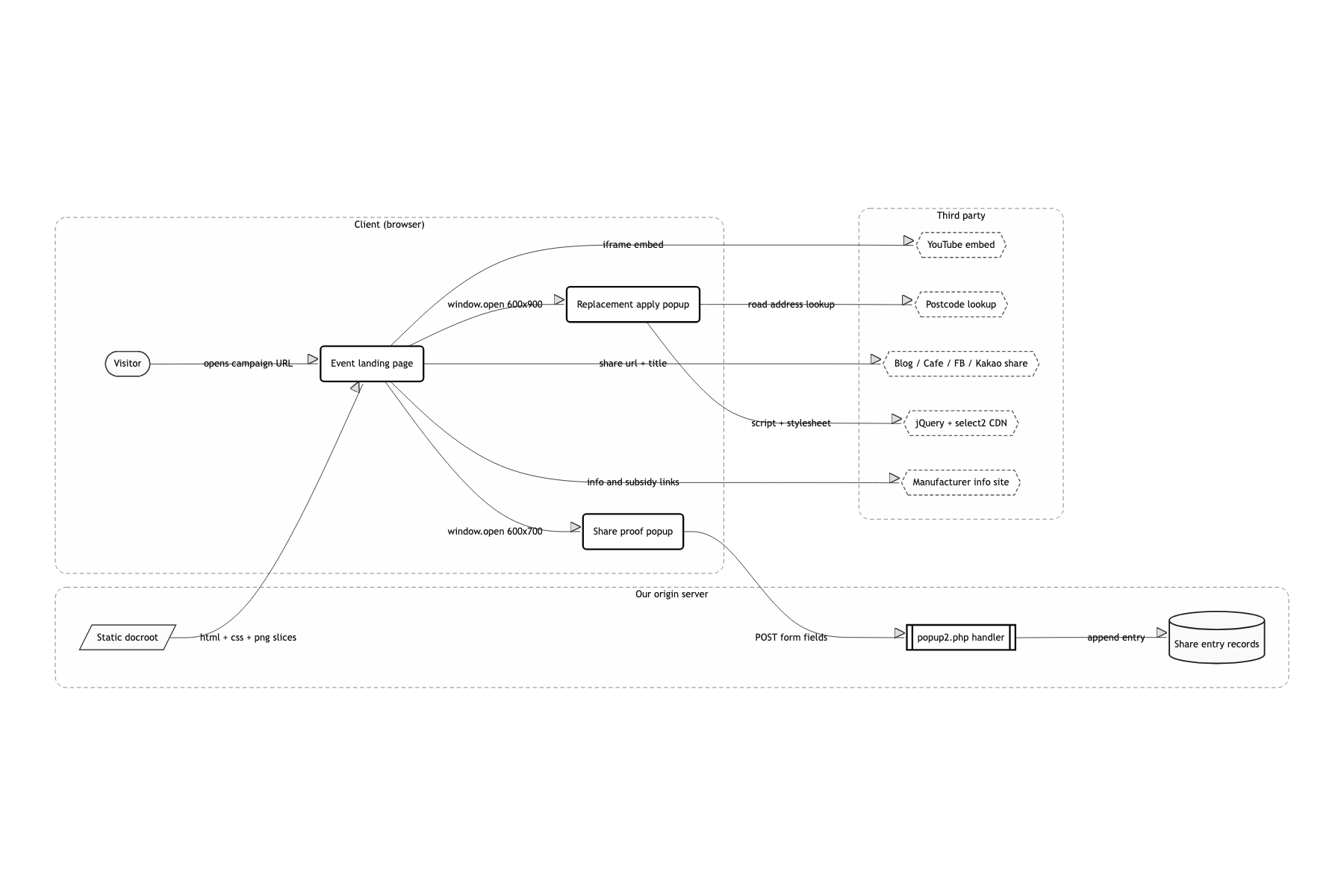
The structure is thin. webpack bakes three entries, CopyWebpackPlugin moves src/assets over whole, and build/ is poured straight into the server docroot. The only code running on the server is one PHP handler that receives share entries.
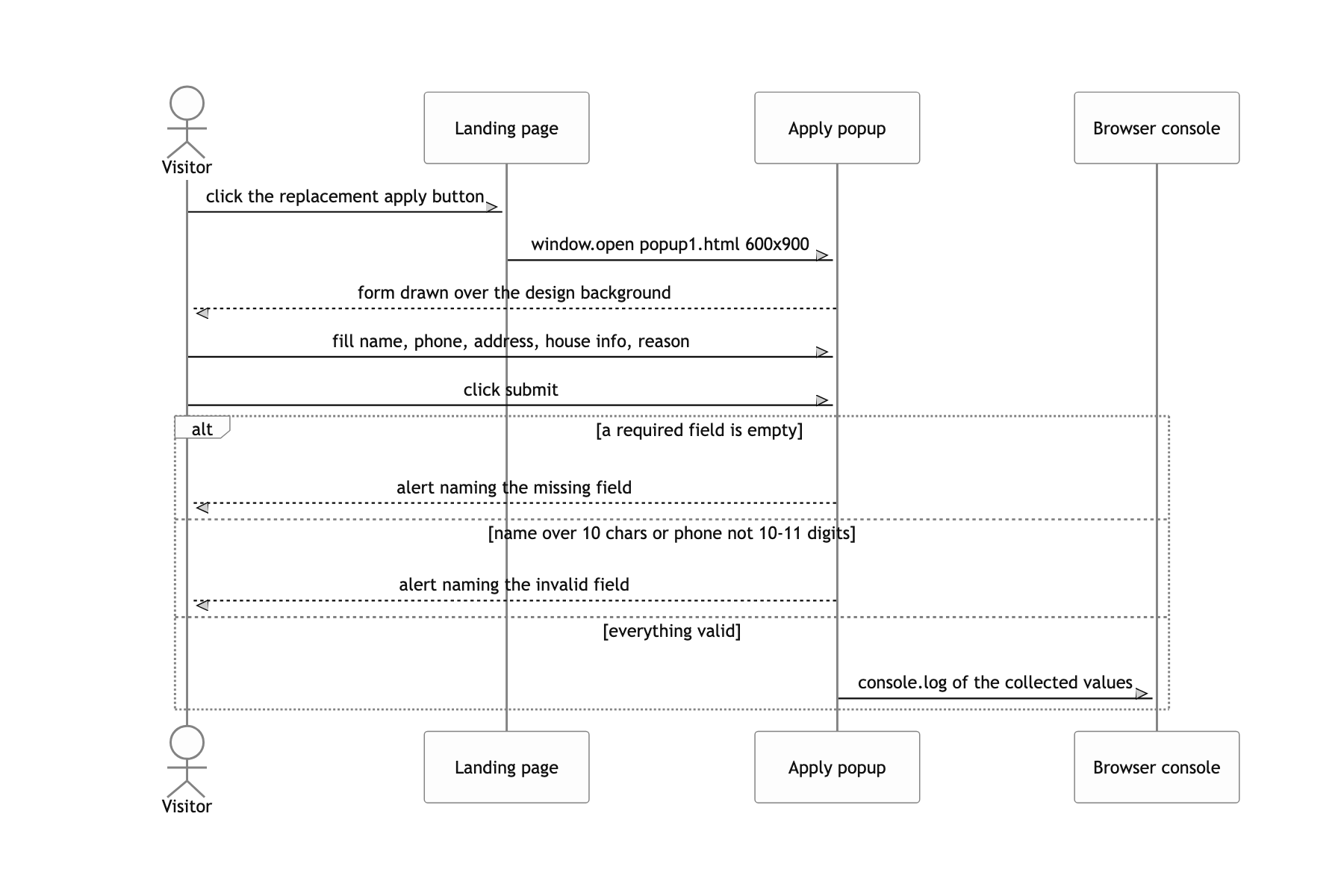
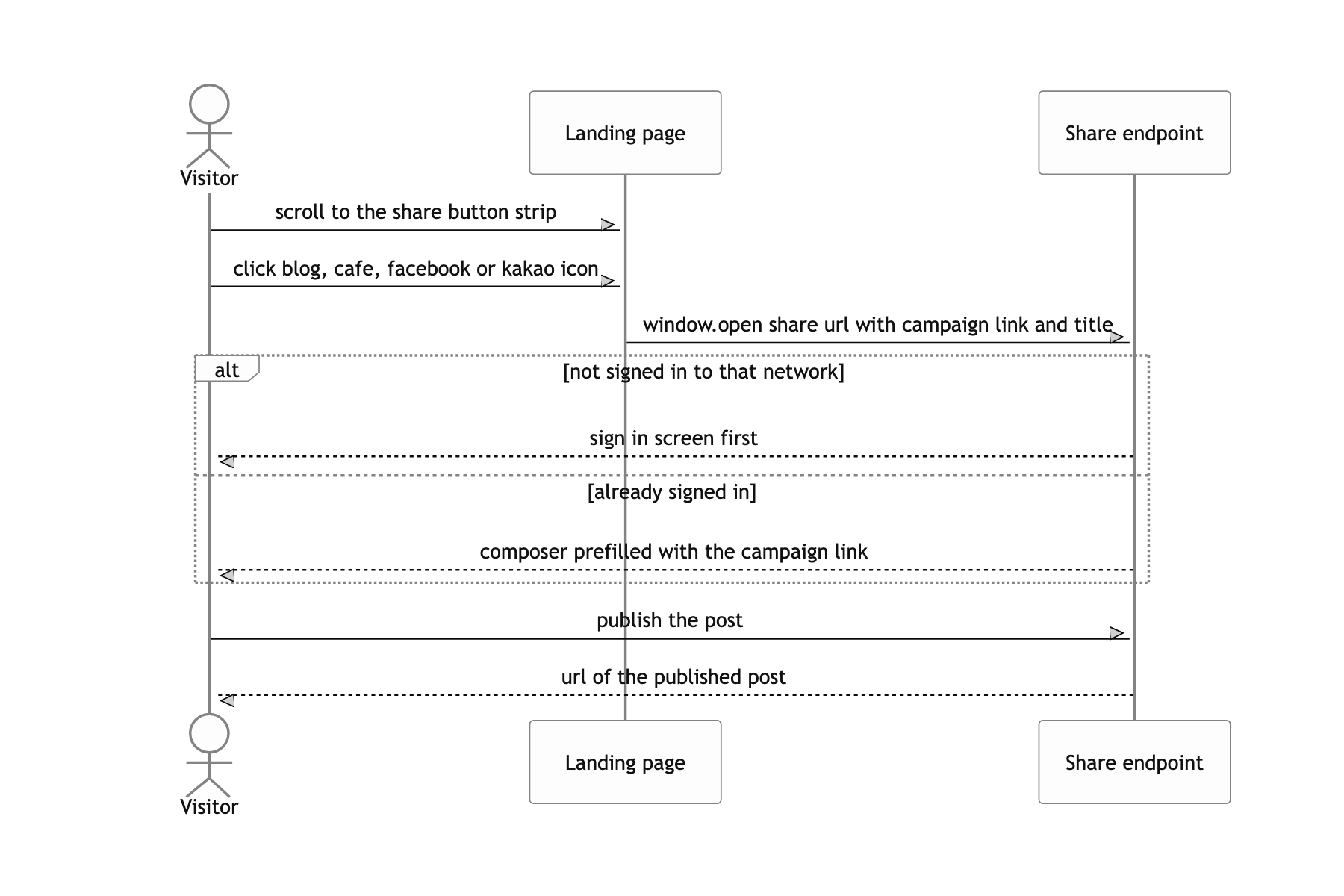
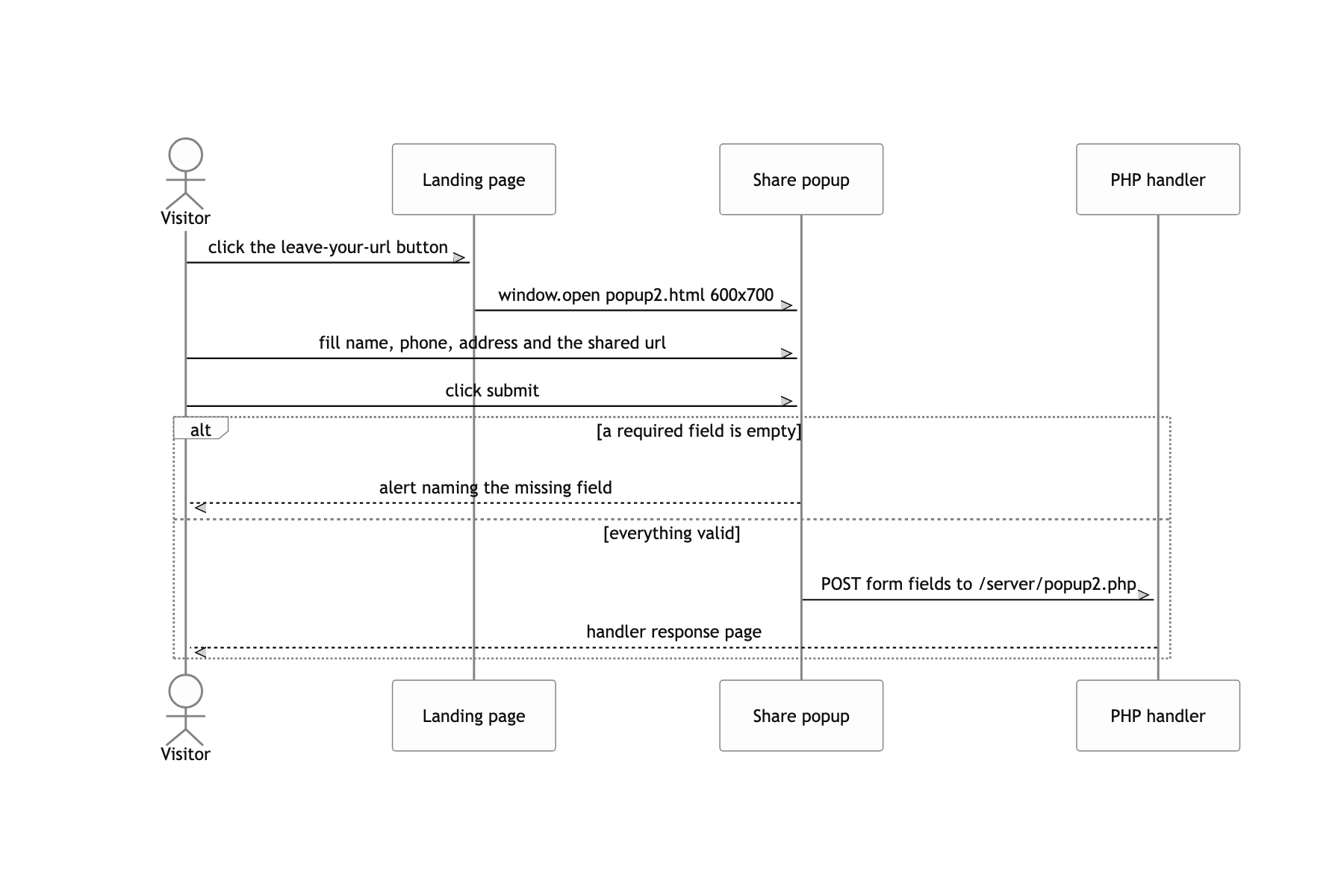
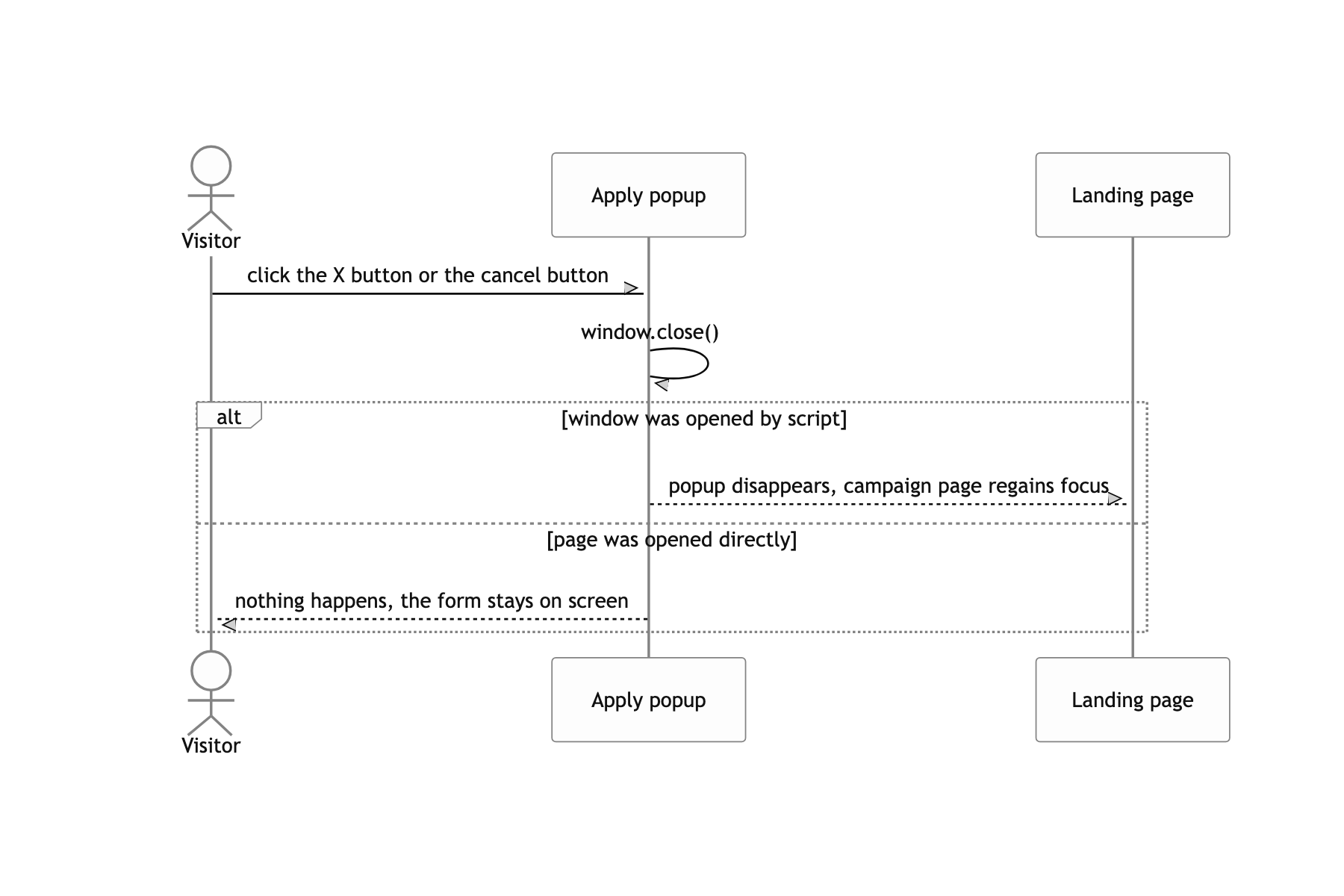
Navigation is not a router, it is window.open. The apply button opens popup1.html in a 600×900 window, the leave-your-url button opens popup2.html in a 600×700 window. On desktop that is a popup window with no address bar, on mobile it is a new tab, so the popup stylesheet carries min-height: 100vh under @media (max-width: 600px) to make a new tab still look like a full screen form.
Everything else goes to an external server. The intro film is a YouTube iframe, address search is the postcode service, sharing goes to each network's share endpoint. All the server carries is static file transfer and entry storage, so a rush of traffic on opening day was nothing to worry about.
Typing comp pixels as they are and changing only the scale
When the only comp is a desktop one, the usual choices are two. Set three or four breakpoints and rewrite the pixels per range, or convert each element to % and vw by hand. The first drifts away from the comp between breakpoints. The second means recomputing the coordinates of twenty images, and one wrong value produces an overlap.
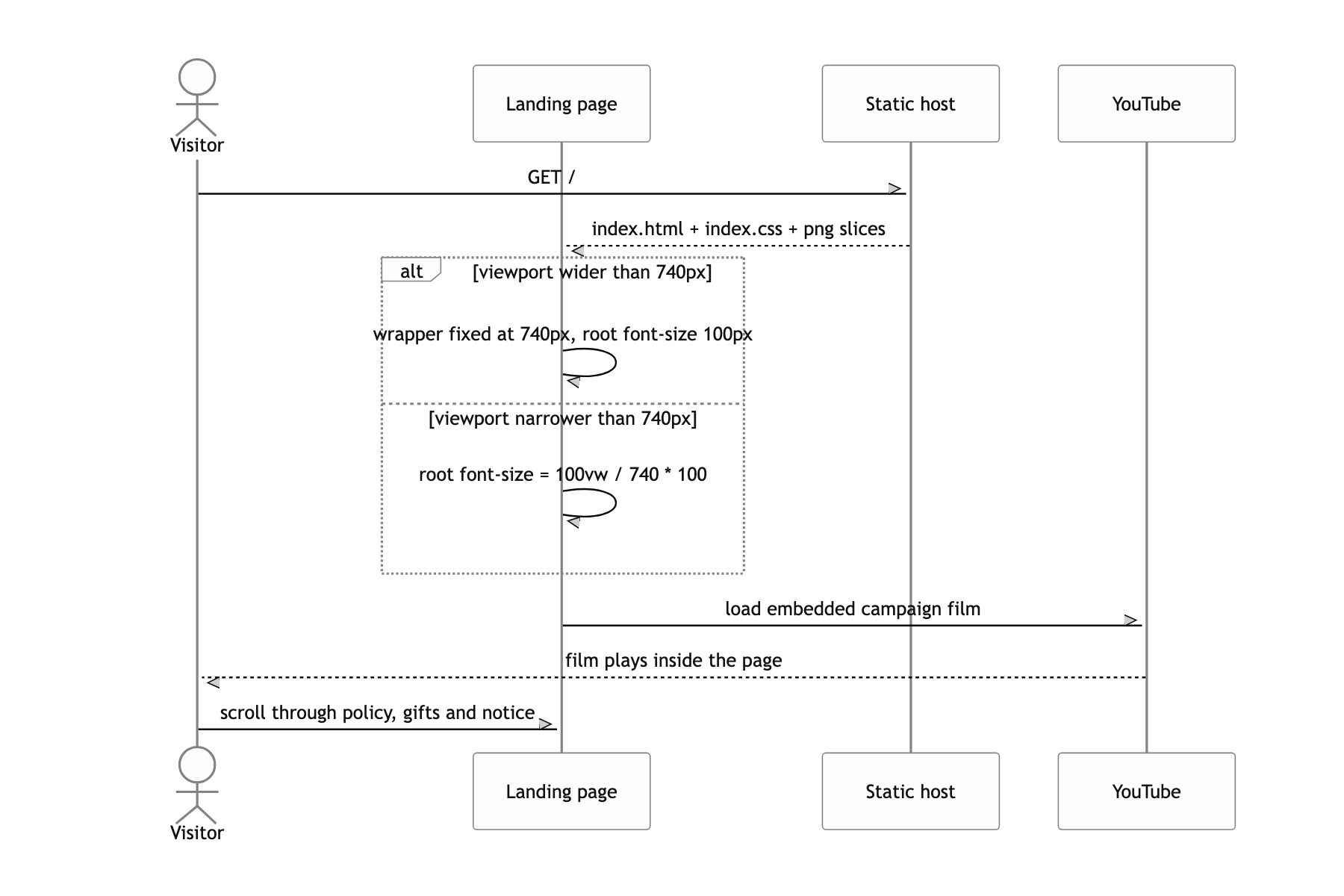
I pinned the root font-size at 100px and had a Sass function rem($value) divide comp pixels by 100 to get rem. So I write the comp number directly, as in width: rem(374). Below 740px, one line, html { font-size: calc(100vw / 740 * 100); }, ties the root to the viewport, and only .wrapper is released to width: 100%. Raising the root to 100px makes every character 100px, so * { font-size: rem(10); } to put the default back is the other half of the trick.
Once every length on the page is bound to one unit system, the scale is decided by the root alone. At 740px and above it stays 1:1 with the comp, and below that the whole page shrinks by the ratio of the screen width to 740. The popups use the same rule with the basis changed to 600. That is why nothing drifted out of place even without a mobile comp.
Making the words inside a flat image clickable
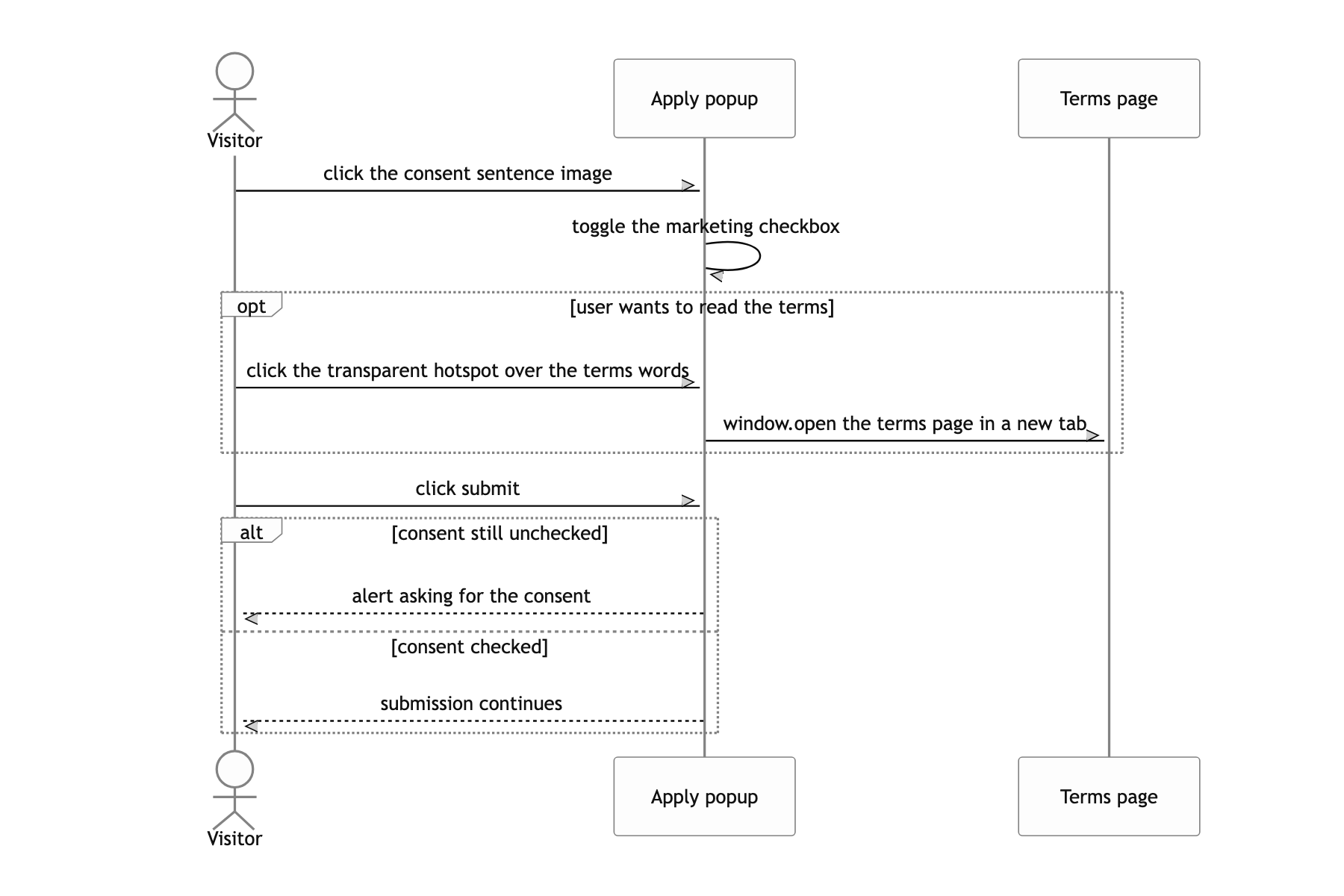
Asked to make only the terms wording inside the consent image clickable, you would normally reset that sentence as HTML text, or cut the image into three pieces and wrap the middle one in an <a>. The first shifts letter spacing and font rendering slightly away from the comp and gets flagged in review immediately. The second shows its seams as hairlines when the page scales up or down.
I left the image as one piece and laid a transparent div#marketing-link over the words with position: absolute. The coordinates are written in rem too, left: rem(225); width: rem(220); height: rem(14);, raised above the image with z-index: 2, and a click handler opens the terms page in a new window. The share button row on the main page works the same way. Four icons sit on one background strip PNG, absolutely placed 55px apart through a :nth-child(n+2):nth-child(-n+5) selector.
The hotspot lives on the same rem coordinate system as the image, so when the viewport narrows and the image becomes 60% of its size, the hotspot shrinks to exactly 60% and still covers the same words. Written in px it would have drifted at every screen width. The comp stays one image, and only the clickable region is something the code knows about.
What a user can do
A submit that stopped at the console
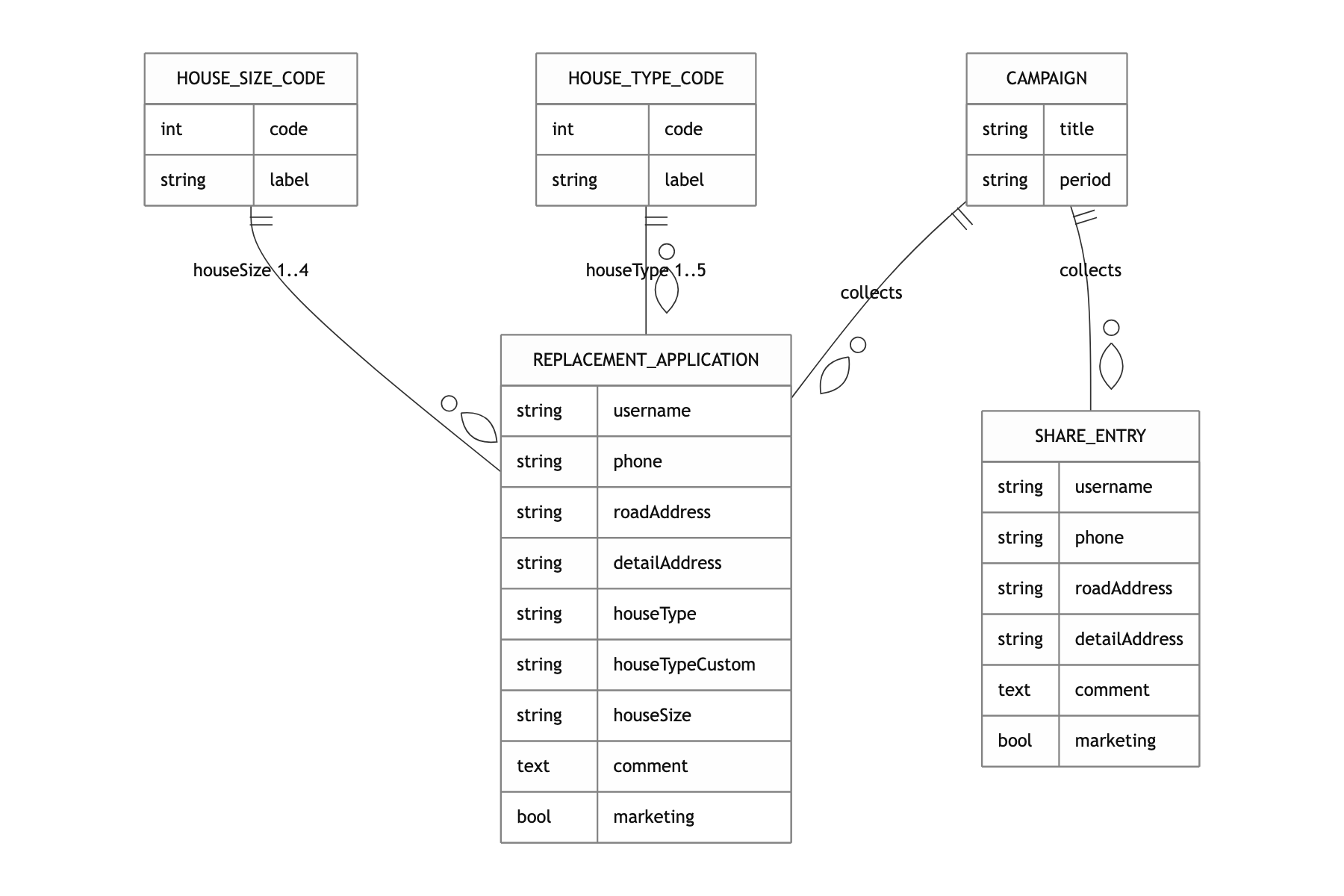
Honestly, this repo is frozen at the state it was in right before launch. The share entry popup does POST for real to popup2.php, but the submit button on the replacement apply popup passes validation and then only writes a console.log (src/pages/popup1/popup1.js:89-96). Where the application data should go was the one thing never decided. The validation logic is copy pasted across both popups, and og:url still holds the ngrok address used during development, the trace of a public URL I attached to check the share crawlers and never swapped for the real domain.
If I built it again I would change three things. Pull the form field definitions into a single array and generate validation and markup from it, and get the body copy out of the images. As it stands, all a screen reader has to read is strings like alt="btn-1", and fixing one line of copy means going back to the design file. And instead of a deploy that leaks a root password through sshpass, I would use a deploy key and a symlink swap. I let it slide because the campaign was short, but the shorter it is, the more a way back matters.
