AI 3D Part Grouping & Material Generation
Turning hand painted 3D materials into browser generated PBR textures
500 hand written lines per coin
Before this tool existed, putting materials on a 3D asset was entirely hand work. Open packages/101_xyz/src/routes/views/claim/ThreeCoin.tsx in the game package that sits in the same org and you can see that approach directly. To make one coin read as silver metal, it draws radial gradients and rings onto a <canvas> to bake a color map and a bump map, then hardcodes metalness: 1, roughness: 0.08, clearcoat: 0.3 and envMapIntensity: 1.7 on a MeshPhysicalMaterial, across more than 500 lines. That is one coin.
As assets pile up, this approach repeats once per asset. Seeing one more material variant means editing code and building again each time.
So the requirement settles into this. Upload a GLB, split it into parts, generate several sets of material candidates, preview them under lighting, pick one and apply it, then export it in a form the engine can read. It hands work people had been doing in code over to AI. One more constraint comes attached: AI call spend has to stay under control.
This piece covers only two things: the split of duties that puts 3D on the browser, and the layer that filters the PBR values the LLM produces. The texture pipeline that gathers images generated from eight directions into a UV atlas gets one paragraph below, and the texture provider adapters and the model scorecard each deserve their own write-up, so I have folded them away here.
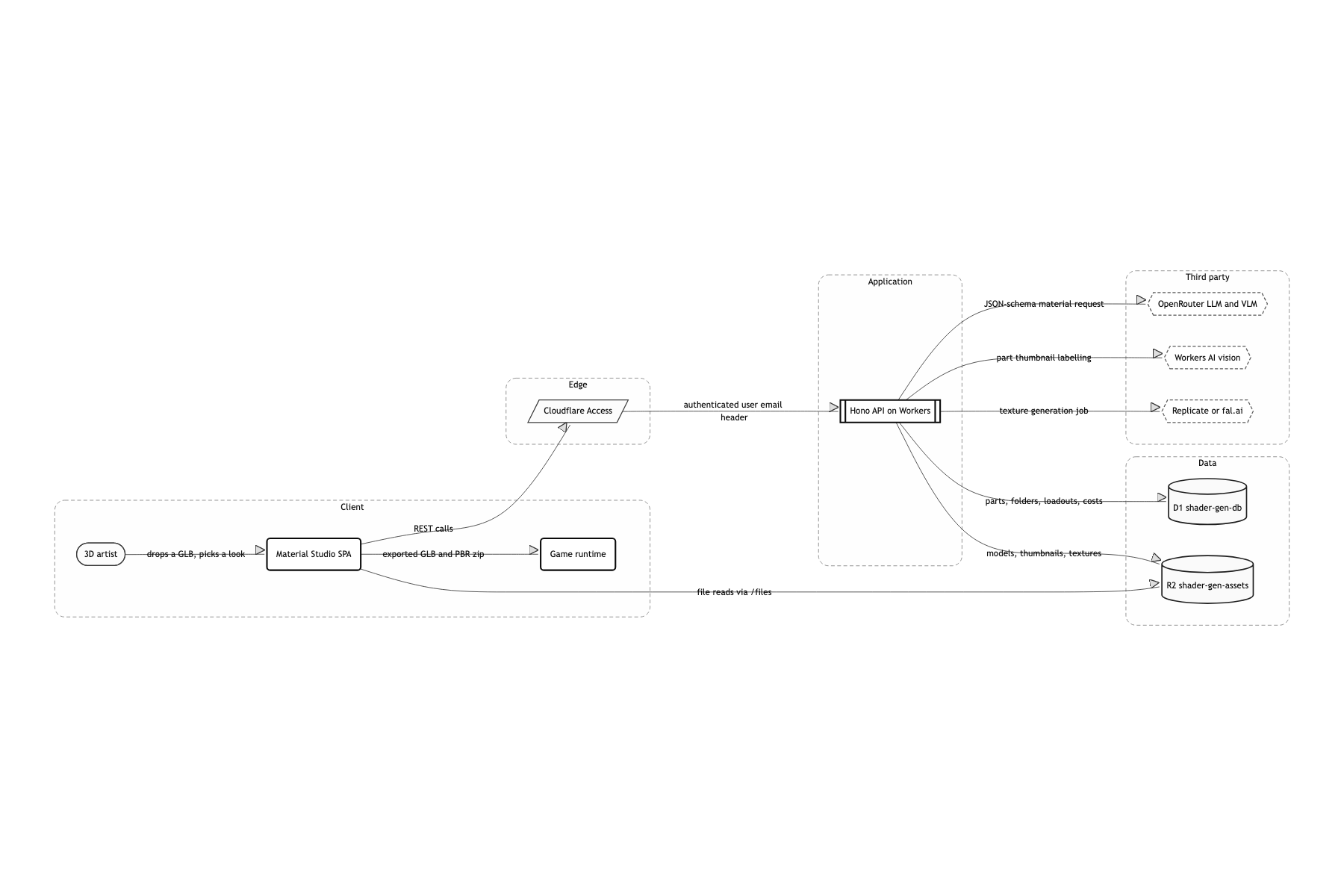
The only GPU was a browser tab
Run three.js, WebGL and xatlas (WASM) in the browser
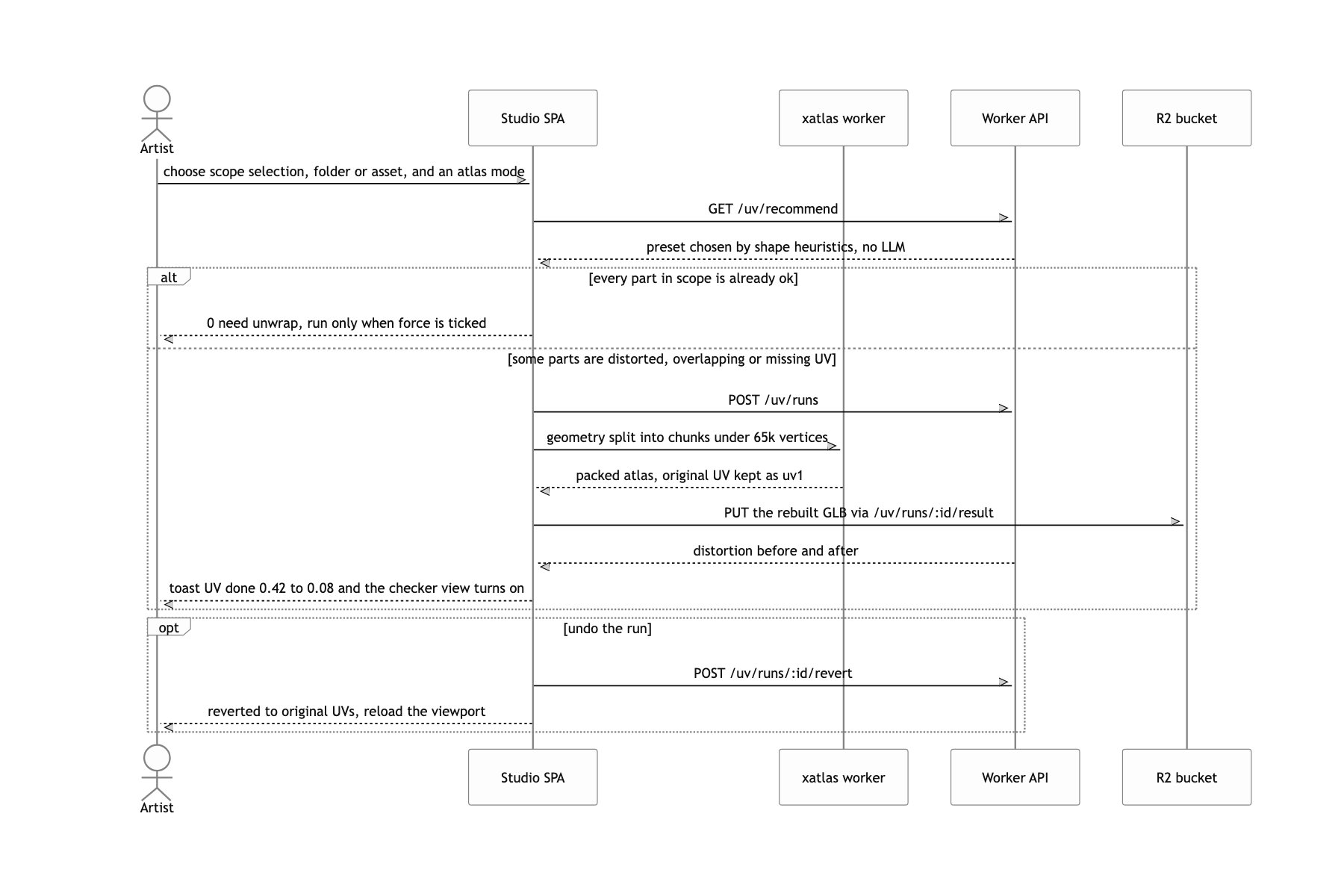
The only GPU available was one tab in an artist's browser. There was no budget to attach a server GPU, and a browser stays open anyway to look at the result. Using the renderer that is already open as the compute resource was the sensible call. xatlasjs handles indices as uint16, so a mesh over 65k vertices cannot go in as-is. I had to write the code that splits geometry into chunks and stitches the results back together myself.
Have the LLM produce PBR parameters, not images
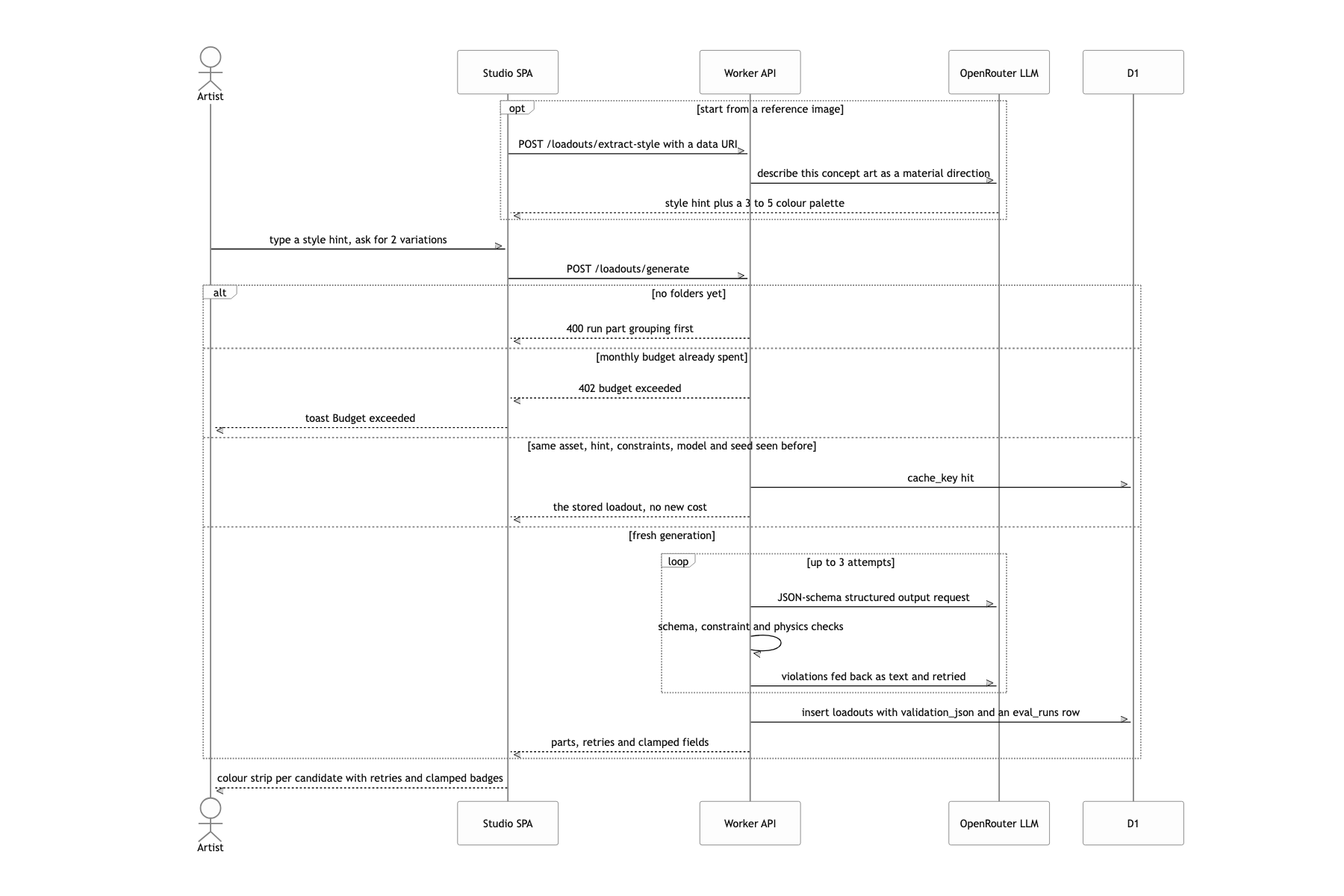
"Material generation" usually makes people picture texture images, but in a real-time engine the cheapest thing, and the thing that shows up instantly, is numbers like metalness, roughness and clearcoat. Take structured output through a JSON Schema and those numbers drop straight into MeshPhysicalMaterial. Textures became an option layered on top of that. When the values the model returns are wrong, the render breaks quietly. There is a layer a schema cannot catch, so validation had to be written separately.
Write every AI call into the costs table and block with HTTP 402 once the monthly budget is exceeded
In an in-house tool on a shared key, if nobody knows who spent what, the key eventually gets revoked. Every call records its cost along with user, asset and kind, and assertBudget() checks this month's spend right before generation. Token prices differ per model and change often. I accepted from the start that this is an approximation showing "how much was burned this month", not an exact invoice.
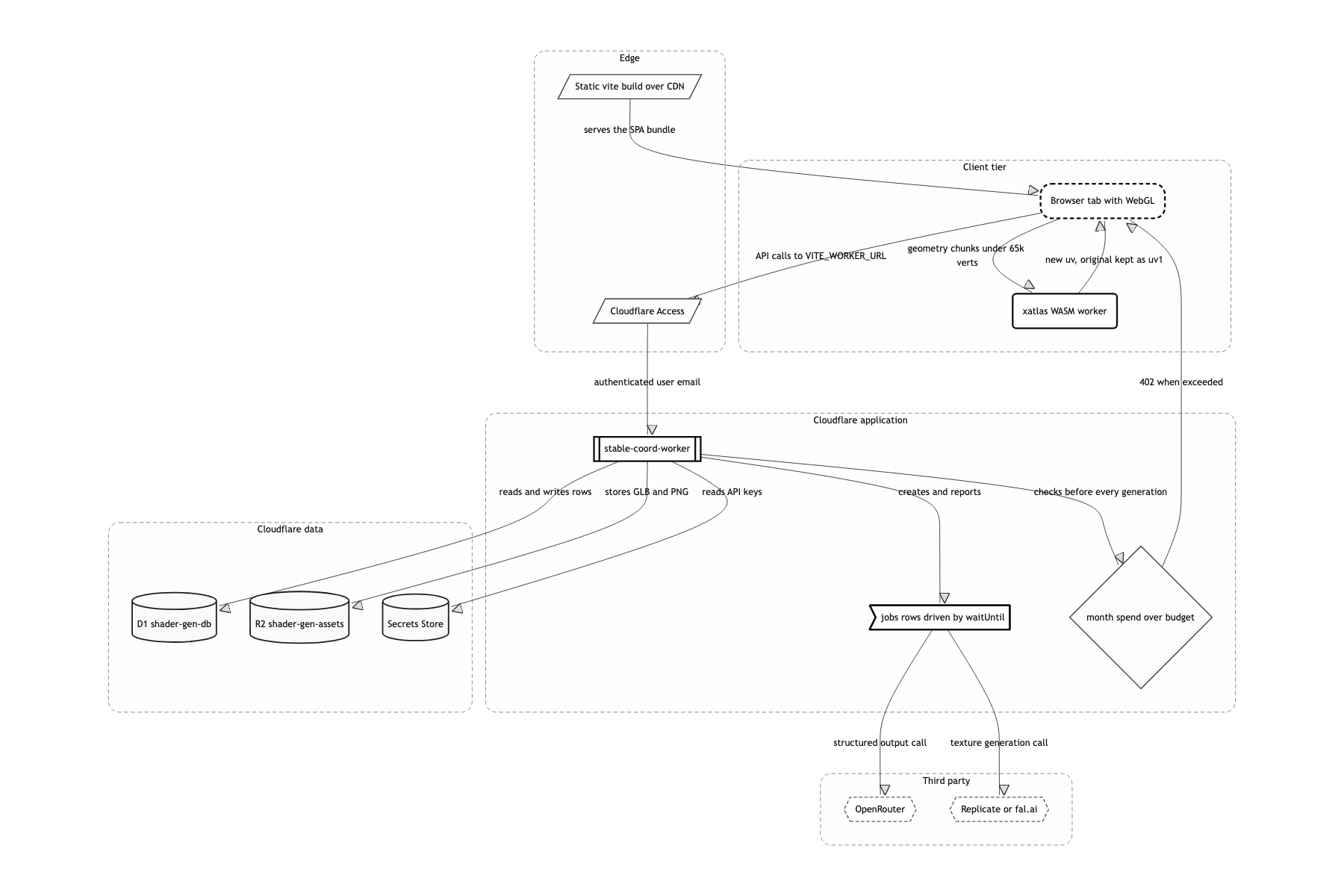
Compute in browser, records in worker
The split of duties is the skeleton of this system. The browser takes 3D, the worker takes memory and money. When an artist drops a GLB, the worker puts the original in R2, creates the assets / asset_versions rows and an analyze job, and responds right away. The actual analysis happens in the browser. It parses the GLB, walks the parts, judges UV state as ok / distorted / overlapping / missing, renders a front and a ¾ thumbnail per part, and sends all of it back through POST /assets/:id/analysis and PUT …/parts/:id/thumb. From the worker's point of view it has never touched 3D, yet D1 holds triangle counts, bboxes, UV distortion and texel density for every part.
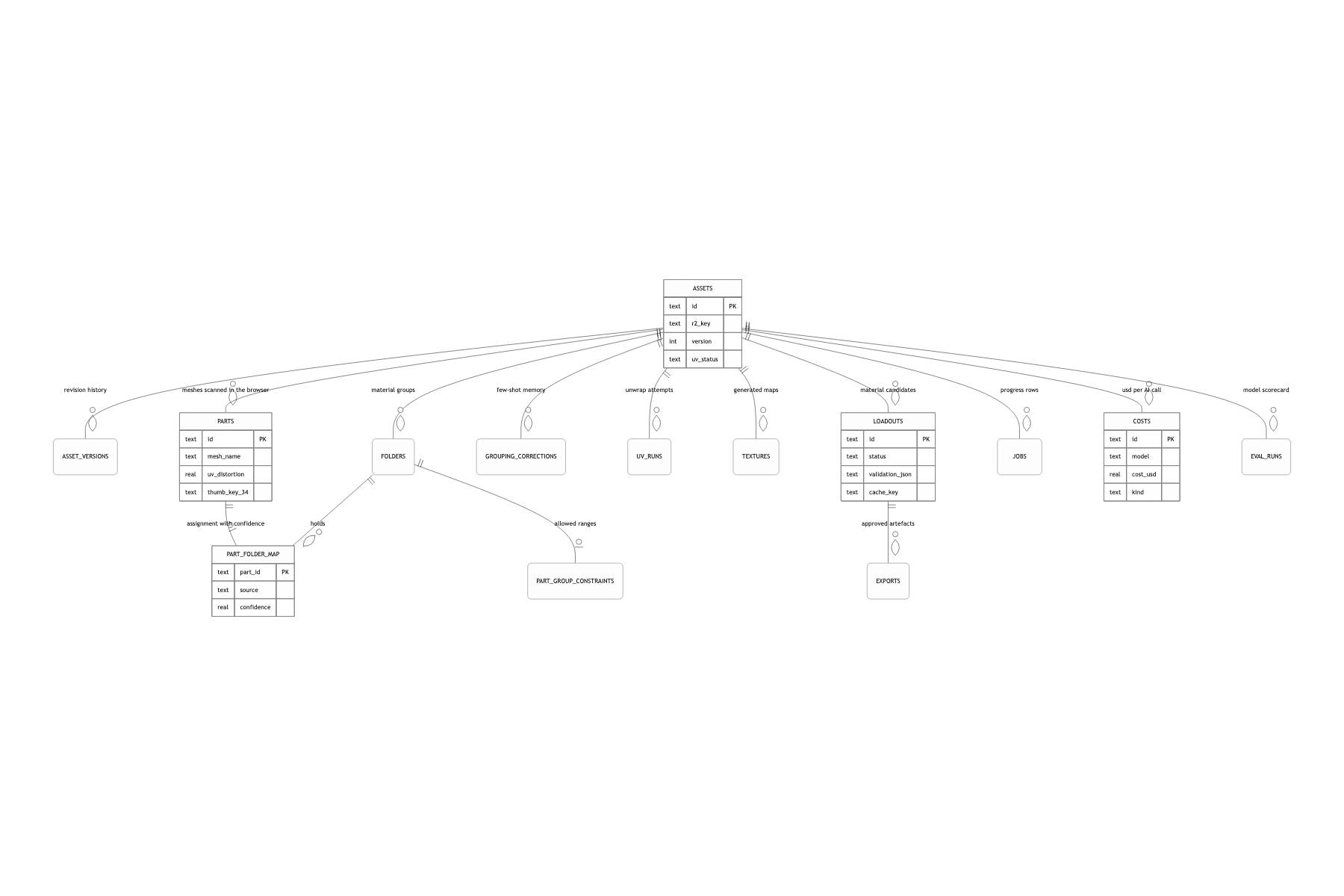
Filtering LLM-authored PBR values through three layers, and logging every fix
You write "please give physically plausible values" in the prompt, JSON.parse the response, and drop it straight into the material. If you are a little more careful you put a JSON Schema on it for structured output and, since it passed the schema, treat it as safe and move on. Most values do pass. The problem is that some of the ones that pass break the render.
I split validation into three stages. ① schema looks at types and ranges: whether color matches ^#[0-9a-fA-F]{6}$, whether roughness sits between 0 and 1. ② constraint looks at the rules the artist set per folder: allowed_types, the metalness range, emissive_allowed, the forbidden field. ③ physics looks at domain rules. roughness < 0.03 is the mirror singularity, so it is raised to 0.03. A metalness between 0.2 and 0.8 is neither dielectric nor metal, so it snaps to the nearer pole. And when transmission > 0 with metalness > 0.2, the glass renders like metal, so metalness drops to 0 and materialType switches to physical.
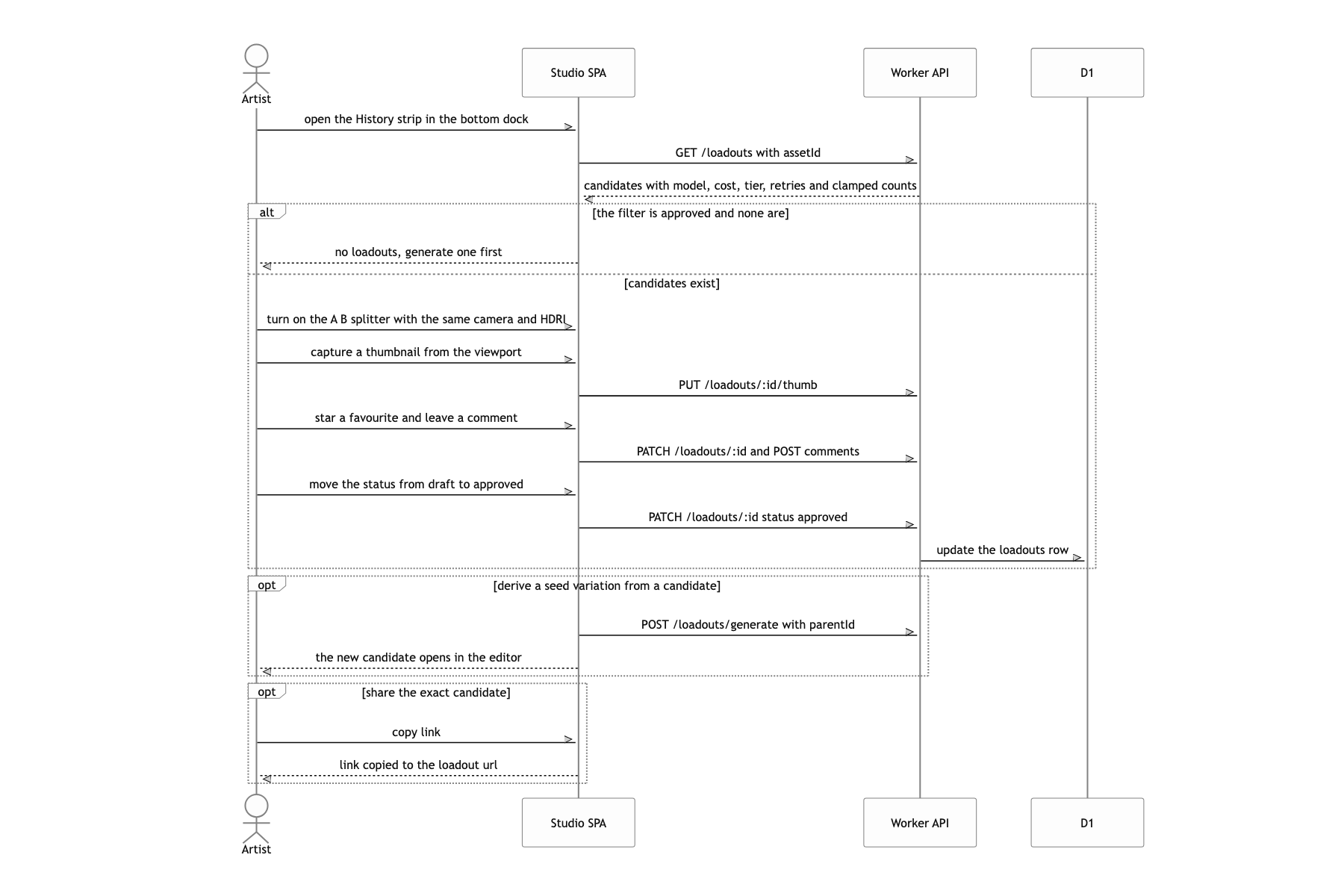
When a violation comes out, violationsToFeedback() turns it into a sentence a person can read and attaches it to the next request. "Your previous answer violated these rules, fix them and keep everything else". It asks again up to 2 times, and whatever is left gets clamped. But nothing is fixed silently. What changed, from which value to which value, goes into loadouts.validation_json and shows on the candidate card as 2 retries · 3 clamped.
Because each of the three stages catches a different kind of error. A schema cannot stop metalness: 0.5. The type is right and the range is right. Yet in real-time PBR, 0.5 is a value that barely exists physically, so it looks half-finished under any lighting. That is domain knowledge, not schema, and only code catches it.
Not looping retries forever was deliberate too. Ask once more and it usually comes back fixed, but from the third attempt on it repeats the same mistake while the cost keeps climbing. So I cut it at 2 and close out the rest with clamps. And once clamp records piled up, a side effect appeared. "Which model breaks which rule, and how often" sits right there in eval_runs, so I can swap models by looking only at the schema-ok rate and the average violation count on the dashboard. Decisions come from a table now, not a hunch.
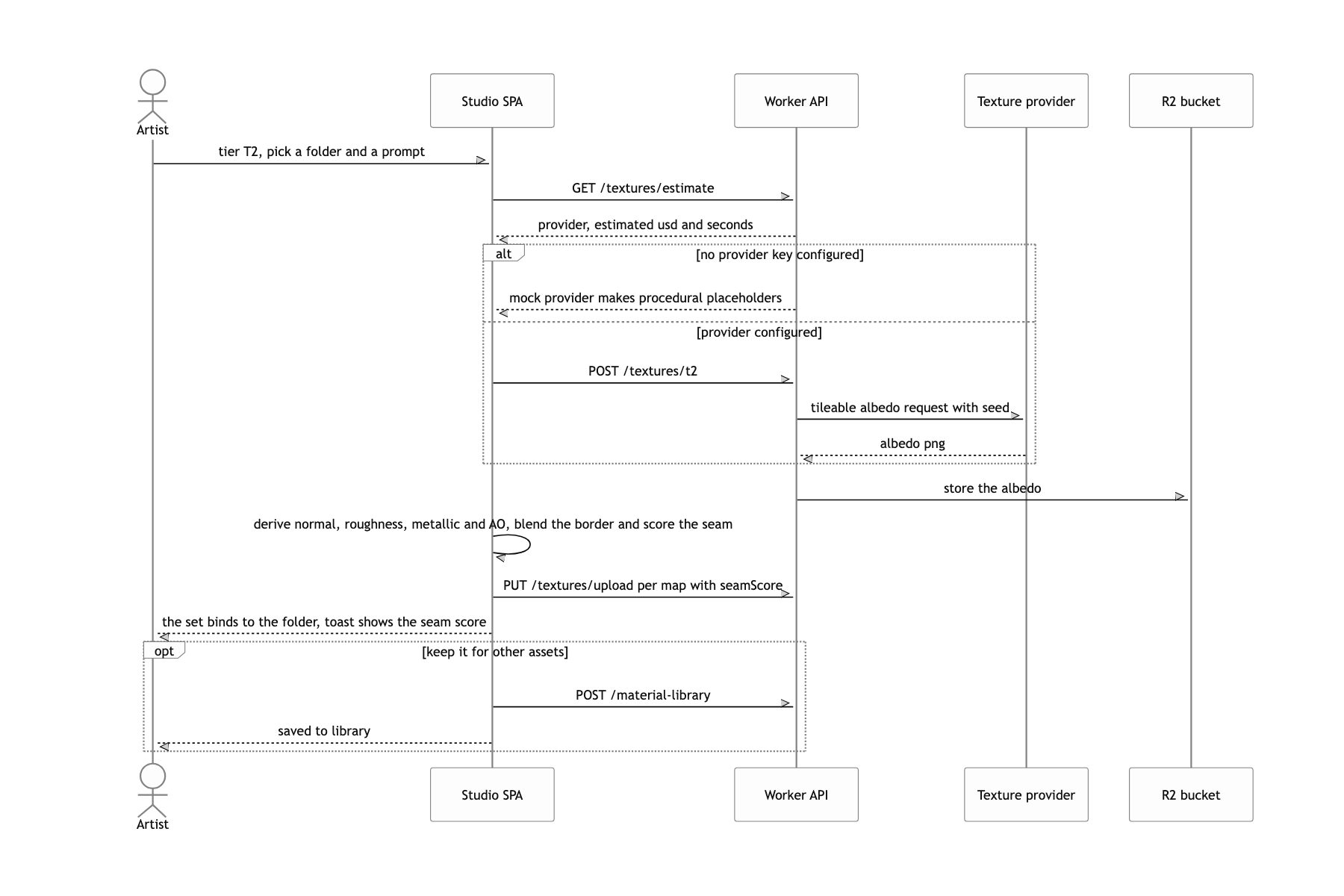
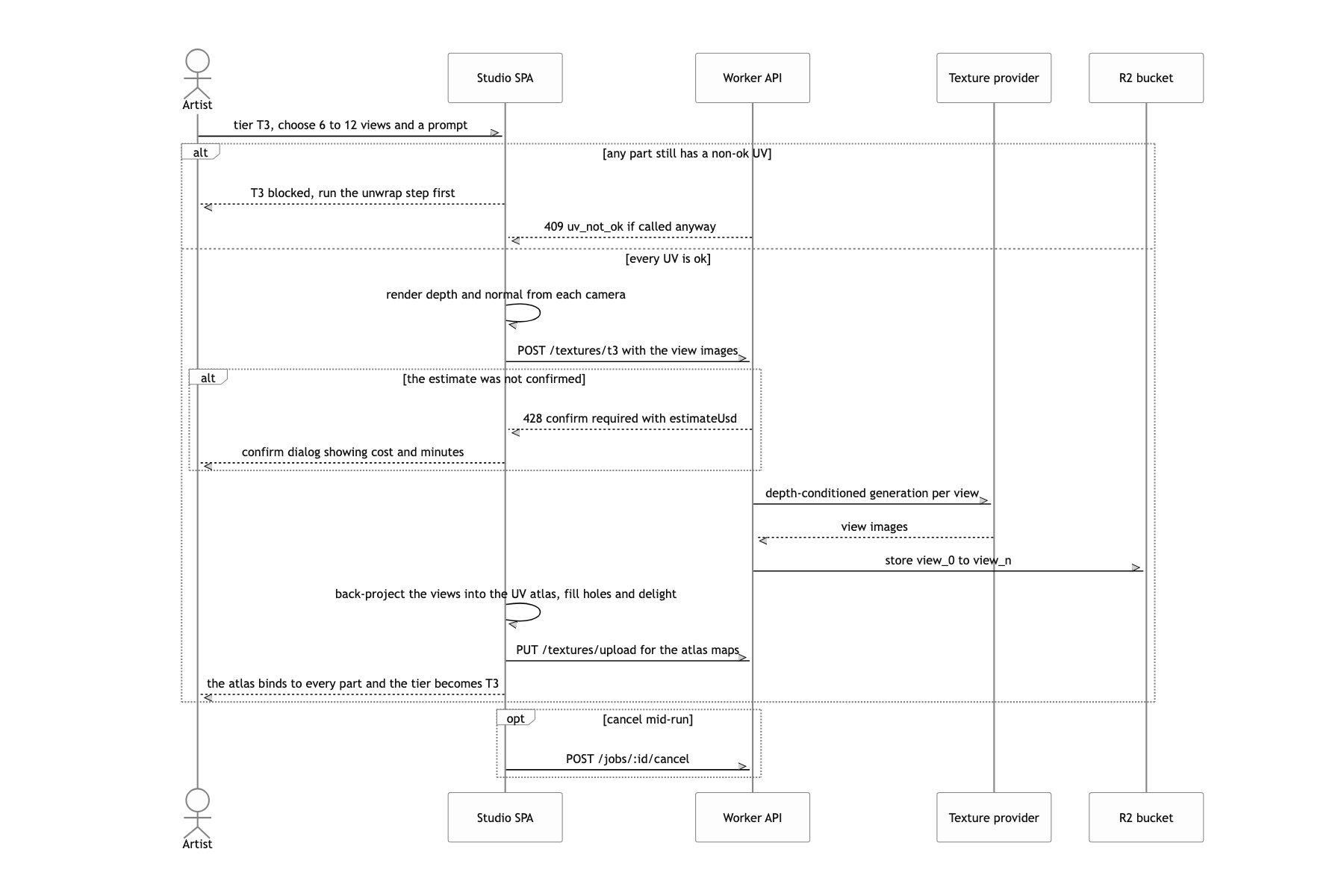
Gathering images generated from eight directions into a single UV atlas
If you make a texture per view and try to combine them in 2D image space, you have no way of knowing which pixel maps to which texel in UV, and the result falls apart at the seams.
I flipped the direction. Instead of moving images into UV, I drew the mesh in UV space. The vertex shader uses gl_Position = vec4(uv * 2.0 - 1.0, 0.0, 1.0) so the render target itself becomes the UV atlas, and each fragment projects its own world position through the conditioning camera to sample that view's generated image. Only the pixels that survive a facing weight and a depth comparison accumulate additively, then get divided by the accumulated weight.
The moment the atlas becomes the render target, the code no longer needs to know how many UV charts there are.
What a user can do
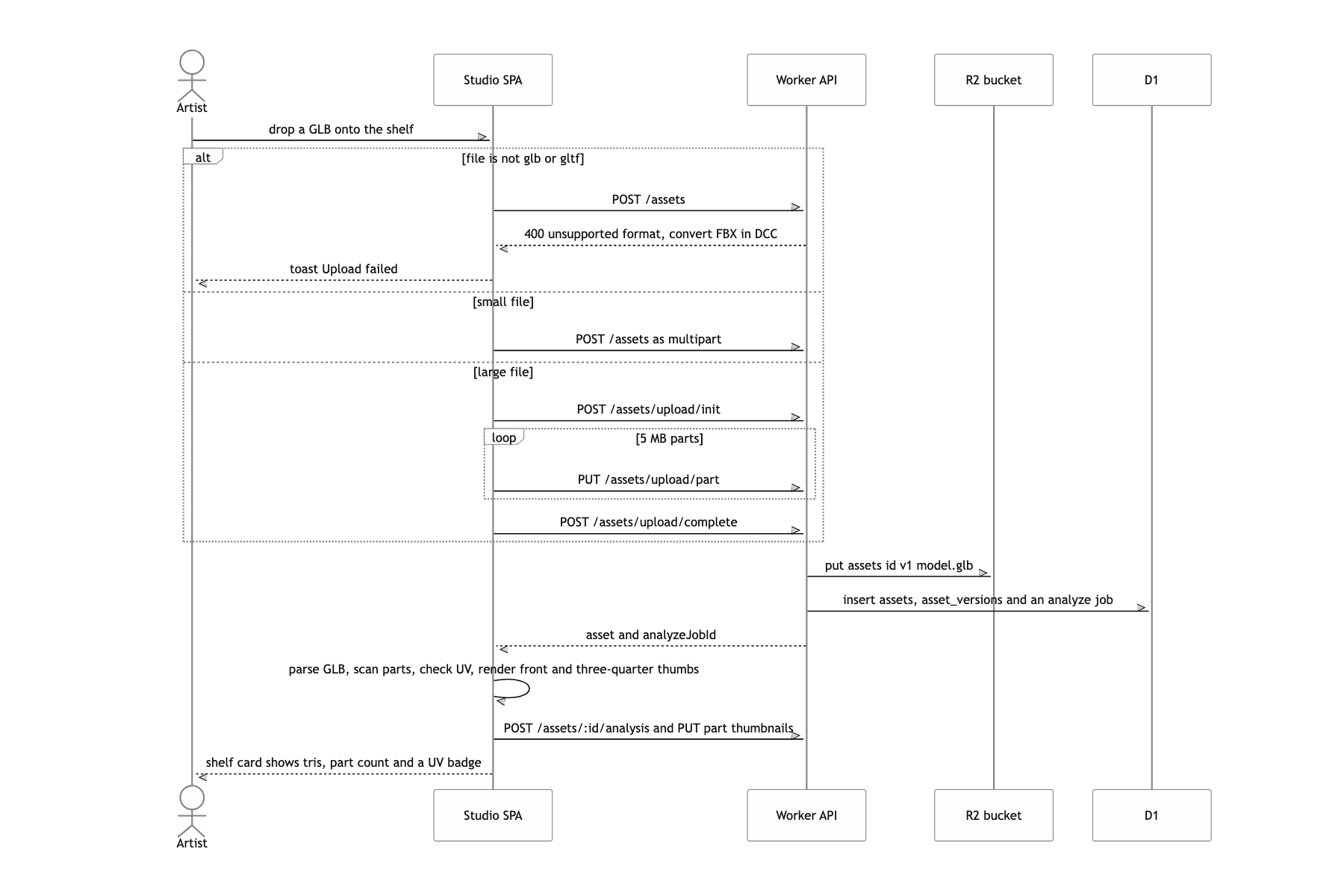
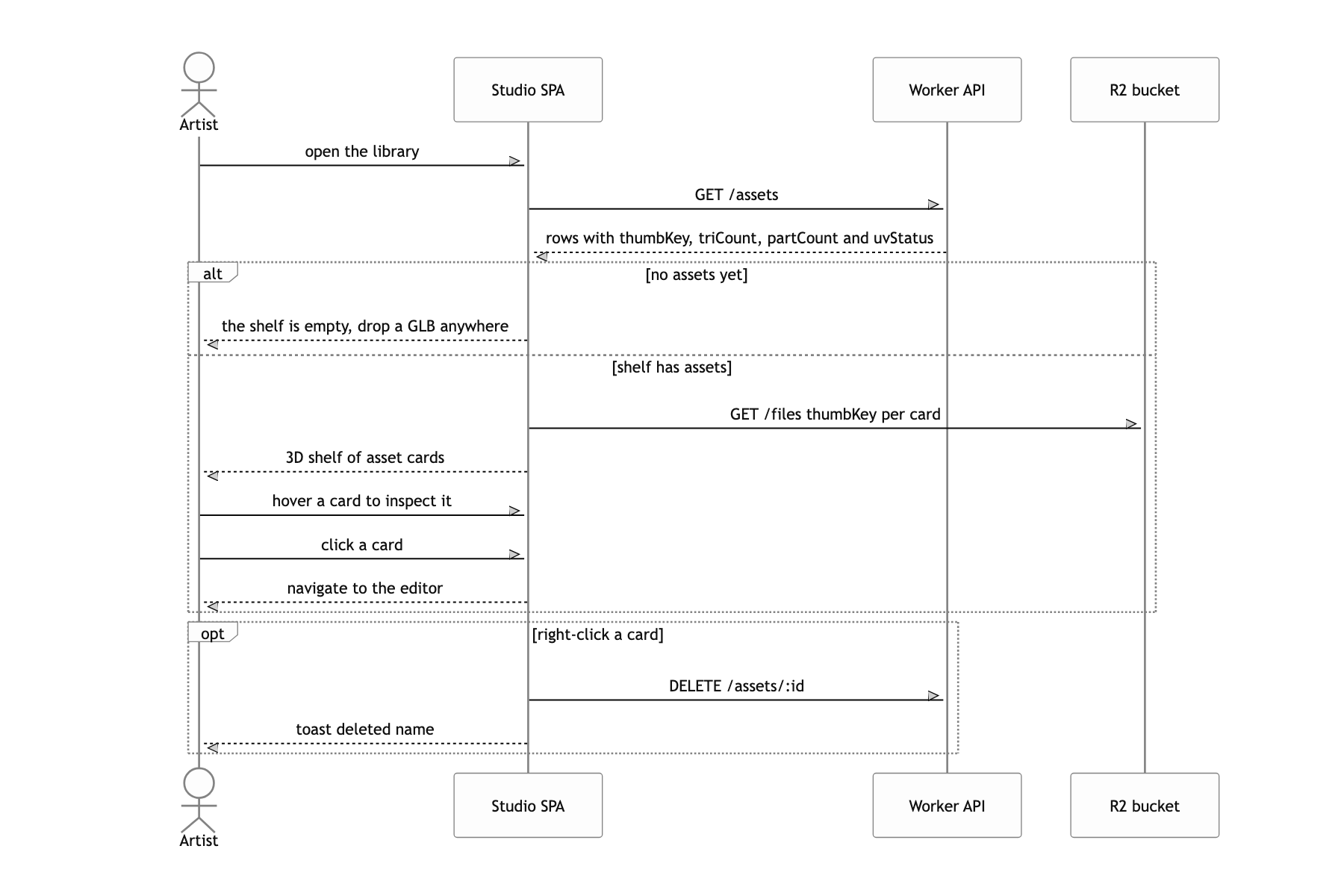
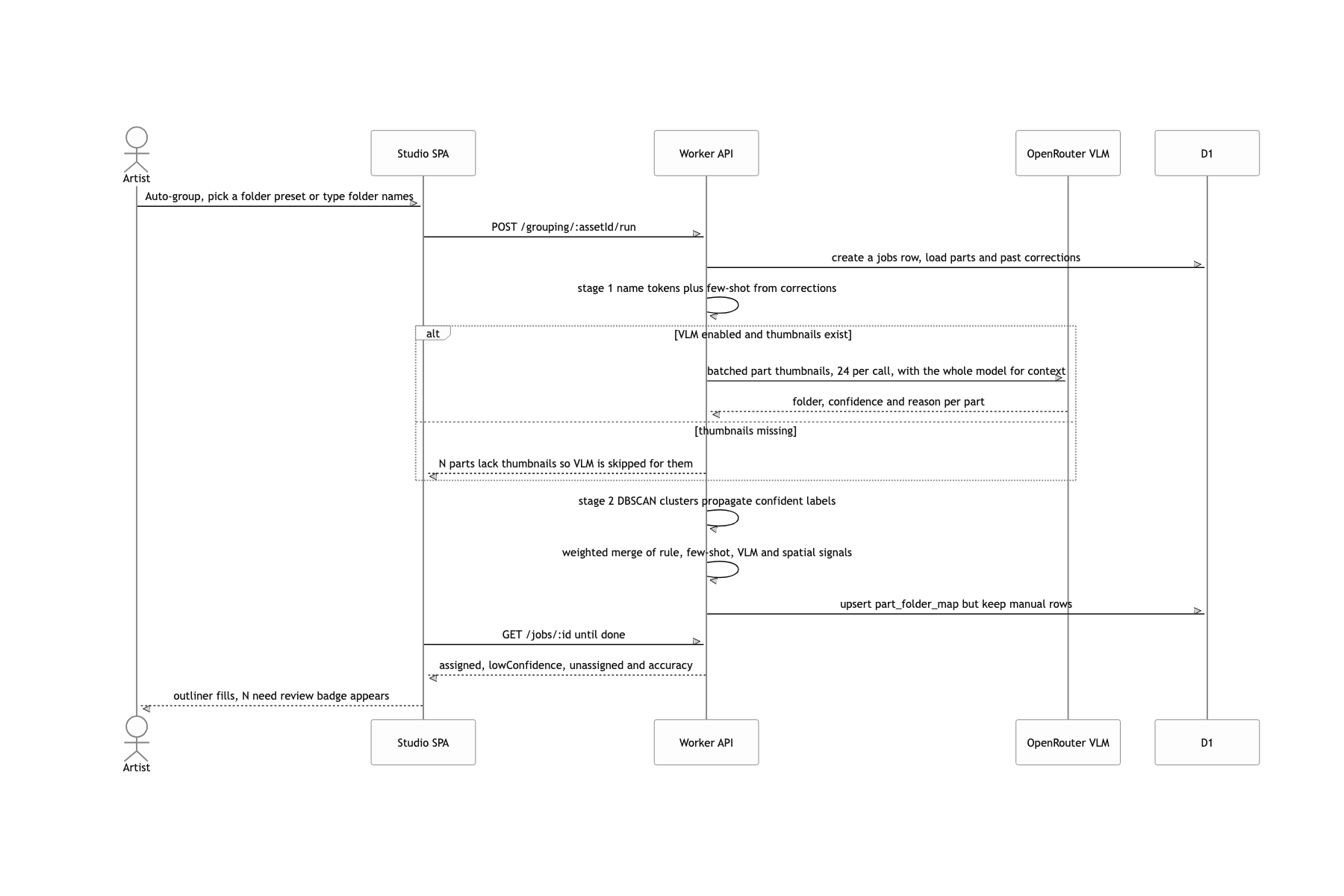
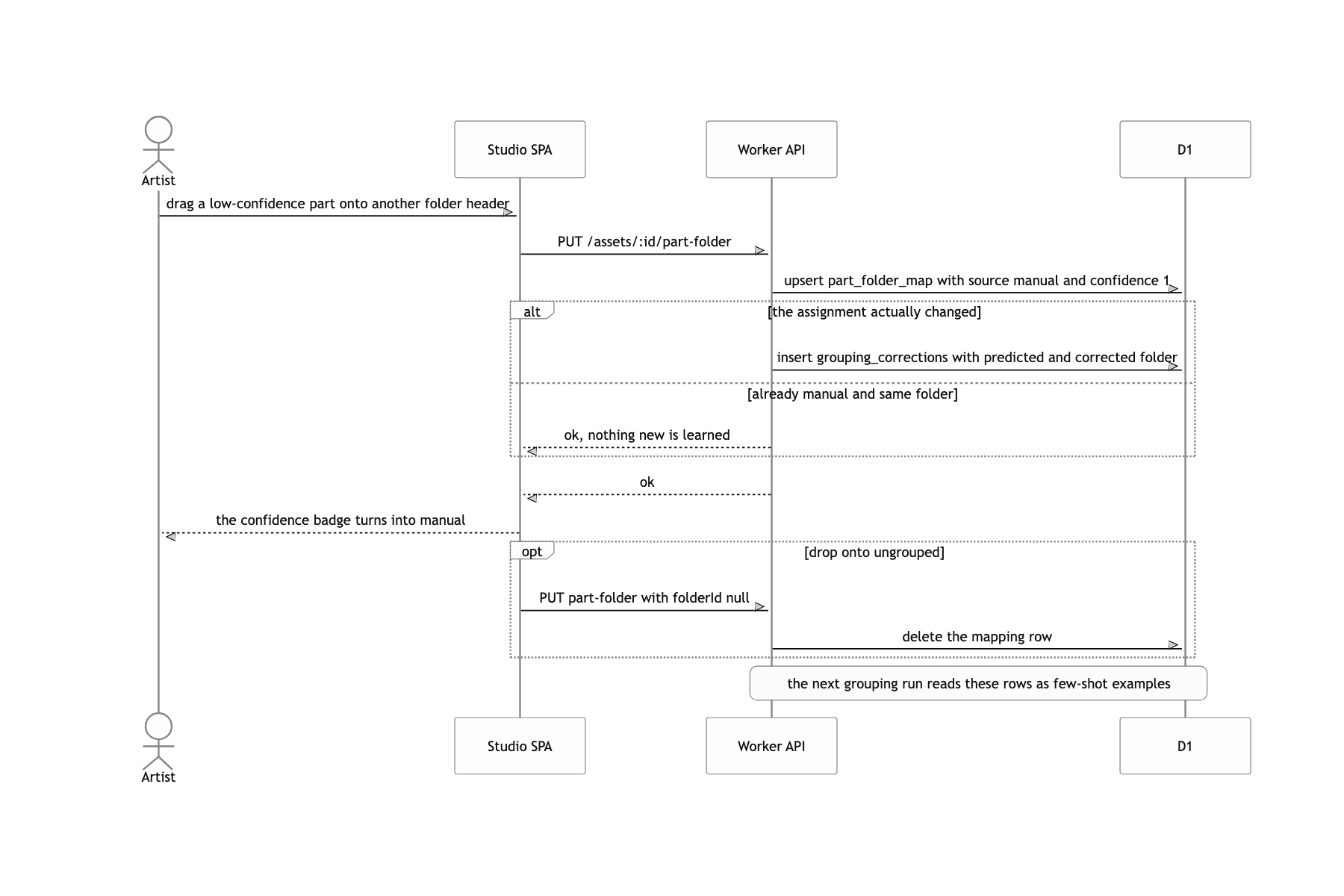
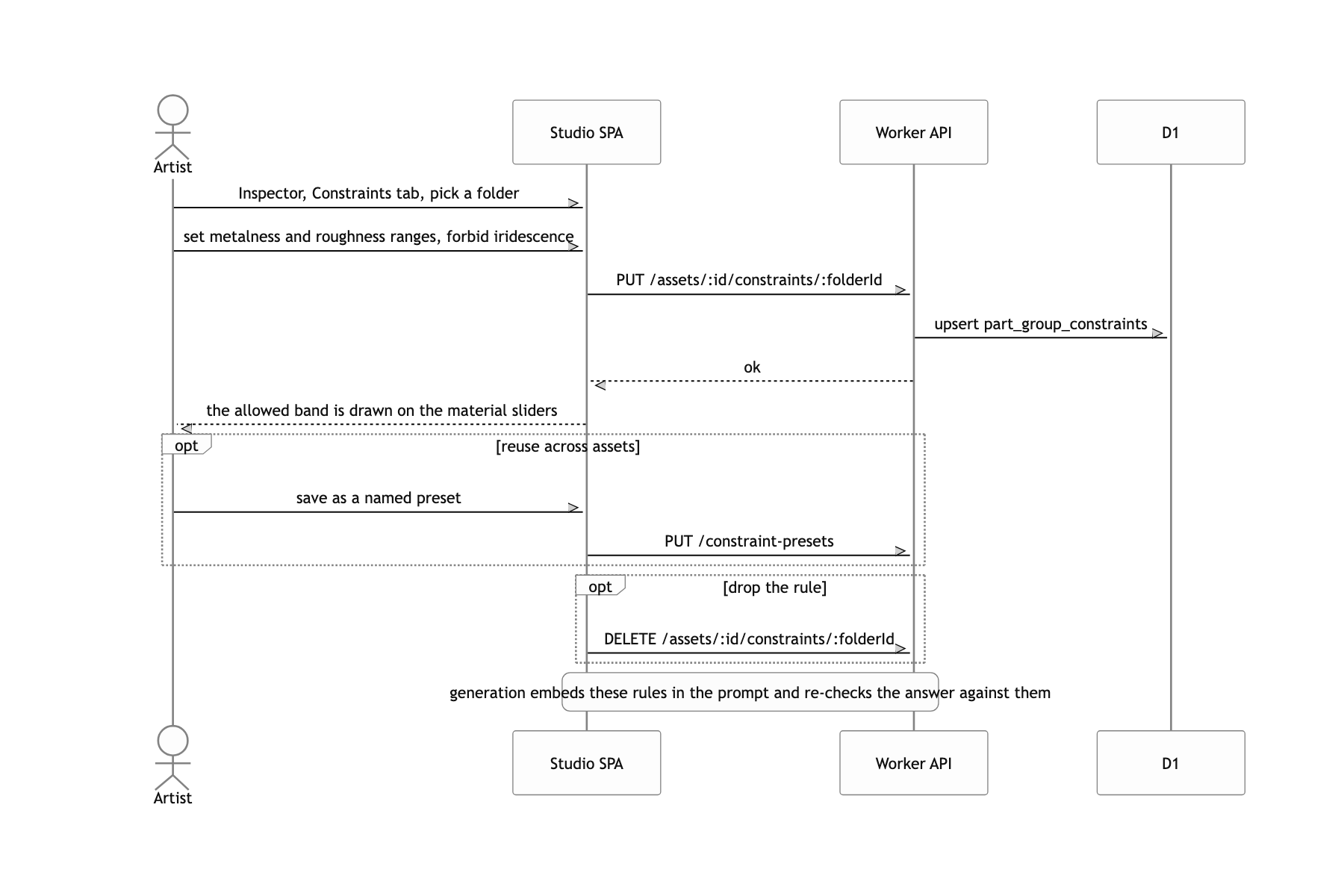
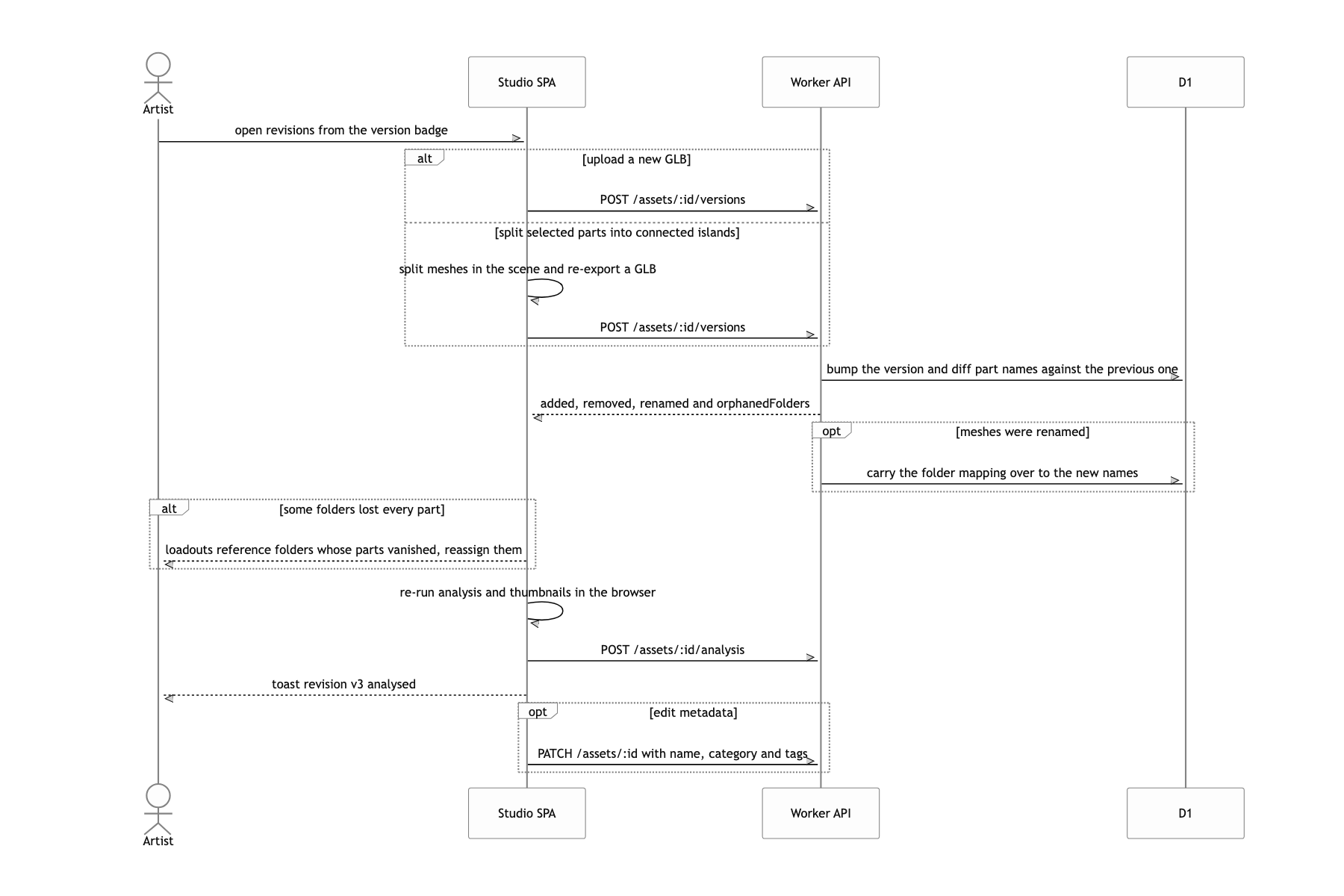
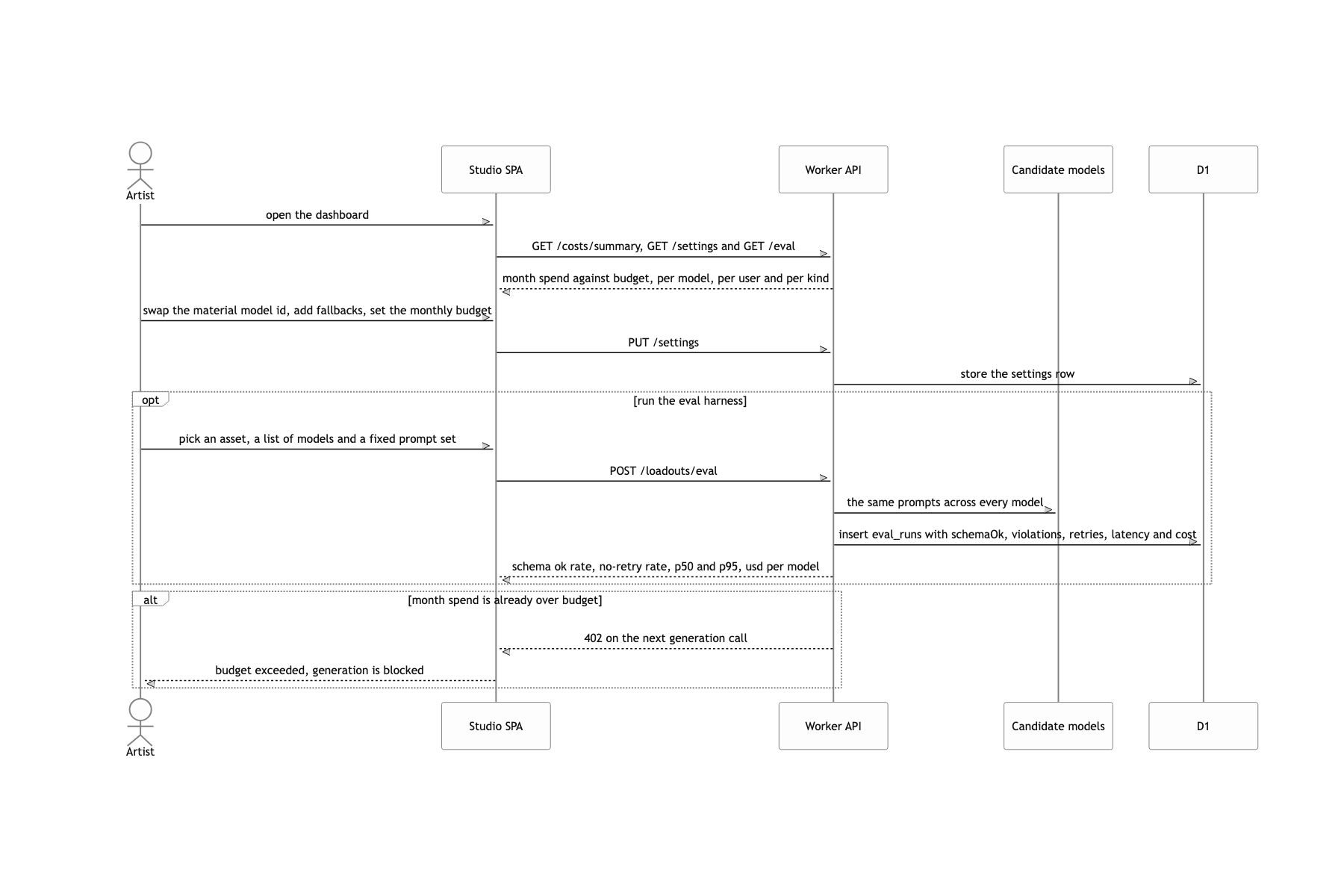
What the deferred job queue cost
The price of handing 3D to the browser is clear. Past 500k triangles the tab visibly stutters during unwrap, and beyond that it effectively will not run. The UV dialog does say "a model this size should run on a container worker", but that container does not exist yet. Right now every job either runs inline through waitUntil or runs in the browser. Building the jobs table and the progress reporter first was a calculation about not having to touch the UI when moving to Queues or Workflows later, and in the end I could not make that move inside this period. If I built it again, this goes to a queue from day one. Inline execution makes you hand-write cancel, retry and timeout, all of it.
