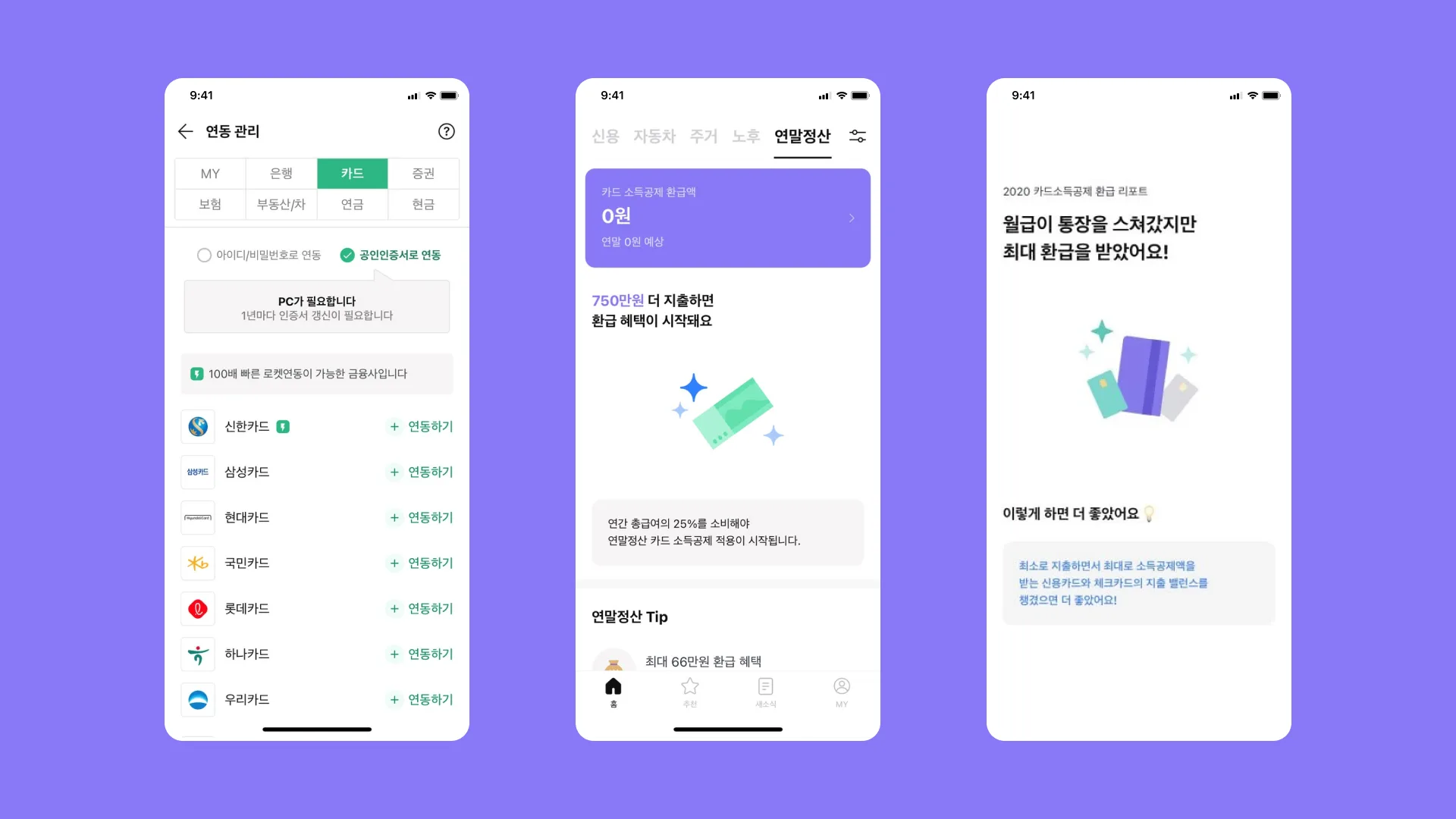
Subscription Discovery App from Card and Bank Data
Link a card or account and it finds your subscriptions
Weekly screen changes without app review
The app connects a card or a bank account and finds what the user is currently subscribed to. The server owned scraping and the service catalog. I owned the entire app that turned those results into screens.
There were more than twenty screens. The list of supported financial institutions, the copy on the result screen, and the categories in the discovery tab all had to be changeable without going through another app review.
One webview, four bridge calls
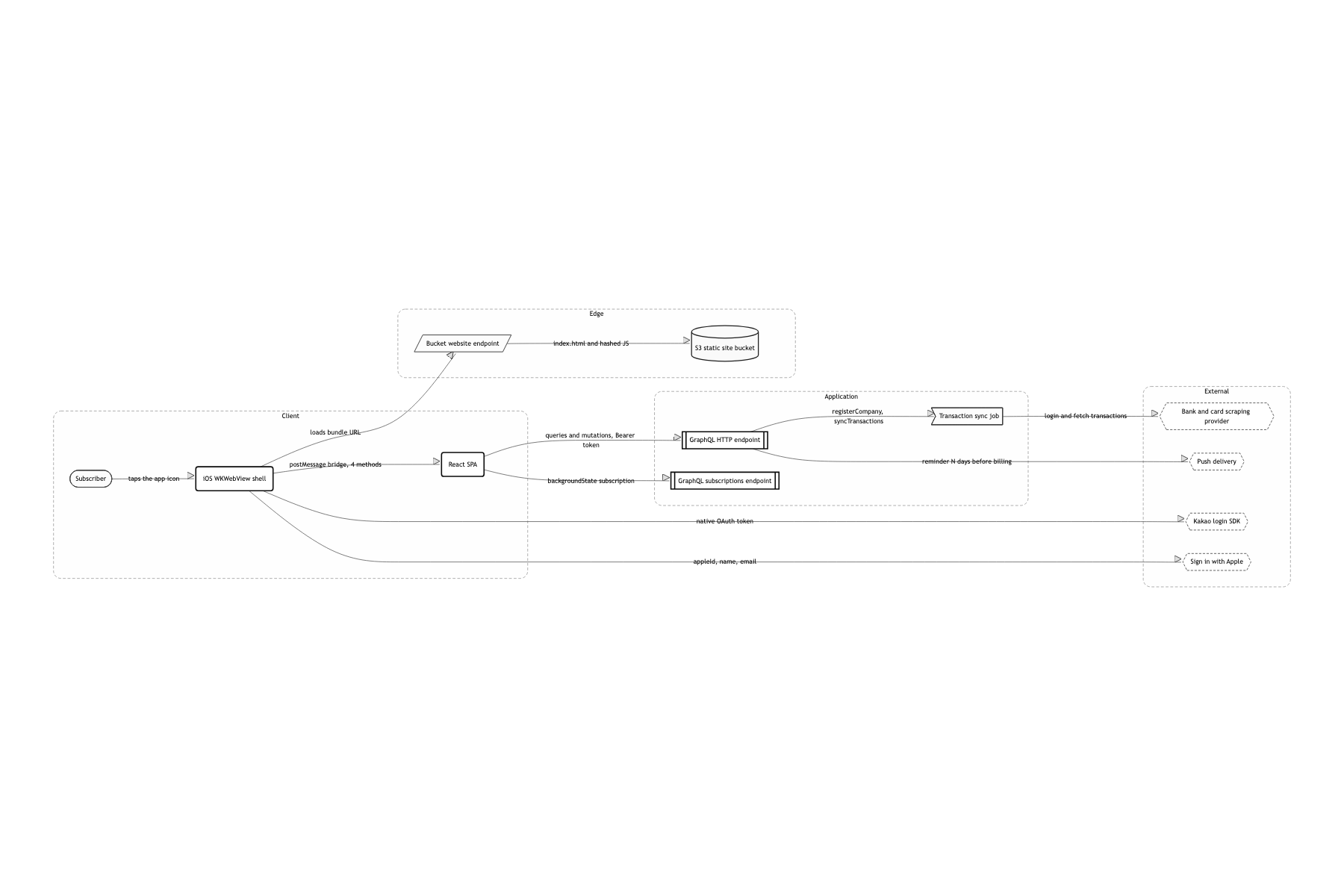
The native shell hosts exactly one WKWebView, and all twenty-two screens are a CRA-based web SPA
Overwrite the build output in S3 and the change is live the same day. With no review queue, fixing one line of copy no longer costs three days. It also meant one web developer could own every screen in the app Kakao and Apple login, push tokens, and the hardware back gesture are things the web can't do. So I fixed the bridge at four functions and refused to let it grow past that
Apollo Client's split link ties HTTP and WebSocket into a single client
Scraping a financial institution takes tens of seconds. Polling isCompanySynced multiplies requests and the answer is still late. Letting the server push when it's done is both more accurate and cheaper The token has to ride both paths, so authLink reads accessToken from localStorage into a header and wsLink reads the same value into connectionParams
Every dimension goes through MIXIN.autoSize(px) and comes out as vw instead of px
(px * 4) / 15 maps a 375pt mockup onto 100% of the screen width. Copy the mockup's numbers down literally and the proportions hold on a 320pt device and a 428pt one alike I wrote zero media queries, and the price is that on a wide screen like a tablet the type just scales up with everything else. This is webview-only, so I took that trade
Each screen is four files: index.js (container), presenter.js, gql.js, and style.js
When the query lives in the same folder as the view, lifting a whole screen out or swapping it for another one is easy. On a project where the spec moved weekly, this boundary paid for itself more than anything else The file count quadruples. In exchange, src/services holds only the login mutations and everything else sits next to its screen
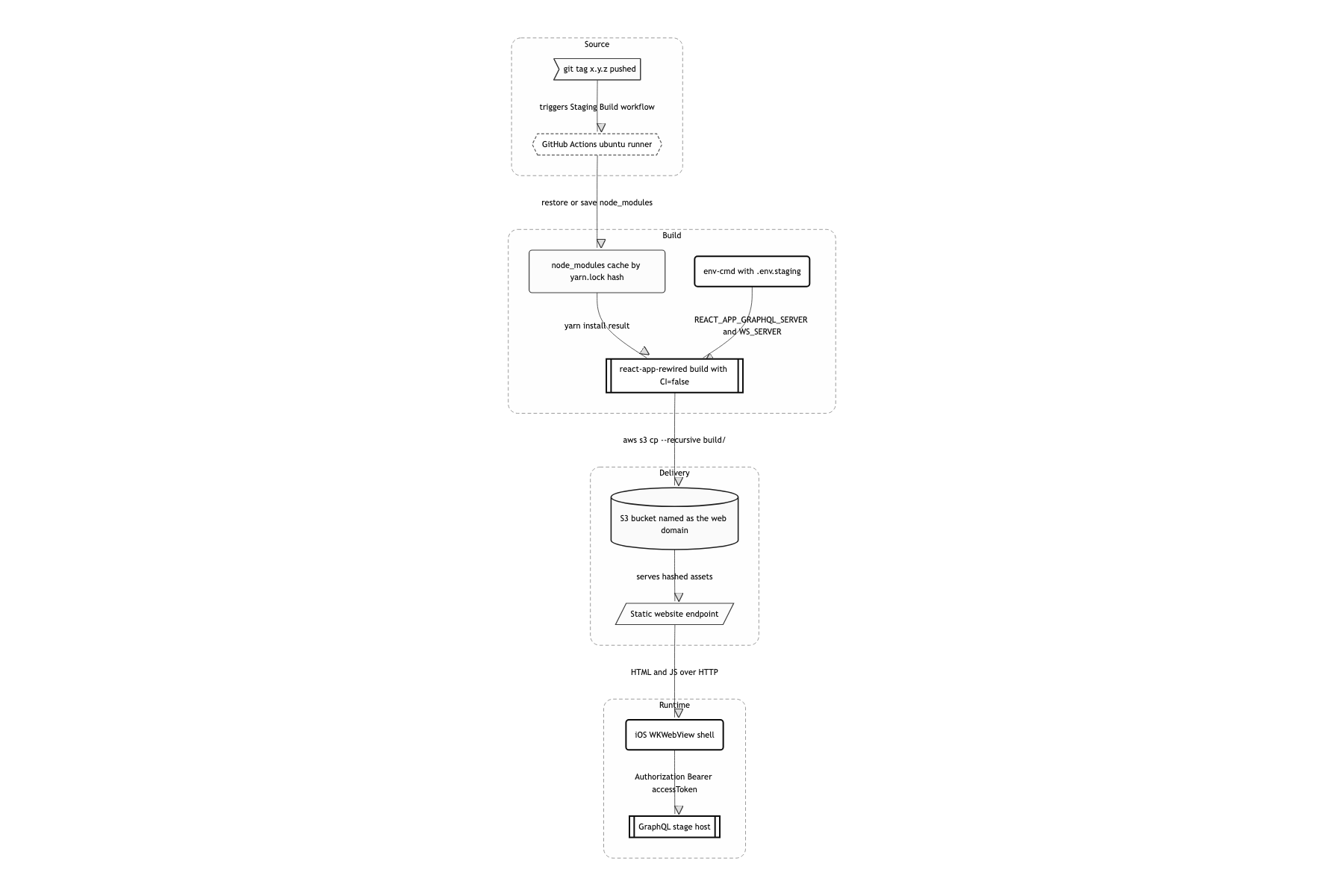
Push a tag, and GitHub Actions runs yarn build:stg then aws s3 cp --recursive into the S3 bucket. That's the whole deploy
It's a static bundle, so there's no server to run. A version tag is the deploy trigger, and a rollback is pushing the previous tag again Nobody was going to operate this. Adding CI=false so warnings don't get promoted to errors was the honest compromise at the time
Screens driven by scraping progress
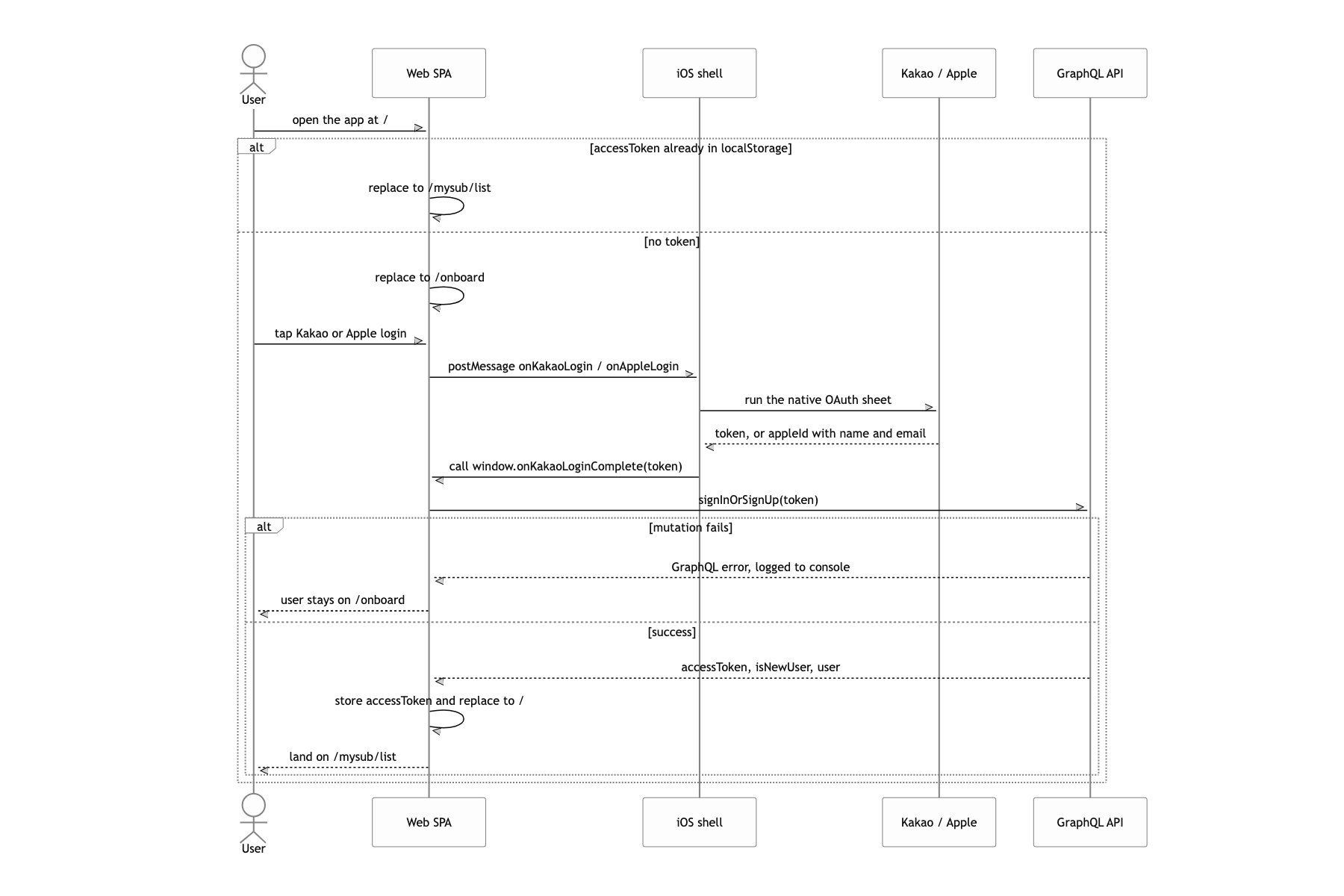
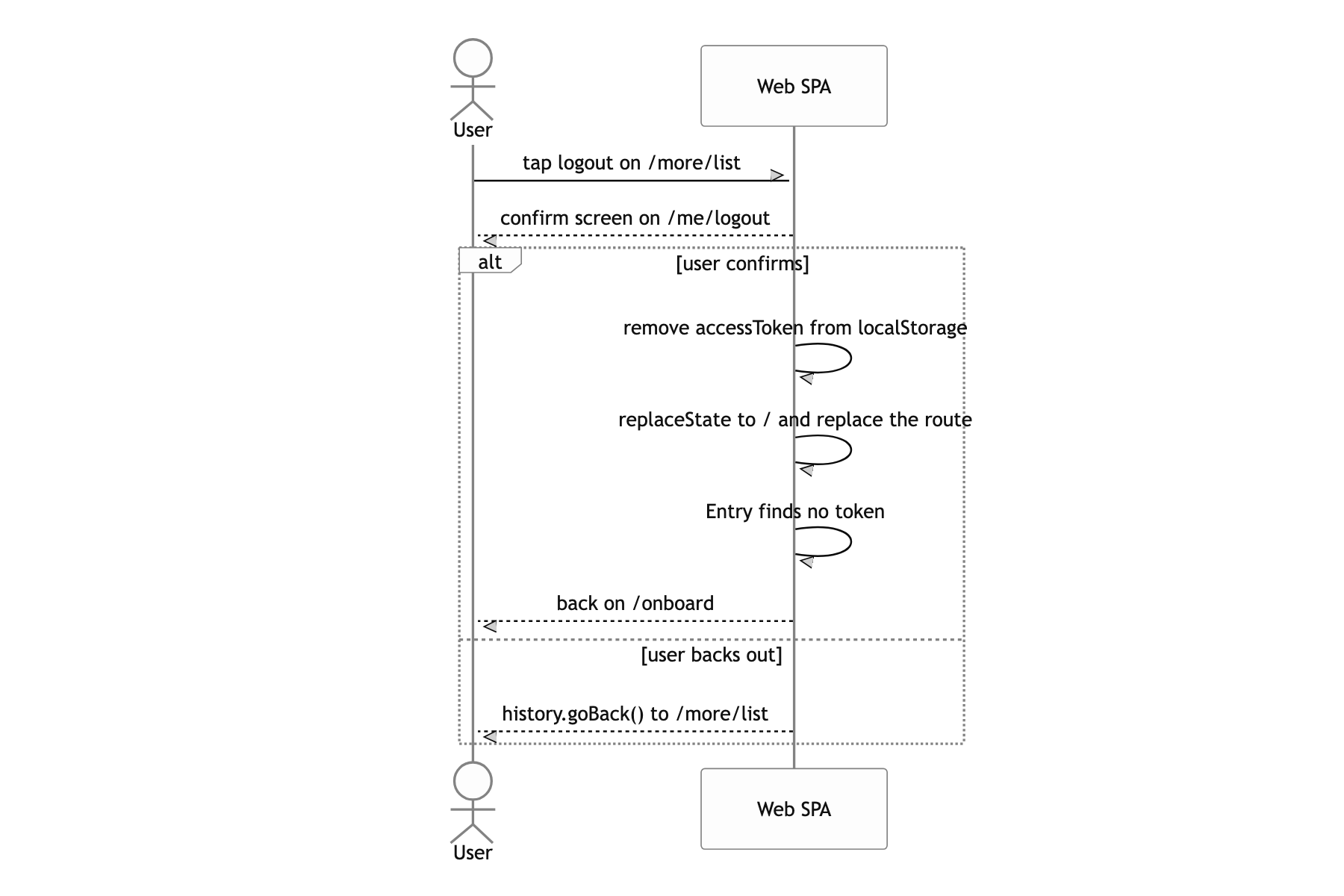
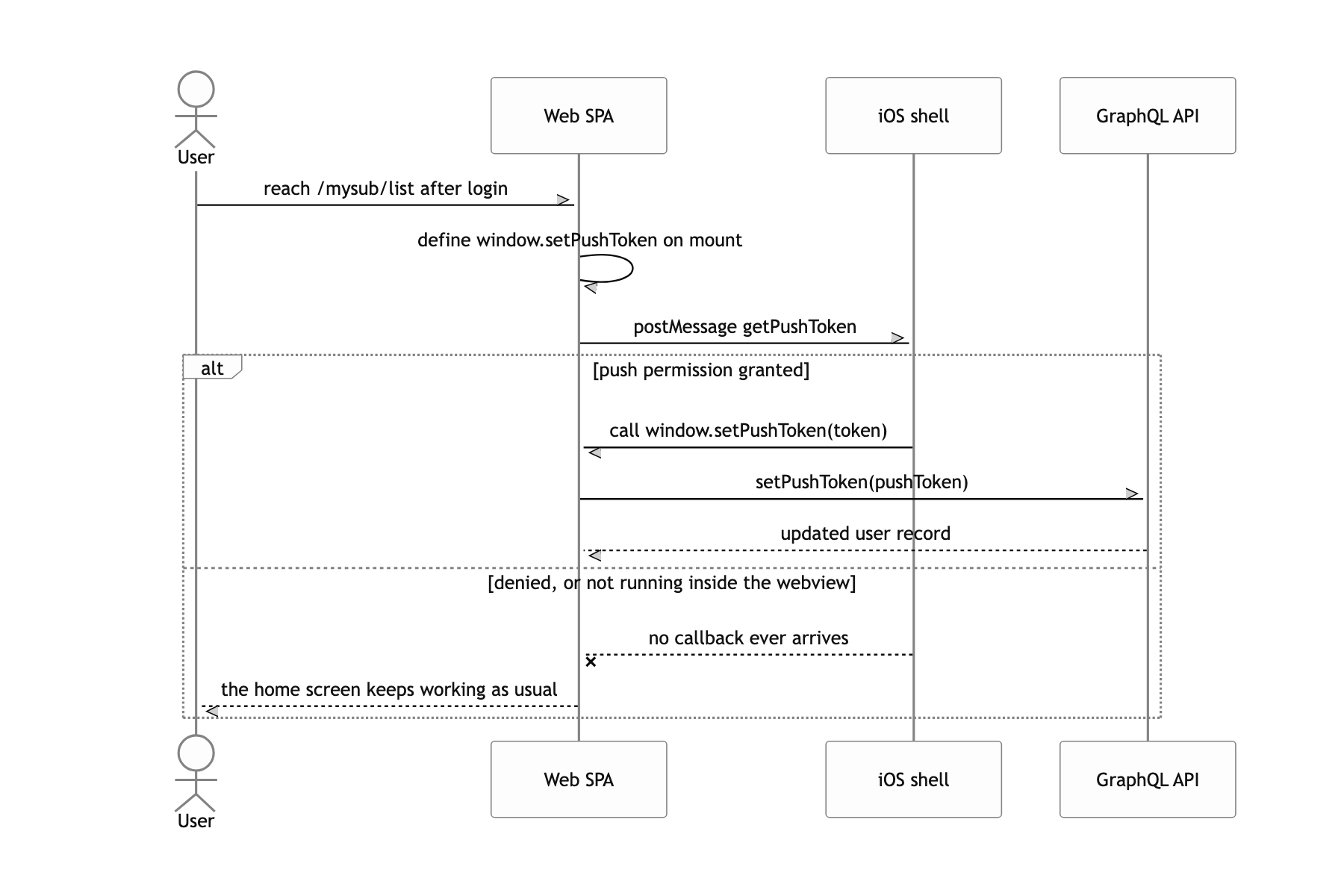
When the app launches, the native shell opens the web bundle URL and then does almost nothing else. There is exactly one path from web to native, window.webkit.messageHandlers.mygudokView.postMessage, and the reverse direction works by the shell calling globals like window.onKakaoLoginComplete, window.onAppleLoginComplete, and window.setPushToken. Once login finishes, accessToken lands in localStorage and from then on authLink attaches an Authorization header to every GraphQL request.
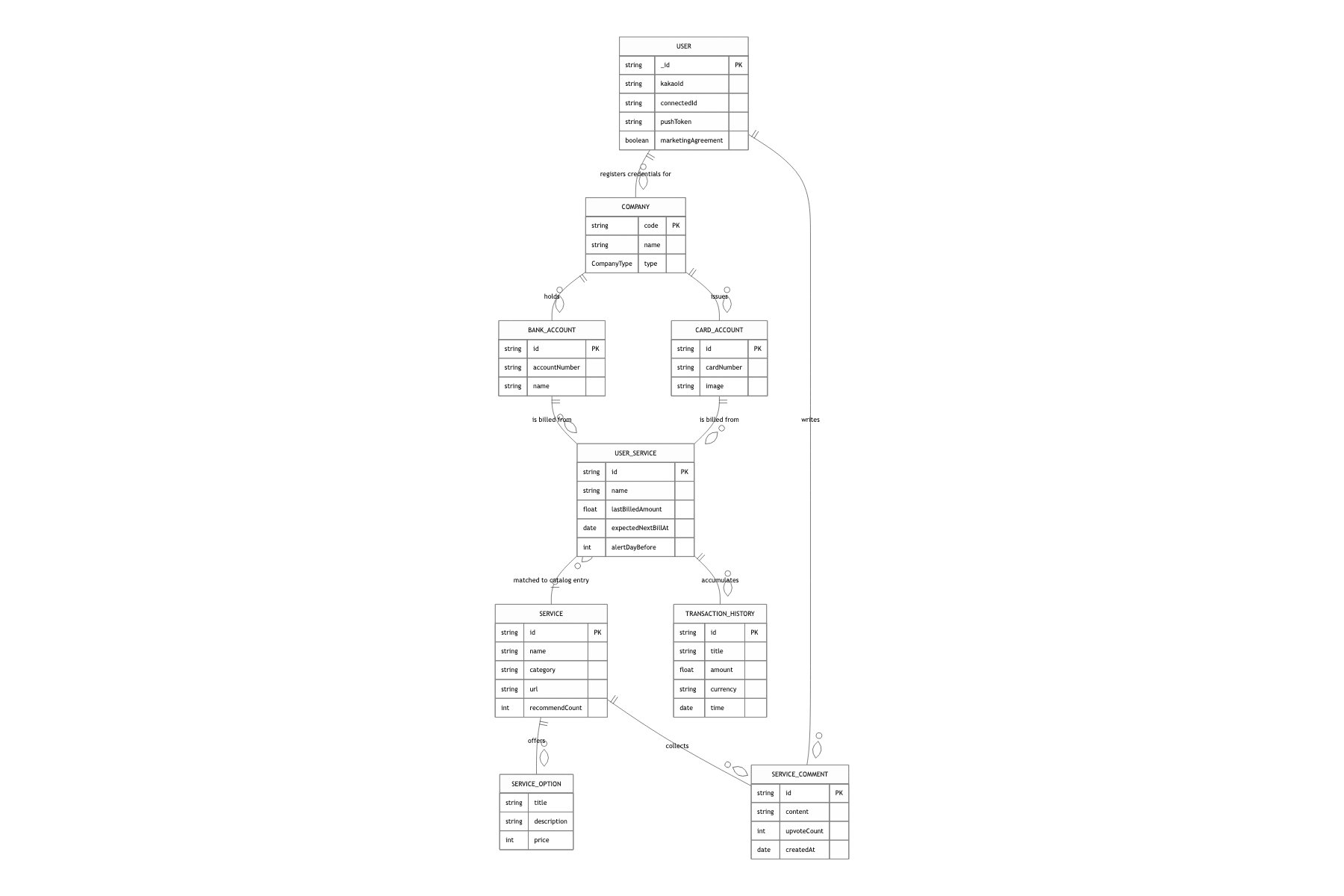
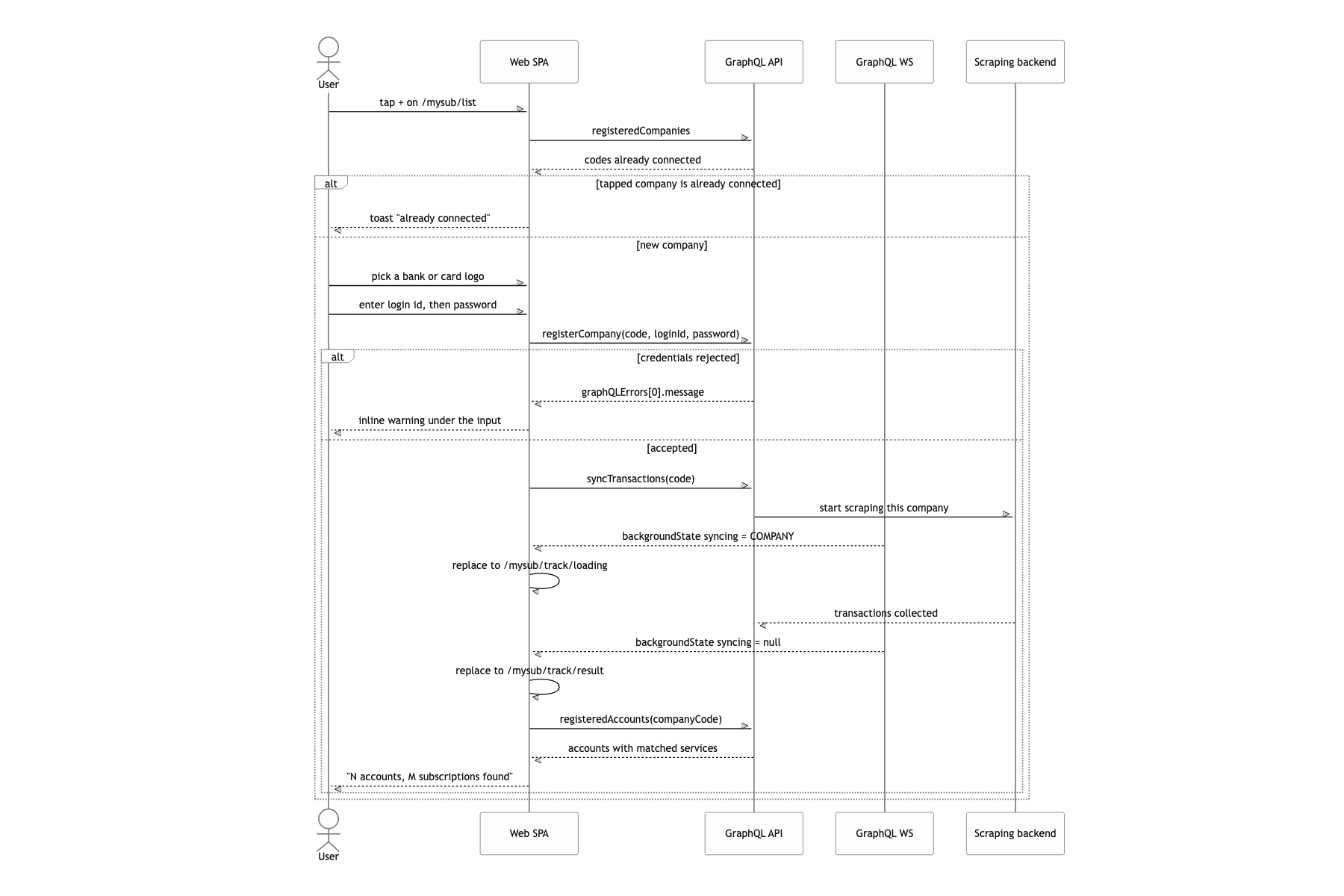
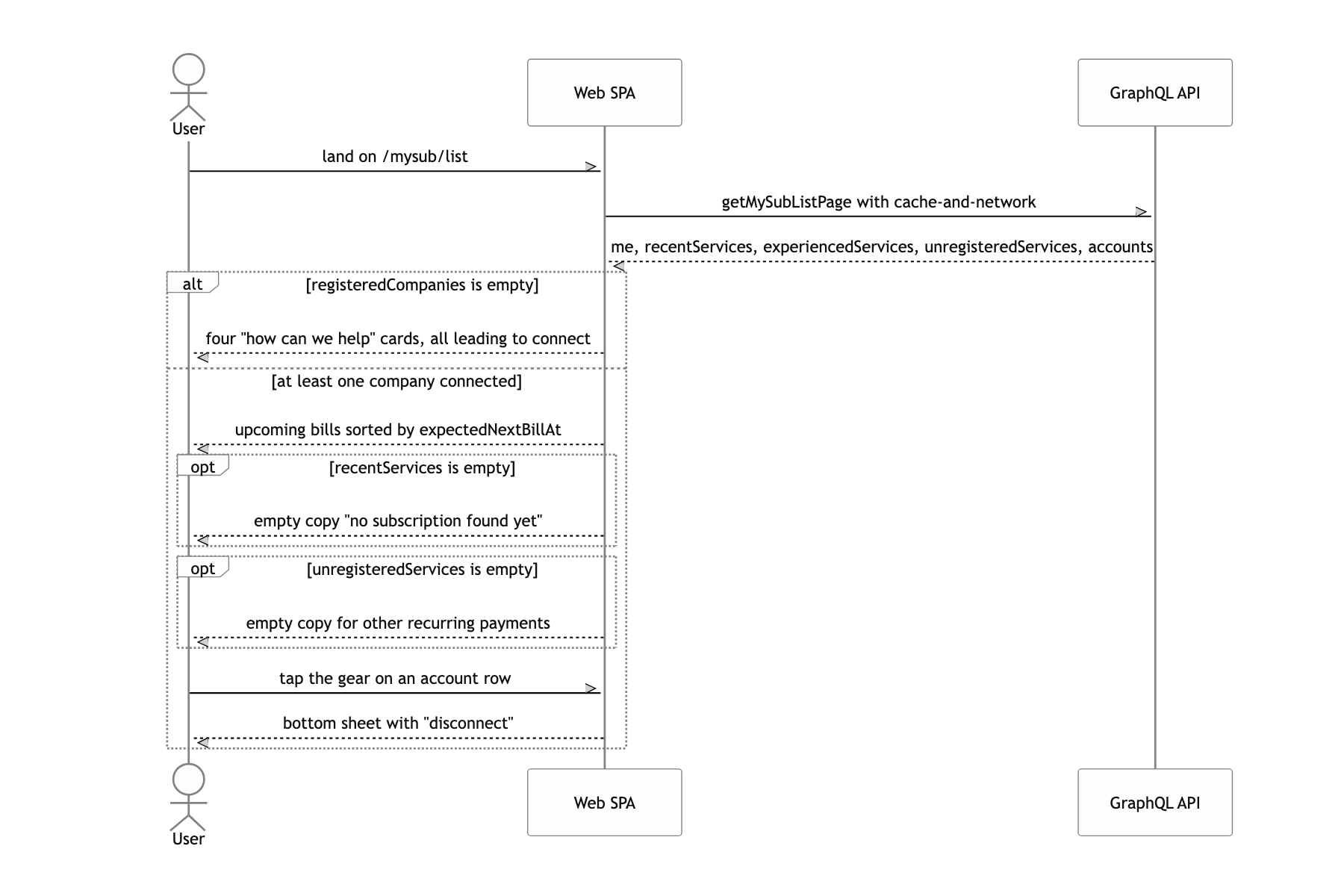
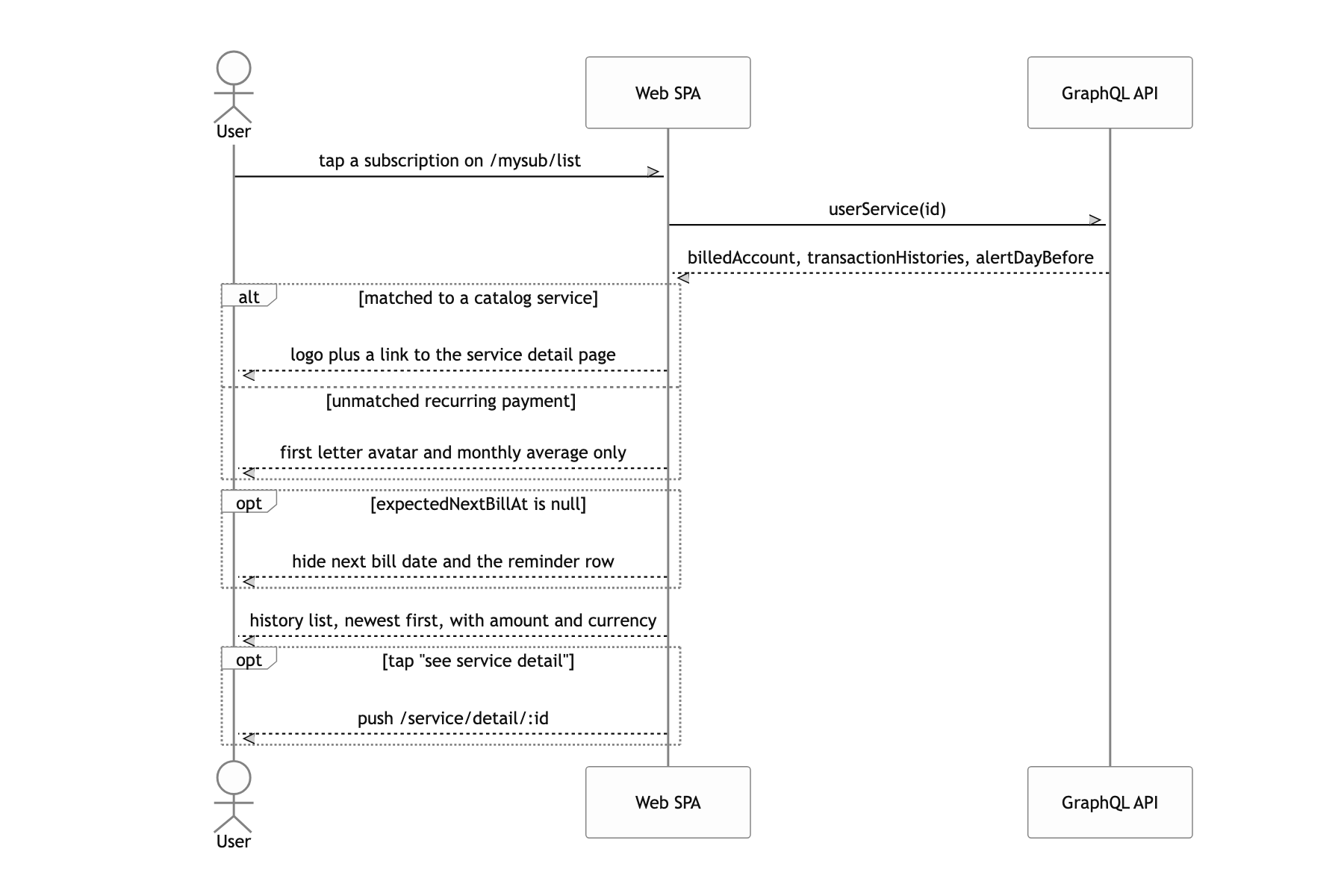
The data has two axes. One is the user's actual payments. registerCompany hands over the institution credentials, the server scrapes the transaction history, and the result attaches as UserService under a BankAccount or CardAccount. Anything matched against the catalog shows up on home as a subscription with a logo and pricing tiers. Anything unmatched splits off into "기타 정기 결제" (other recurring payments). The other axis is the service catalog. allServices handles ranking by category, service(id) handles pricing tiers and opinions, and search never hits the server again: it filters the already-fetched list with hangul-js, initial consonants included.
Then there's a third axis running across both. backgroundState tells you whether a scrape is running right now. That isn't the state of a screen, it's the state of the app, so I mounted it at the very top of the router.
Why scraping progress lives in the router instead of on the screen
The first idea that comes to mind is a setInterval inside the connect-loading screen, hitting isCompanySynced(code) every few seconds. It does work. But the moment the user goes back or escapes to home while it's loading, that timer dies with the component. Scraping is still running and the app no longer knows about it, and there's no way to restore the progress when the user comes back. So how do you make sure the "it's done" signal reaches the user no matter what screen they're on?
I pulled progress off the screen and moved it up into the router. Directly under BrowserRouter sits BackgroundStateMapper, a component that draws nothing and returns <></>. It runs the backgroundState query and then attaches the subscription of the same name through subscribeToMore. When the server pushes syncing: 'COMPANY', it covers whatever route you're on with history.replace('/mysub/track/loading/...'), and when syncing comes back null the loading screen moves itself to the result screen. Whether it's a bank or a card is decided by looking up companyCode in the BANKS constant.
Because the owner of the progress state becomes the app, not the screen. Screens unmount, the router stays alive, so there's nowhere for the signal to fall through. That leaves the loading screen as a pure presenter holding a Lottie animation and some copy, and the transition condition fits in one line: value?.backgroundState?.syncing === null. Dropping the polling also removed the problem where a slower scrape meant more requests.
The router, not the native shell, knew the truth about going back
In a webview app, the hardware back button and the back swipe are usually native's job, because native reads its own navigation stack to decide. But when every screen is web, that stack holds exactly one webview. So the next attempt is to decide on the web side by reading window.history.length, except that value doesn't count navigations done with replace, so onboarding and tab screens report plausible-looking numbers anyway. What happened was: go back from home and the app bounces to the login screen, or just quits.
I flipped it, moving the decision entirely into the web and leaving native to receive only the conclusion. Inside the router, BottomNav subscribes to location.pathname, and pushes setGoBackEnable(false) over the bridge only on the four bottom-tab routes (/mysub/list, /service/list, /box/list, /more/list) and /onboard, and true on every other route. The bridge itself is guarded with process.env.REACT_APP_ENV !== 'development' so it doesn't blow up in a browser where window.webkit doesn't exist.
Because the router is the only thing that knows "can you go back from here." The route list is the policy, so adding a new screen is safe by default since the default is true, and blocking back is one more line in the array. The same list also decides whether the bottom tab bar shows and which tab index is selected, so the definition of what counts as a tab screen lives in one place in the code.
What a user can do
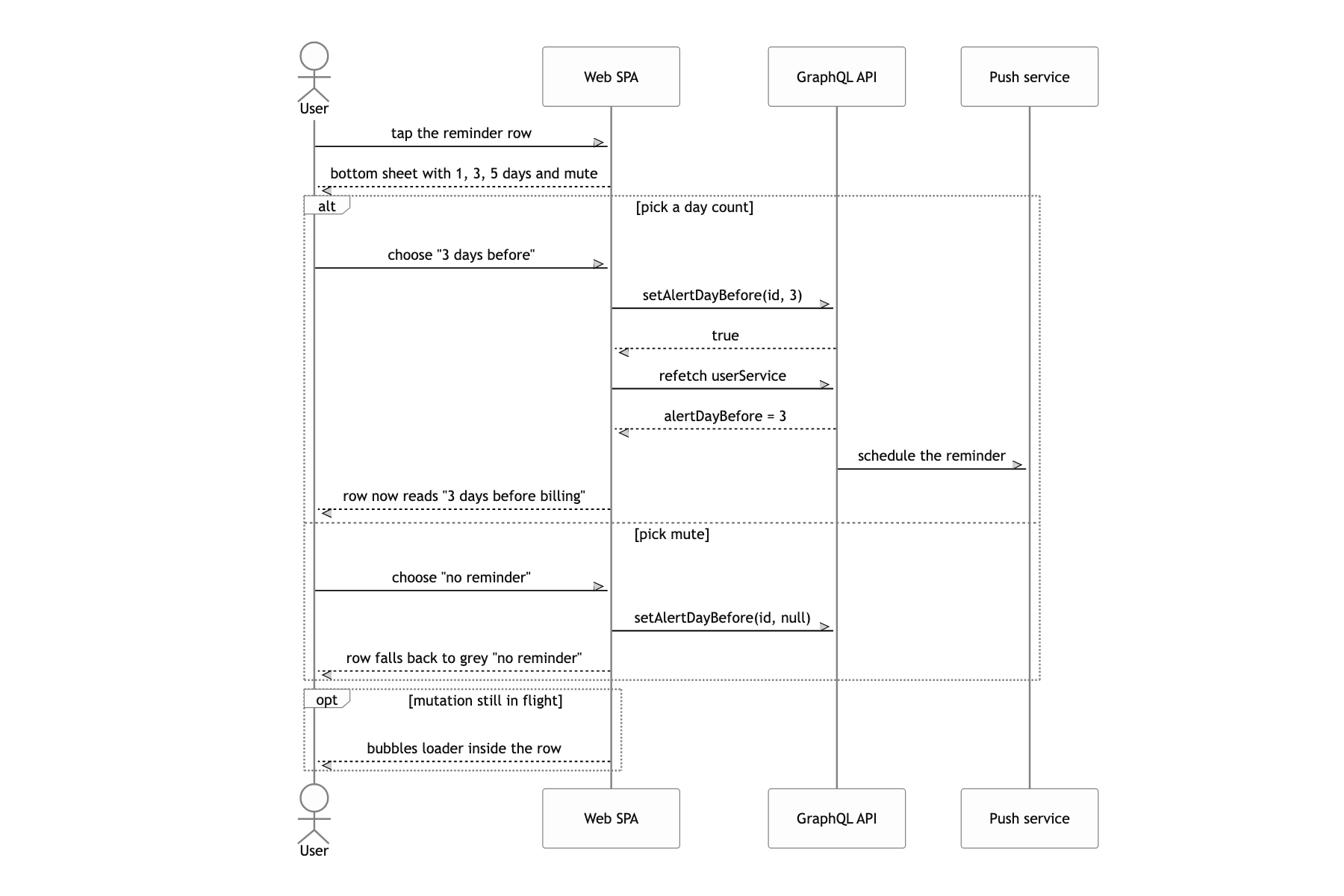
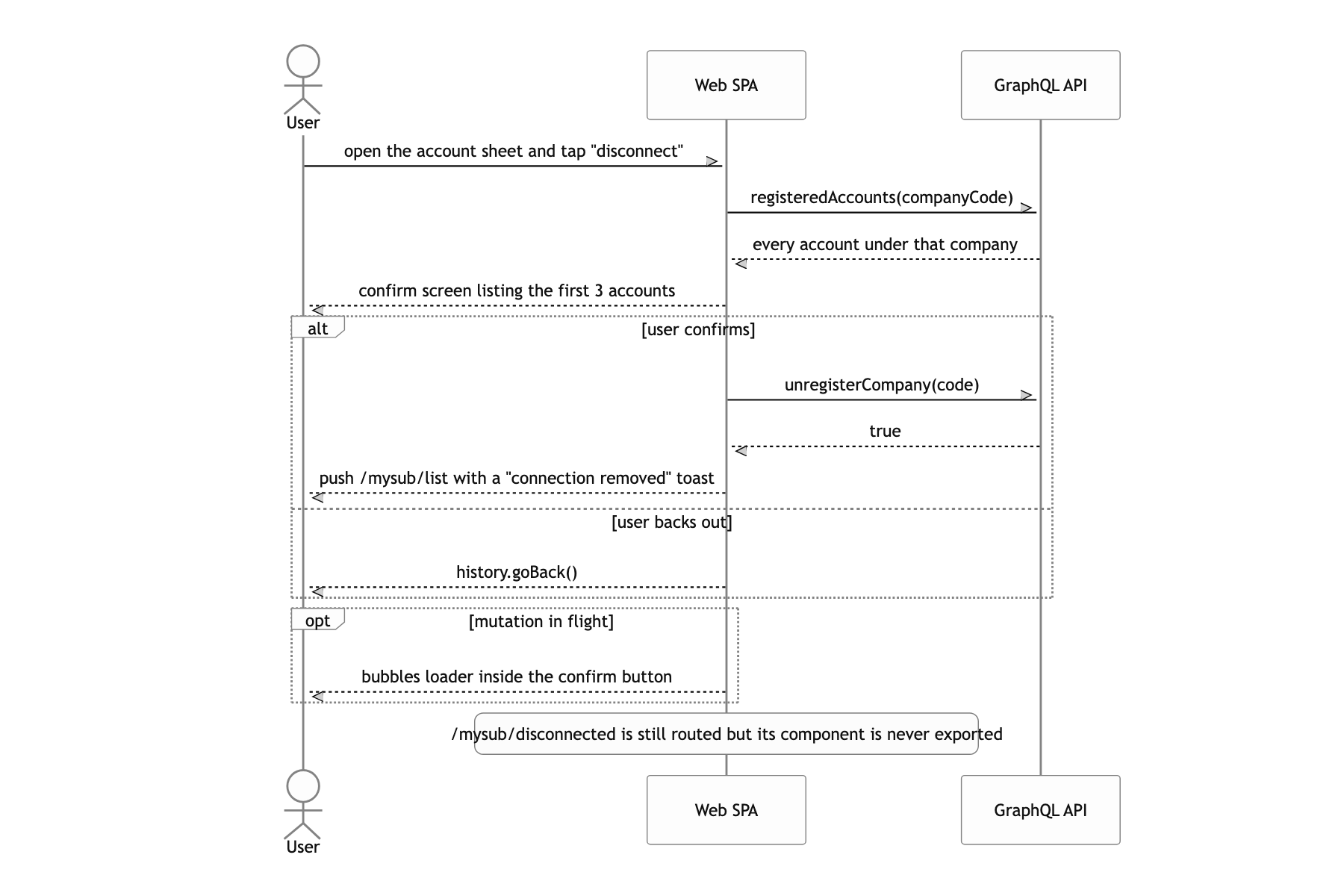
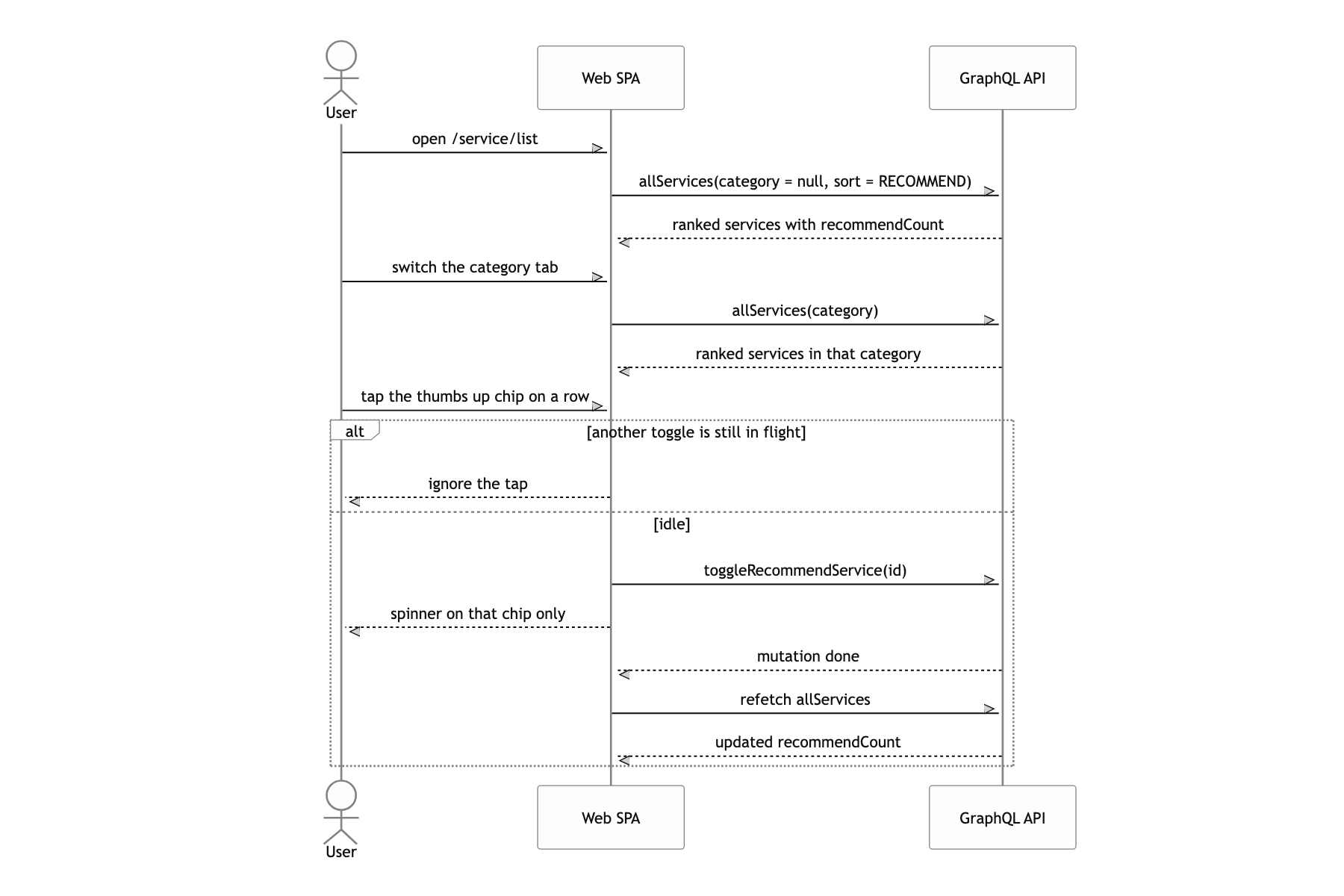
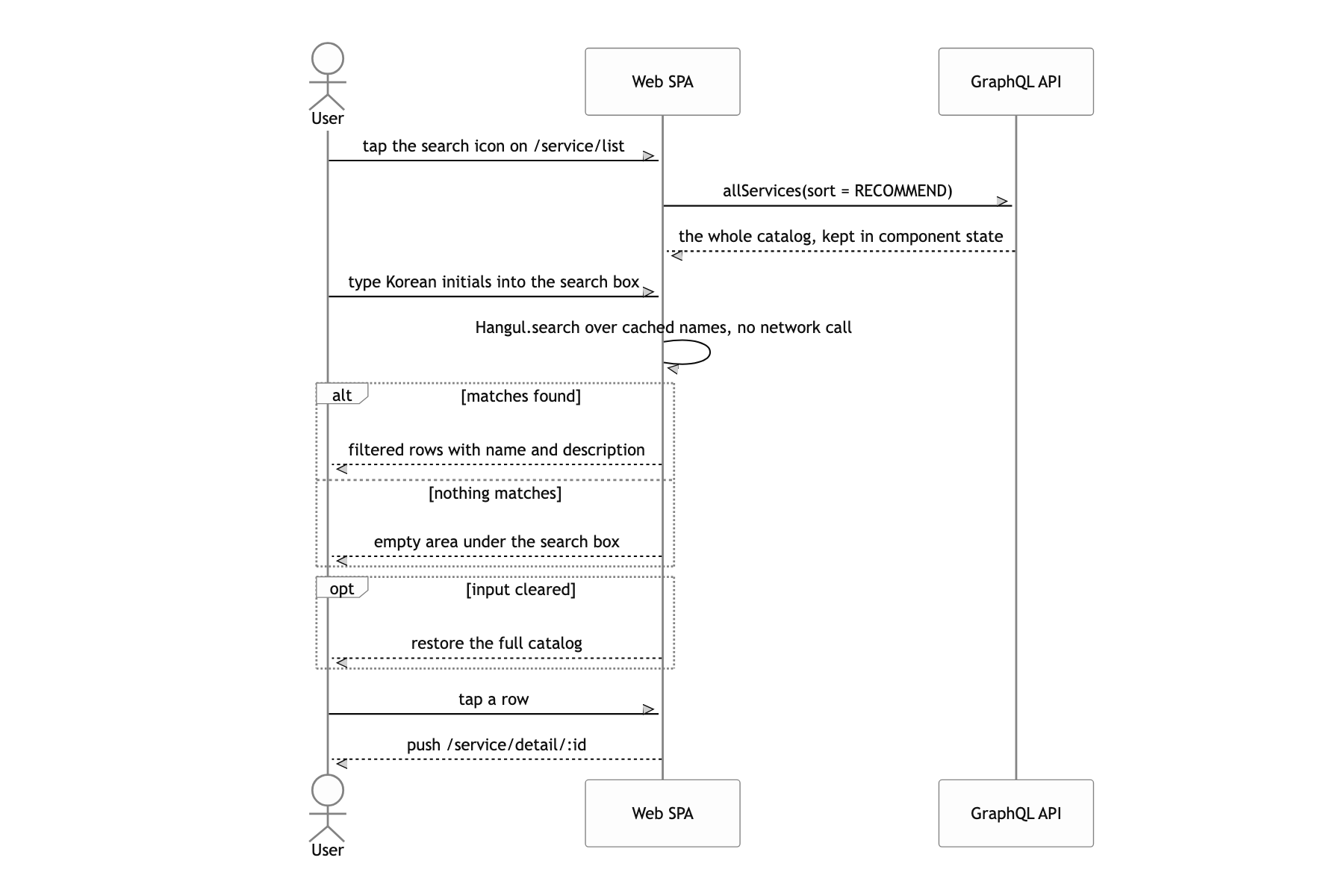
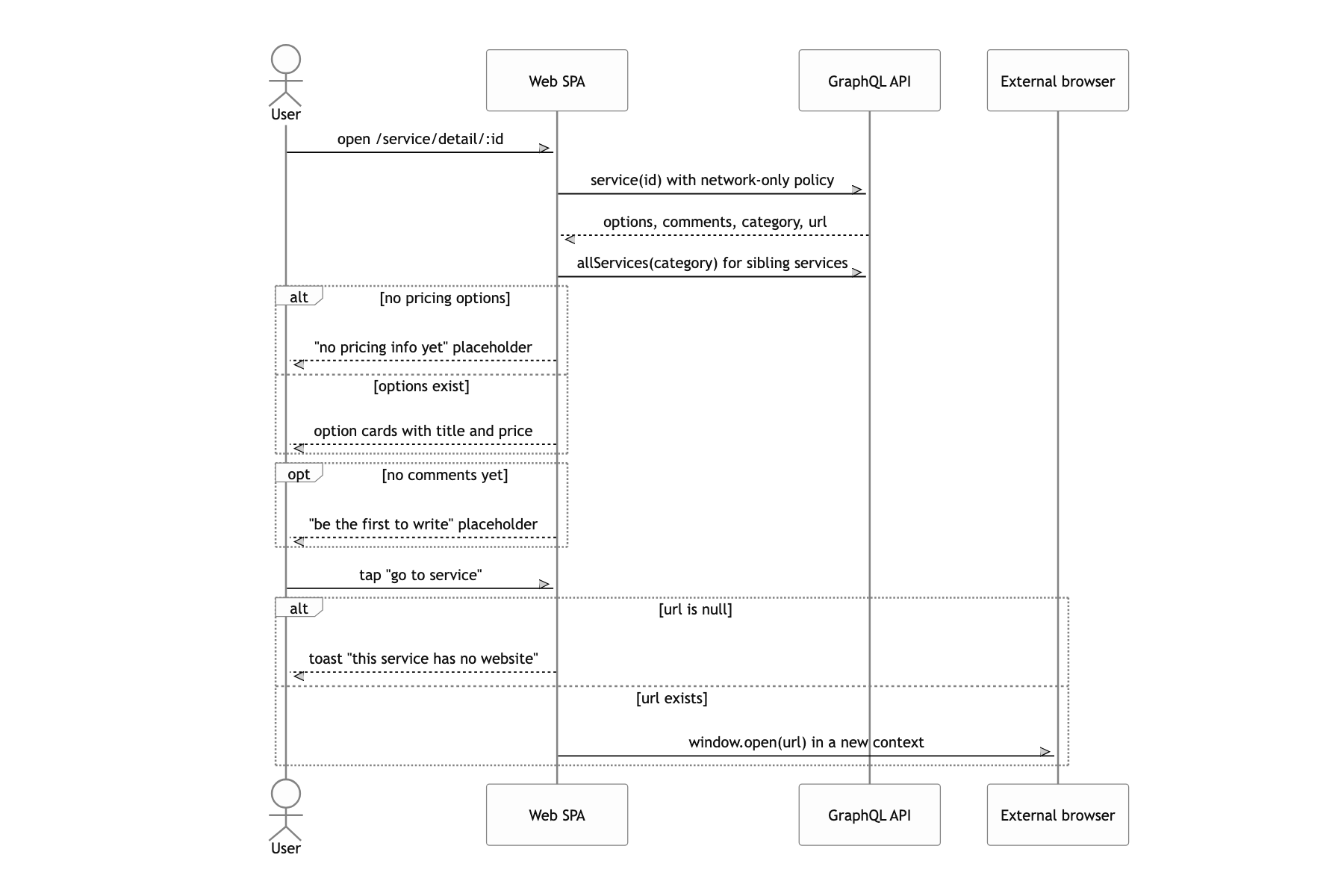
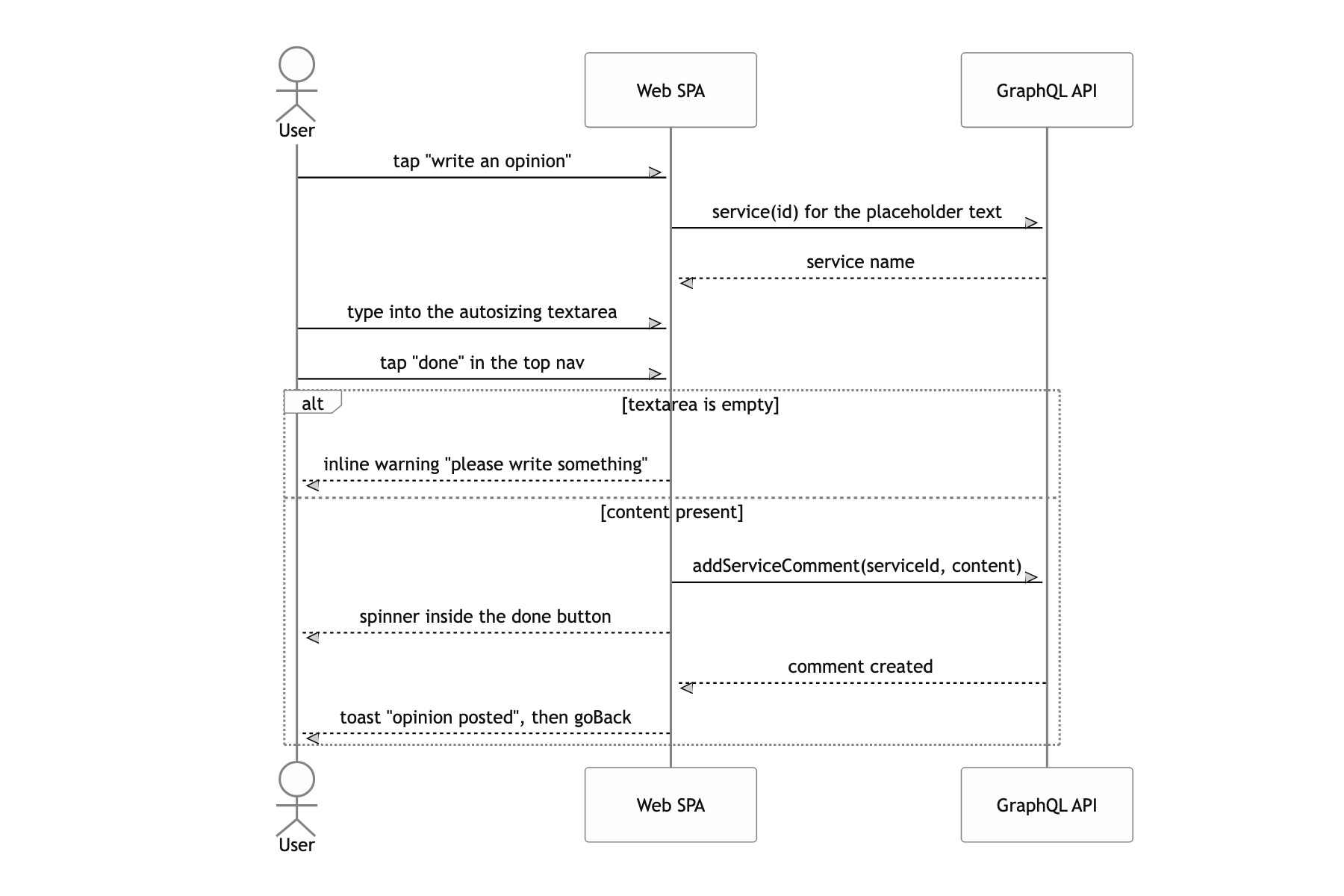
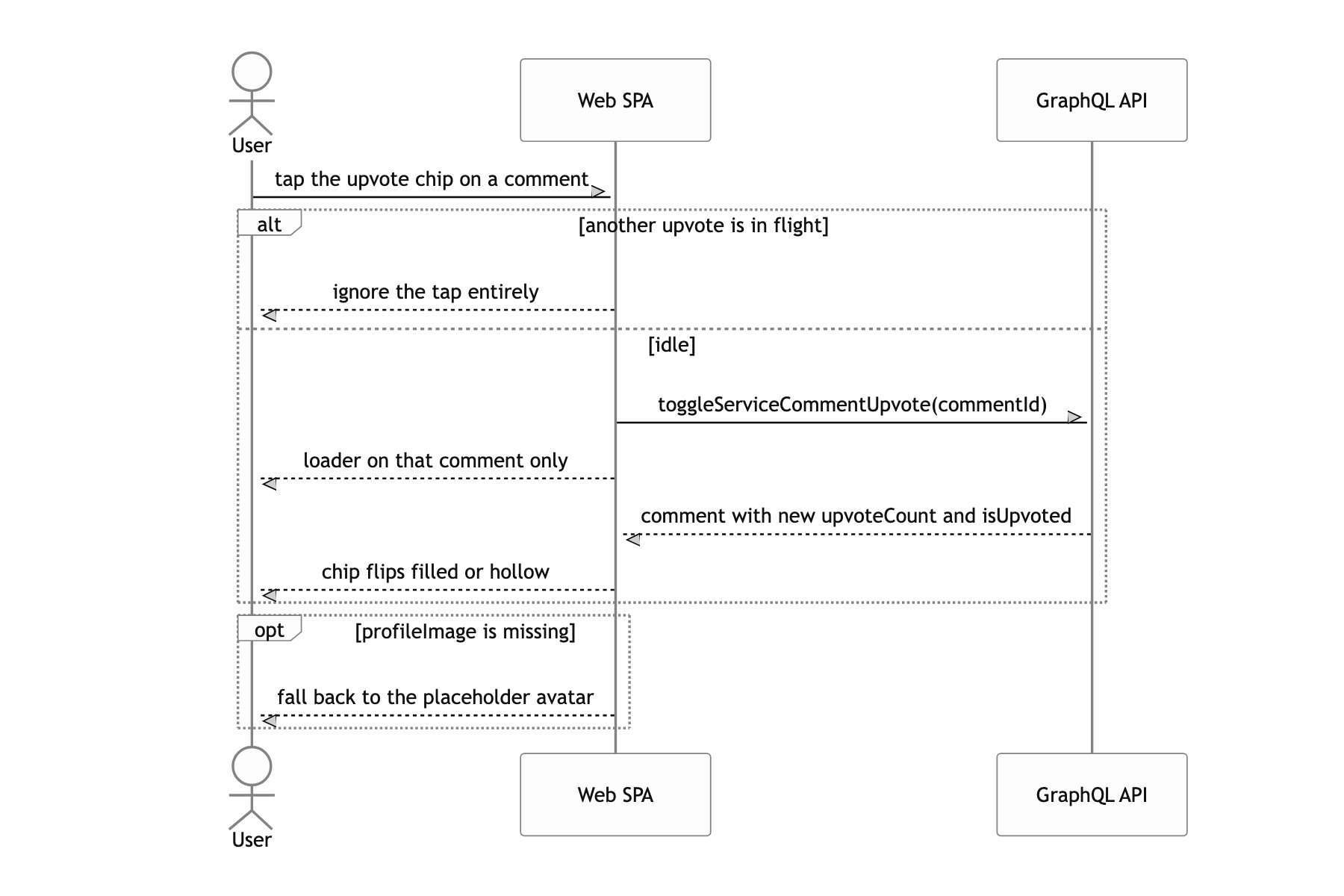
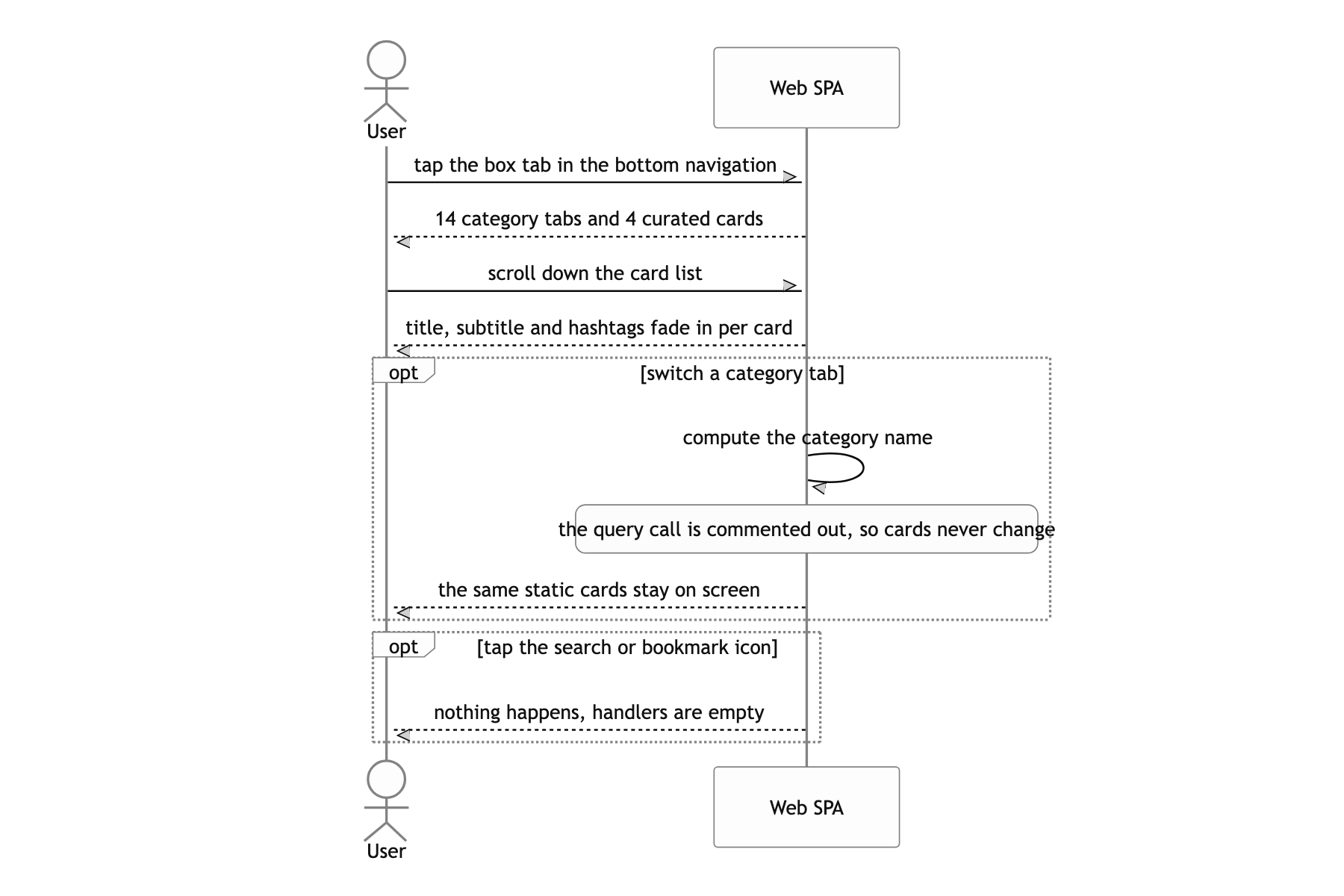
The box tab stayed a mockup
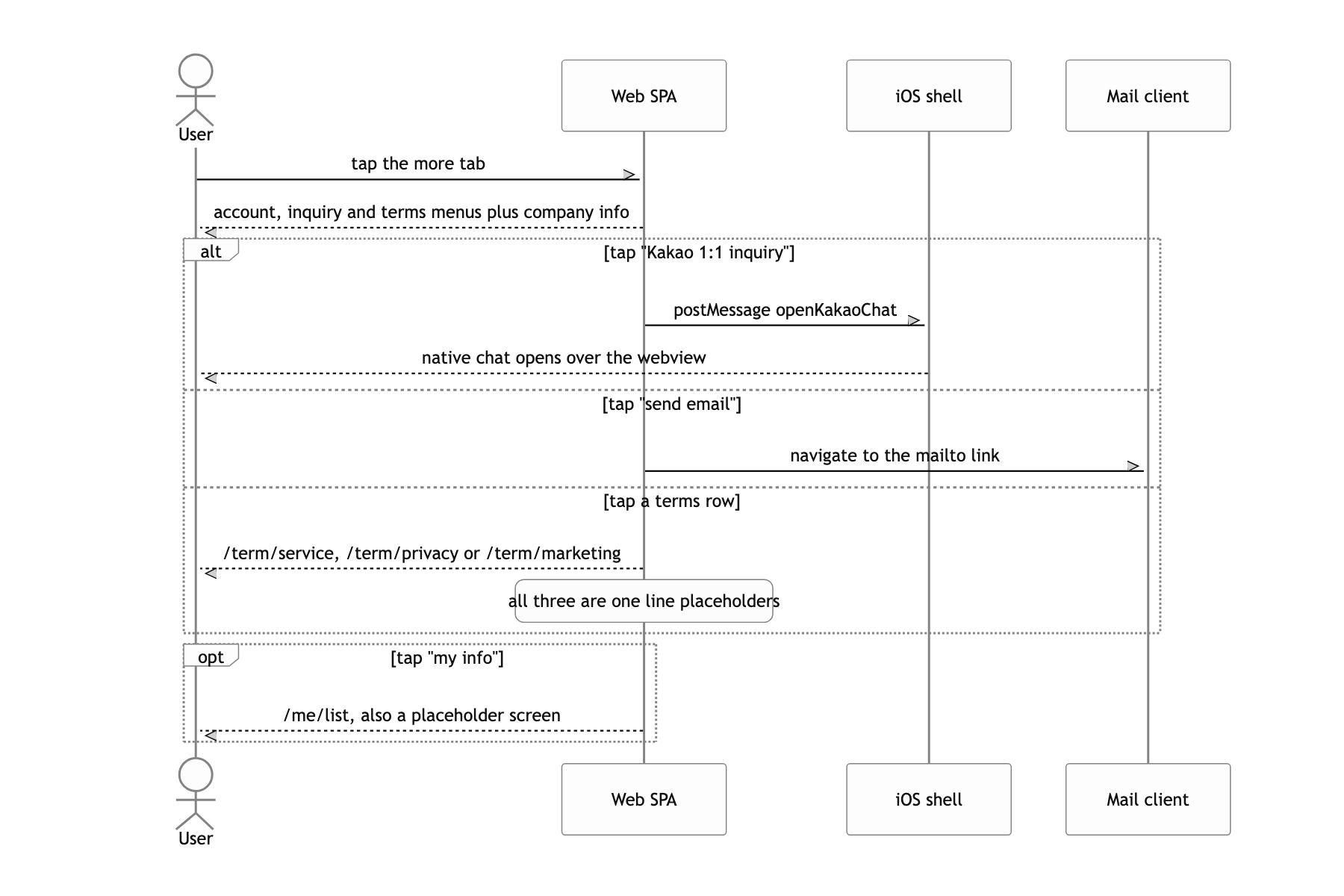
Honestly, this app stops about halfway. The box subscription screen on the bottom tab is a static mockup that never calls an API. Tapping a category tab does nothing because the actions.getServices(category) call is still commented out, and the four cards are hardcoded in the source. The three terms screens and the my-info screen are one-line placeholders. The /mysub/disconnected route points at Pages.Disconnected, which src/pages/index.js has never exported, so hitting that address breaks the render. There is not a single test.
If I built it again I'd change two things. First, passing the institution login id to the next screen as ?username=. The password was properly kept to a mutation variable only, but there was no reason for the id to sit in the URL and the history. The id and password should have been step state inside one route. Second, keeping accessToken in localStorage. It was convenient in a webview, but the token belonged in the native keychain, passed across the bridge. The fact that the production env file has no API address at all and only a staging deploy workflow exists says plainly how far this project got.