
Year-End Tax Refund Estimator from Card Data
An in-app webview that estimates card-deduction tax refunds from linked spending
A three-month season without gross salary data
A new tab was opened inside the app for year-end tax settlement season. It takes the card and Hometax spending already linked to the account, estimates how much of the card deduction the user gets back, and shows how spending for the rest of the period changes that number.
There were three constraints.
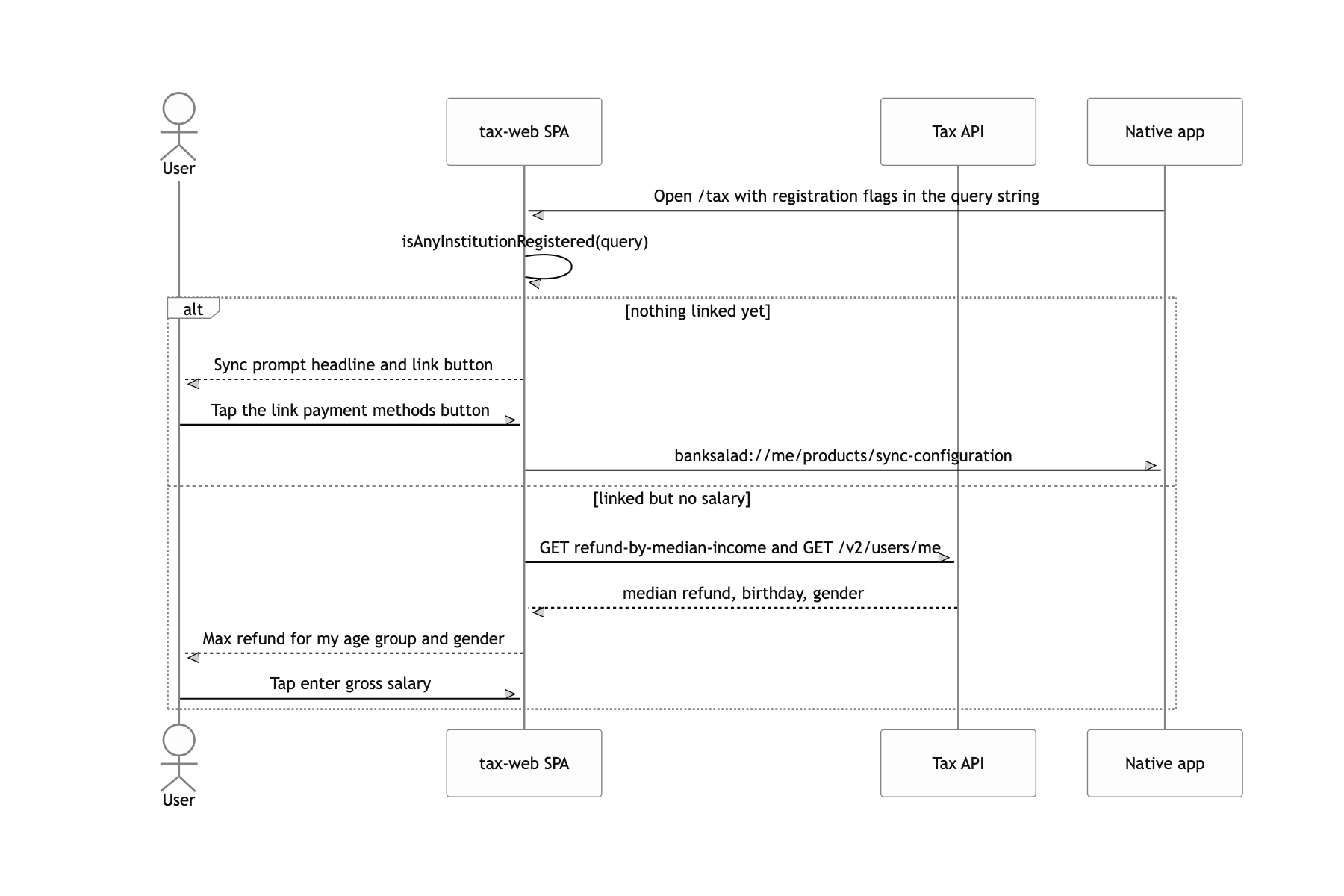
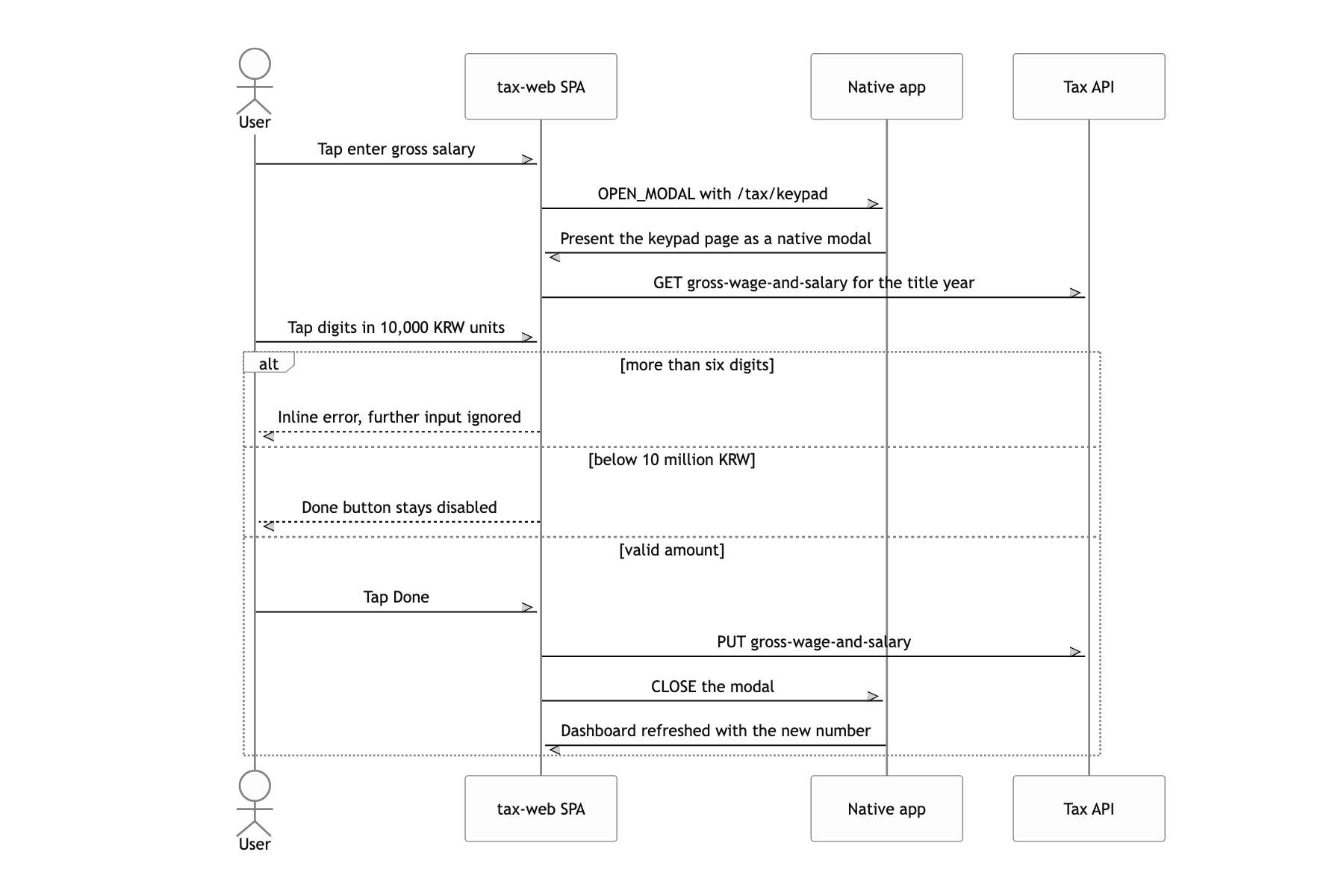
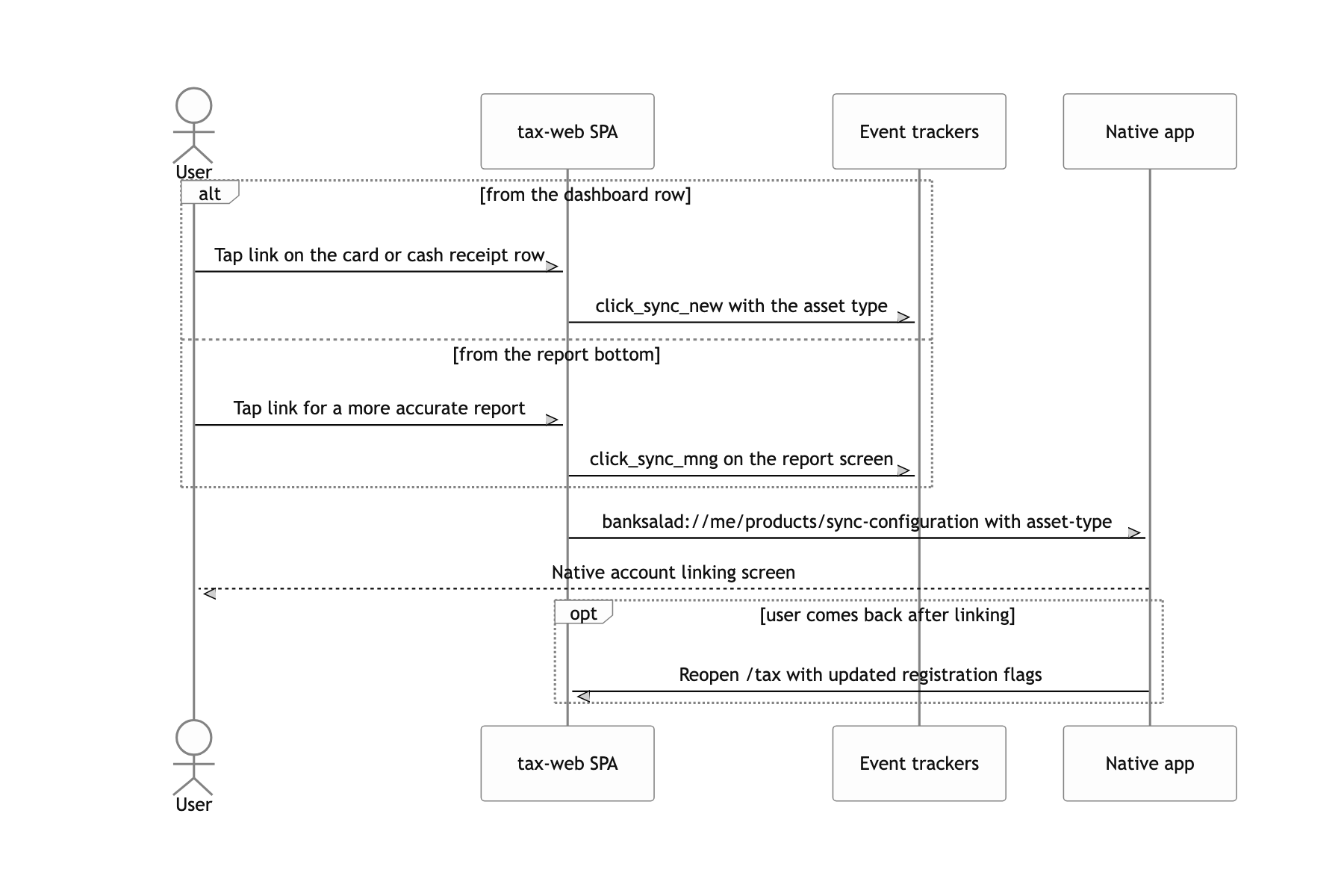
First, the period is fixed. December through February is the whole window, and the copy and the calculation basis change inside it. Changes had to ship without app review and a forced update. Second, the app does not know the user's gross salary, which the calculation cannot run without. The number exists nowhere in the data, so the user had to type it in, which meant the web had to own the numeric keypad, the save, and the refresh after the save. Third, linking state differs from user to user. Someone with only card companies linked, someone with only Hometax, someone with nothing linked at all, all landing on the same URL. One address, and every one of them needed a different screen.
This piece covers two of those: the deployment shape that fit the season, and the calculation that rebuilt a past that was not there. Pulling the first paint forward with bundle caching, talking to the app through native modals and deep links, and the authentication design are not covered here.
Screens on the web, only the shell in native
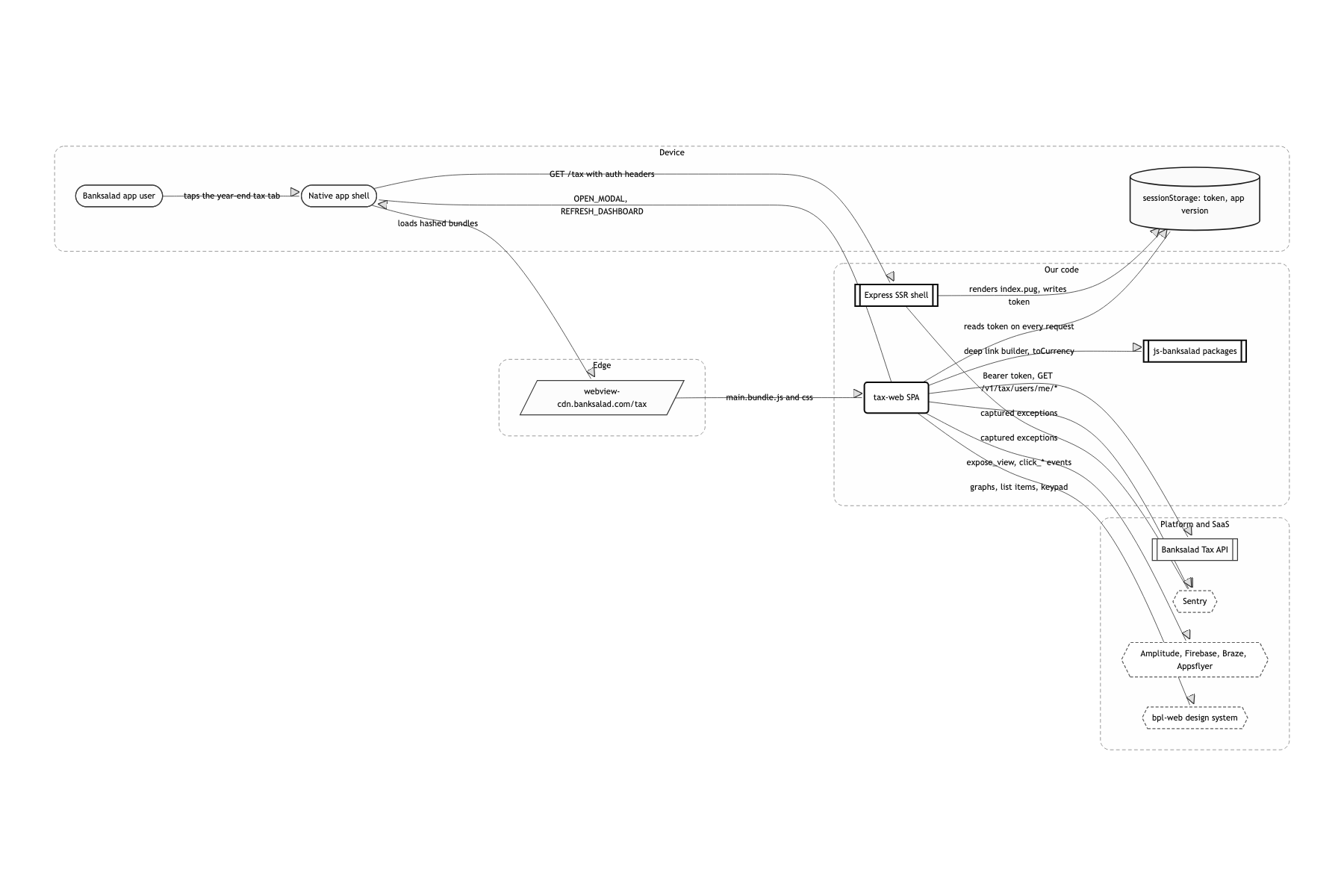
Draw every screen in the webview, and leave only the shell, the modals, and auth to the native bridge
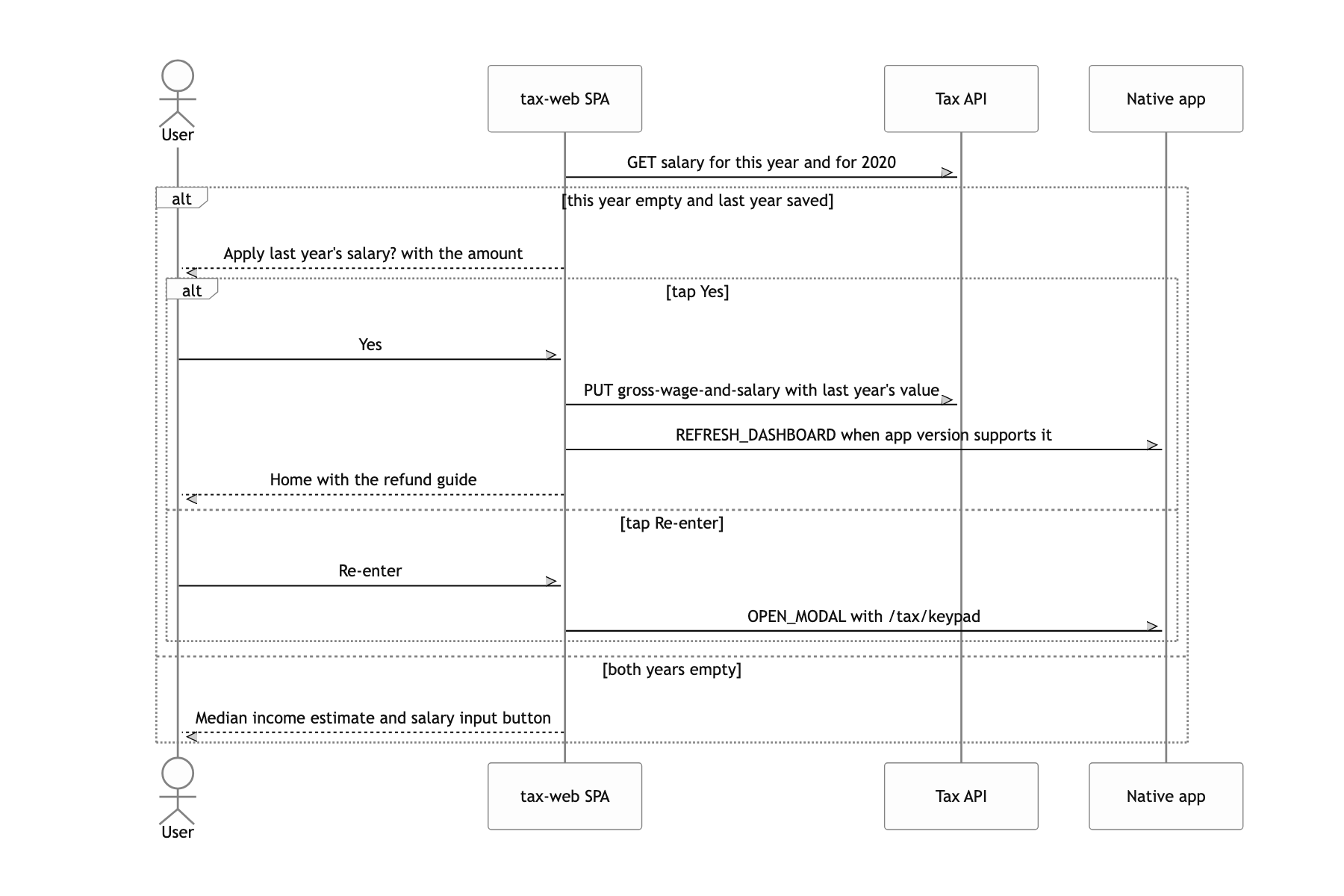
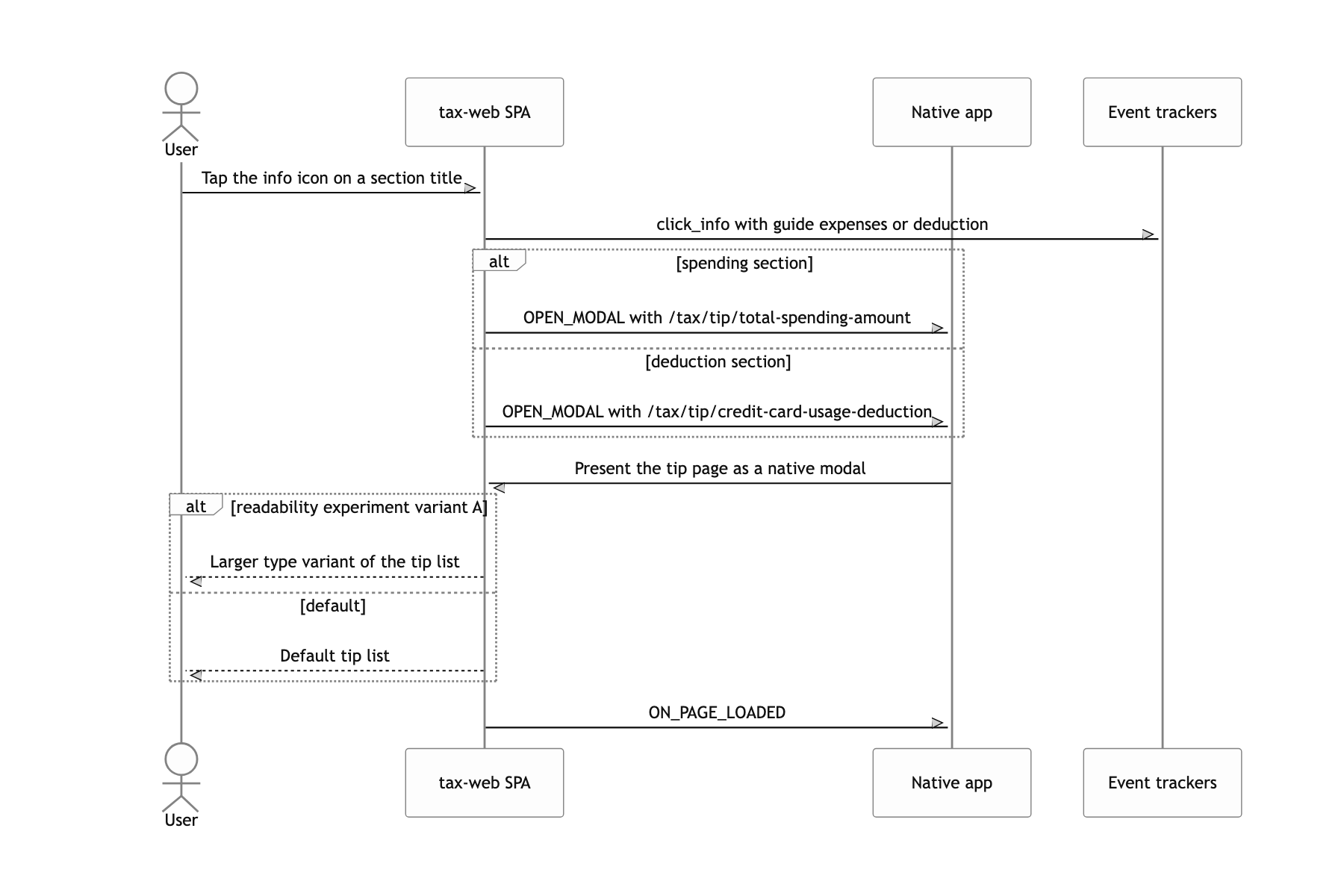
Tax law wording and marketing copy changed mid-season, and an app release could not sit behind each change. On the web, a merge into master is the deploy, so a line fixed in the morning went out that afternoon. The tradeoff was that every app version supported a different bridge. REFRESH_DASHBOARD, which redraws the dashboard after a salary save, only exists on Android 3.11.0 and iOS 3.12.0 and up, so I measured the version with semver's gte and fell back to a refetch from the web otherwise.
Render one layer of HTML on the server with Express and pug instead of deploying statically
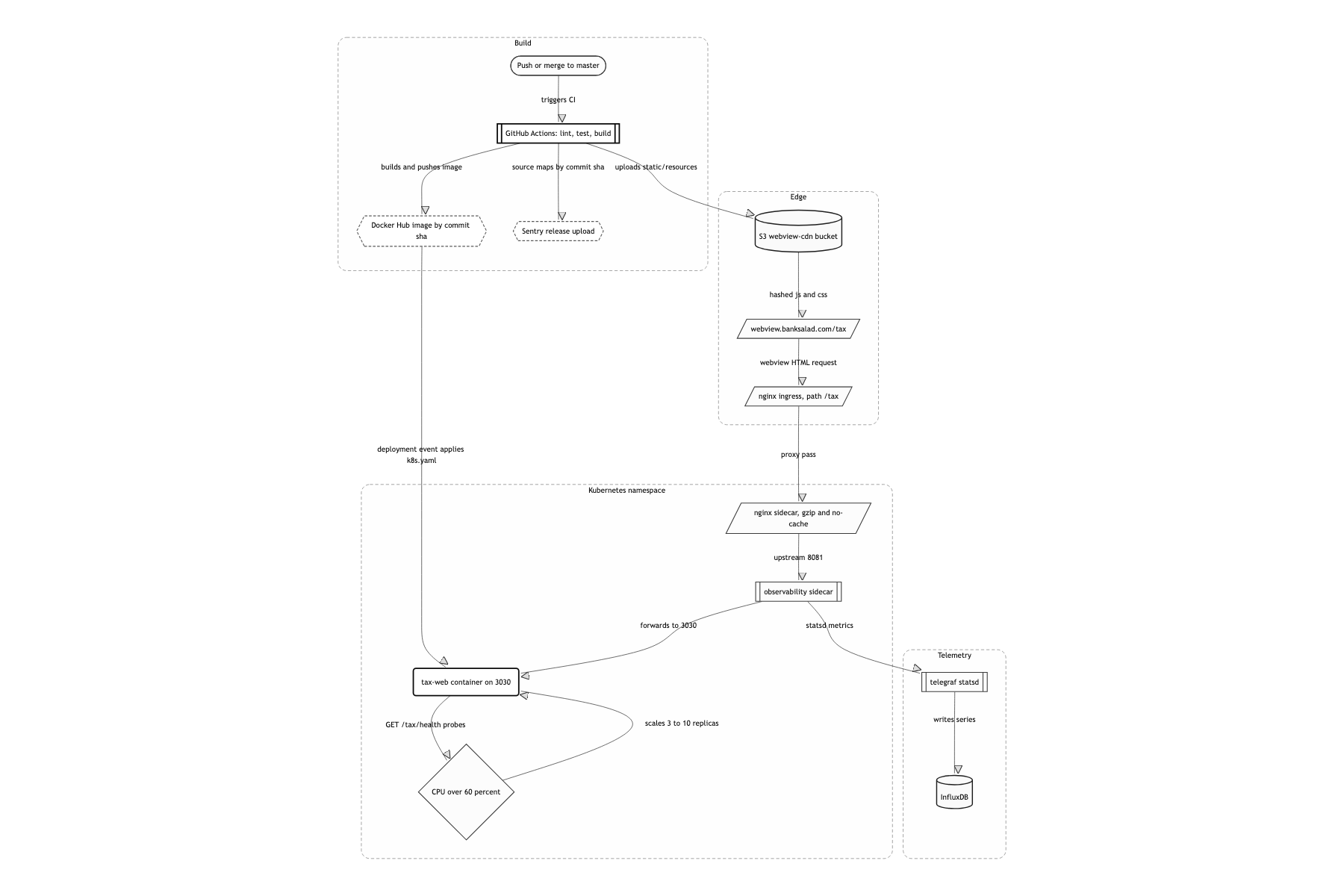
The token the native side hands over needed somewhere to land. A purely static page cannot read request headers. The supportedWebView middleware reads the banksalad-access-token header, drops it into the template, and that value lands in sessionStorage. That one layer meant a Docker image and a k8s Deployment, and the HTML had to be nailed down with Cache-Control: private, no-cache, no-store. Caching HTML with a per-user token baked into it is an incident on its own.
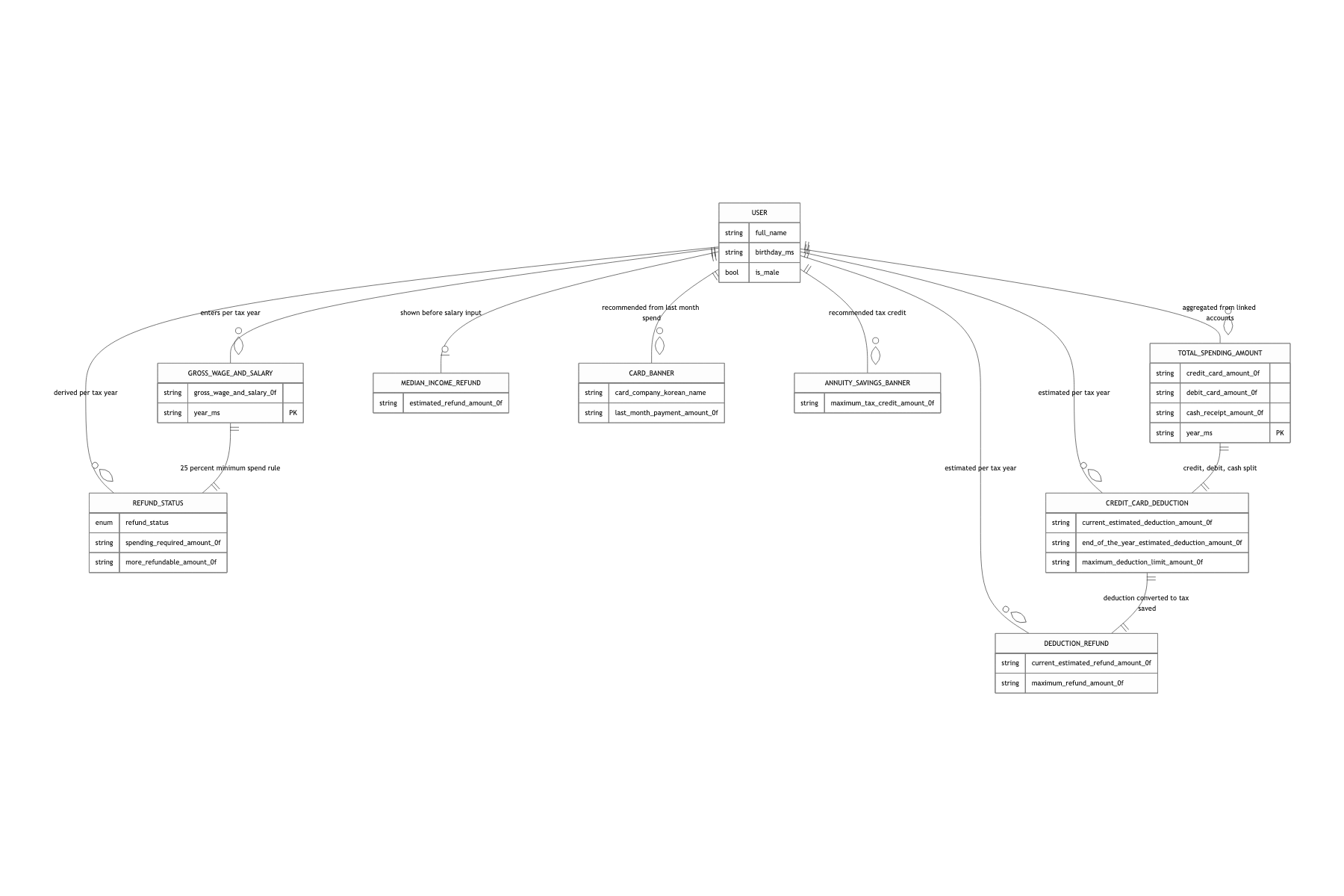
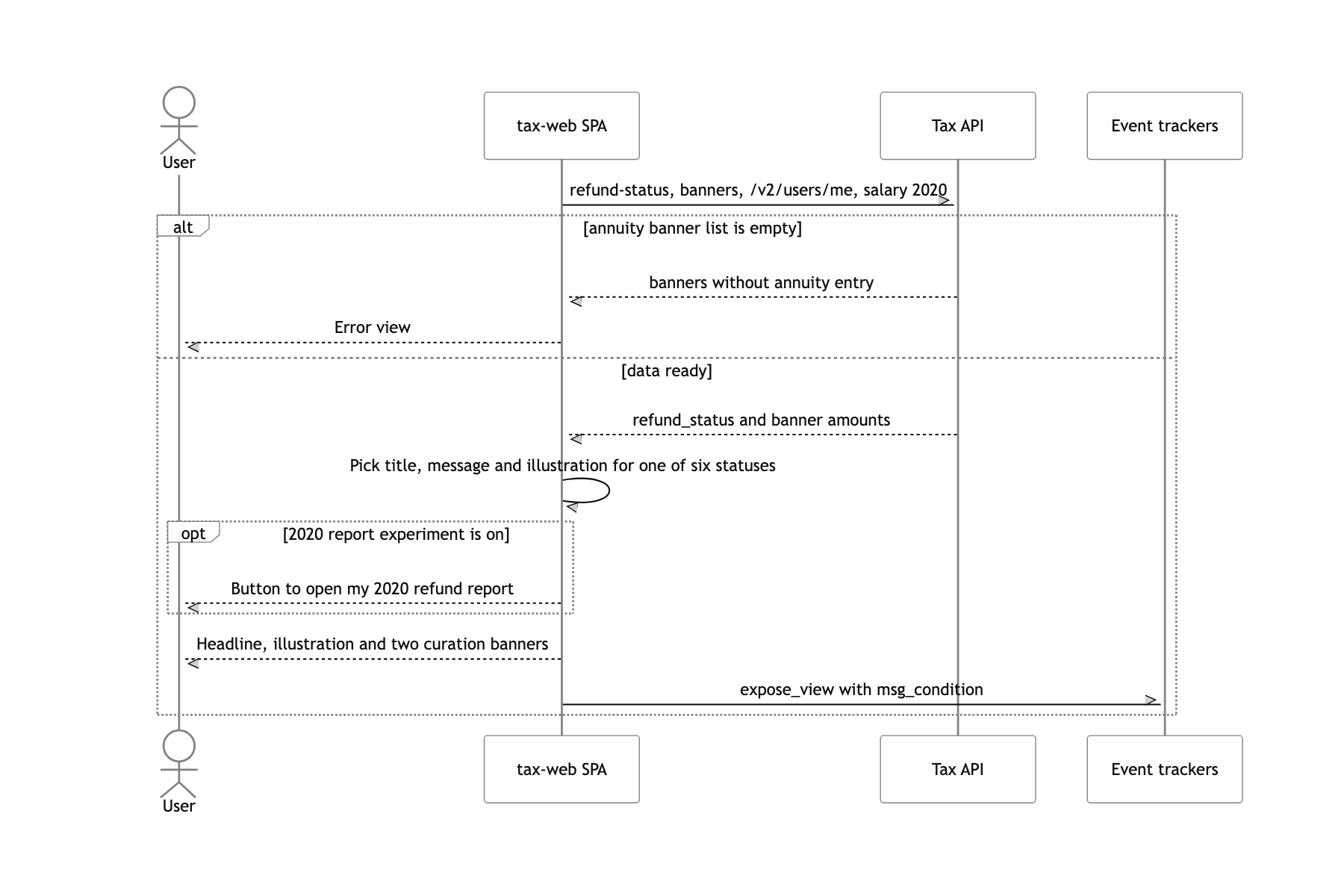
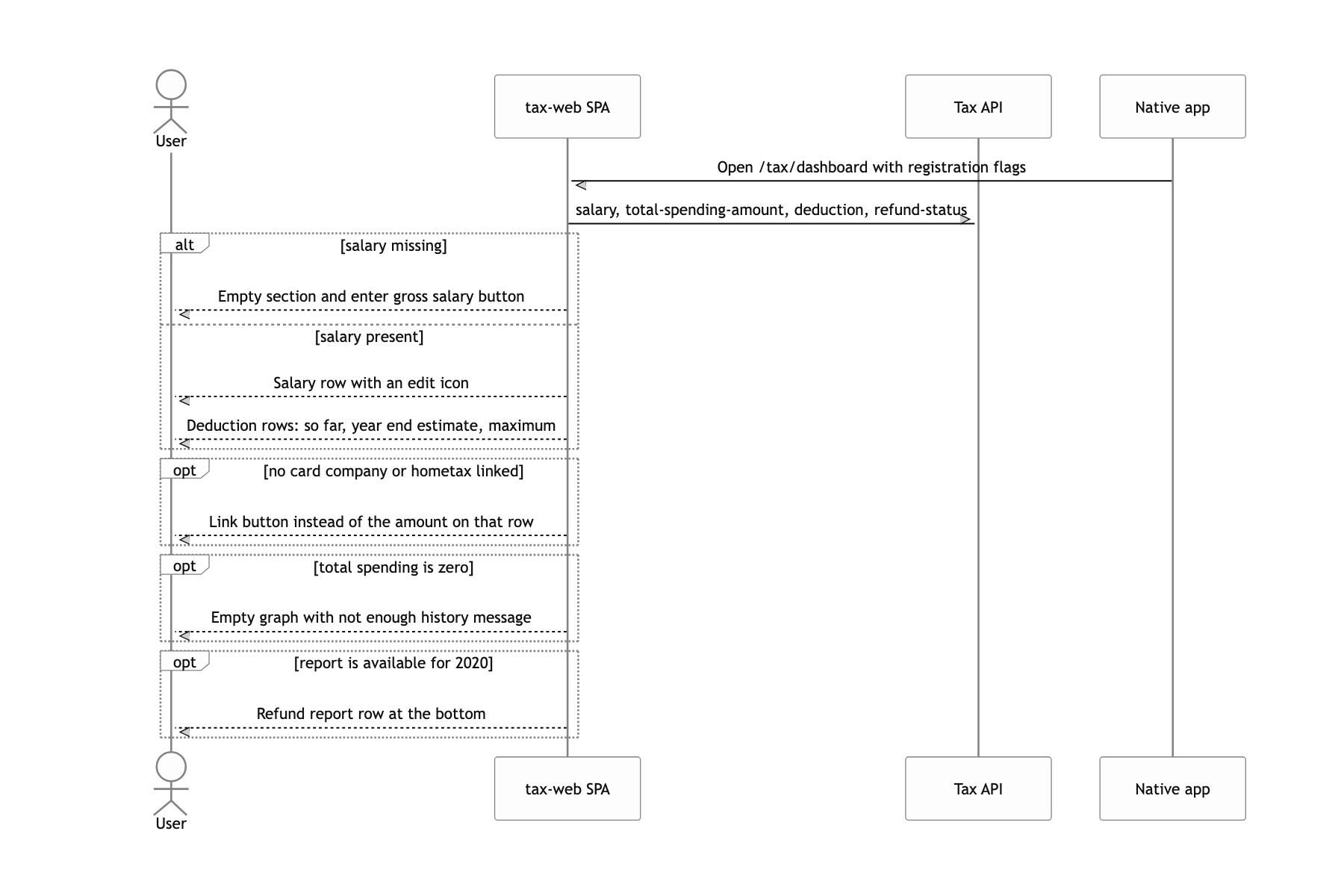
Branch the screen on the six refund_status values the server returns and on whether a salary exists, not on the route
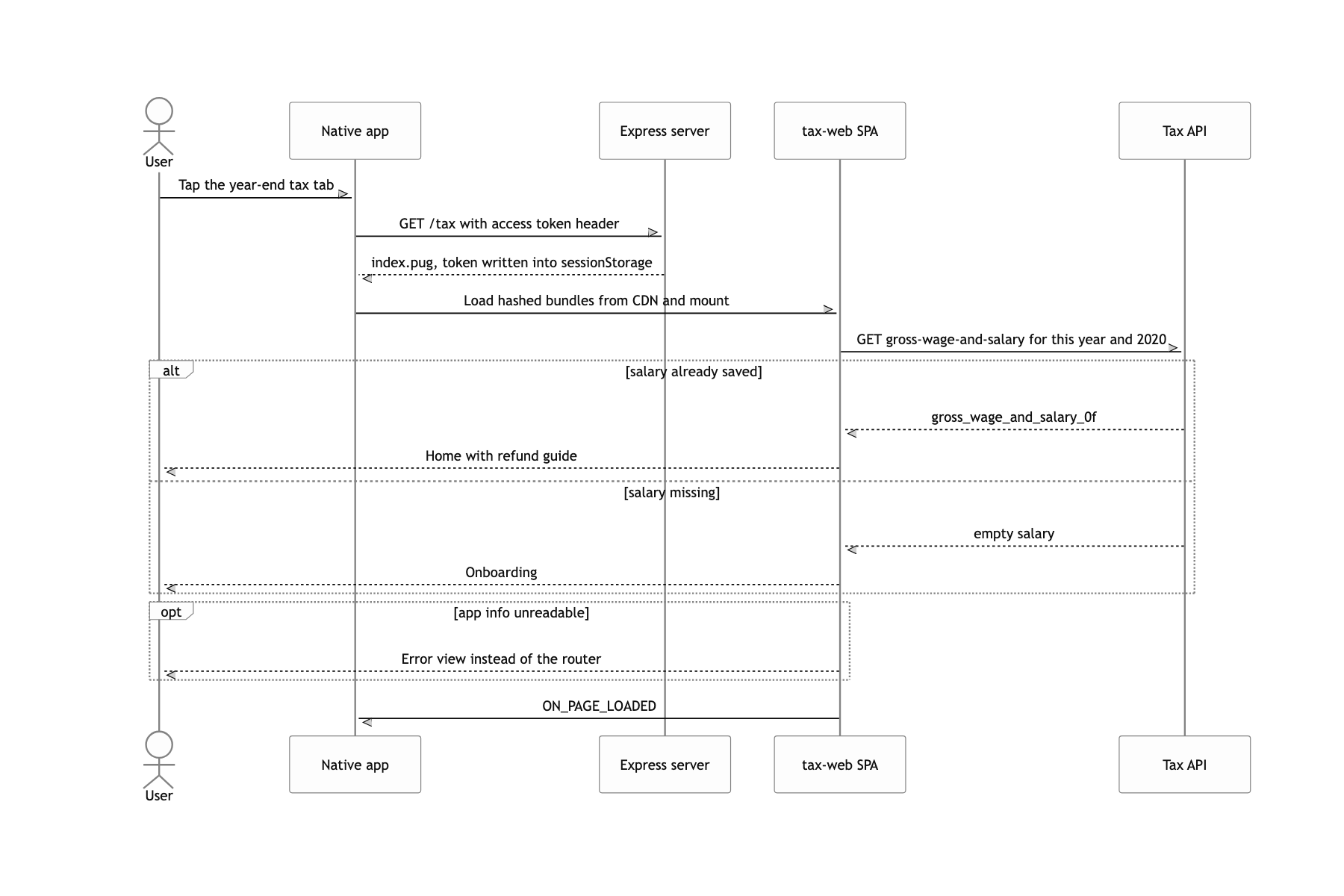
The same /tax had to show a different screen per person. Adding routes means adding that many native deep links and entry points. Instead Entry asks for the gross salary first and picks between Main and Onboarding. The combinations grow fast. So I built a 가짜데이터 (fake data) editor that only attaches outside production, and swapped the six states by hand to check each one.
The path a header-borne token travels
Following a single request through makes the structure legible. When a user taps the year-end tax tab in the app, the native side opens webview.banksalad.com/tax with three headers attached: banksalad-access-token, banksalad-application-version, and banksalad-application-name. The nginx in front hands the request to a sidecar, and the Express behind that sidecar catches all of /tax/* with a single supportedWebView and renders static/index.pug. The header values go in as an inline script and settle into sessionStorage, along with window.apiHost and window.namespaceEnv.
Reimplementing the 2019 tax code on the client to stand two years side by side
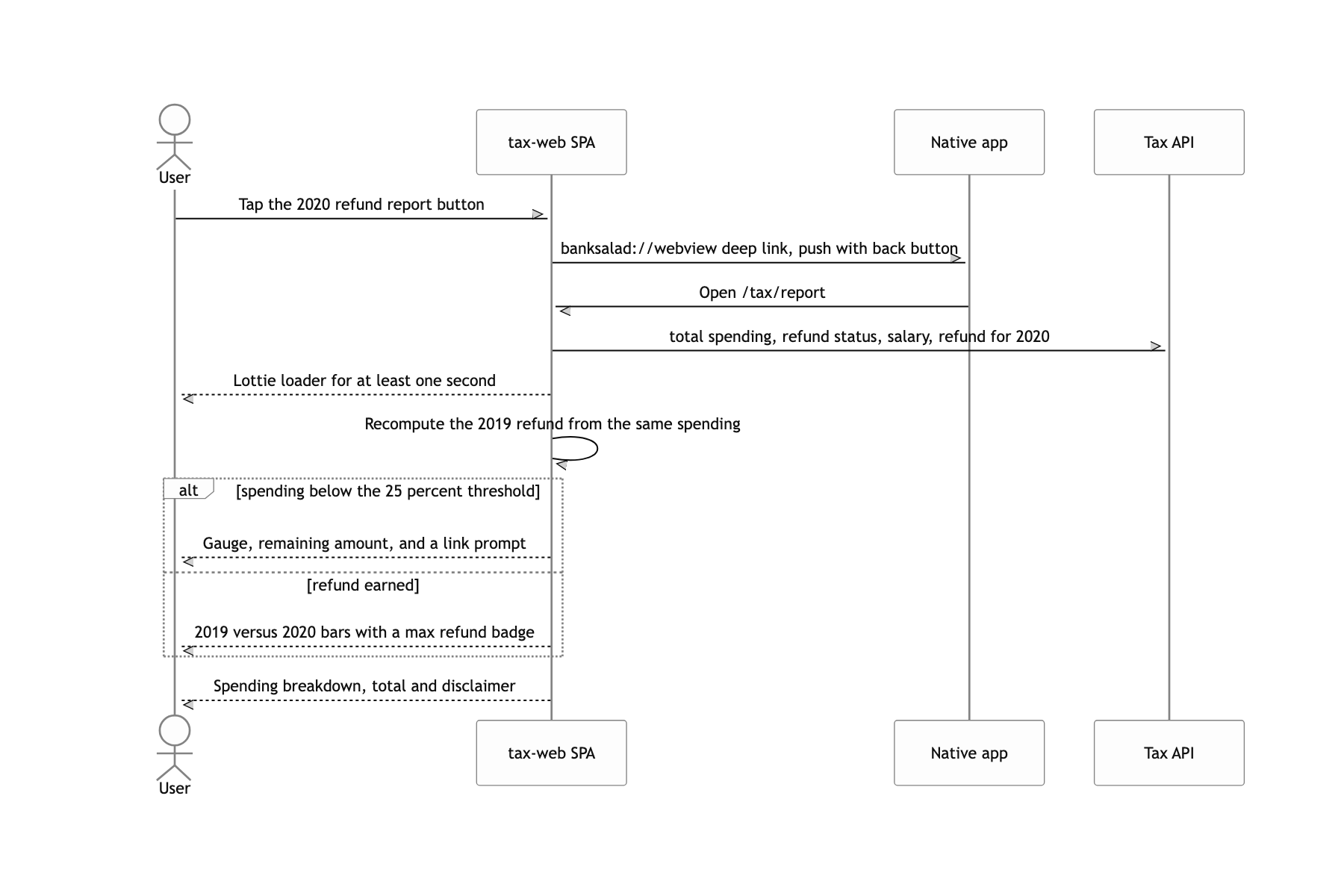
The headline sentence of the report is "2019년보다 32만원 더 환급받겠어요" (you will get 320,000 KRW more back than in 2019). The easiest way to get that number is to ask the server for one more API, a 2019 refund endpoint. Or to read back a value calculated last year and stored somewhere. Both were closed off. The feature did not exist in 2019, so there was no stored value, and 2019 card spending had never been scraped either. You cannot ask the server for a past that was never there.
I changed the axis of the comparison. What needed comparing was not me-in-2019 against me-in-2020, but the difference between the same spending run through two tax codes. In 2020 the card deduction rate was temporarily raised as a COVID measure. So I ported the 2019 tax code onto the client as it stood. Earned income deduction, the basic personal deduction, national pension, health insurance, long-term care insurance, and employment insurance each became a bracket function; I pulled taxable income through the quick tax table to get the computed tax, then fed in the 2019 deduction rates (15% credit, 30% debit and cash) and the per-salary caps (3M, 2.5M, 2M KRW) to produce the tax difference before and after the card deduction. All of it written with Ramda's R.cond and R.pipe, so the bracket tables show up in the code as tables.
Because actual 2020 spending goes into the 2019 rules, the sentence "this is how much more you get because the rate went up" holds exactly. Whether the user spent differently across the two years drops out of the equation, and only the tax law difference remains. For display, both values are floored to units of 10,000 KRW before subtracting (floorByTenThousand), so the height of the bars and the number in the headline never disagree, and if the difference is under 10,000 KRW the copy switches to "2019년과 환급액이 동일해요" (your refund is the same as in 2019). That guard is what keeps rounding from producing a sentence like "you will get 0 KRW more back".
Authenticating a webview with no login screen
The common move, hanging the token off the URL query string, leaks a financial token straight into history, referrers, and access logs.
I took the token as a request header rather than a URL, seated it in sessionStorage only, through an inline script, and used the app version that arrived on the same headers to decide which bridges were supported.
It never reaches the address bar so it lands in no log, the HTML is no-store so it is never cached, and closing the webview takes the token with it. I will unpack this design properly in its own piece.
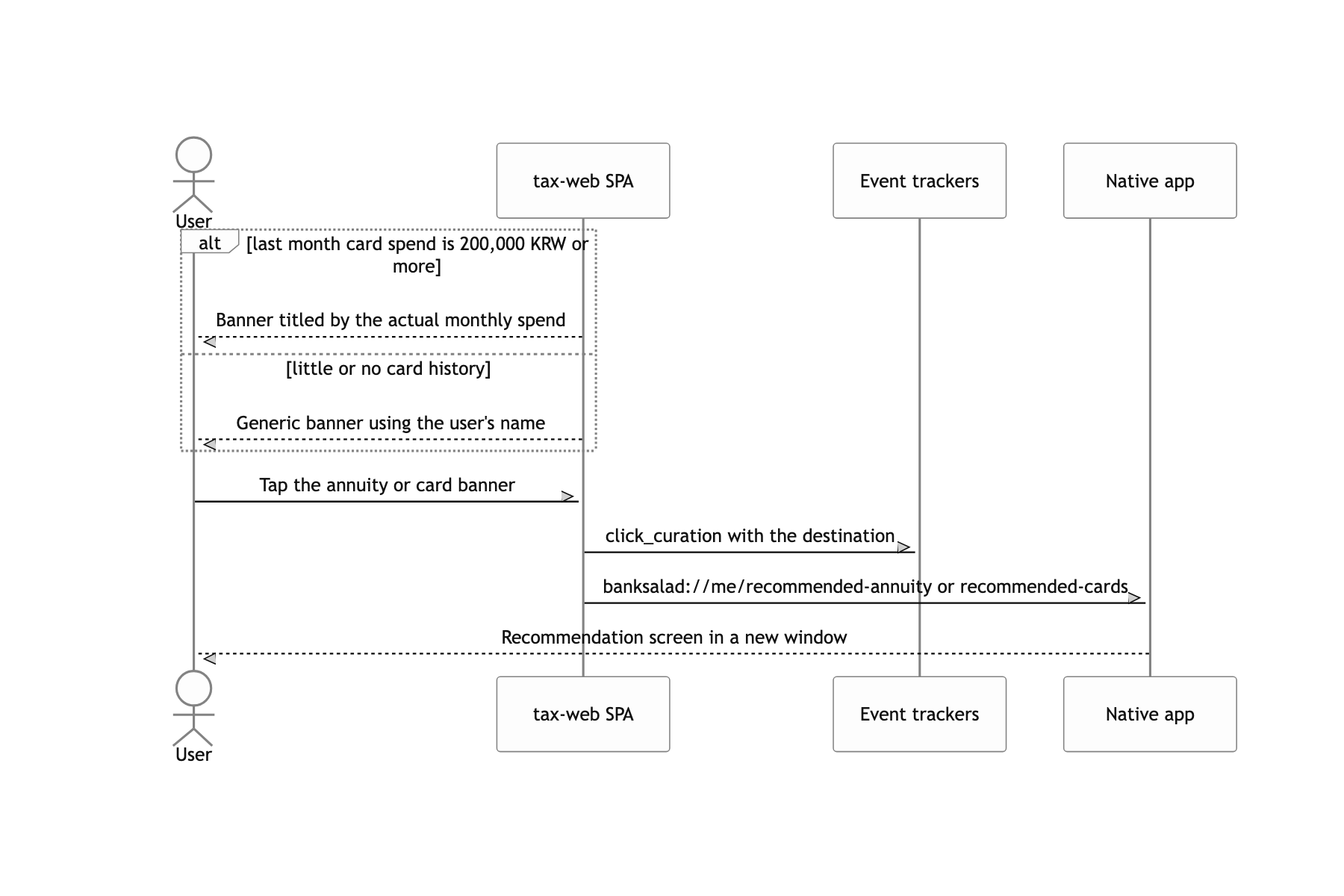
What a user can do
Tax law nailed into the code, and loading bundled too tightly
Starting with what bothers me most: the 2019 tax constants sit hardcoded in the code. Inside 2019-refund.ts, the taxable income brackets, the insurance rates, and the deduction caps are all literals. That was enough to ship that year's report, but it means a tax law change requires a web deploy, and if I built it again I would move this calculation to the server and let the web draw only the result. It is also strange for the calculation, which is the service's actual asset, to live inside a client bundle.
The way it handles time was shaky too. currentTimestamp is frozen to the Date.now() of the moment the module loads, and the value pointing at 2020 is hardcoded as a constant like 1609372800000. Leave the app open across midnight and the year being queried can drift. That is the price of passing years around as millisecond numbers instead of treating the year as a domain value.
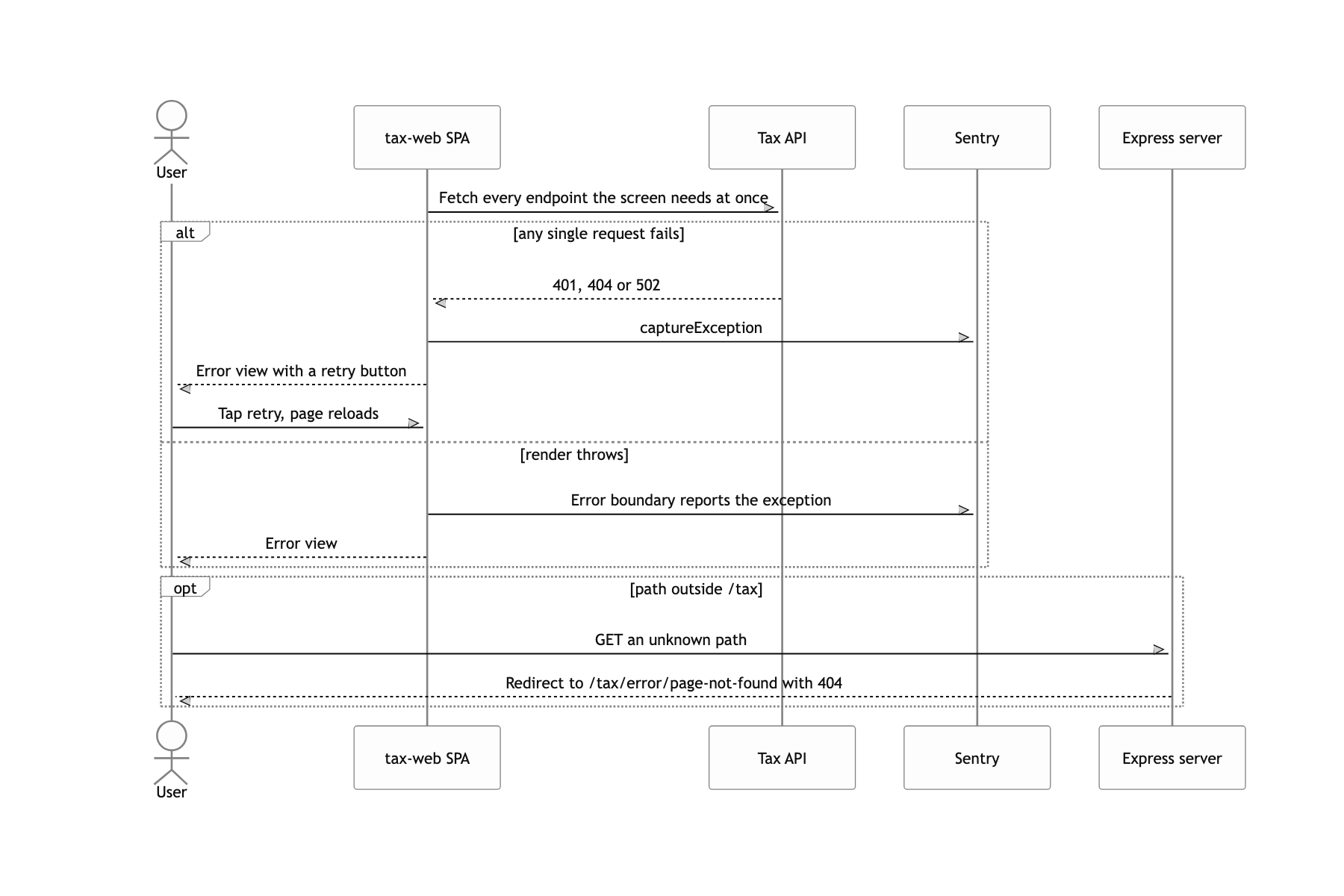
useFetch bundles the calls a screen needs into a Promise.all. That means drawing the loading spinner once, but if one of four fails the whole screen falls over to an error. Losing sight of your refund because a banner died is a disproportionate outcome. Today I would break the screen into pieces and let only the failed piece show an error.
The tests cluster around controllers and pure functions. The tax calculation and the chart transforms were verified down to the responses with msw, but there are only two view tests, so whether the right copy attaches to each state was ultimately checked by a human eye through the 가짜데이터 (fake data) switch. I deferred it because the season was short, and a few copy-fix commits right before release are the receipt.
