Confirmed Loan Rate and Limit Comparison Service
One identity check, confirmed rates from every partner lender
A rate table that cannot wait
This was a project from the second half of 2020. The requirement was to verify identity once and pull back the confirmed rate and limit from every partner lender.
The problem was the route to that data. This was before MyData, so certificate scraping was the only way to read accounts and income, and the scraping SDK was native only. The partner list, the rate table, and the terms copy, on the other hand, had to be changeable without waiting on app review.
So from the start this project was about deciding how much to leave native. Certificates, scraping, the secure keypad, biometrics, push. Those five stayed native, and the other 85 screens were all drawn in the web. On top of that, a separate repo carried the web funnel and the marketing site for visitors who had not installed the app.
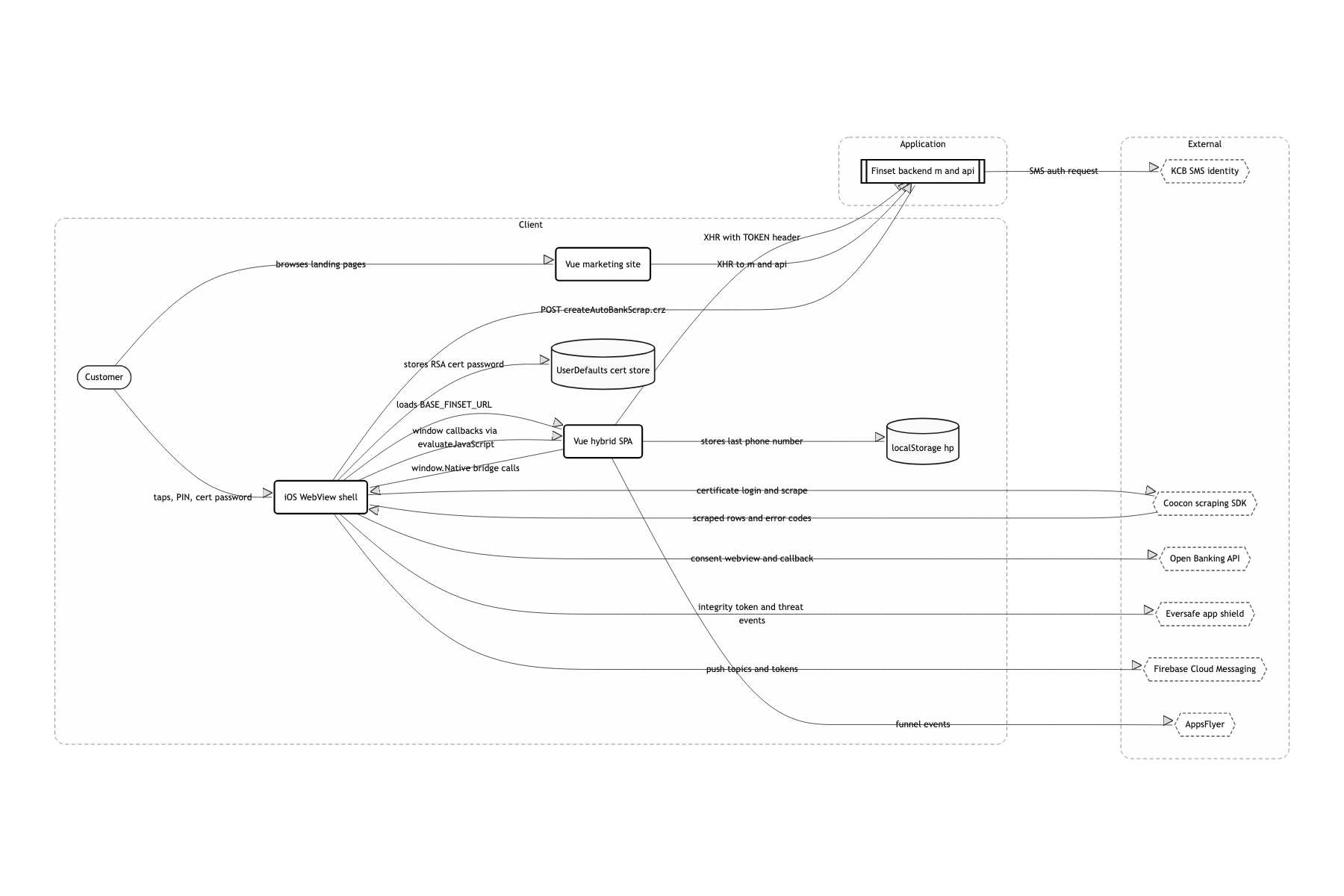
Certificates native, screens on the web
A WKWebView shell with a Vue 2 SPA on top
Rate tables and terms copy had to ship the same day, without an app review. If the screens live in the web, deploying means swapping the output of vue-cli-service build. On the iOS side there is effectively no screen drawing code at all beyond reading BASE_FINSET_URL from Config.swift and loading the web. The scraping SDK and the secure keypad were native only, and an app that does nothing but show a web view risks a 4.2 rejection under the App Store guidelines. So I went the other way and made the things that are impossible without native, certificate management, biometrics, the secure keypad, the identity of the app itself.
A window.Native bridge that Swift injects at runtime
createScriptToAddFunctions() in JavascriptInterface.swift takes only a function name and an array of parameter names, prints the JS out as a string, and installs it through WKUserScript. The web calls an ordinary function like window.Native.startAutoScrap(code, info), and the signatures are maintained in exactly one place, in Swift. WKScriptMessageHandler is one way with no return value. So every response ends up coming back as native calling a global function like window.resultAutoScrap(...) through evaluateJavaScript. Any screen that expects a callback has to plant its own handler on window in created().
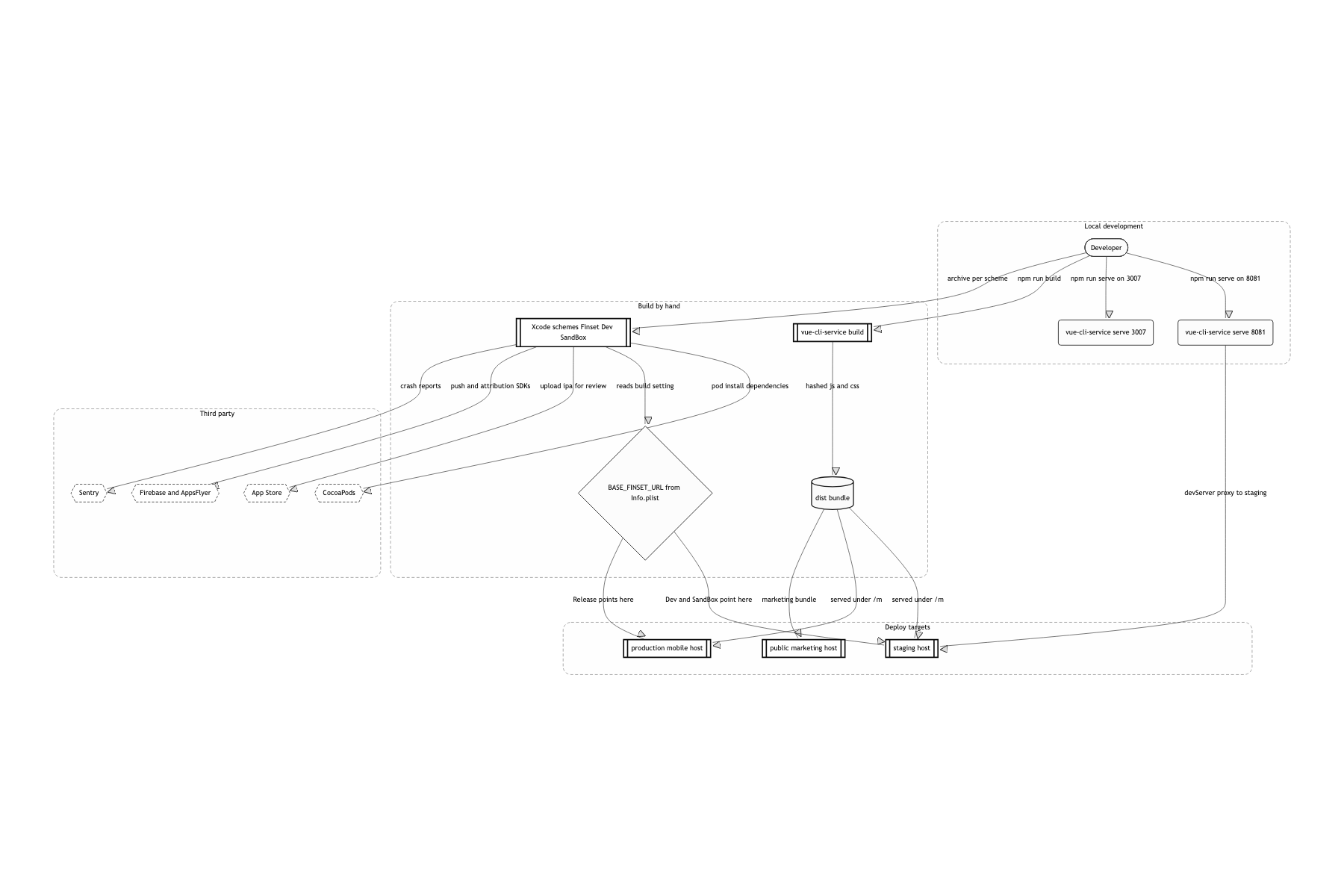
Two runtimes joined by one bridge
The iOS app draws no screens. It reads BASE_FINSET_URL from Info.plist, fills a single web view with it, injects window.Native on top, and from that point on it only takes bridge requests and services them. Listing certificates, checking the certificate password, driving the scraping SDK, showing the secure keypad, Face ID, FCM topic subscriptions, AppsFlyer events, all of it lives here. Even changing the status bar color is a bridge function, chageStatusBar, because when the web changes the page background the status bar has to follow.
This piece covers only the boundary between native and web, and the problem of judging completion on top of that boundary. Splitting axios per backend context, polling for loan quotes and notifying through FCM, and keeping the app web view SPA in a separate repo from the marketing web are each worth their own piece, so I fold them away here, and the story of imitating iOS screen transitions inside a web view stays as a summary.
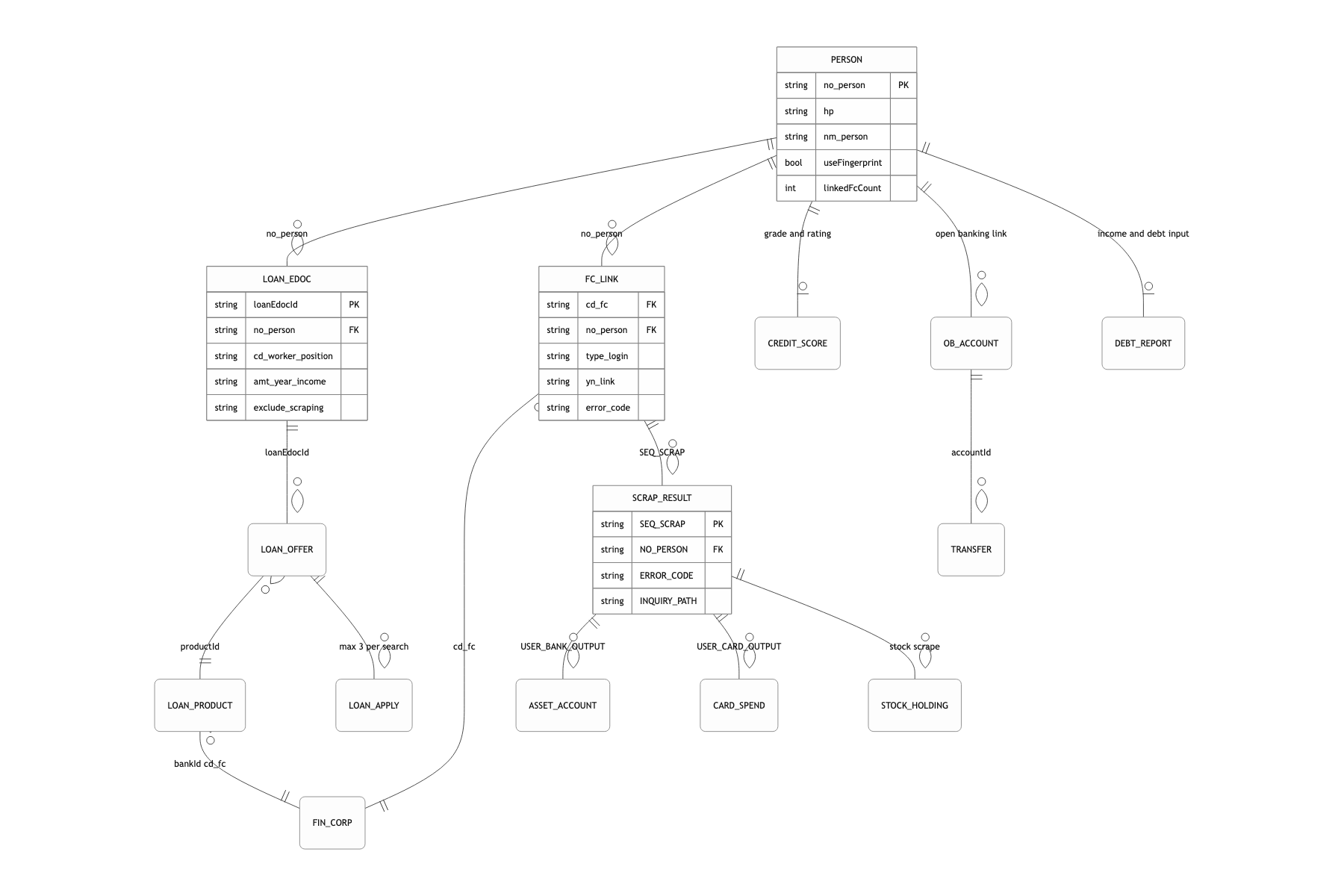
Knowing when a scrape that ran down three paths has finished
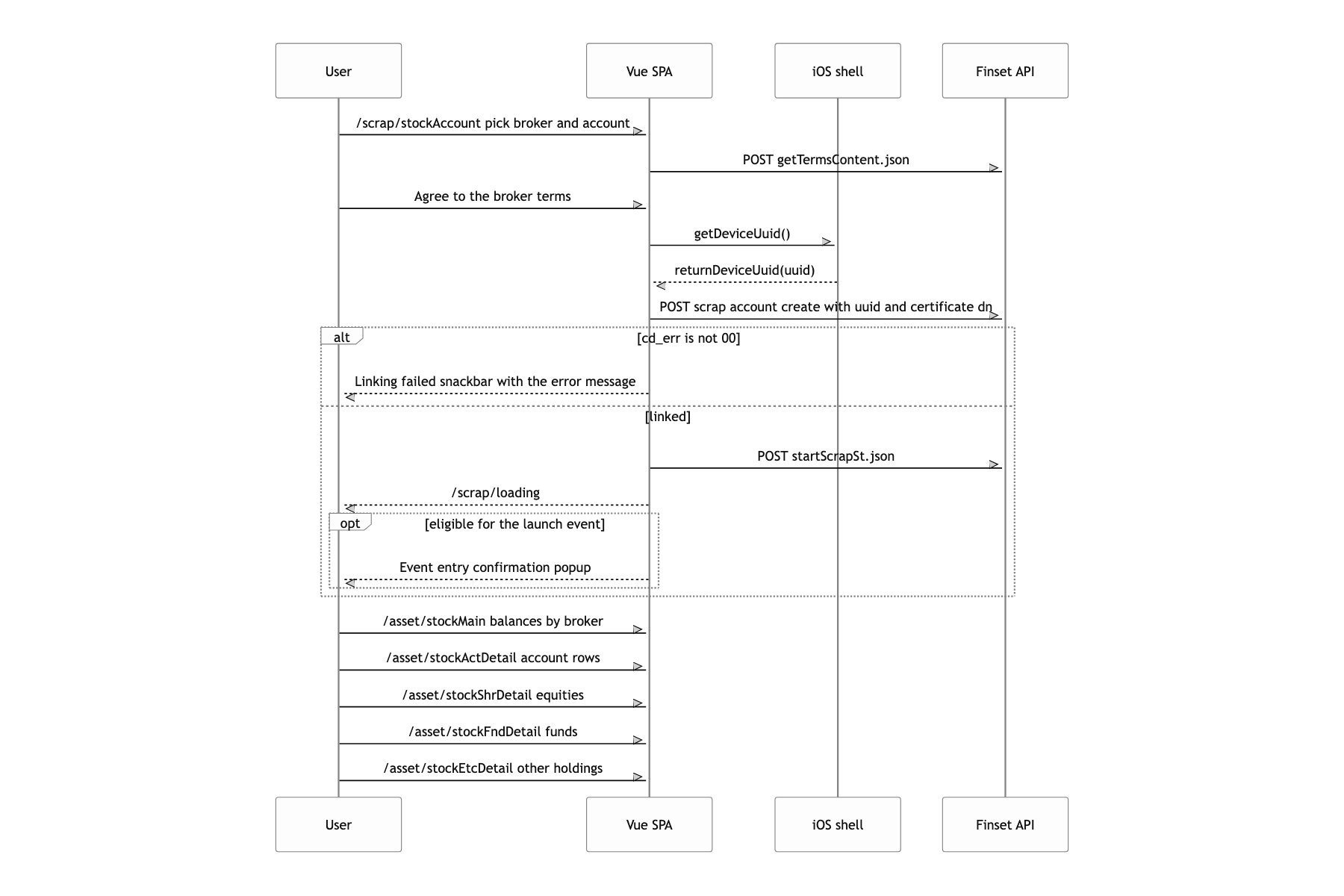
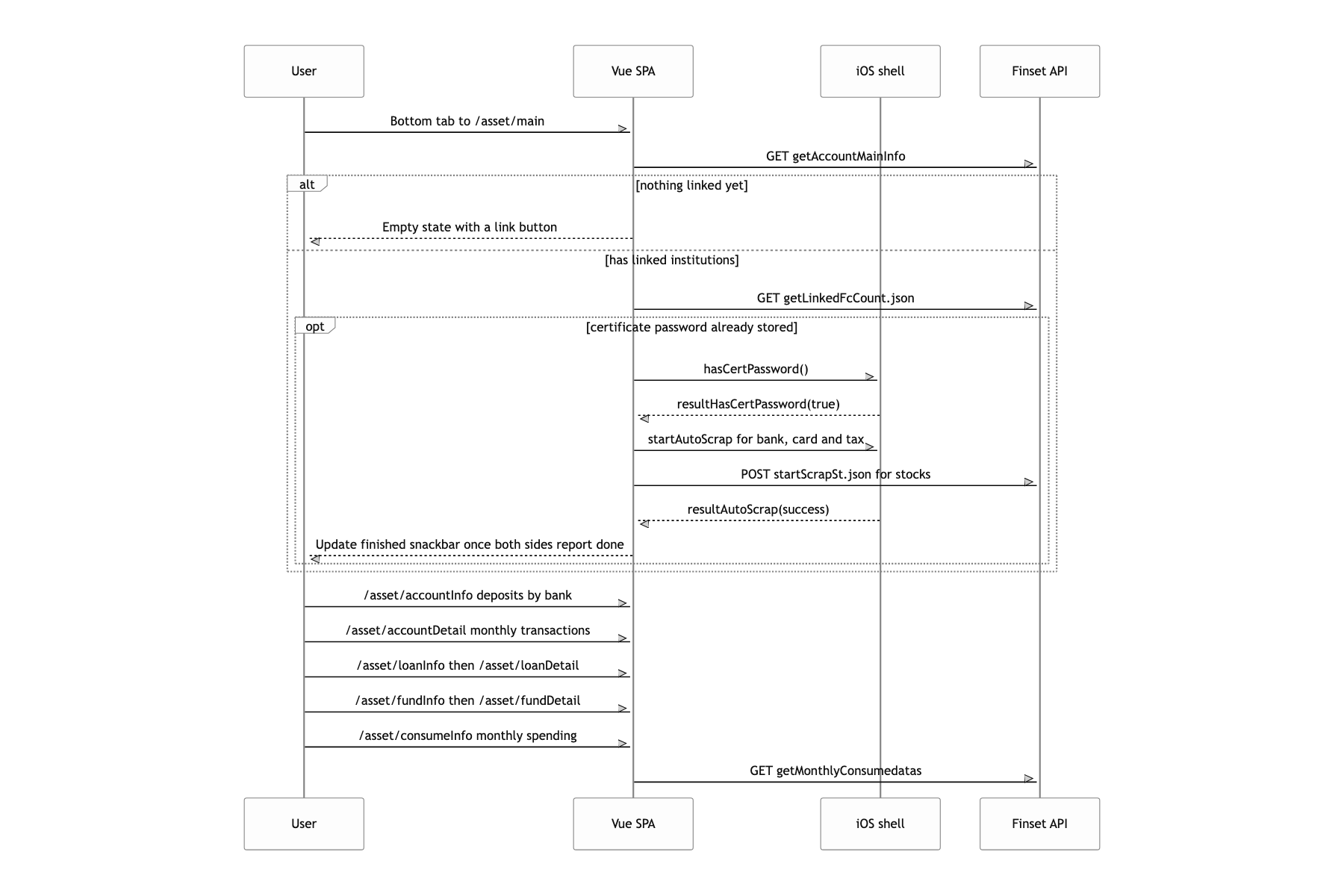
Tap the link button, start the bank, card and tax office scrapes, and when they finish show "업데이트 완료" (update finished). The first time you meet this you reach for calling startAutoScrap three times and awaiting them, or wrapping them in Promise.all. But the bridge has no return value. window.webkit.messageHandlers.iOS.postMessage just throws the message over and ends, so there is nothing to wait on in the first place. The next thought is "treat the callback as completion", and then the completion snackbar fires the moment the bank alone finishes while card and tax office are still running. On top of that, stocks are scraped by the server, not the device (startScrapSt.json). So the done signals arrive over two paths of a different nature, a native callback and an HTTP response, and there is no telling which lands first.
I split the completion check into two layers. Native folds the lower one. AutoScrapManager counts the requests into cntBankScrap and cntCardScrap, knocks one off each time a delegate returns, and only at the moment the count reaches zero does it save the results to the server and call resultAutoScrap once. However many bank accounts or card issuers there are, the web gets one folded callback.
The web owns the upper layer. The Vuex scrap state holds just two flags, isFcScrapDone and isStockScrapDone, and the two end points (resultAutoScrap in App.vue, ACTION_START_STOCK_SCRAP in actions.ts) each raise their own flag and then check the other one. If the other side is already done, that is when it calls saveScrapData(), shows the snackbar, and resets all four flags at once. If not, it does nothing and quietly backs out.
The key is that it assumes nothing about order. Whichever side finishes first, the one that arrives later is responsible for wrapping up, so on a fast device or in an hour when the server is fast, completion happens exactly once. I did have to write the same wrap up code in two places, and in exchange for that duplication I did not have to concentrate the question of who judges completion in one place. Put the judgement in the web and the web has to know how many items native is still working through, and then the bridge grows one more function for querying progress. Caging the countdown inside native kept the boundary thinner than adding polling for a progress number.
Three things that broke while imitating iOS screen transitions in a web view
It looks like putting transform: translateX(100%) on a <transition> is the whole job, but coming back the scroll jumps to the top, the position: fixed header and bottom button slide out along with the page, and for the 0.4 seconds of the transition the body doubles in height.
I changed the rules only for the span of the transition. scrollBehavior defers restoration by one tick, html gets a .transitioning class that locks the height, and fixed elements are pinned to pixel coordinates by setPositionFixedElement and put back in afterEnter.
When a rule cannot be beaten in CSS, the answer was to narrow the time in which the rule applies. I will write up the three breakages one by one separately.
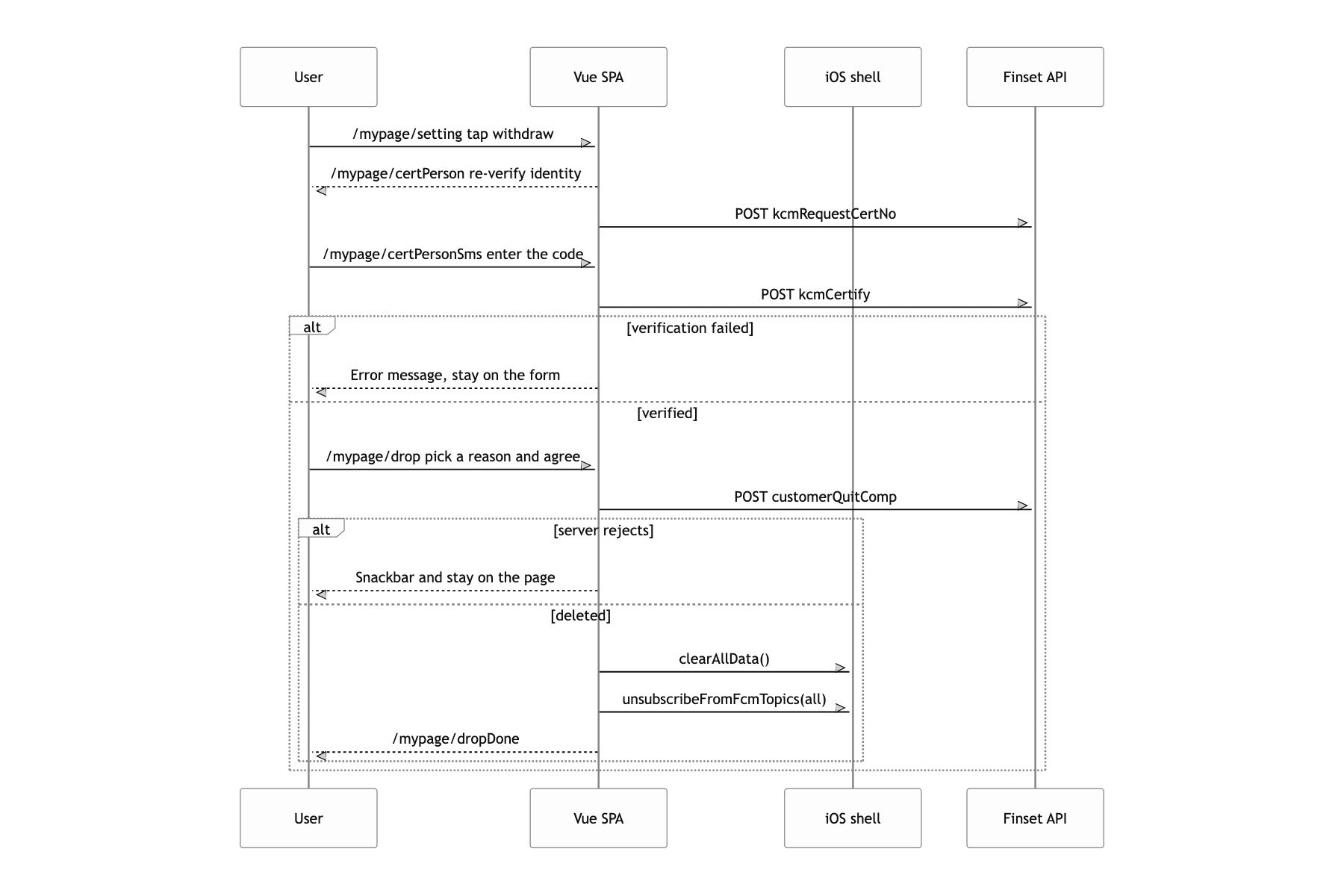
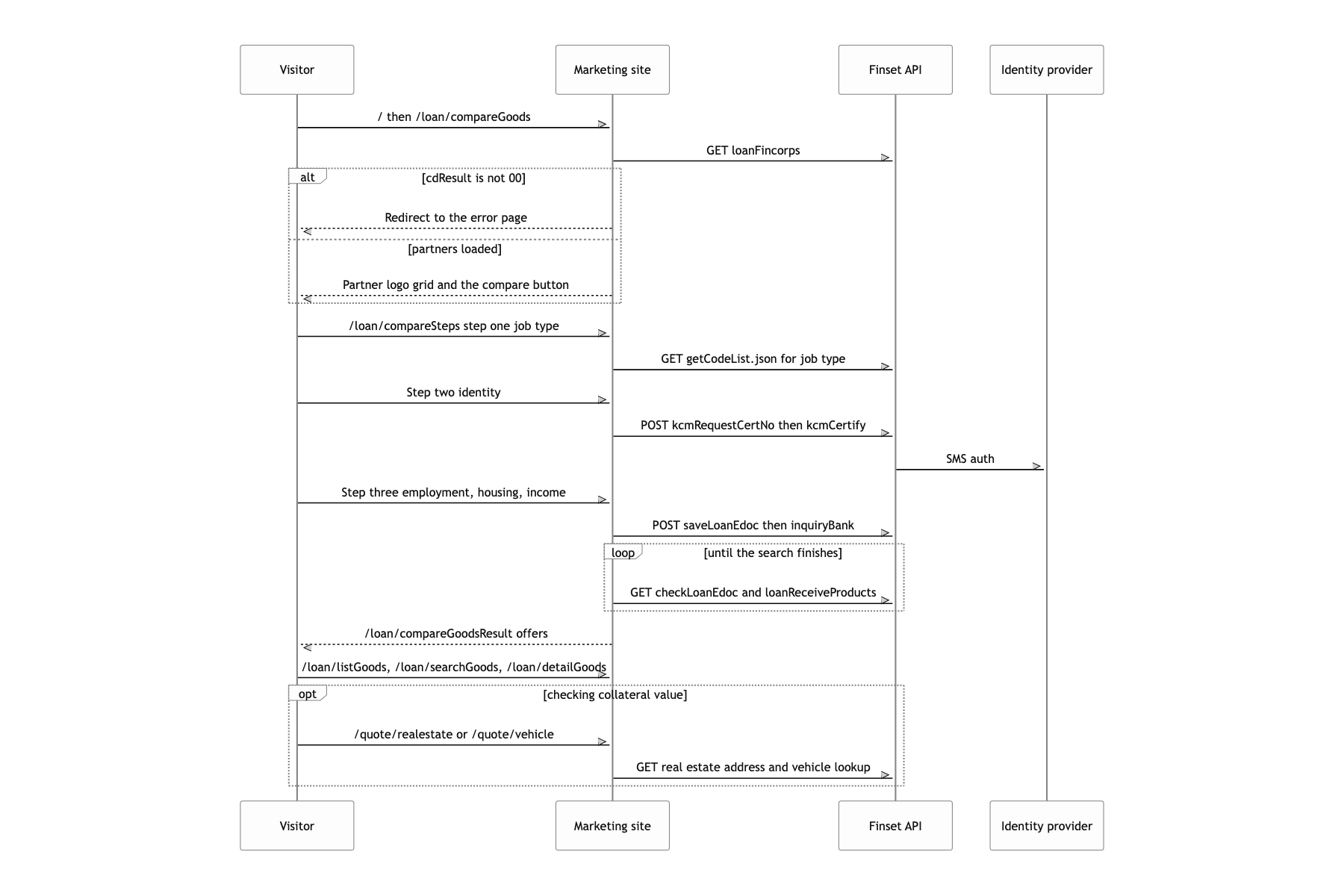
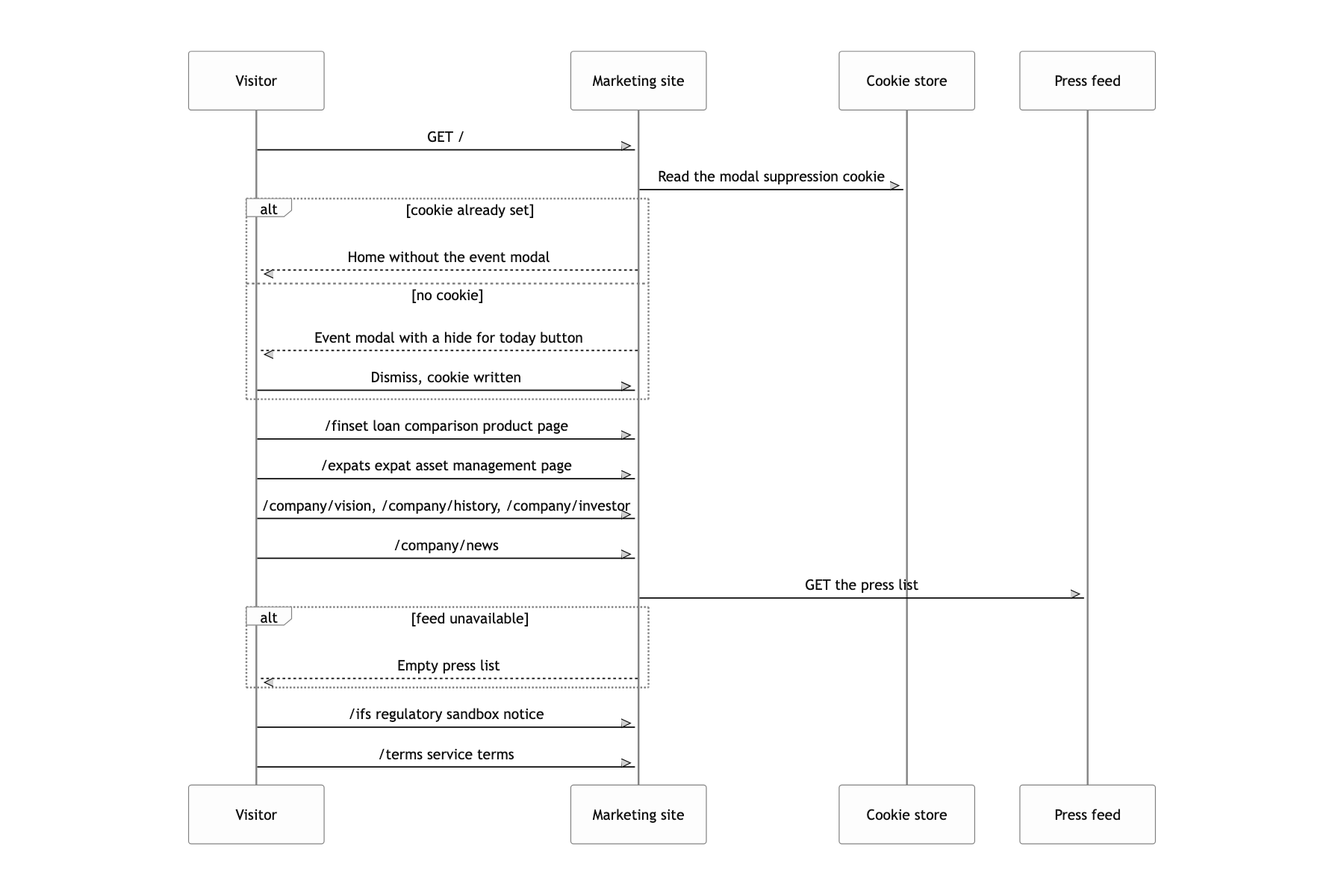
What a user can do
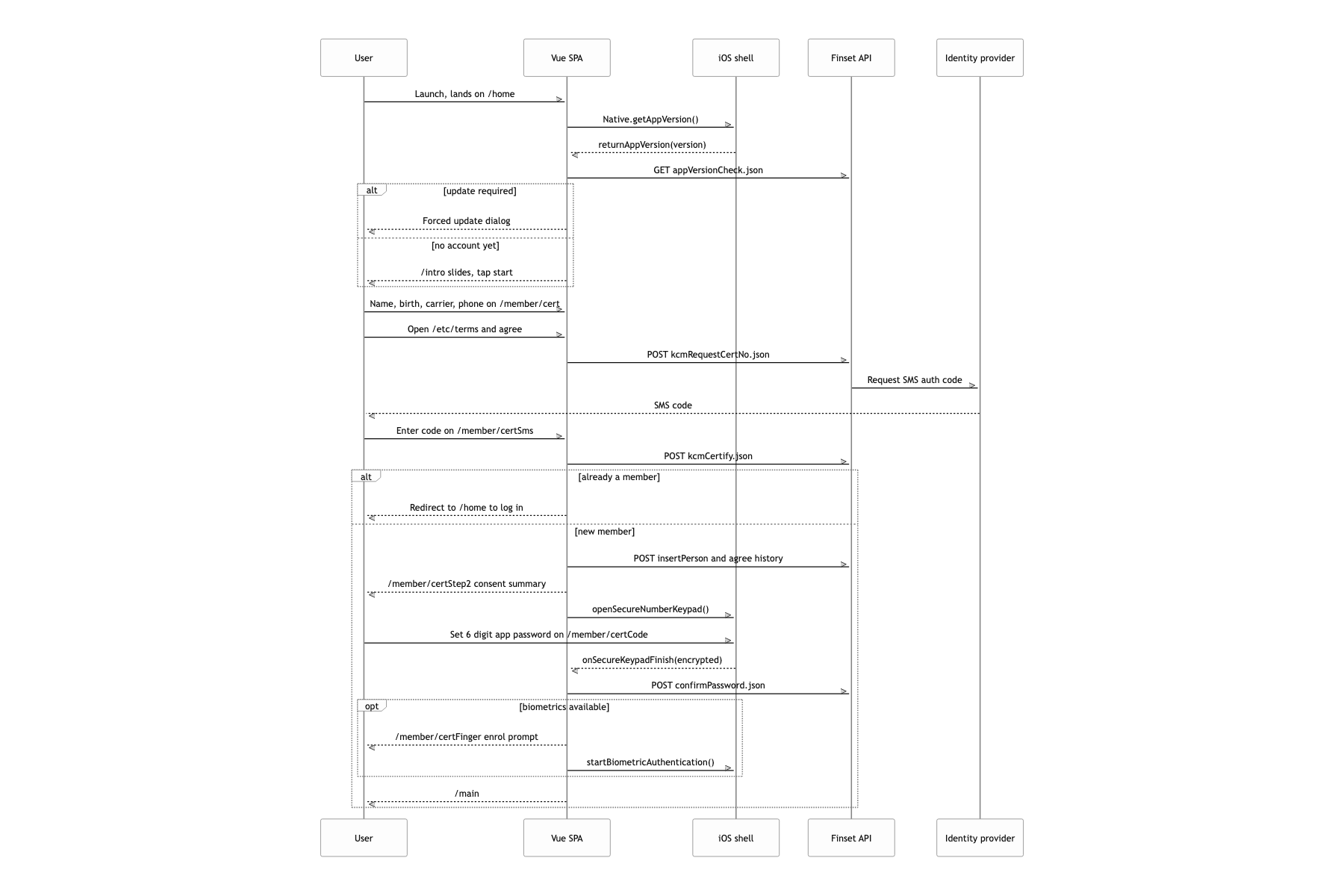
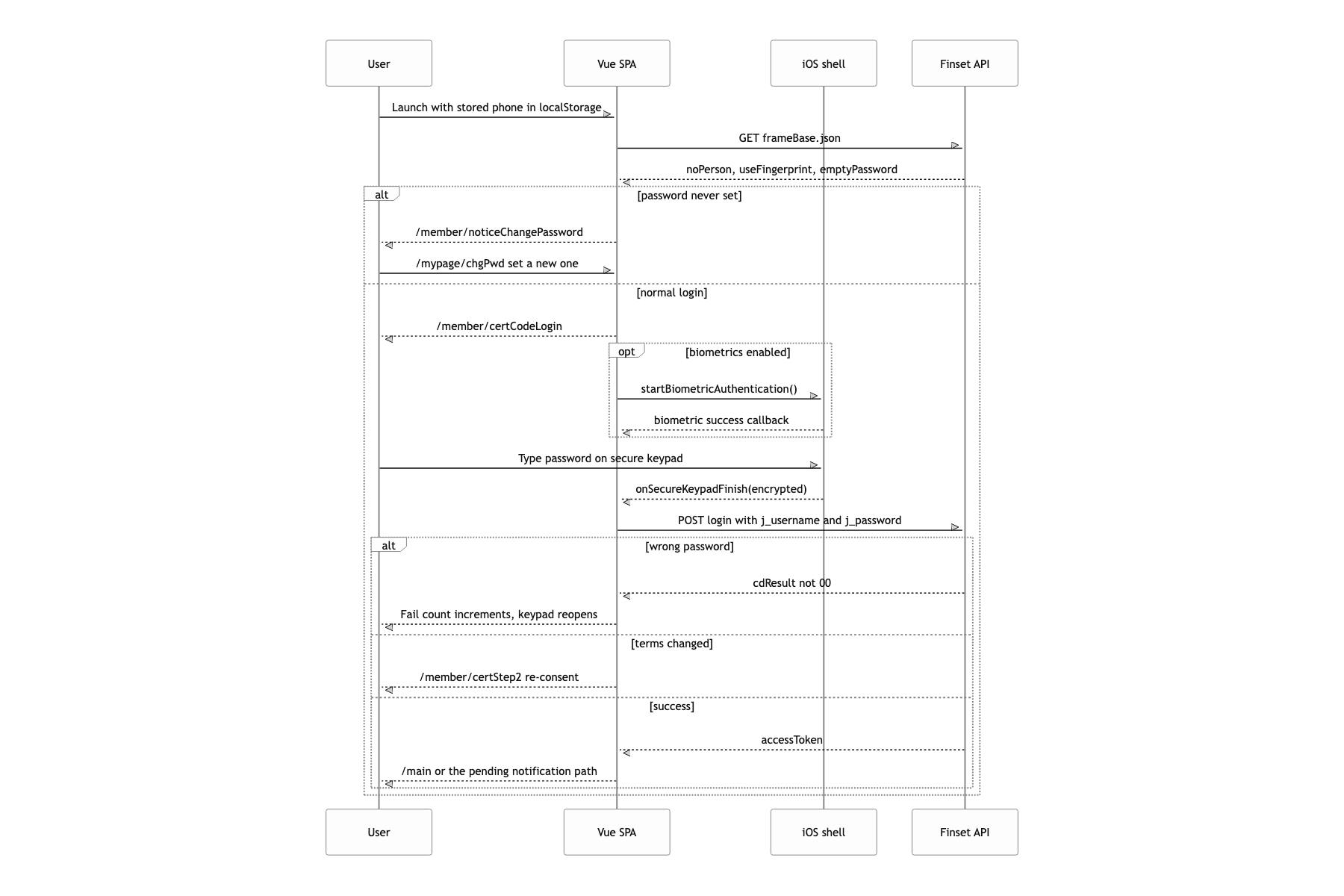
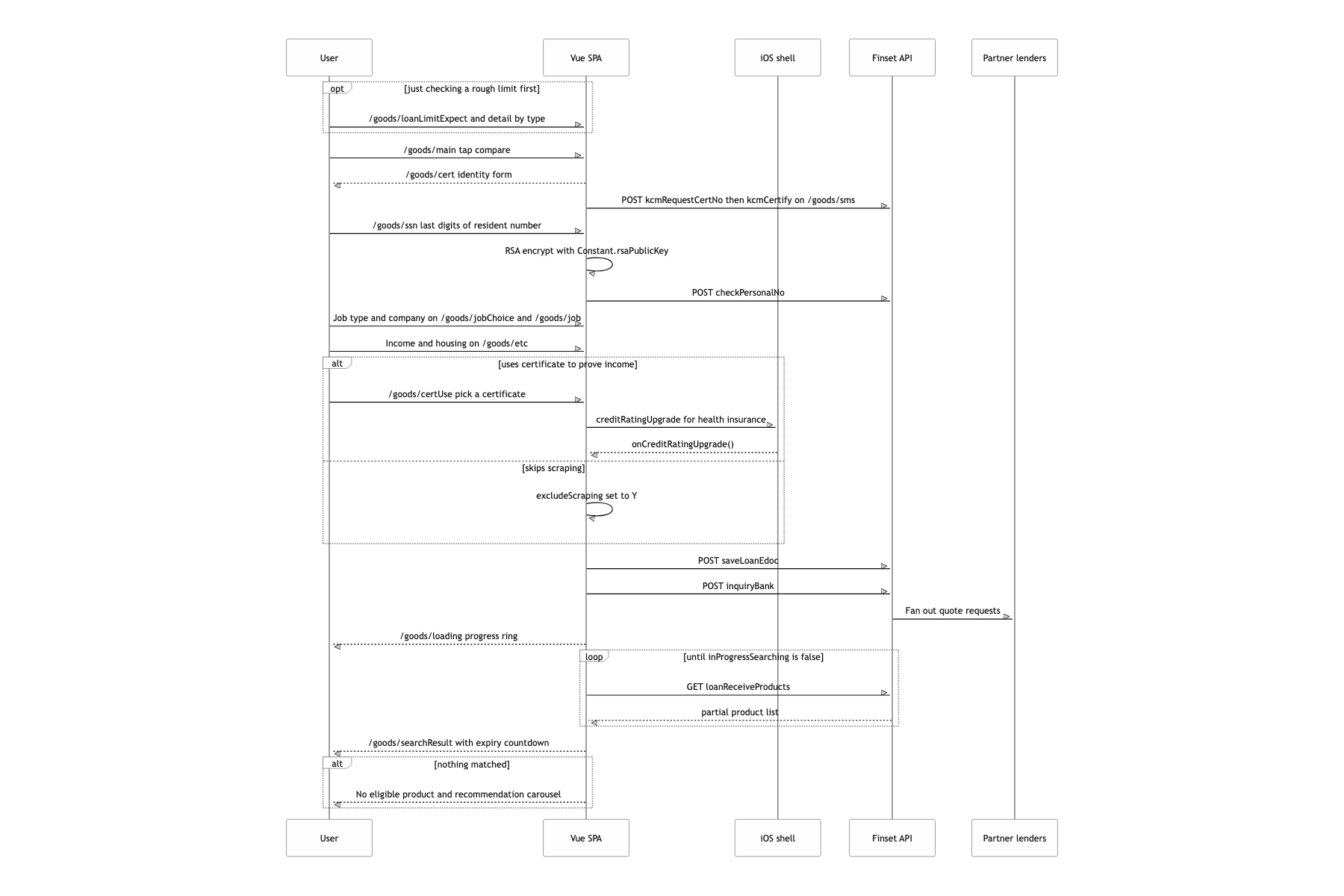
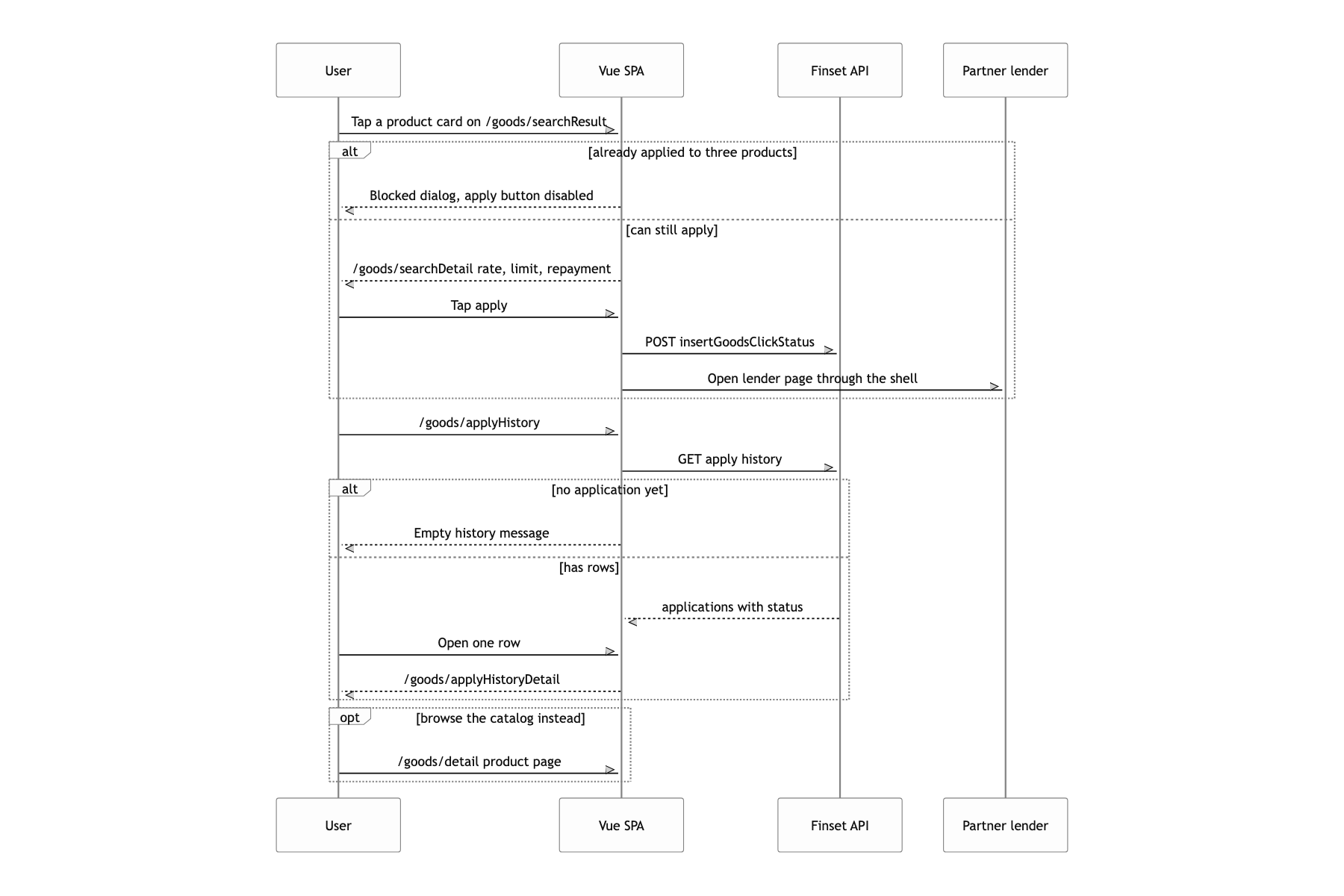
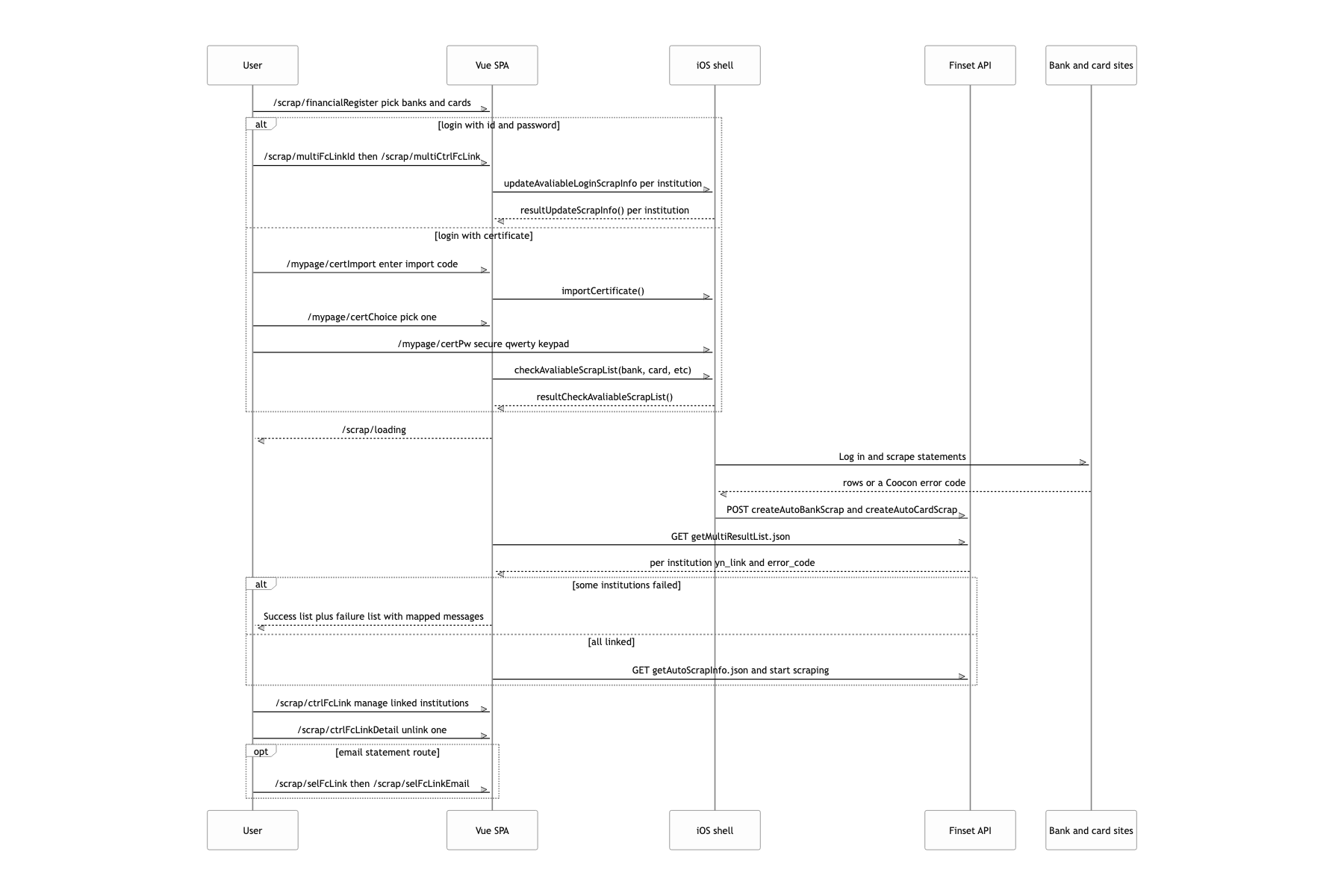
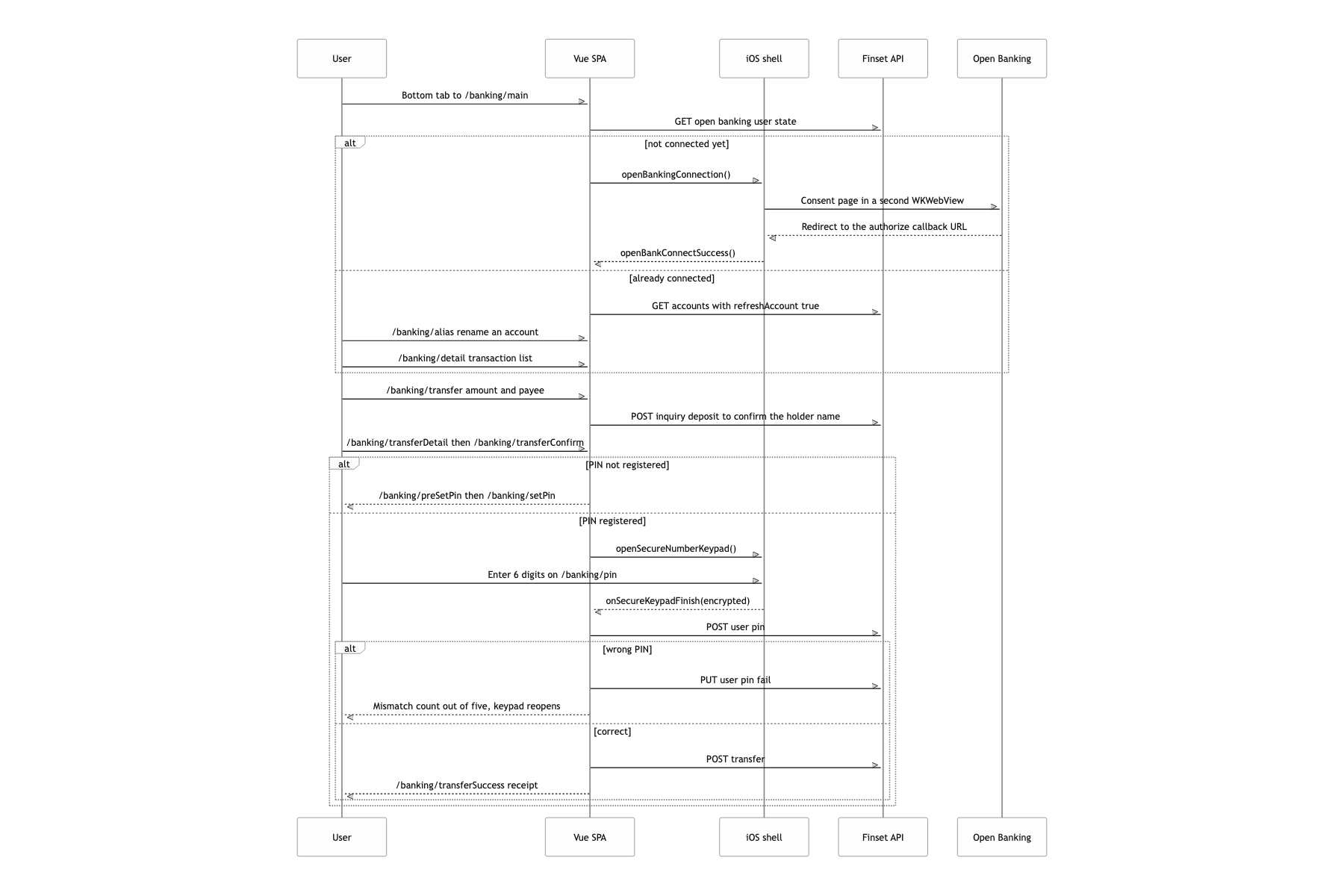
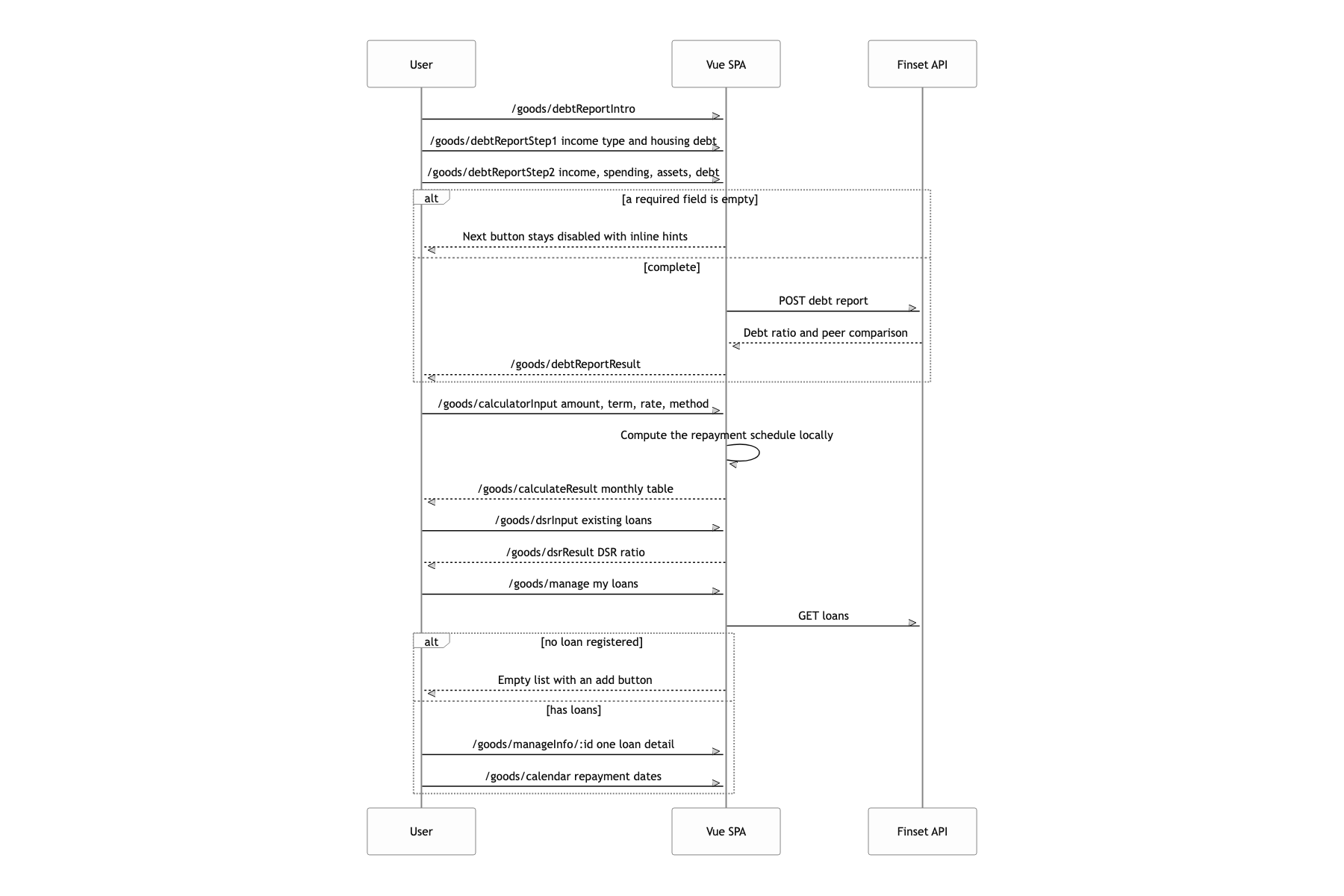
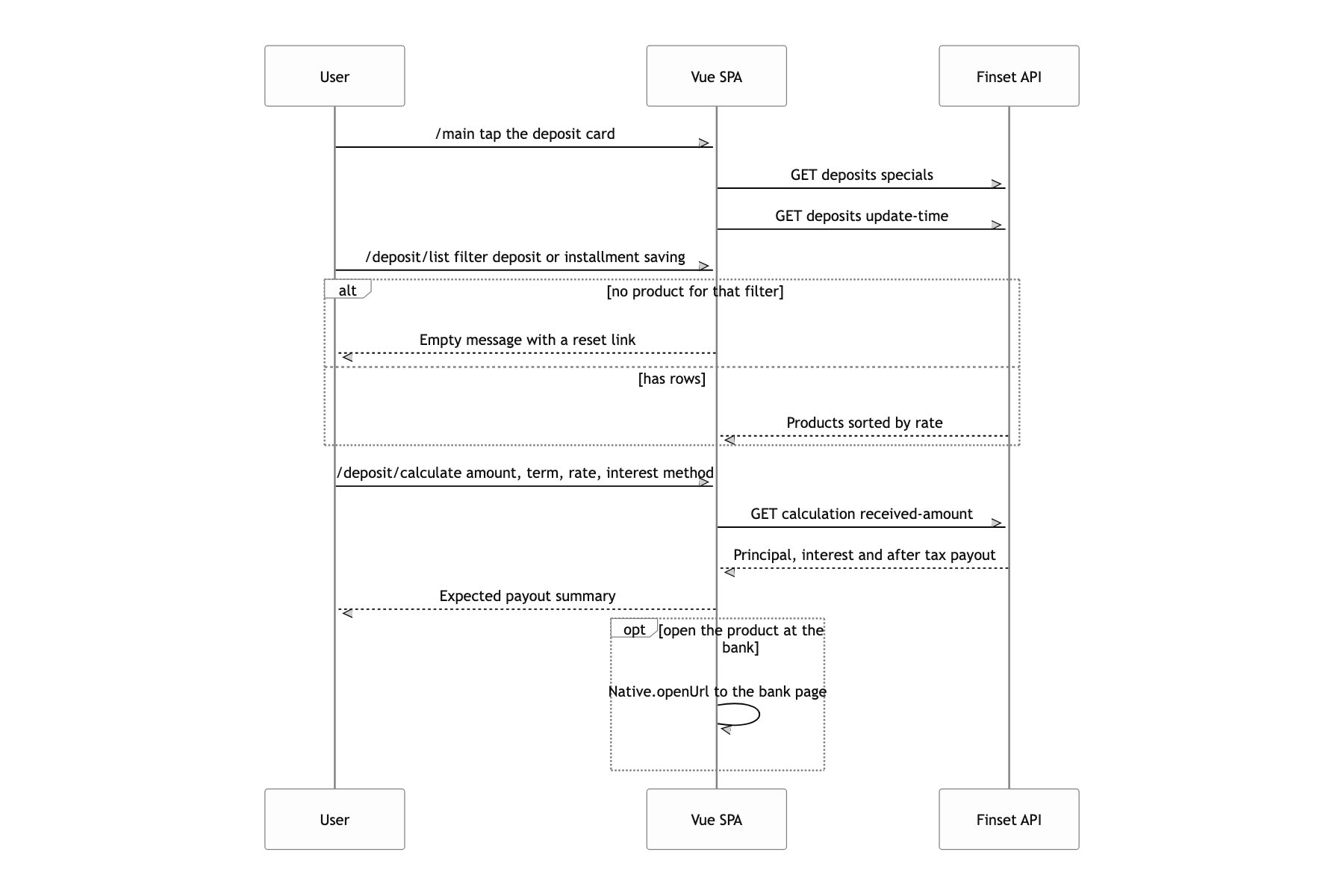
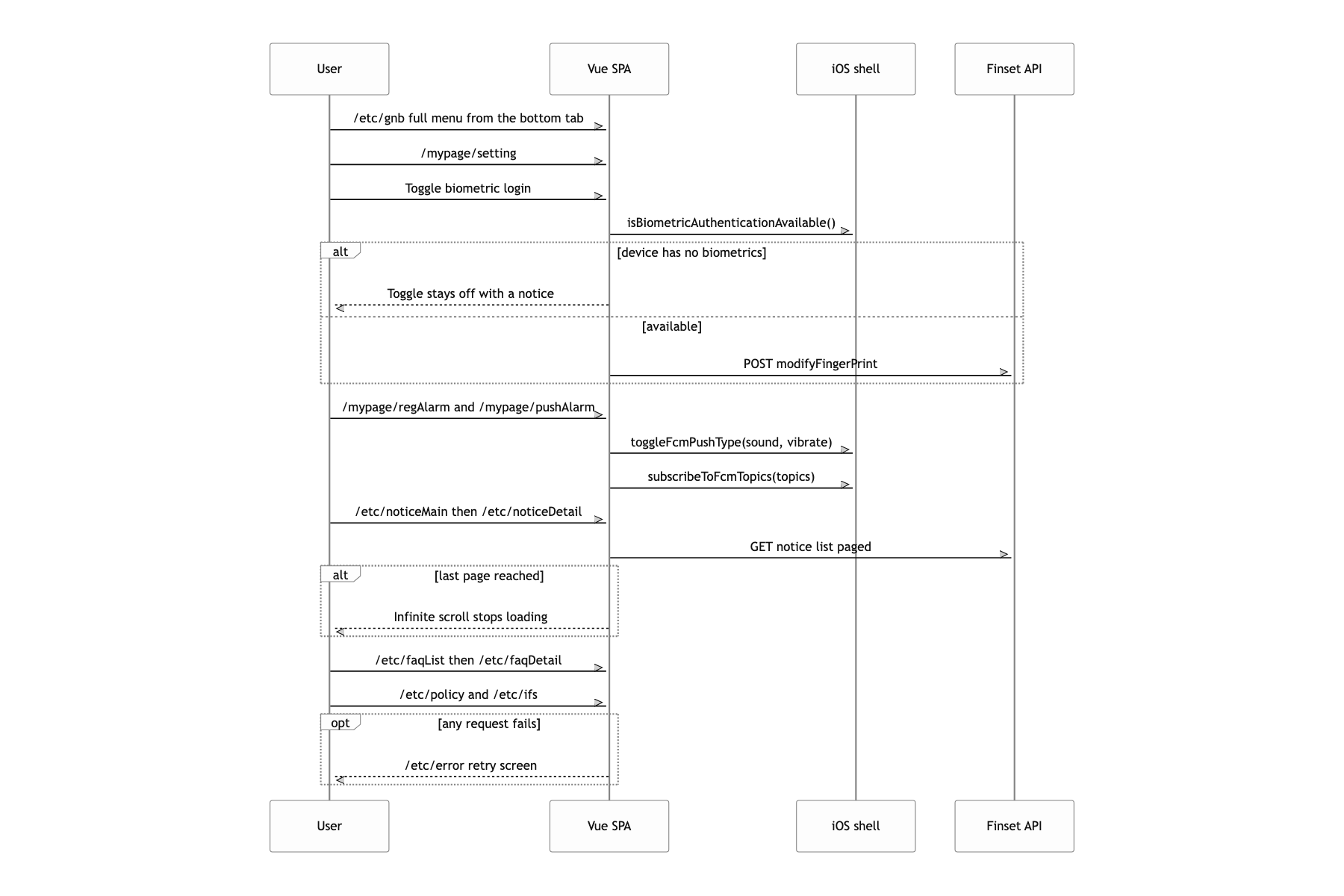
The cost of a string bridge
The thing that stays with me most is that the bridge is held together by strings. Swift prints function names as strings to build the JS, and the web plants callbacks on window and waits. Get one letter wrong and it compiles, it lints, and then at runtime nothing quietly happens. There is a real case of a misspelling that set into place: updateAvaliableLoginScrapInfo still sits on both sides exactly as it is. If I built it again I would define the bridge spec in one schema and generate the Swift extension and a .d.ts from it, then attach a requestId to callNativeFunction and wrap it in a Promise. Then instead of global callbacks like resultAutoScrap I could have written await Native.startAutoScrap(...).
