iOS and Android Webview Component Library
A 197-story webview design system serving iOS and Android palettes from one stylesheet.
The same button, a different shape on every screen
This was a period when more and more screens inside the native app were being drawn as webviews. The same confirm button had a 6px radius on one screen and 8px on another, and the grays never quite matched either.
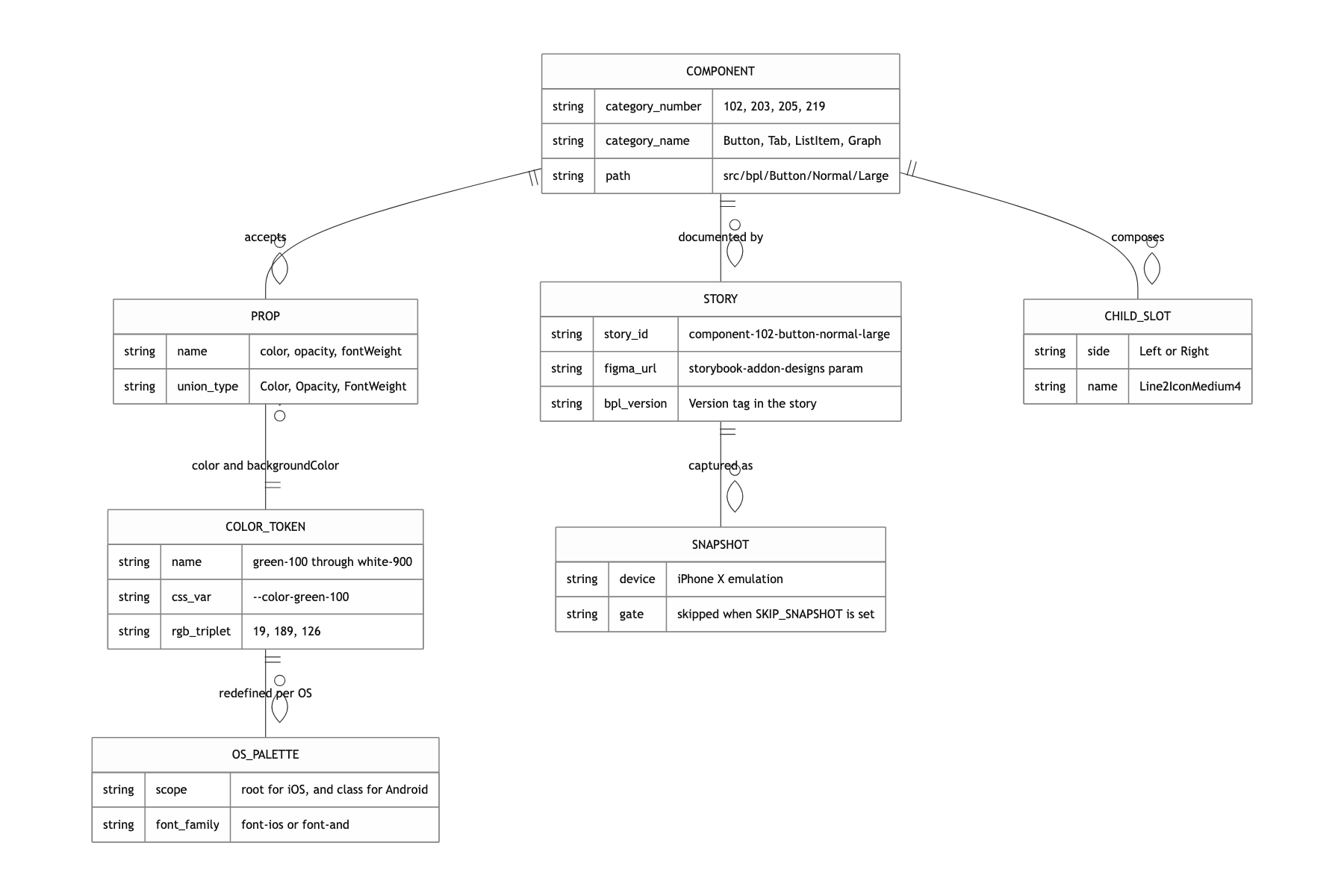
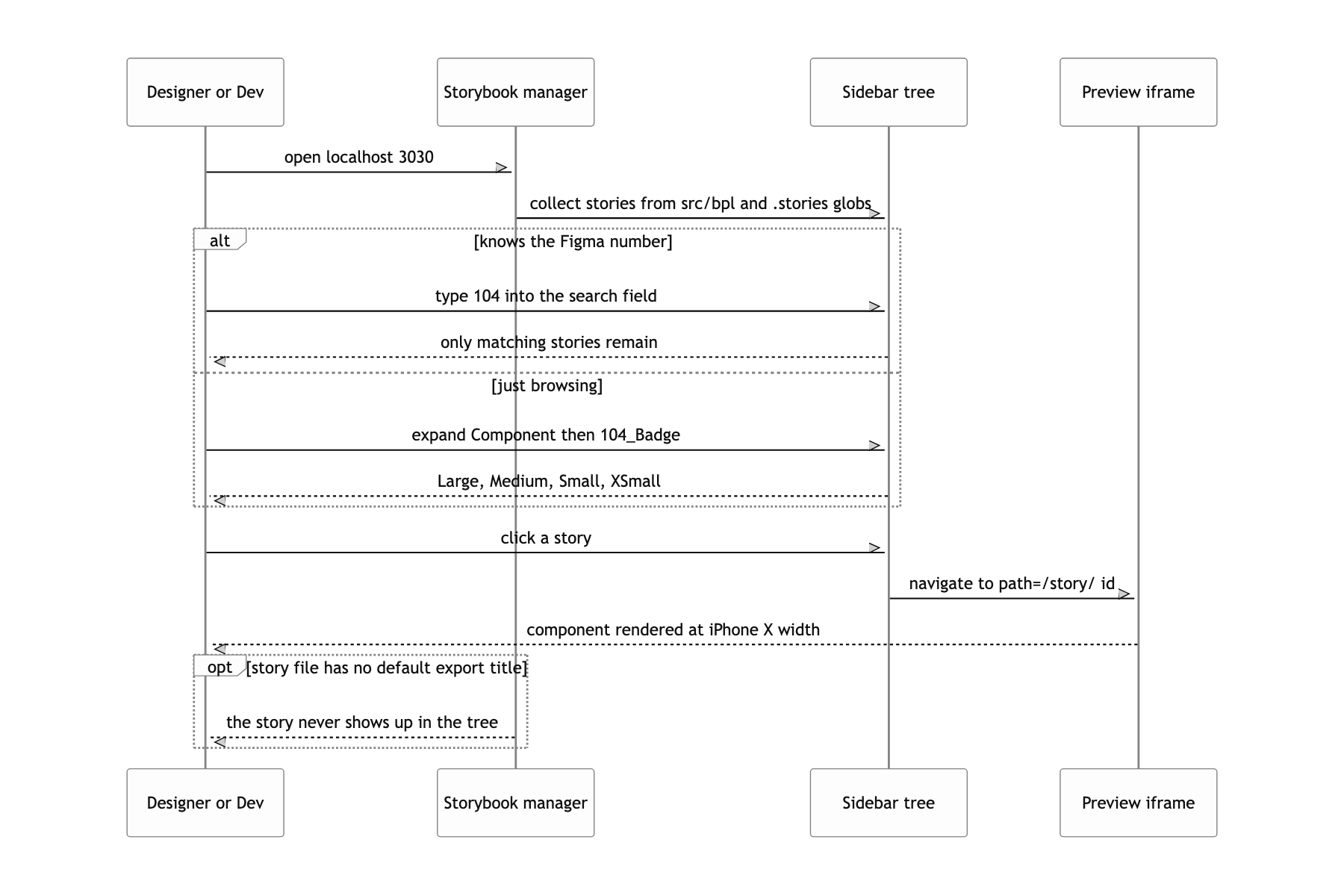
A design system did exist. Figma had it organized under a clean numbering scheme: 102_Button/Normal/Large, 205_ListItem/Child/Left/Line2IconMedium4. What was missing was the code.
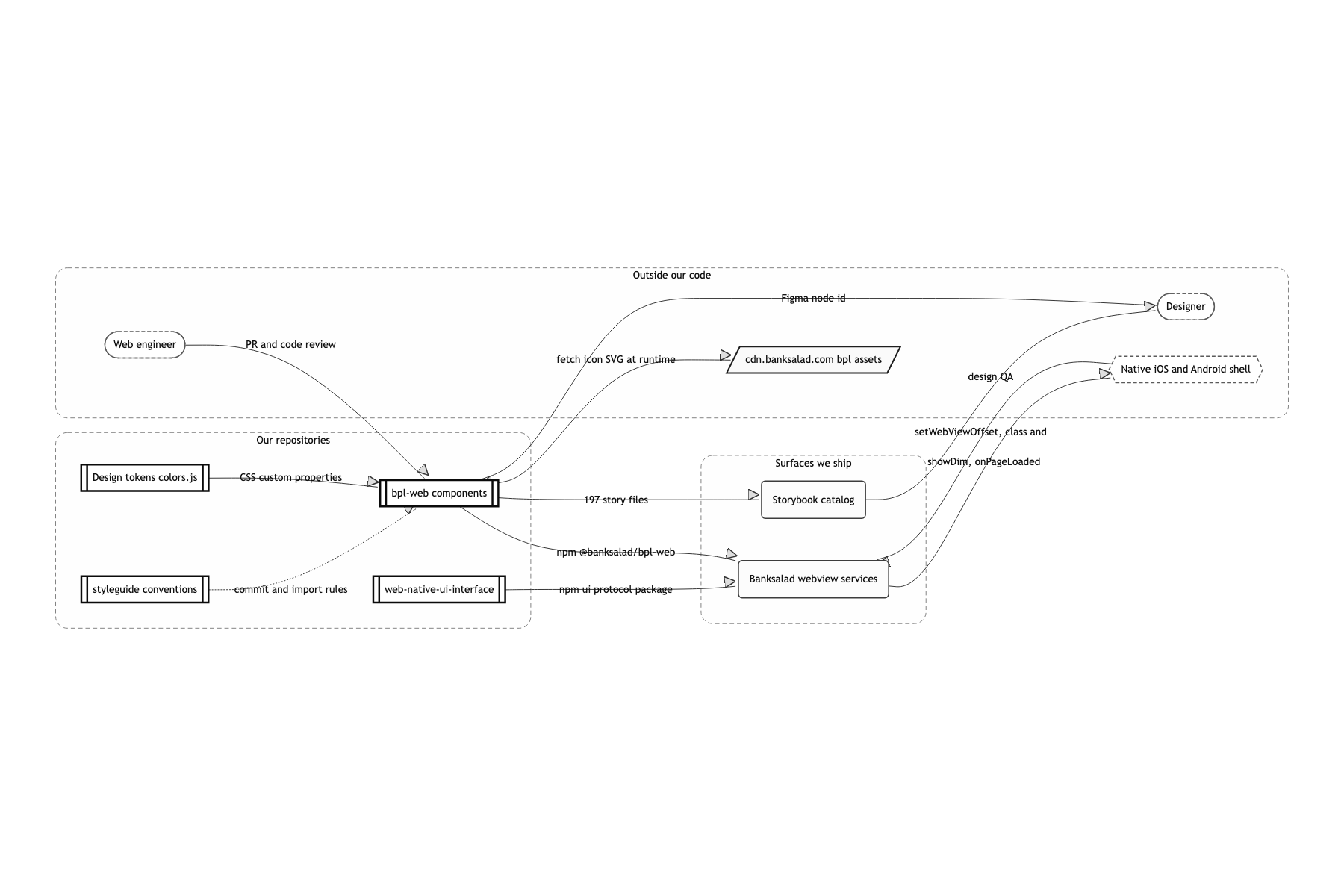
There were three requirements. The directory layout in code had to follow Figma's numbering exactly. The same component had to render with iOS colors and fonts on iOS, and Android colors and fonts on Android. And the components had to know they were living inside a native shell. They needed to sit below the notch, and when a bottom sheet came up it had to line up with the dim layer the native side laid down.
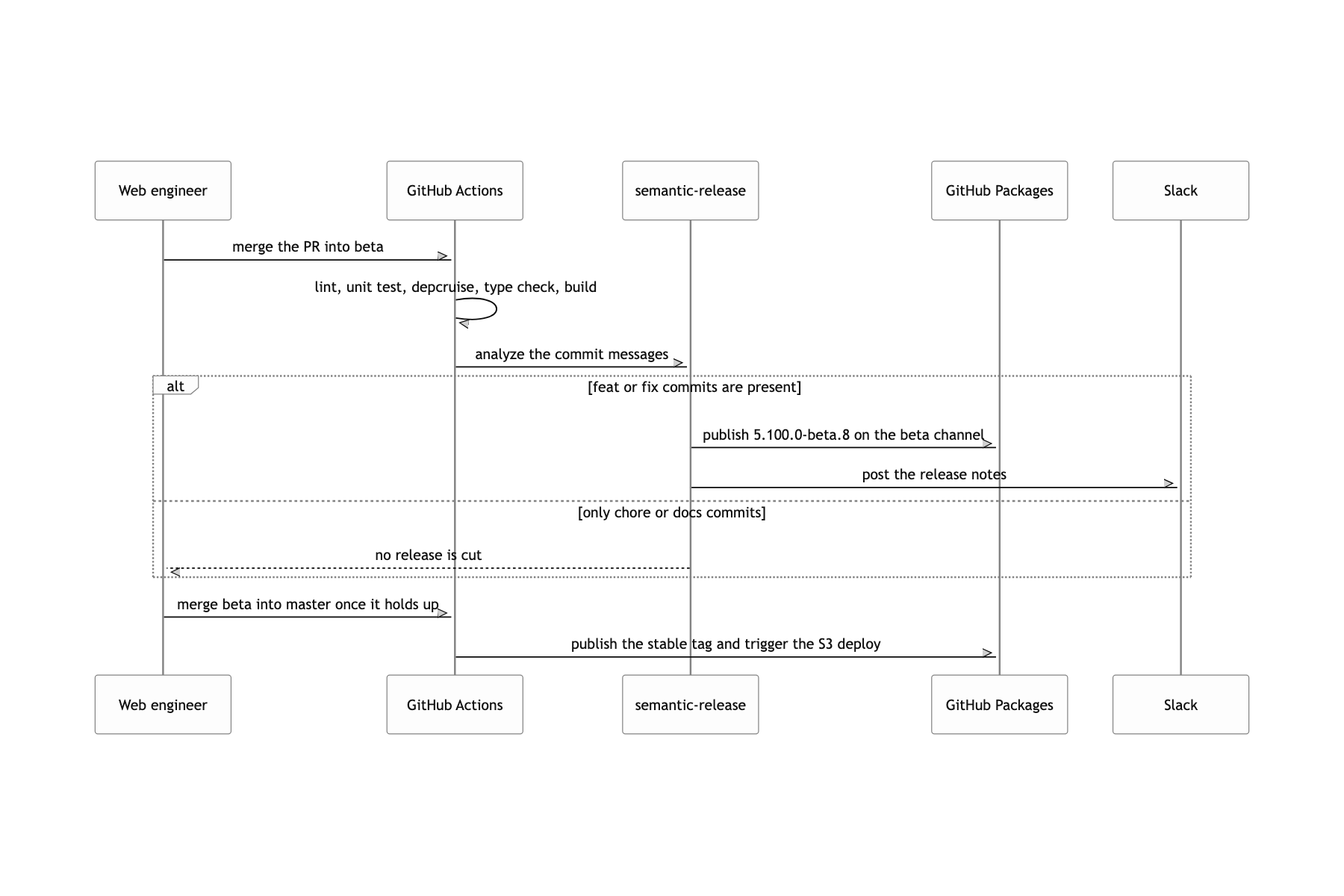
The constraints were just as clear. Several webview services ran on this package, so one bad release breaks several screens at once. Releases went through design QA: when I opened a PR, what that PR produced had to be checked before it could merge.
Two OS palettes out of one set of CSS variables
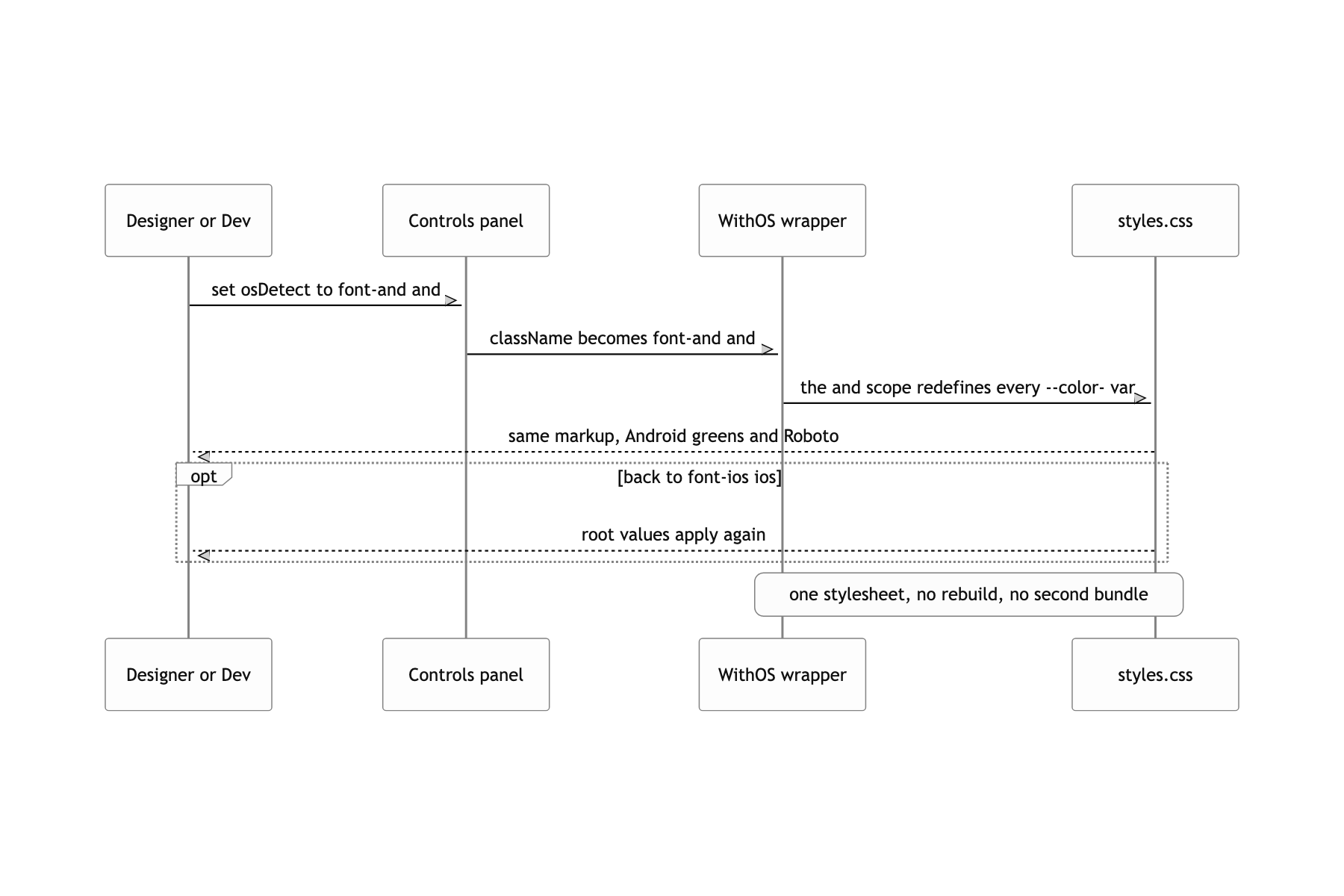
Put color tokens in CSS custom properties and swap the whole palette with one class
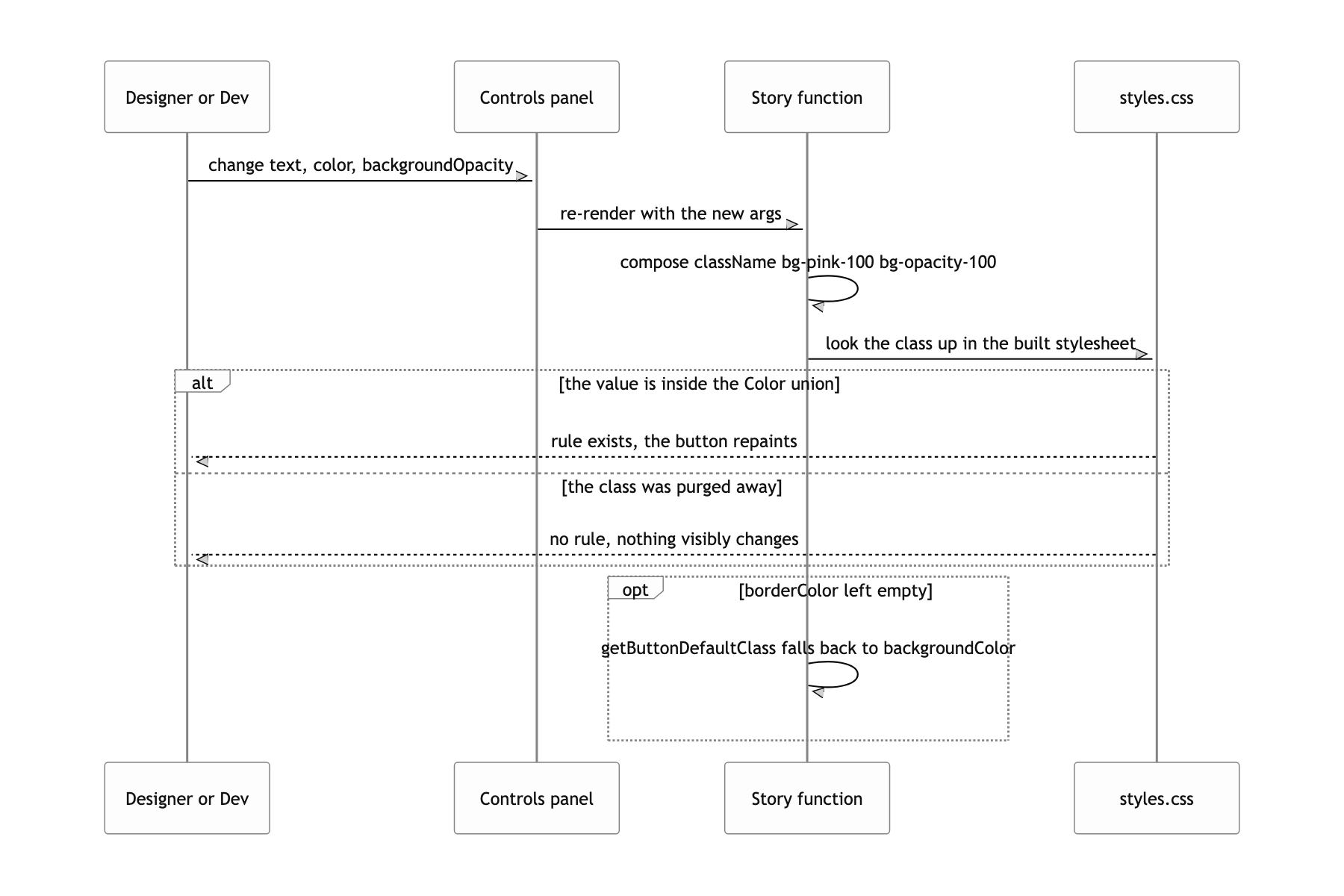
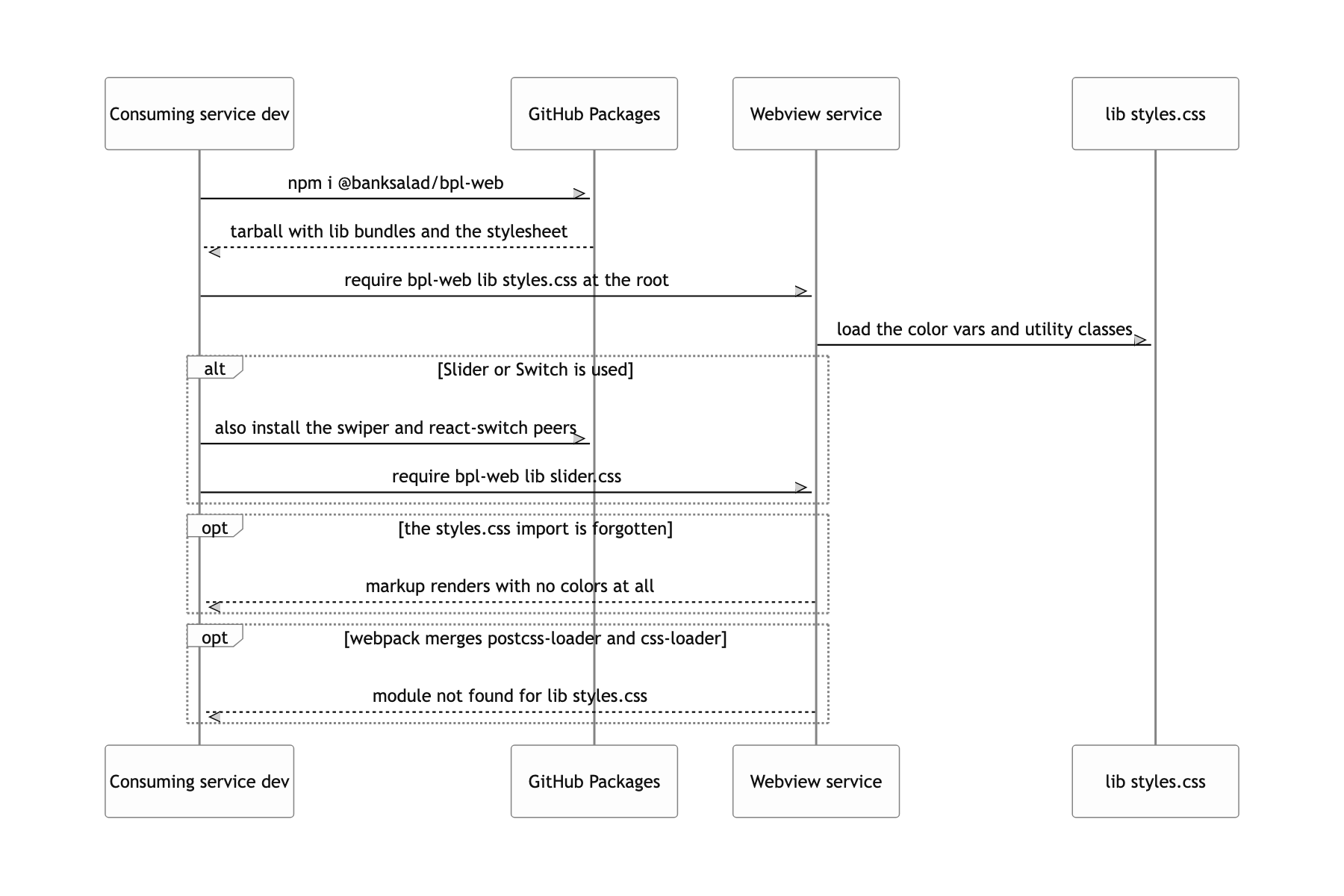
colors.js emits every color name as rgba(var(--color-green-100), var(--tw-bg-opacity, 1)), and in tailwind.config.css the iOS values live on :root while the Android values live under an .and scope. Adding a single and class to the body swaps the entire palette without fetching another stylesheet. Because only the three rgb channels are held in the variable, Tailwind opacity utilities like bg-opacity-30 keep working as they are. The only channel through which the webview learns its own OS was the class name the native side attaches. Branching in JS means the first paint flashes iOS colors once before it corrects.
Deploy Storybook as static files to two S3 buckets, staging and production
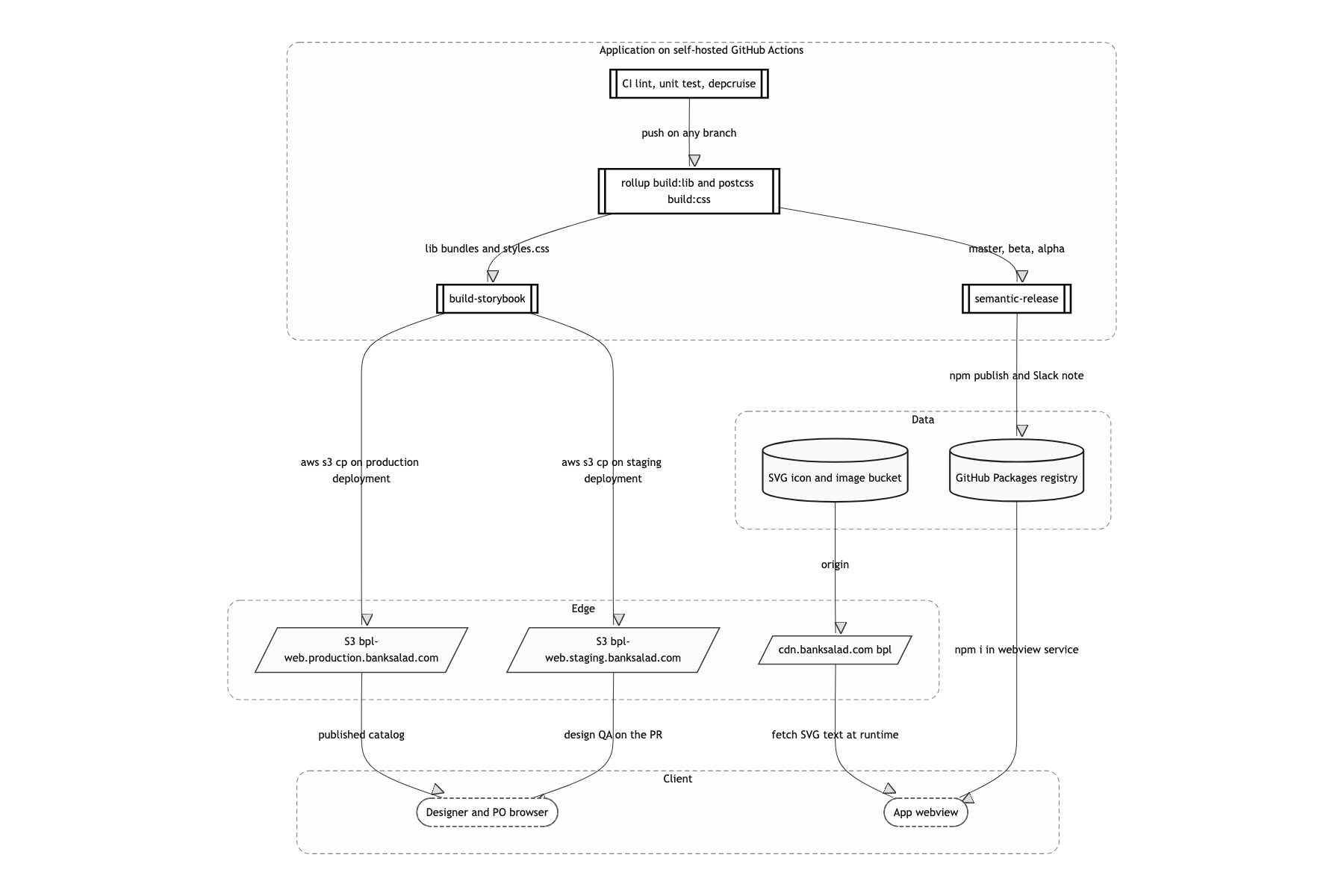
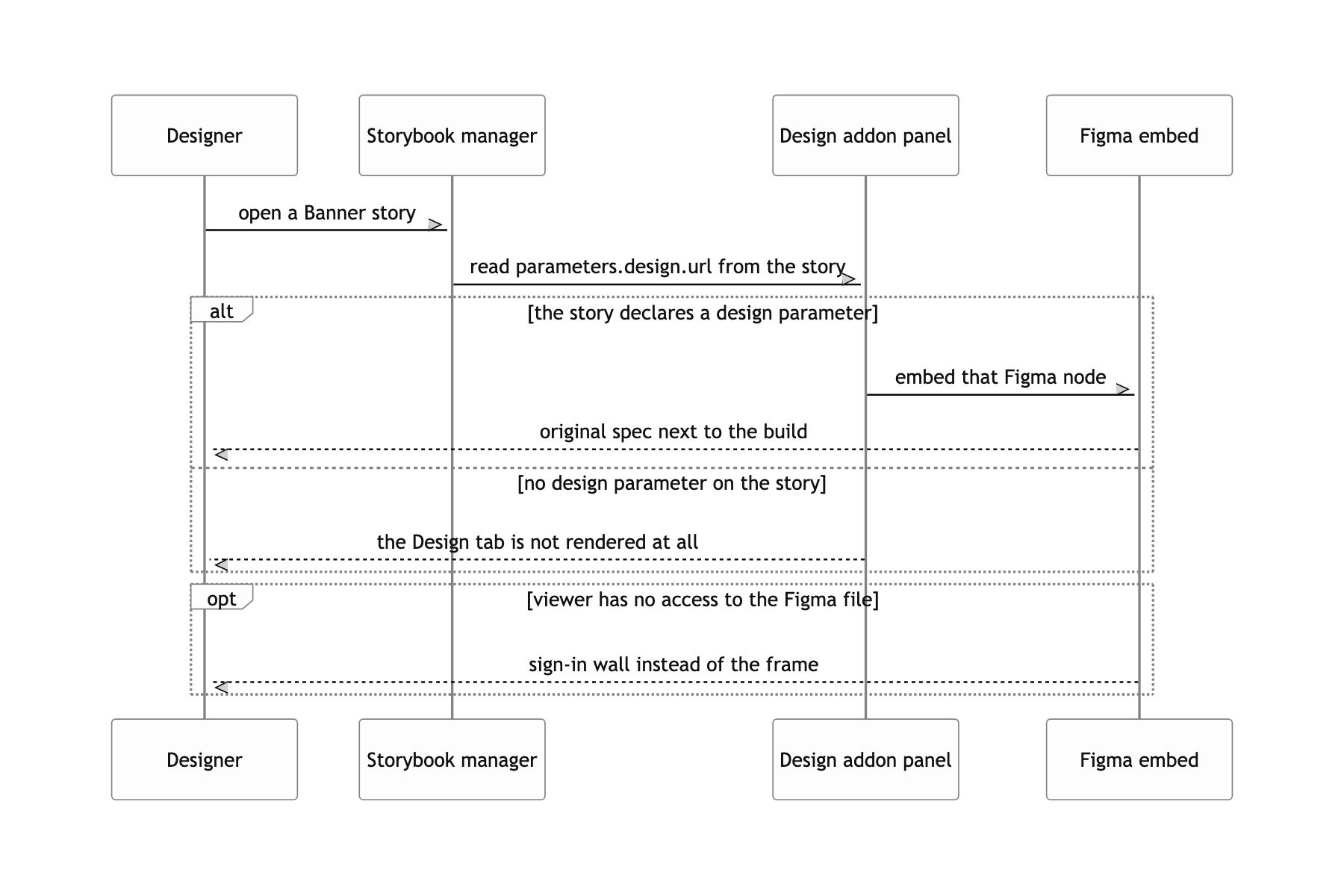
Opening a PR pushes a Storybook build to the staging bucket, and QA happens at that URL before approval. Every story carries a Figma node URL through storybook-addon-designs, so the original spec and the implementation sit on the same screen. It was the cheapest way to show the output to someone who does not read the code. The deploy is aws s3 cp --recursive, so it is not atomic. For the few seconds while it uploads, a visitor can see a mix of old and new files.
Three packages and a Storybook on S3
There are three repos and their roles do not overlap. bpl-web holds the components and the color tokens. rollup -c produces the bundles in lib/, and separately postcss tailwind.config.css -o lib/styles.css produces one stylesheet carrying the color variables and the utility classes. Icons and images are not in the package at all: they are fetched at runtime from https://cdn.banksalad.com/bpl/101-icon/<name>.svg. web-native-ui-interface is a very small package holding nothing but the UI protocol between web and native. This post centers on the color tokens and on how icons get delivered. Splitting the bundle entry points, the semantic-release channels, and the styleguide conventions each deserve their own post, so I am setting them aside here, and I will only summarize the native dim handshake near the end.
Fetching icons from a CDN as text instead of bundling them
Turn every icon SVG into a React component and ship them in the package. Or point an <img src='.../icon.svg'> at them. The first way needs an npm release every time one icon is added, and as the count grows the type definitions alone slow the build down. The second way is easy to deploy but you cannot change the color. Outside CSS never reaches the SVG inside an <img>, so there is no way to put a token like text-green-100 on it. For a design system, not being able to recolor an icon is fatal.
I fetch the SVG as text and inject it with dangerouslySetInnerHTML. That puts the SVG inside the document tree, where CSS can reach it. The wrapping <span> gets a text-${color} class, plus & > svg { fill: currentColor } and & * { fill: unset }, so the icon color inherits the color token directly. Illustration-style icons that use several colors skip this rule through isColoredIcon.
The fetched string does not go in untouched. I rewrite width and height to the requested size with a regex, and if the original has no viewBox I build one from its intrinsic size and attach it. An SVG without a viewBox gets clipped the moment you resize it.
Duplicate requests collapse through two module-scope maps. iconFetchingRequest holds in-flight Promises, iconCache holds finished strings. On failure it falls through to FallbackImage, which shows the same URL as an <img>, and an isMounted flag blocks setState after unmount.
The point is that the two maps do different jobs. With only a cache, twenty copies of the same icon in one list fire twenty concurrent fetches, because at that moment nothing is in the cache yet. Holding the in-flight Promise separately means every call after the first awaits the same Promise, and the requests collapse into one.
The other effect is that adding an icon dropped from an npm release down to a CDN upload. There is no reason for a package version to bump, and for several services to chase that version, just because one more icon was drawn.
A Promise that waits until native finishes laying down the dim
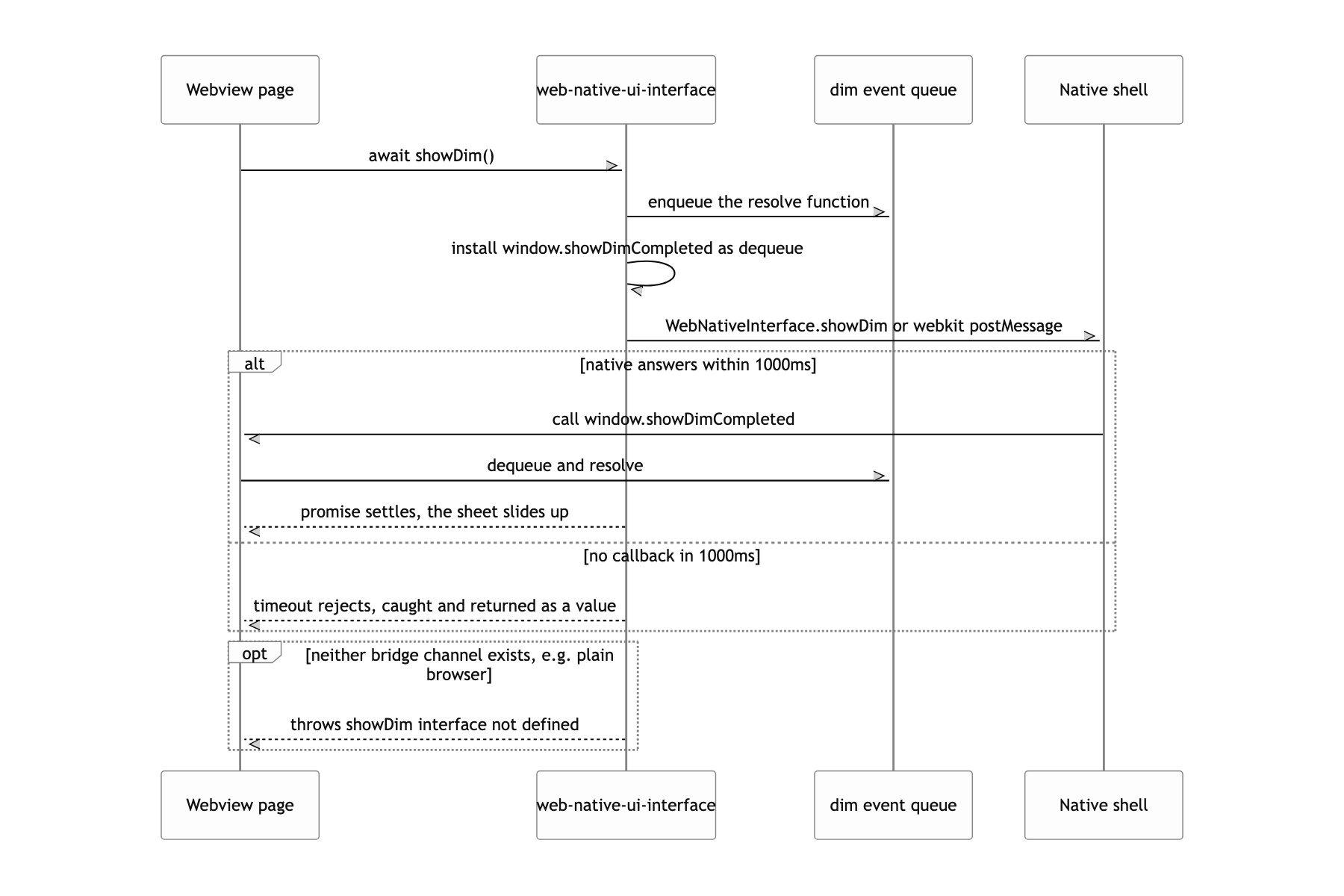
Call showDim() and raise the bottom sheet on the very next line. But how long native takes to put the dim view up varies by device.
I collapsed the bridge calls into one fireEventToNative(type, data?) and absorbed the two channels with ||. On top of that I wrapped showDim() in a Promise.
The call site is one line, await showDim(). Making the timeout a reject but not letting it escape outward is the deliberate part.
What a user can do
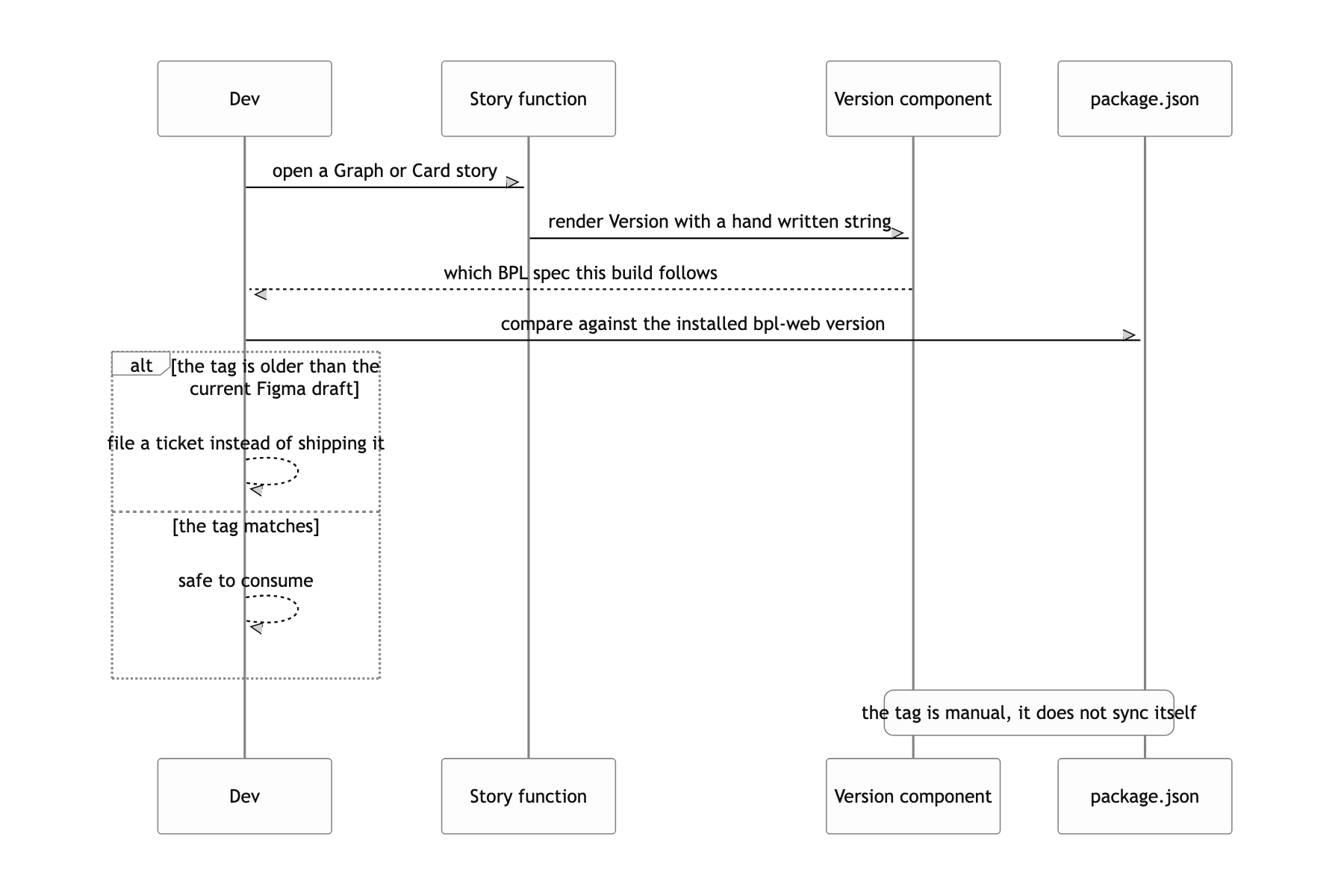
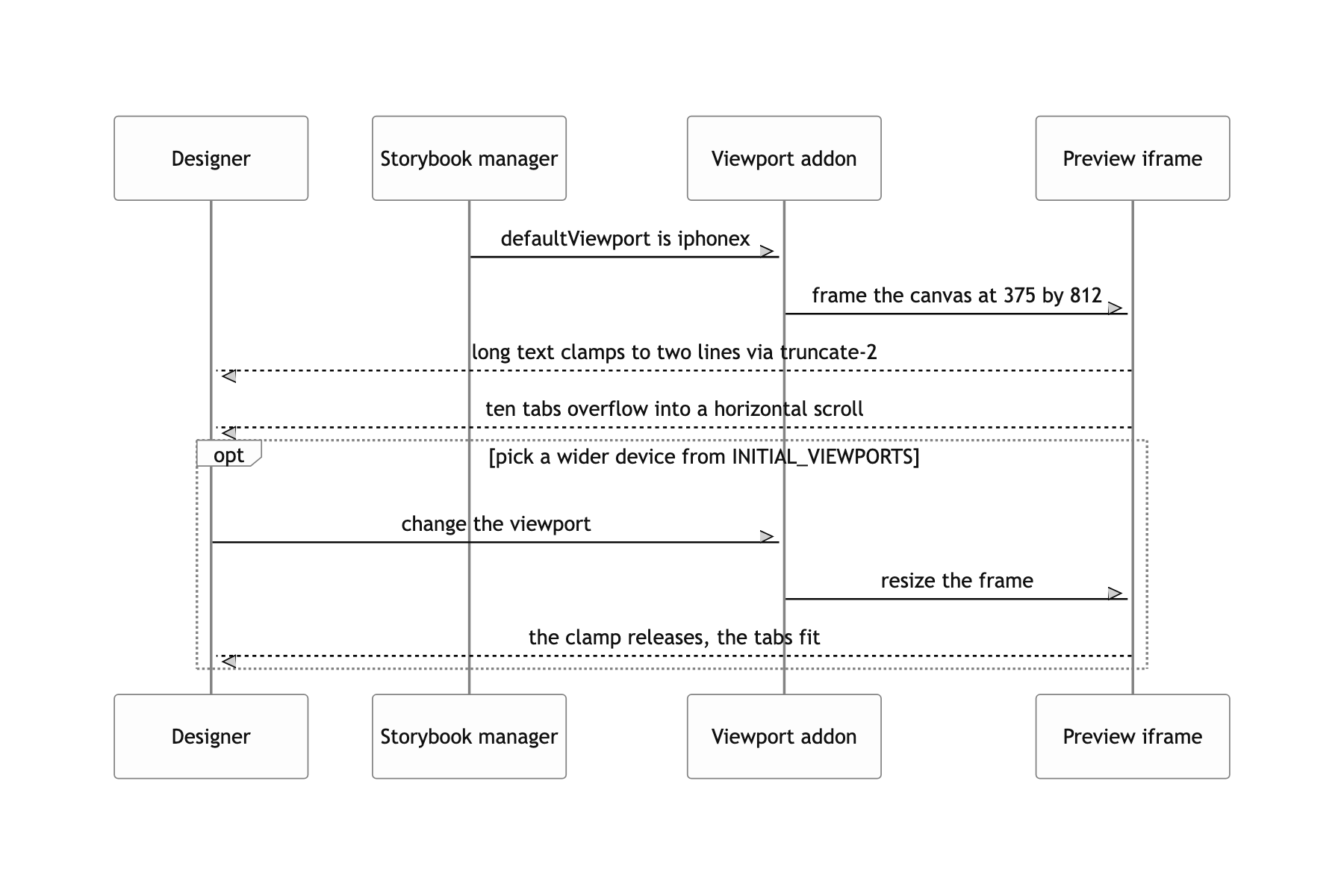
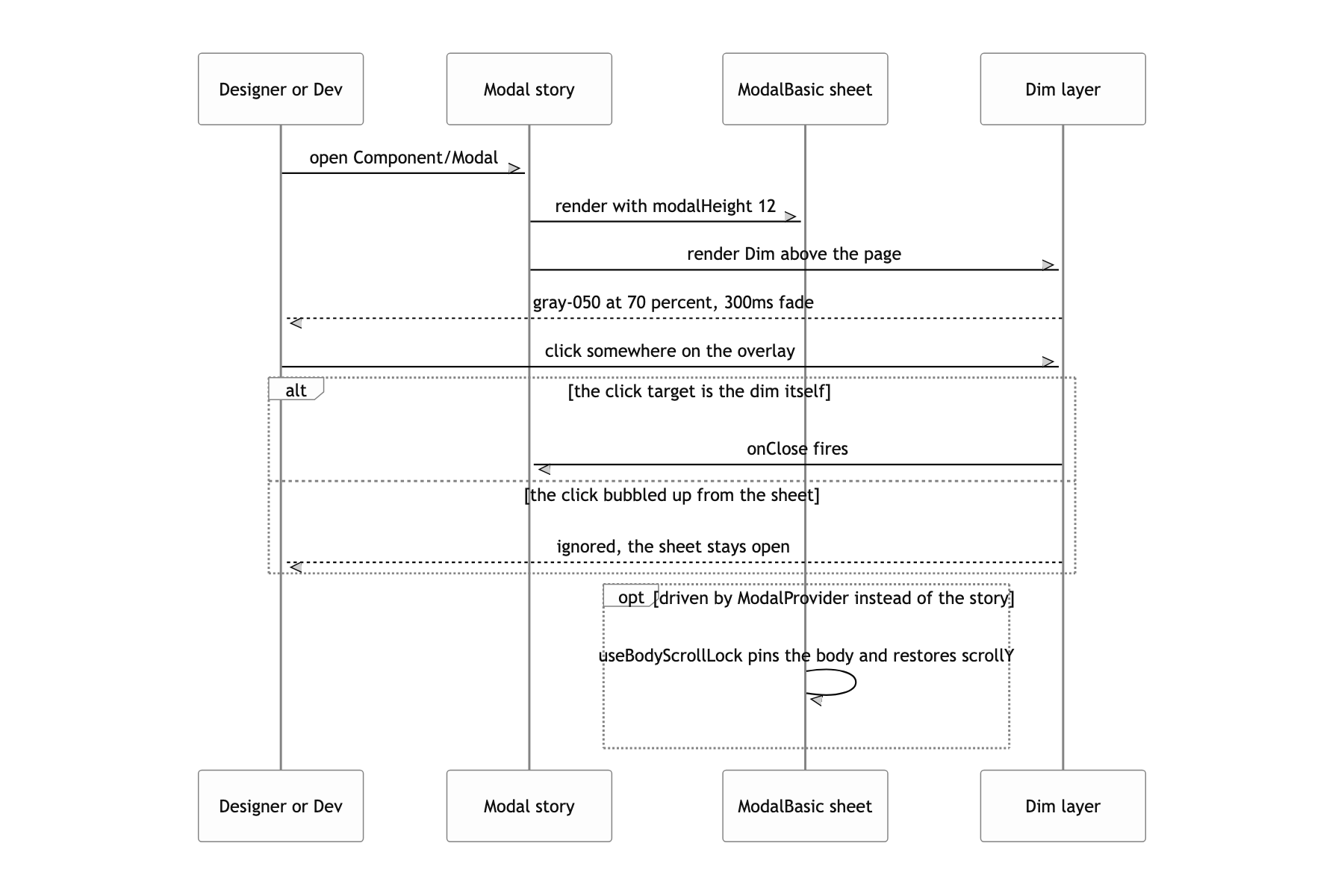
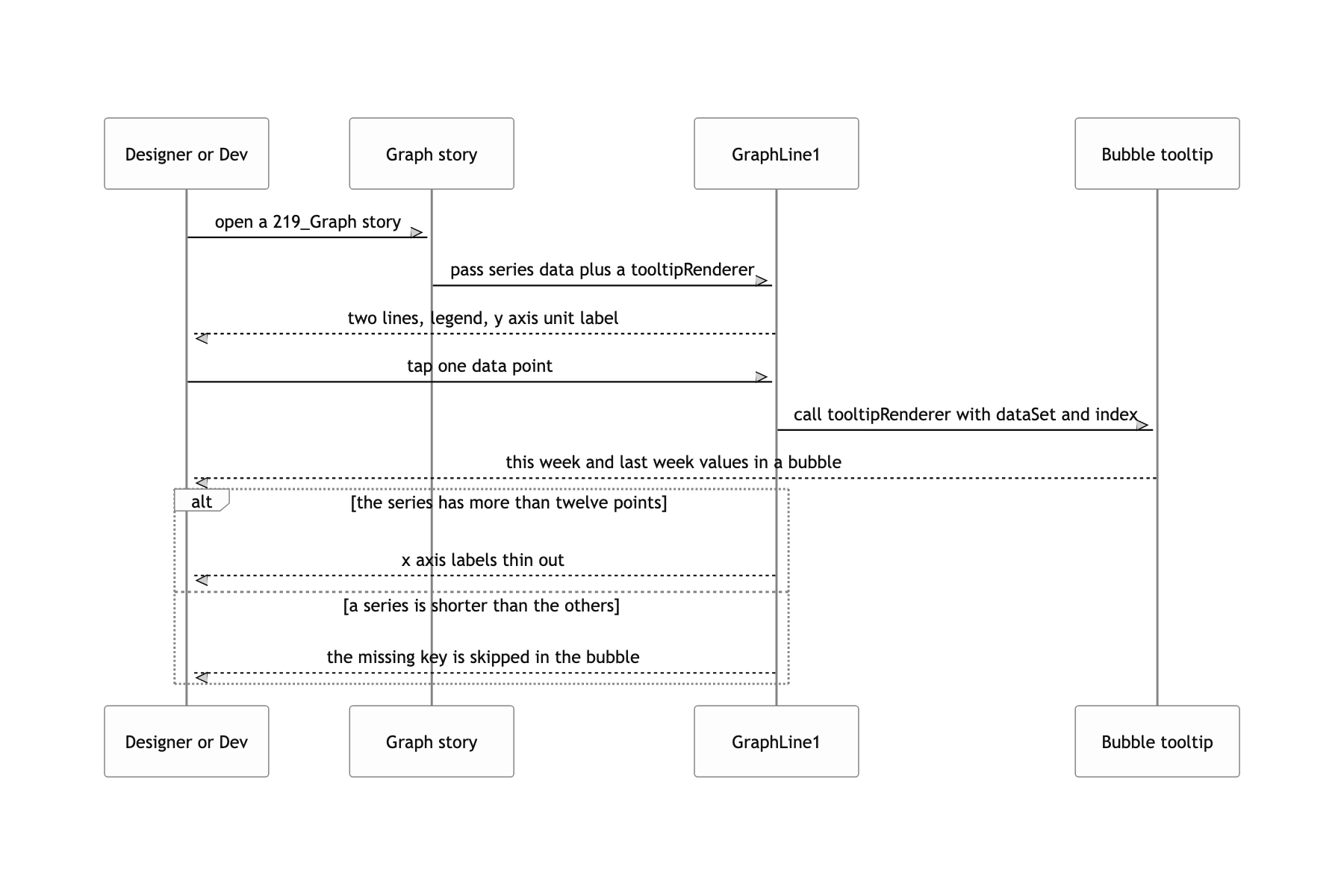
The snapshot tests CI could not run
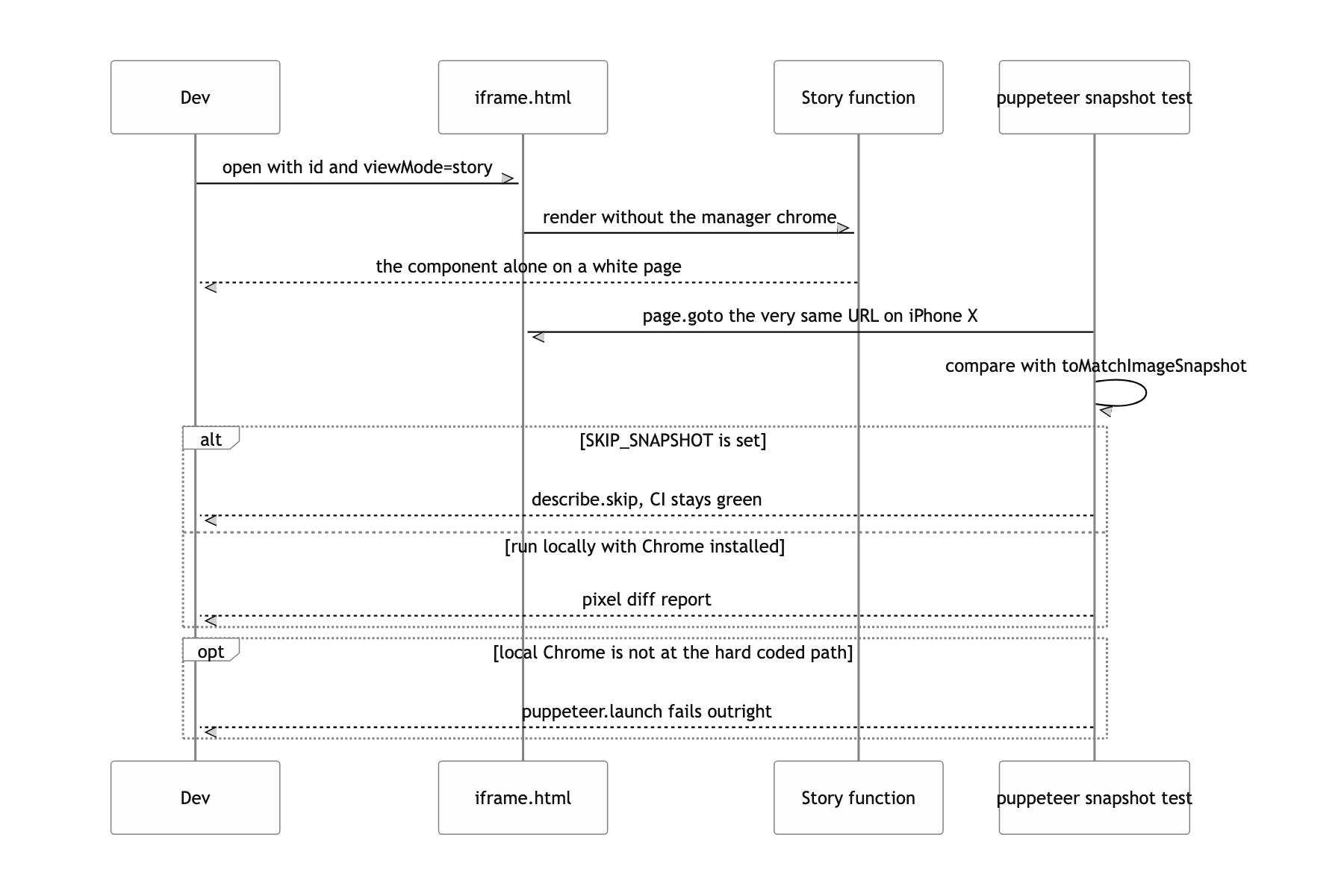
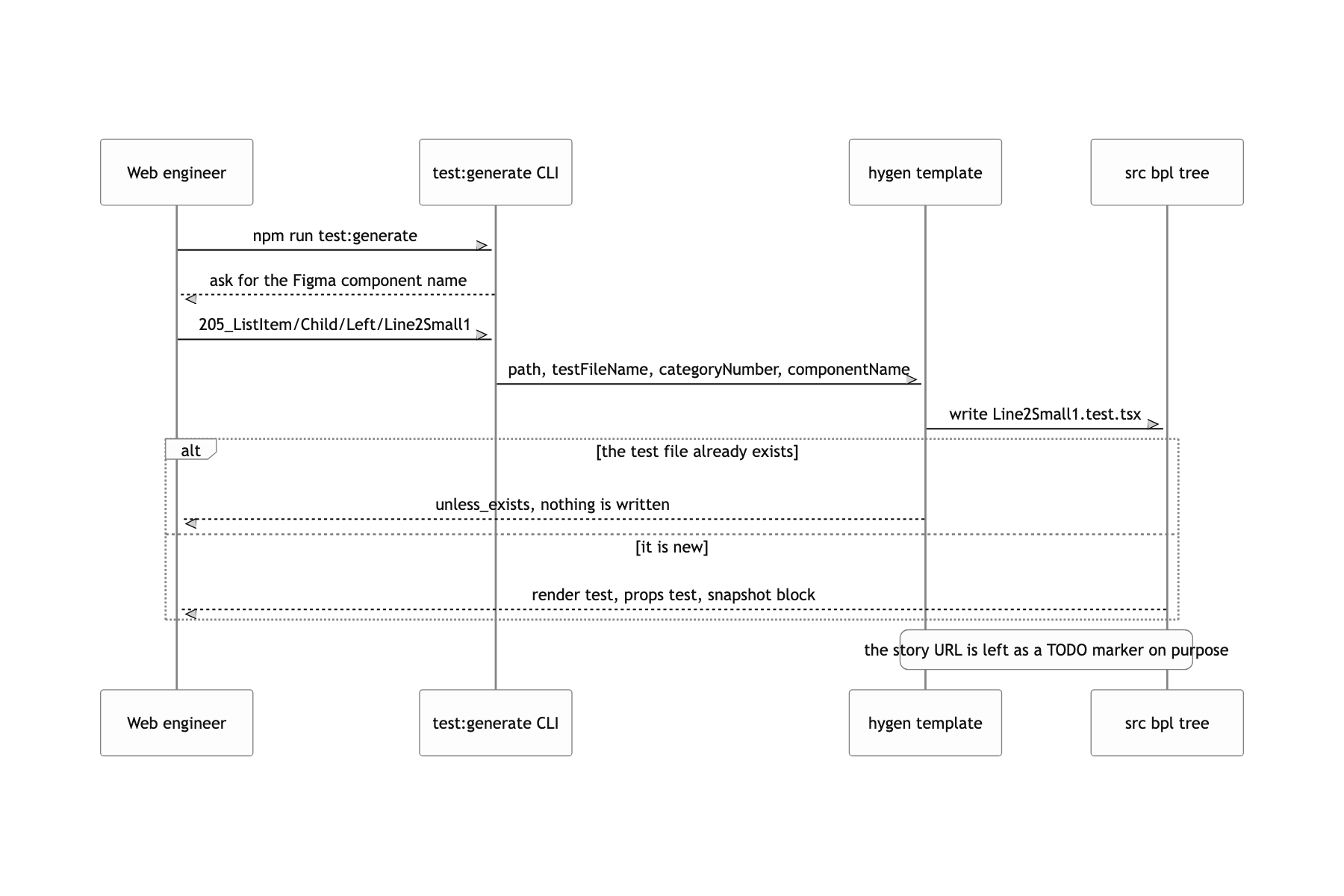
The visual regression tests do not run in CI. The tests that _templates/bpl/test/index.test.t stamps out use puppeteer to open http://localhost:3030/iframe.html?id=..., emulate an iPhone X, and compare the screenshot with toMatchImageSnapshot. But the Chrome path is hardcoded to /Applications/Google Chrome.app/... and a local Storybook has to be running. So CI runs only the unit tests with SKIP_SNAPSHOT=true, and visual regression was covered by a person looking at the dev Storybook instead. The tooling was built, it just never ran on its own. If I built it again I would move it to a Chromium inside a container, and fill the story URLs from the story list instead of typing them by hand.