
Apartment Price and Transaction Lookup Webview
I built an in-app webview for apartment market and transaction prices that ships without waiting on app review.
A price screen that opens inside the app
The job was to attach a new housing tab to the app. The goal was to put the market price of the home a user had already linked and the actual transaction prices of apartments on one screen, and there were three conditions.
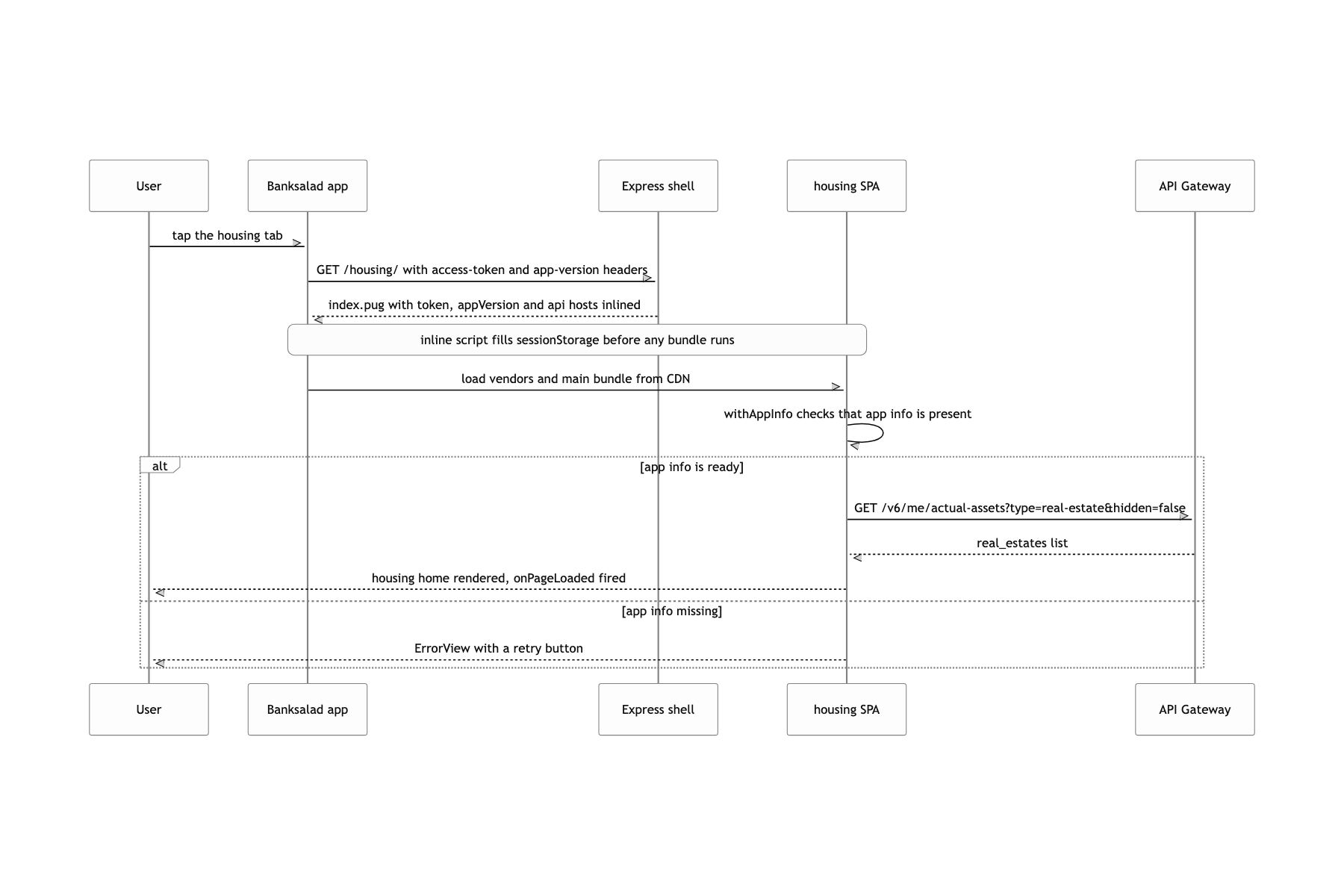
First, it had to be a webview opened inside the app, not a native screen. Second, there was no login screen. Authentication had to finish with the token the app already held, and the moment the web received that token determined the moment the first screen appeared. Third, the same route had to render differently for zero linked homes, one home, and several homes. Depending on whether the contract was 자가 (owned), 전세 (jeonse), or 월세 (wolse), the meaning of the number in the same slot on the screen also changed.
The data was not one kind either. Average market prices from KB부동산 and 빅밸류 and individual actual transactions have different units and different distributions, and both had to be drawn on one chart. Some months had several deals and some had none.
Go with a webview, but let the server plant the token
An Express server shell rendering index.pug, with commit-SHA-named bundles on a CDN
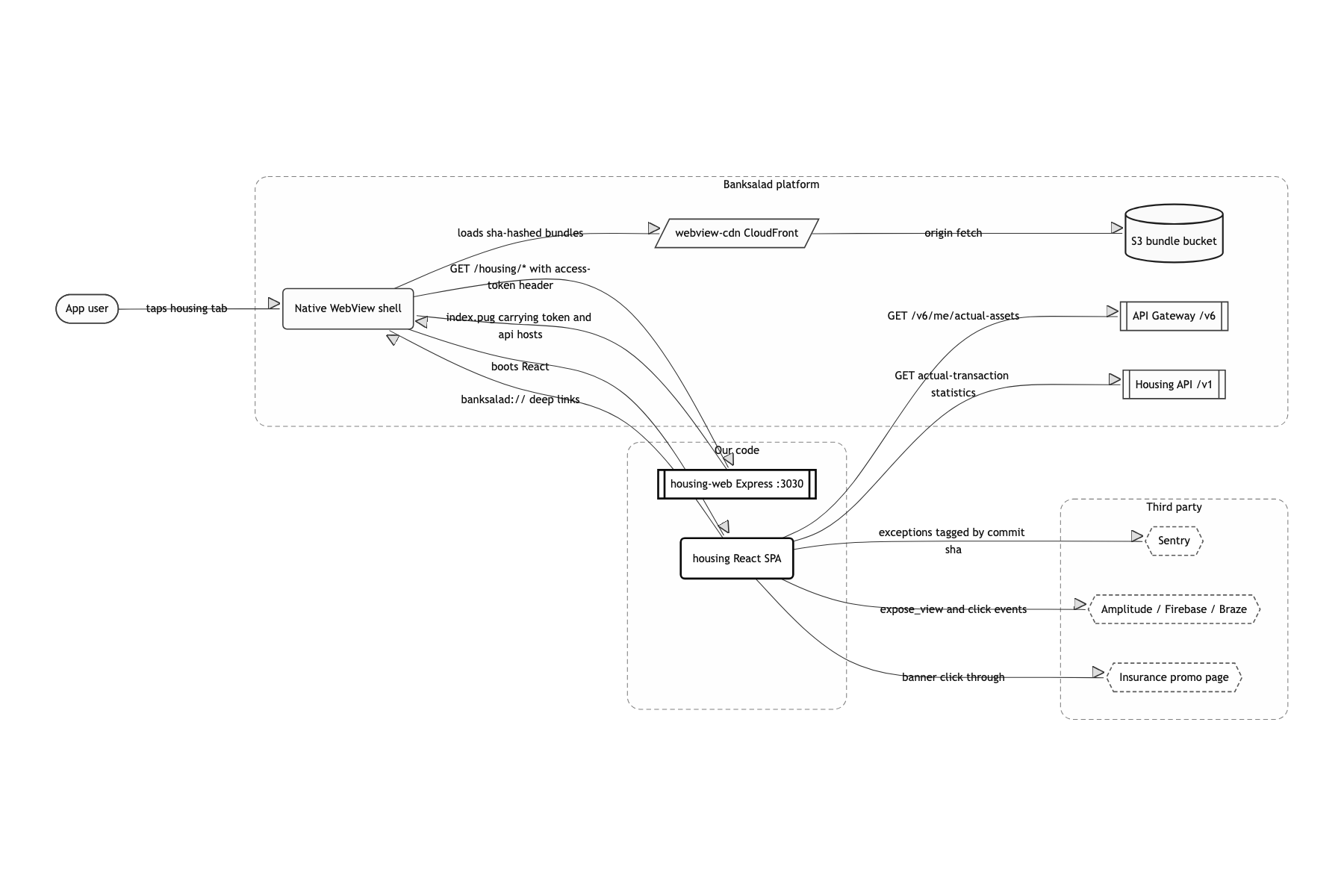
If the token and API host the app hands over in headers are inlined into the document, the web finishes authentication inside that first request without ever calling a bridge. Bundles are fetched from webview-cdn.banksalad.com, which keeps the document response light. In a webview I could not trust cookies, and the app only handed the token over as a request header.
SWR instead of a global state store
Home, dashboard and detail all needed the same /v6/me/actual-assets list. Instead of laying Redux on top, I let each screen simply call useRealEstateList() and let the SWR cache collapse the duplicate requests. What is left in the screen code is only the loading and error branches. It was a mobile webview, so the bundle budget was tight, and these were read-only screens with no reason to hold state for long.
A separate controller.ts per screen, with the arithmetic pulled out of JSX
Depending on 매매 (sale), 전세 or 월세, a different value goes into the same component slot. Pulling that branching into pure functions makes it testable like building a table, with no rendering involved. listItemController and detailTopController came out that way. The design system (@banksalad/bpl-web) components had to be used as they were, so I could not dodge the problem by changing the markup.
One document, bundles from the CDN
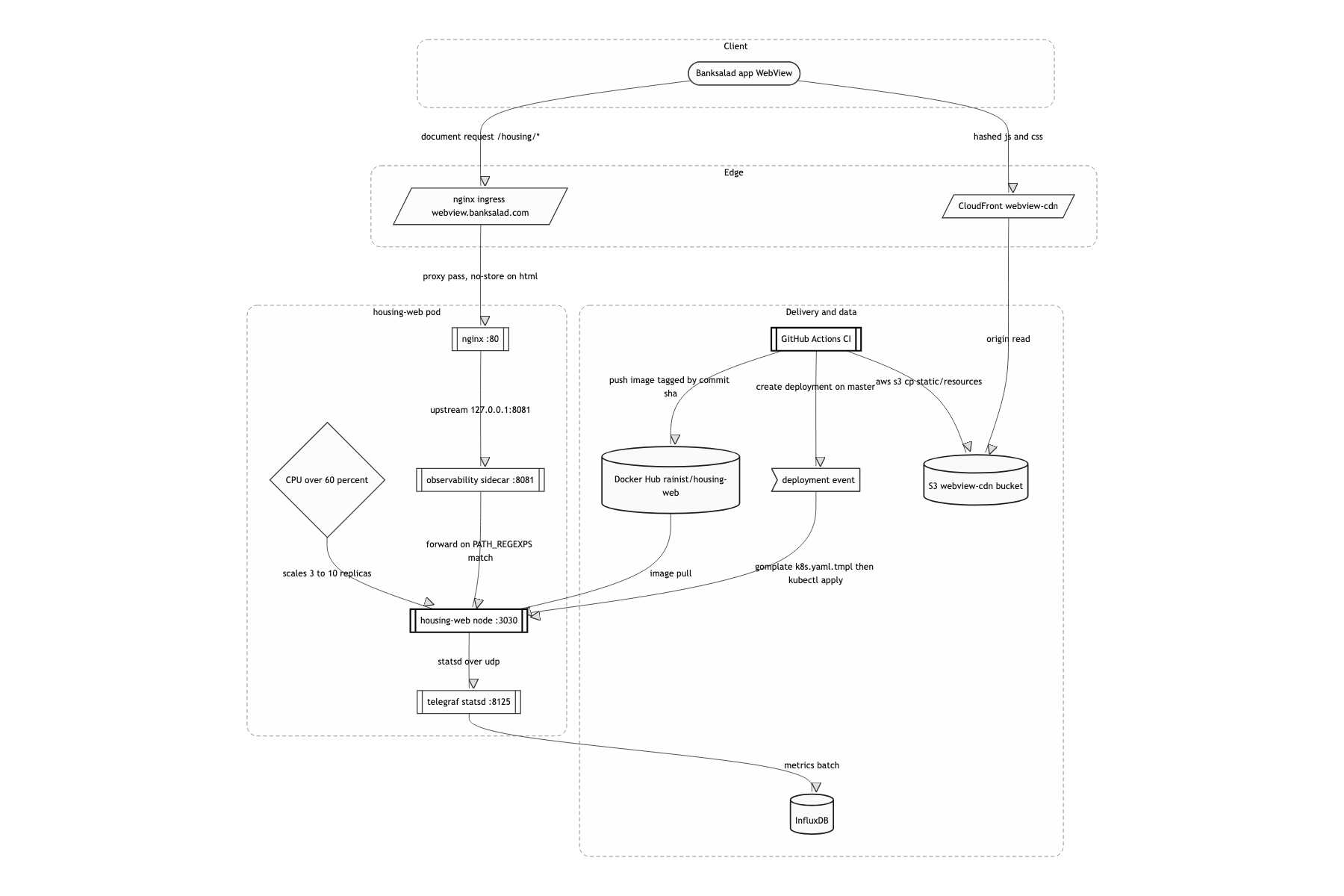
The flow comes down to one document, bundles from the CDN. When the app opens the housing tab, the webview requests webview.banksalad.com/housing/*, with Banksalad-Access-Token, Banksalad-Application-Version and Banksalad-Application-Name attached as headers. nginx takes it, passes it through a sidecar to Express, and the supportedWebView middleware reads those headers and renders them into index.pug as values. So the HTML that reaches the browser already contains a script that fills sessionStorage.accessToken, window.apiHost, window.apiGatewayHost and window.namespaceEnv. That script sits above the bundle <script> tags, so by the time React starts, the auth information is already in place. What this post digs into is two things: webview authentication and per-screen state separation. The axis math behind the transaction chart gets only a short note later, and the A/B experiment branch and the deploy pipeline running from CI into Kubernetes are each worth their own post, so I fold them away here.
Seating the token on the first screen without a bridge round trip
The first thing that comes to mind for auth in a webview is a native bridge. Once the page loads you ask for the token through an interface like window.webkit.messageHandlers or AnalyticsWebInterface, and call the API when the callback arrives. But that pushes the first API call back by a full bridge round trip. On older app versions with no bridge contract the callback never comes and a white screen stays. Caching the token in localStorage as a workaround is worse, since it survives logout.
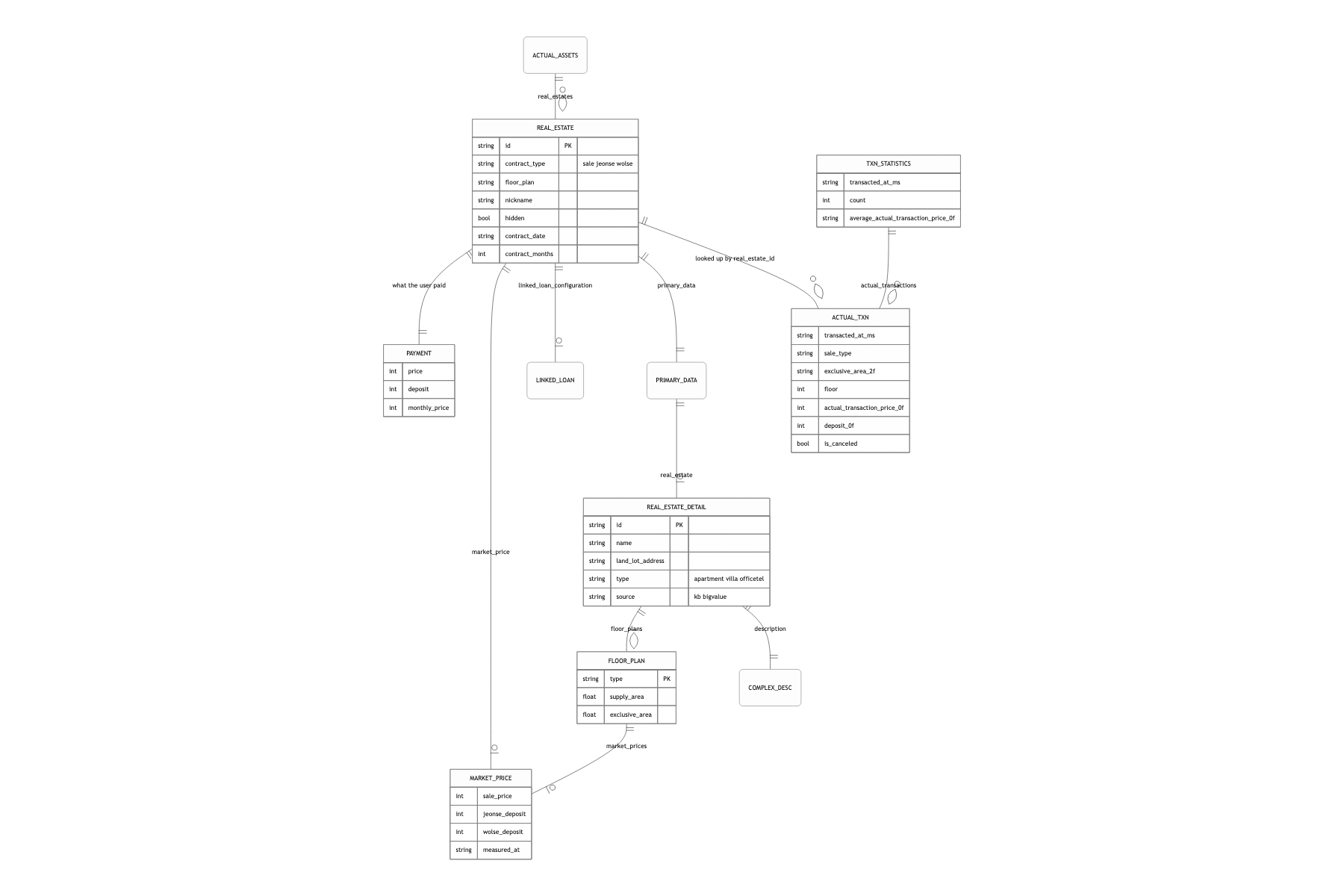
Instead of having the web ask for the token, I shipped it in the document. Express reads the headers the webview throws, passes them into the pug template as variables, and an inline script in the rendered HTML writes the values onto sessionStorage and window. That script sits above the vendors.bundle.js and main.bundle.js tags, so it runs before the bundles are evaluated. In React, withAppInfo checks that those values are present, drawing an empty fragment until they are ready and an ErrorView if they fail. And to keep this one document from ever being cached, nginx sets expires -1 and Cache-Control: private, no-cache, no-store, max-age=0 on it, while only the commit-SHA-named bundles go on the CDN.
The round trips it takes to get a token drop to zero. The single request that fetches the document already carries the answer. The first API call starts right after parsing, and the screen no longer forks on whether a bridge exists. Splitting the cache policy between document and bundle becomes necessary right here. HTML with a token baked into it differs per user and must never be shared, while a bundle changes its filename whenever its contents change, so caching it for a long time is safe. In effect, only the heavy things that rarely change sit on the CDN, and only the light, per-user thing stays on the origin.
Fitting nine-digit prices onto a narrow axis
Leave the axis to a chart library and nine-digit labels collide on a narrow mobile screen.
The pure functions in util/graph.ts pick one unit among 억 (100 million), 천만 (10 million) and 만 (10 thousand), snap both ends of the axis to that unit, and when the two ends land on the same value because there is only one data point, add one more tick to keep the axis alive. Tick spacing splits by the range of the values too.
Labels always land short and never overlap, and the axis does not collapse for a complex with a single recorded deal. The details of the axis math are their own story, so I only write down the result here.
What a user can do
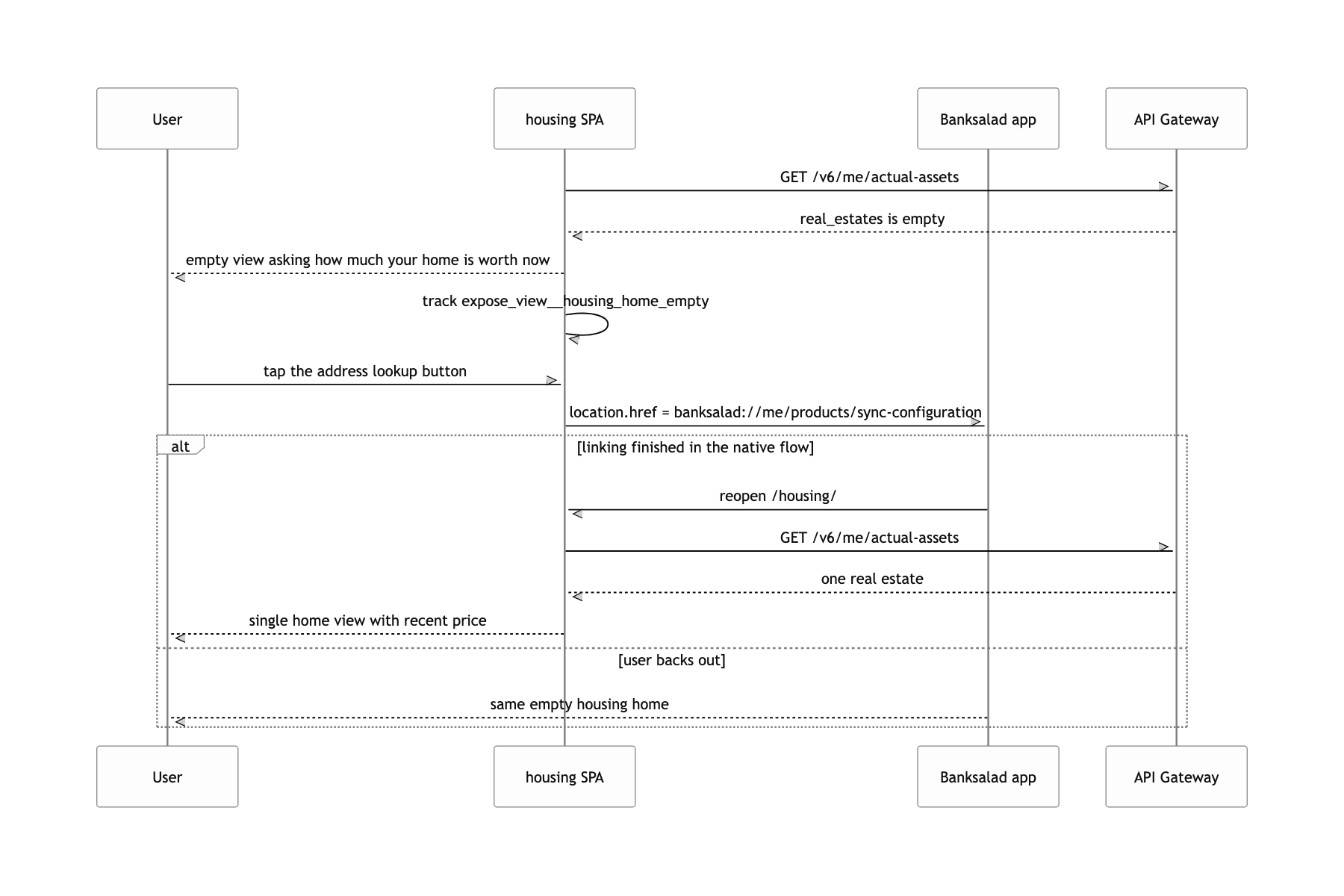
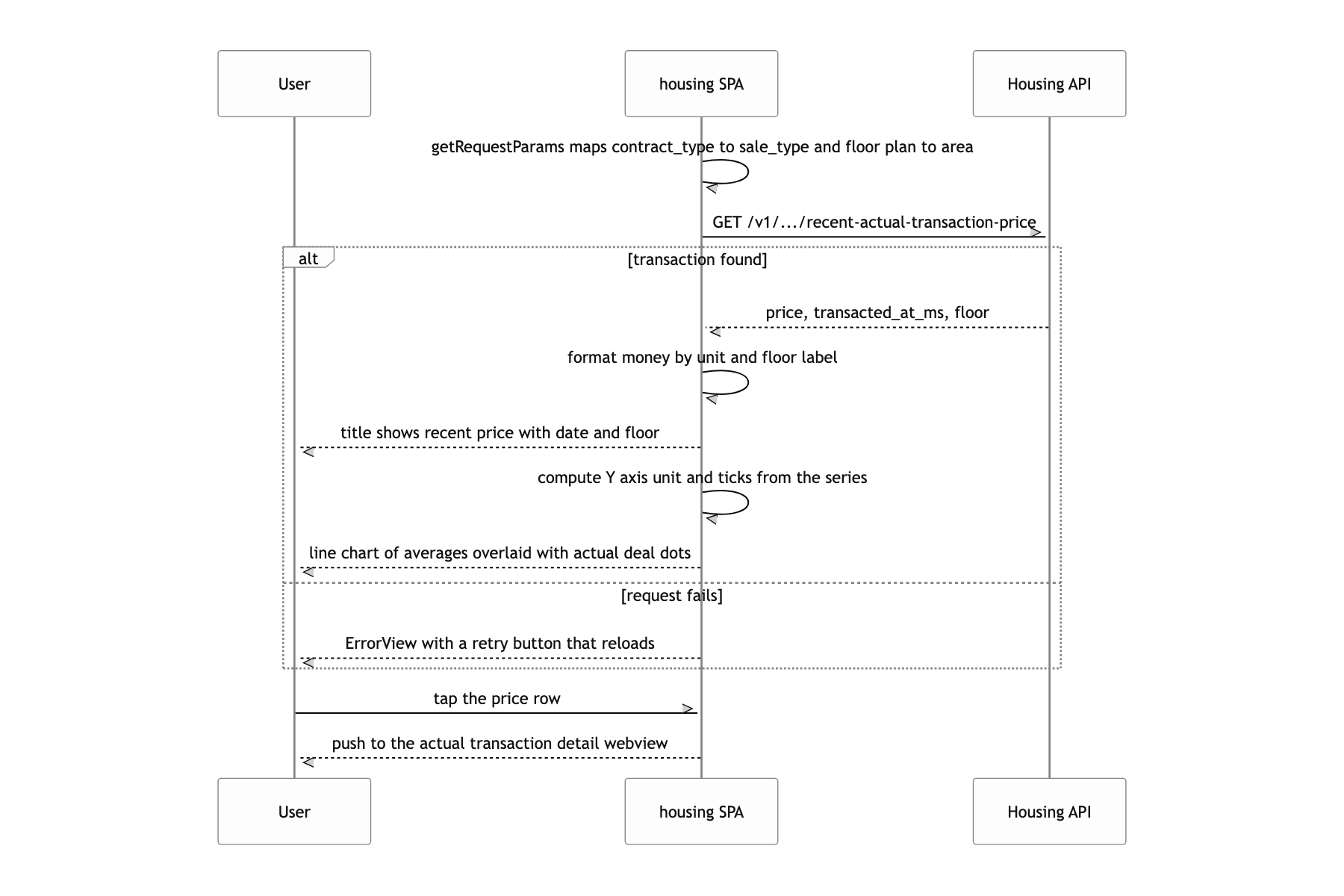
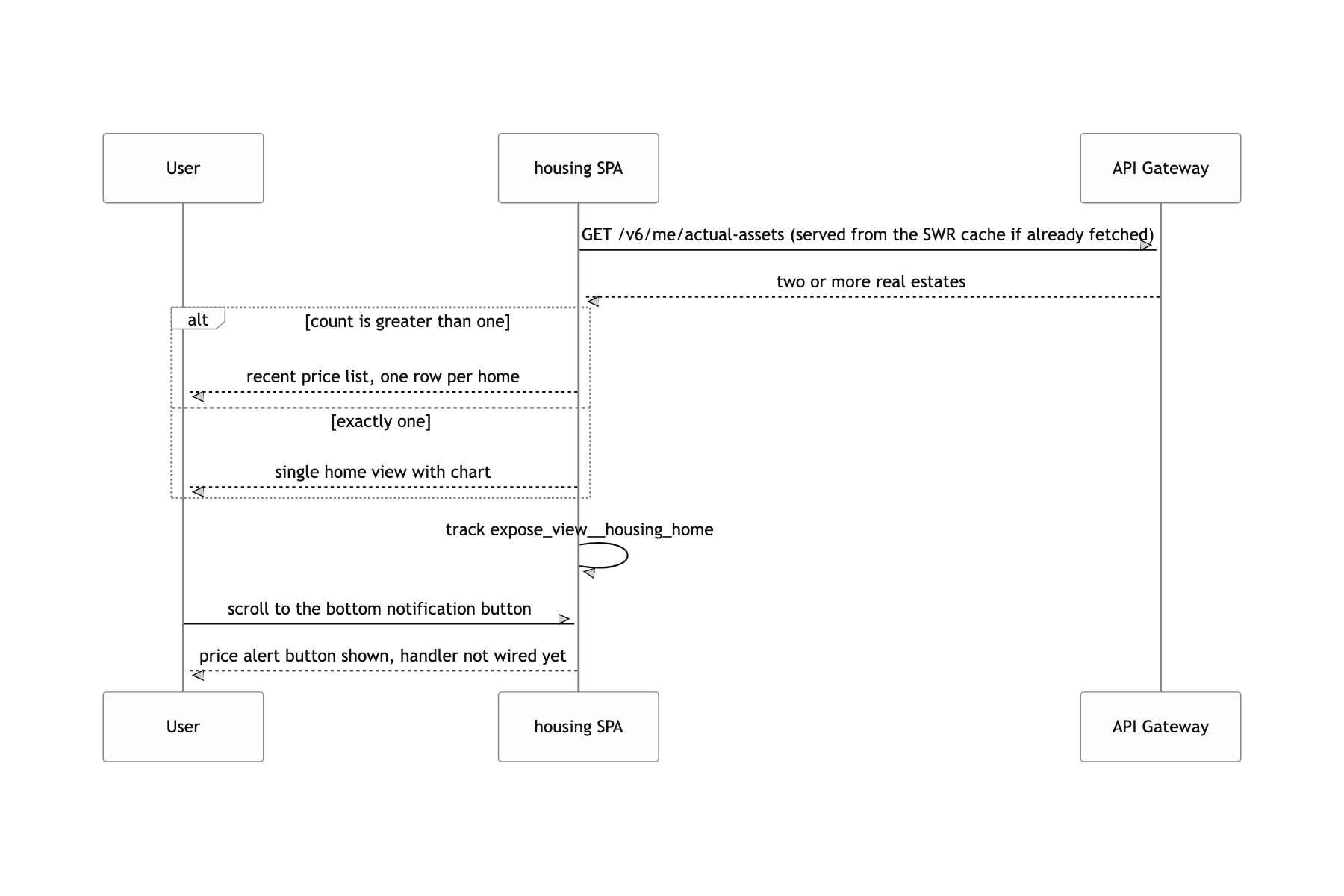
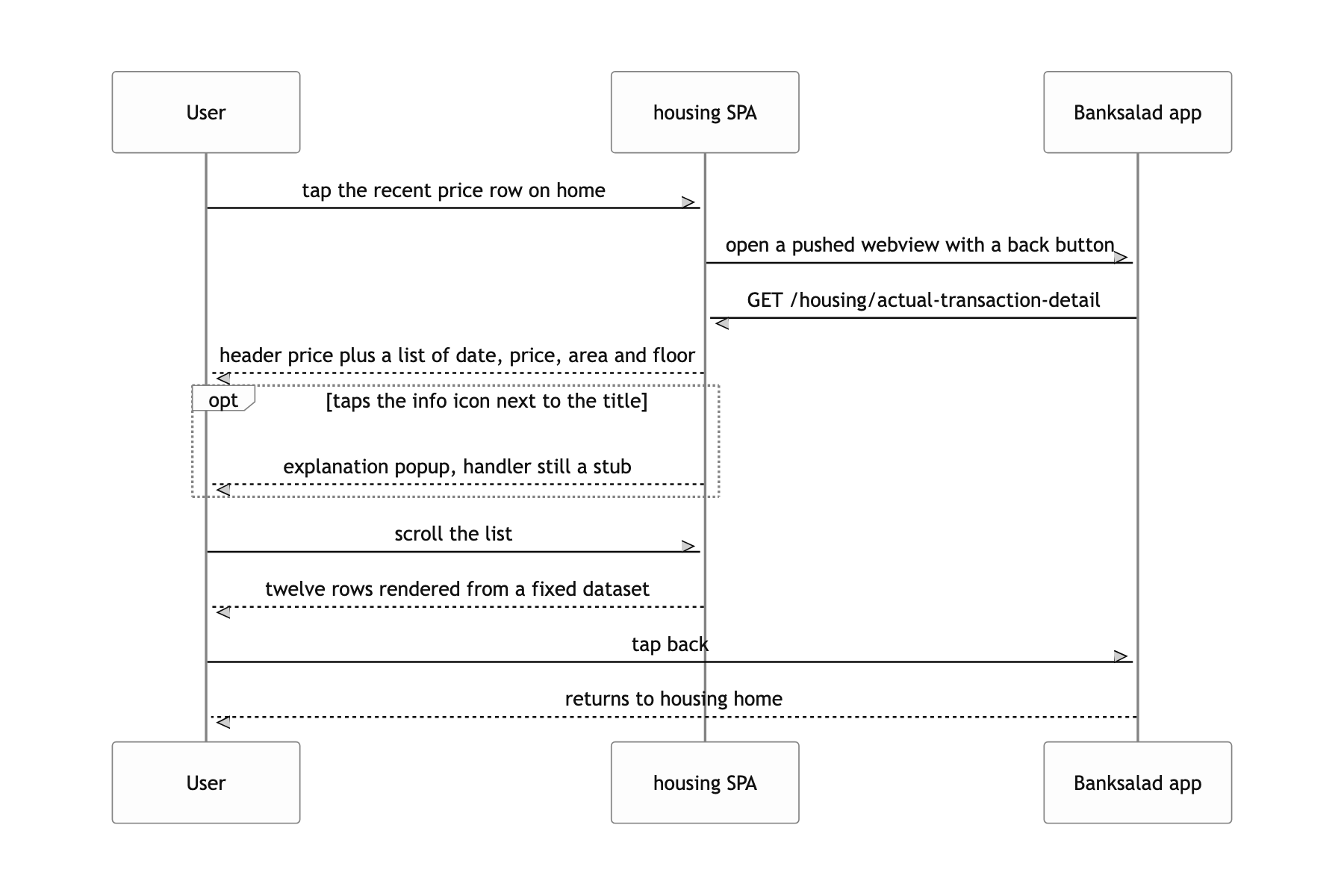
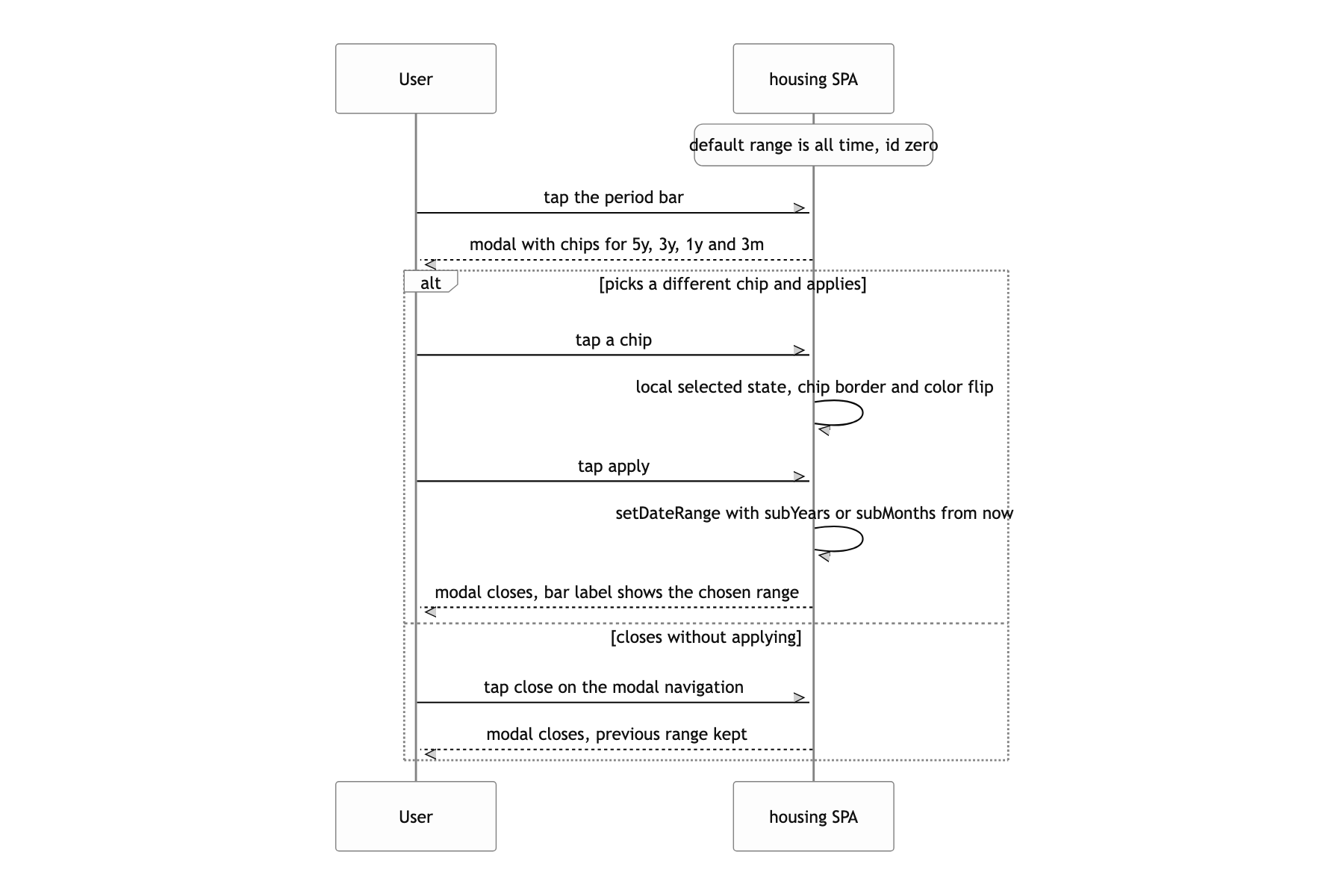
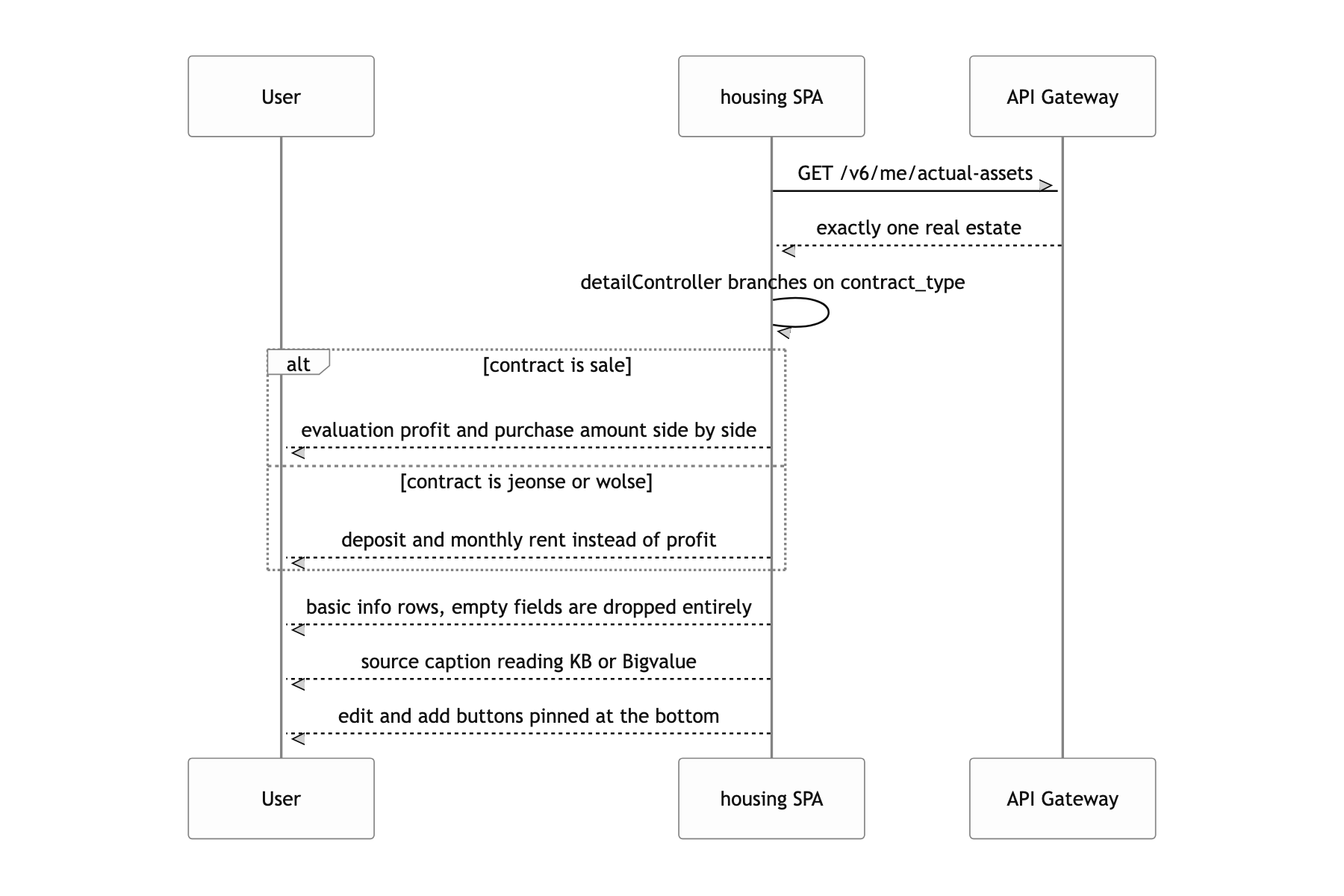
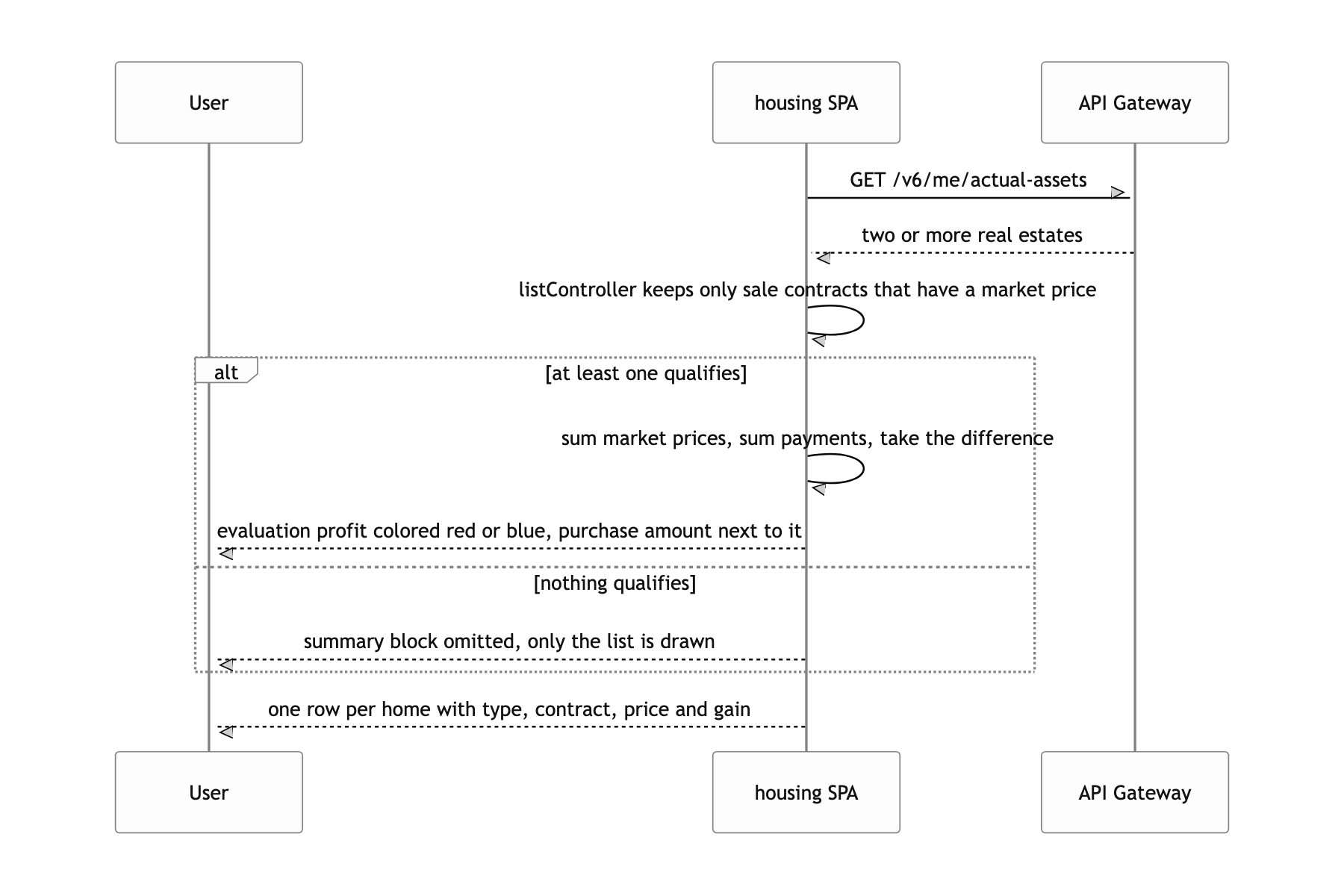
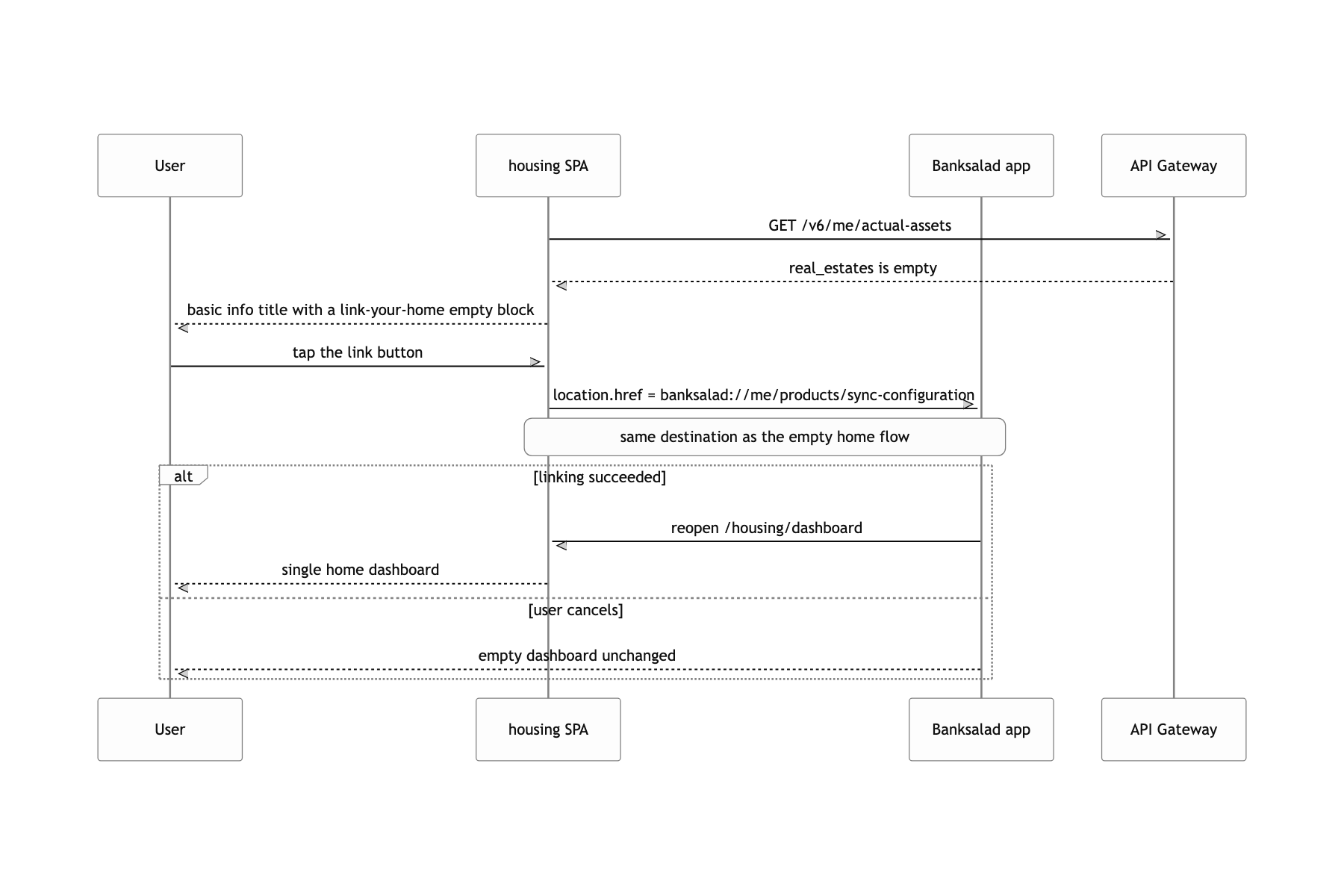
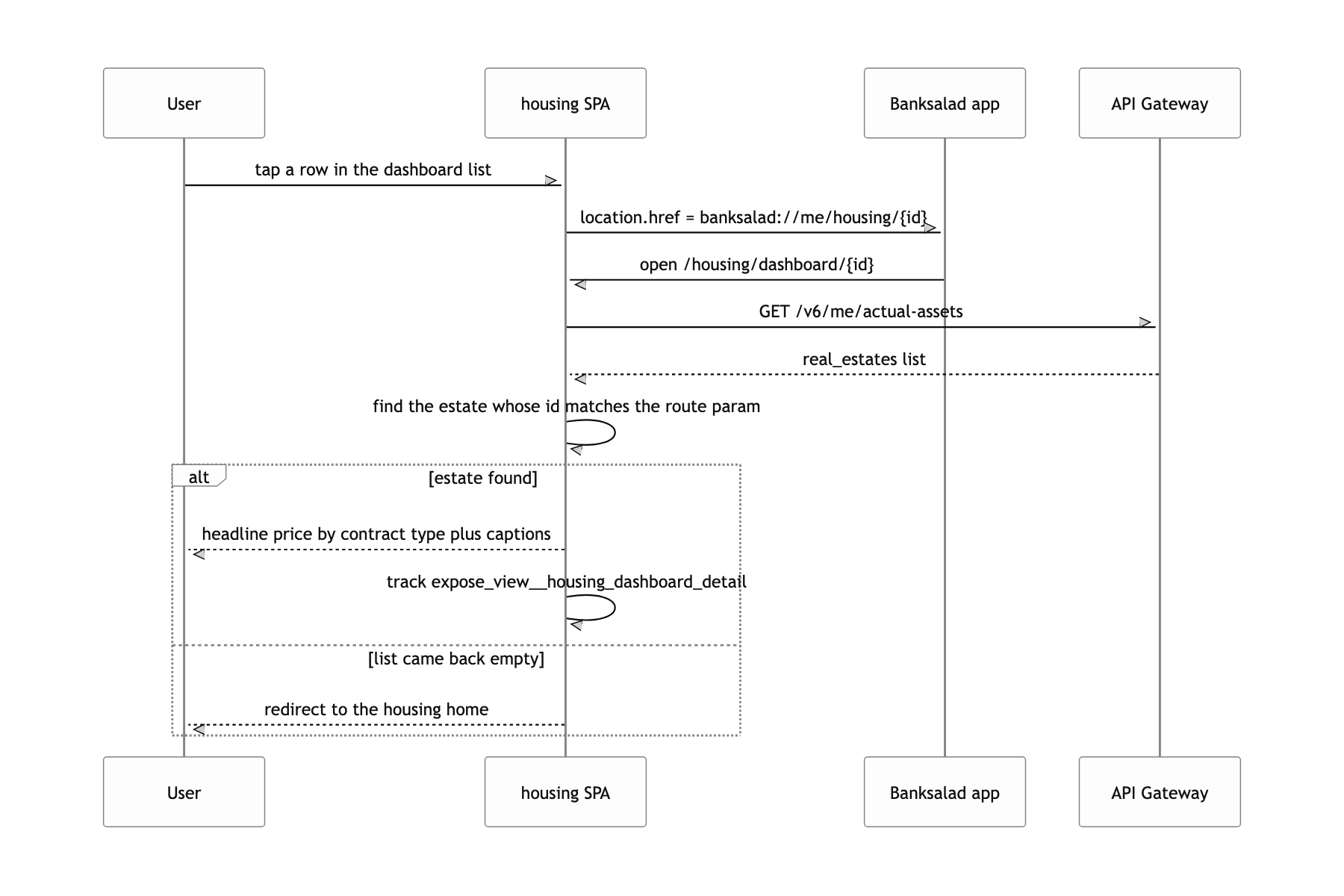
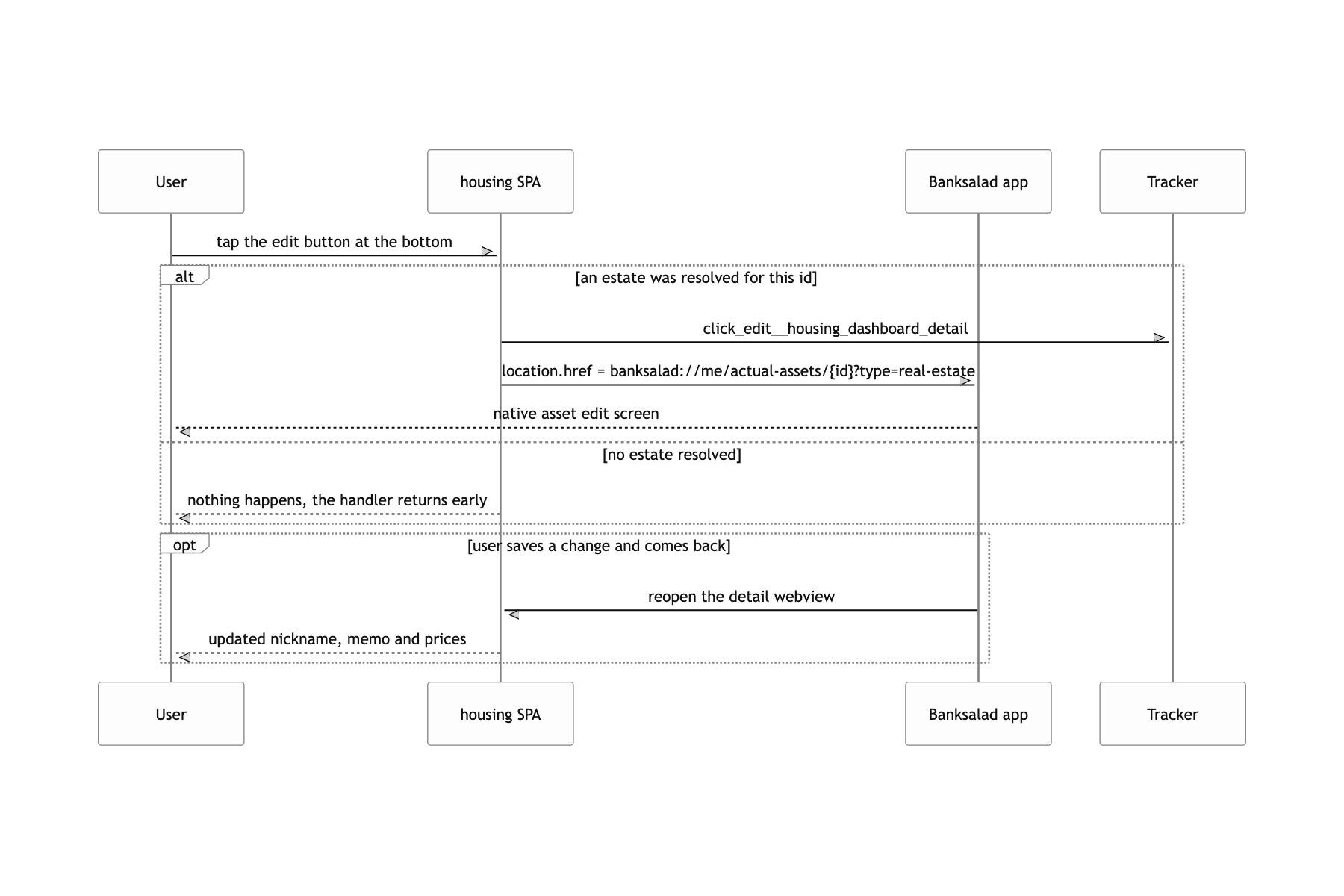
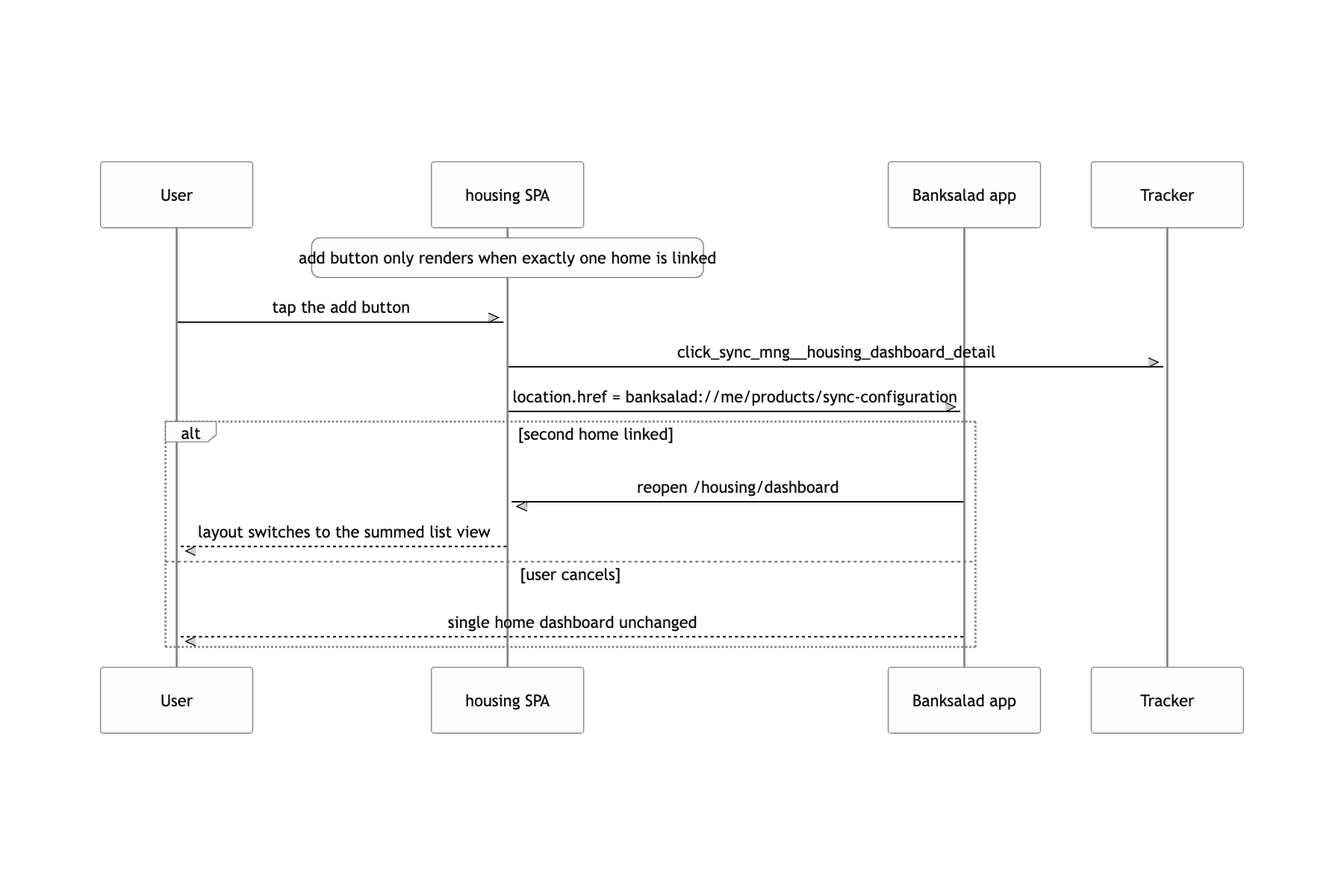
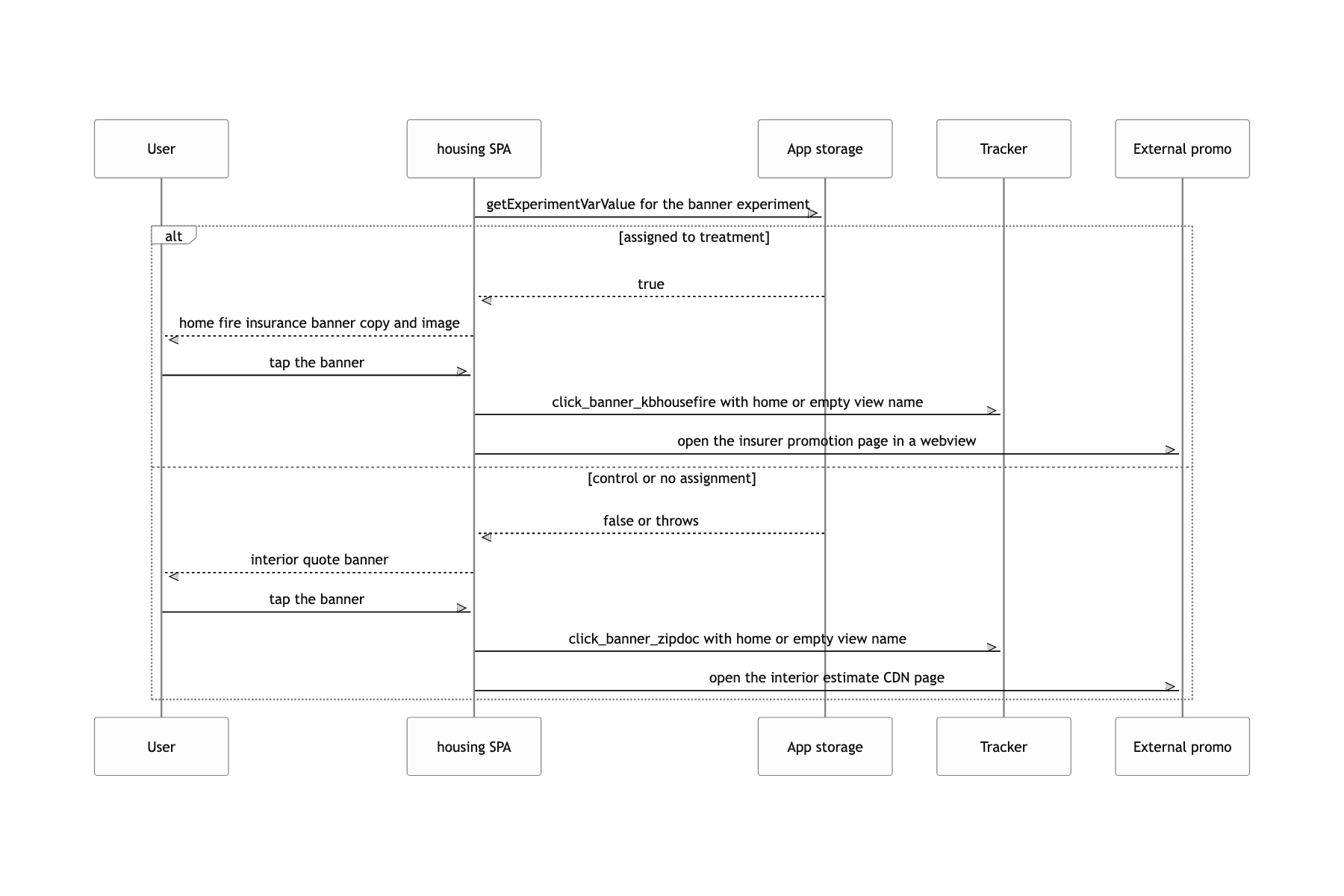
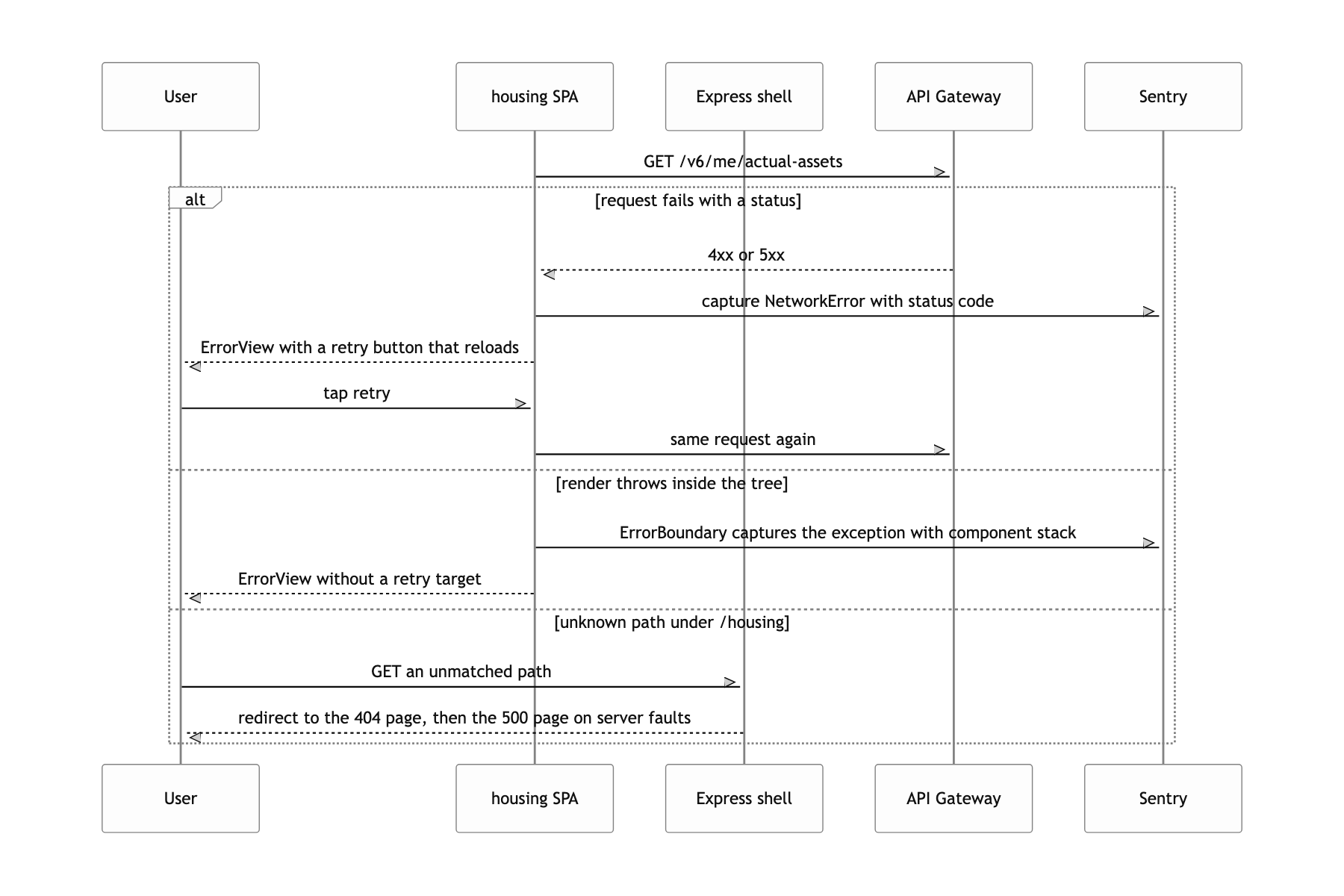
The screens still standing on mock data
To be honest, some of the screens still stand on mock data. The market price chart on home draws the fixed array in single-view/_mock.ts, and the recent transaction list for the multi-home case and the transaction detail screen are hardcoded top to bottom. The API spec landed after the screen work, so I built the screens first, and getMarketPriceGraphData and getActualTransactionGraphData, which turn responses into chart data, are fully written, but my part ended before they were wired up. In a demo the numbers are always the same, which is convenient, but that is not a strength, it is unfinished work.
One bug is still in there. The switch in getMyTransactionGraphData has no break, so every case falls through to default and amount always ends up null. That means my own deal point never gets plotted on the chart. The type checker could not catch it in that spot, and the ESLint config had neither no-fallthrough nor react-hooks. For the same reason, useHistory() sitting after a conditional return in DetailView passed as well.
If I built it again I would change two things. One is not keeping mock data inside the screen files. Tests were already intercepting the API with msw, so using the same fixtures in dev mode would have kept 'ready to connect' and 'hardcoded' from blending together. The other is how the contract type branches. If 매매, 전세 and 월세 had been modeled as a discriminated union instead of repeating a switch in three places, the fallthrough above would never have compiled.
