Pregnancy and Baby Care Logging App for Couples
A journal both parents share, from pregnancy to first birthday
113 screens, no second build
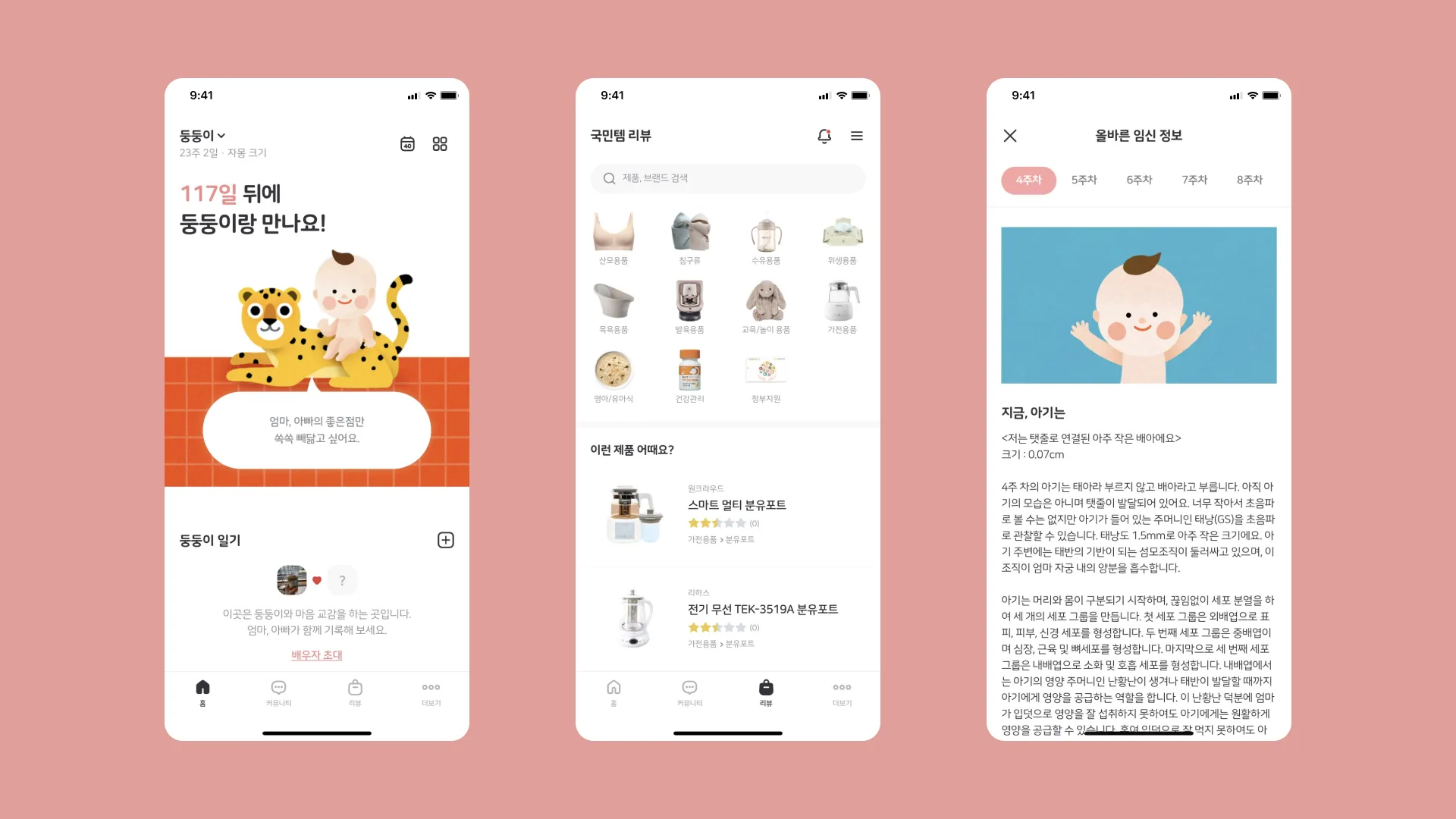
The first requirement was one app. It had to cover the stretch from counting pregnancy weeks to past the baby's first birthday: two parents sharing the same baby's data, a stopwatch for feeding, sleep, and diaper changes, national health insurance infant checkups and vaccination history pulled in instead of retyped by hand, and the diaries printed as a paper book and sold at the end.
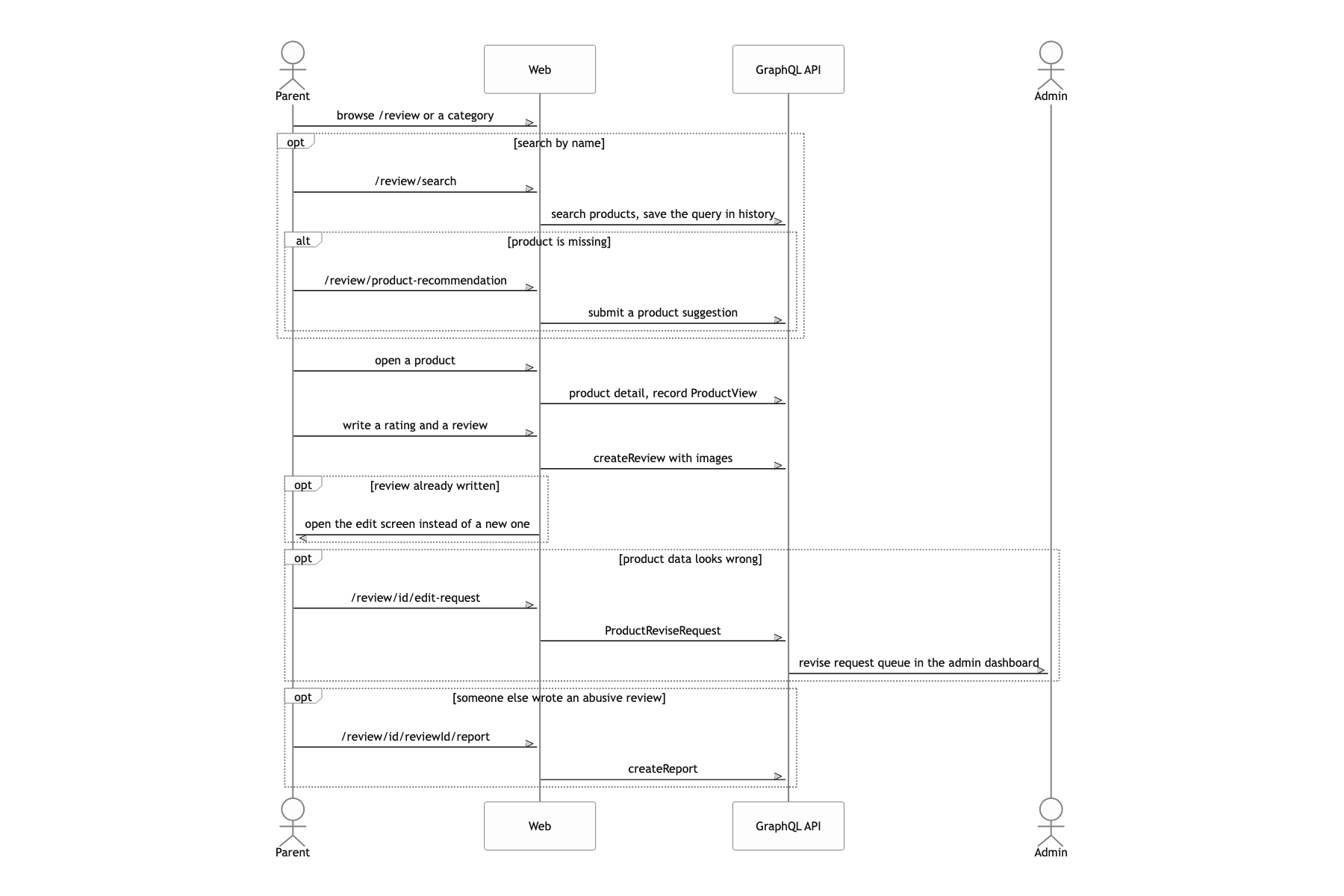
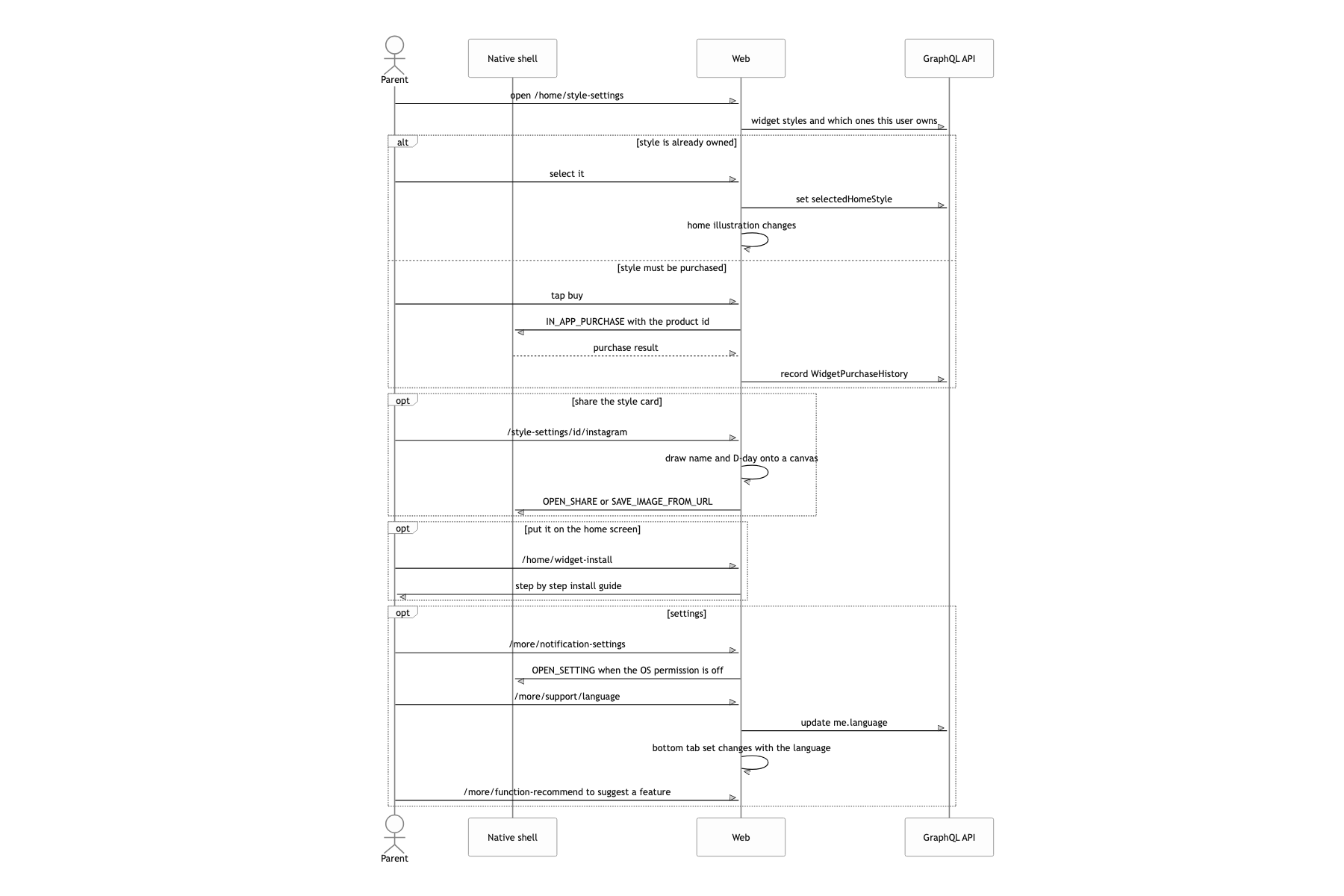
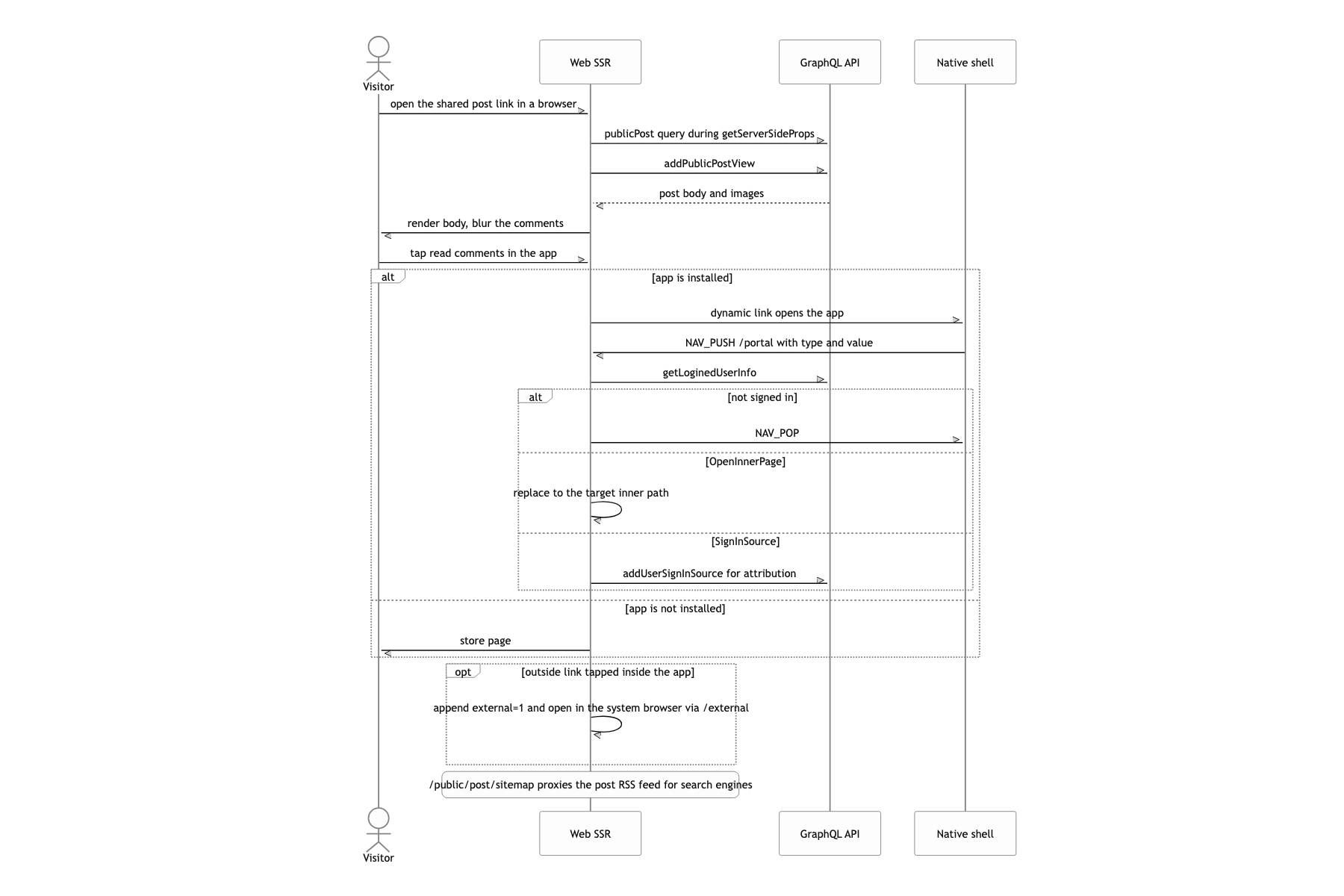
That came out to a 113-screen app. Count the routers and you get 10 kinds of timeline entries, a community, product reviews, a hot-deal radar, a magazine, plus coupons, points, and order sheets. On top of that, three languages (Korean, English, Japanese) and a simultaneous iOS and Android launch.
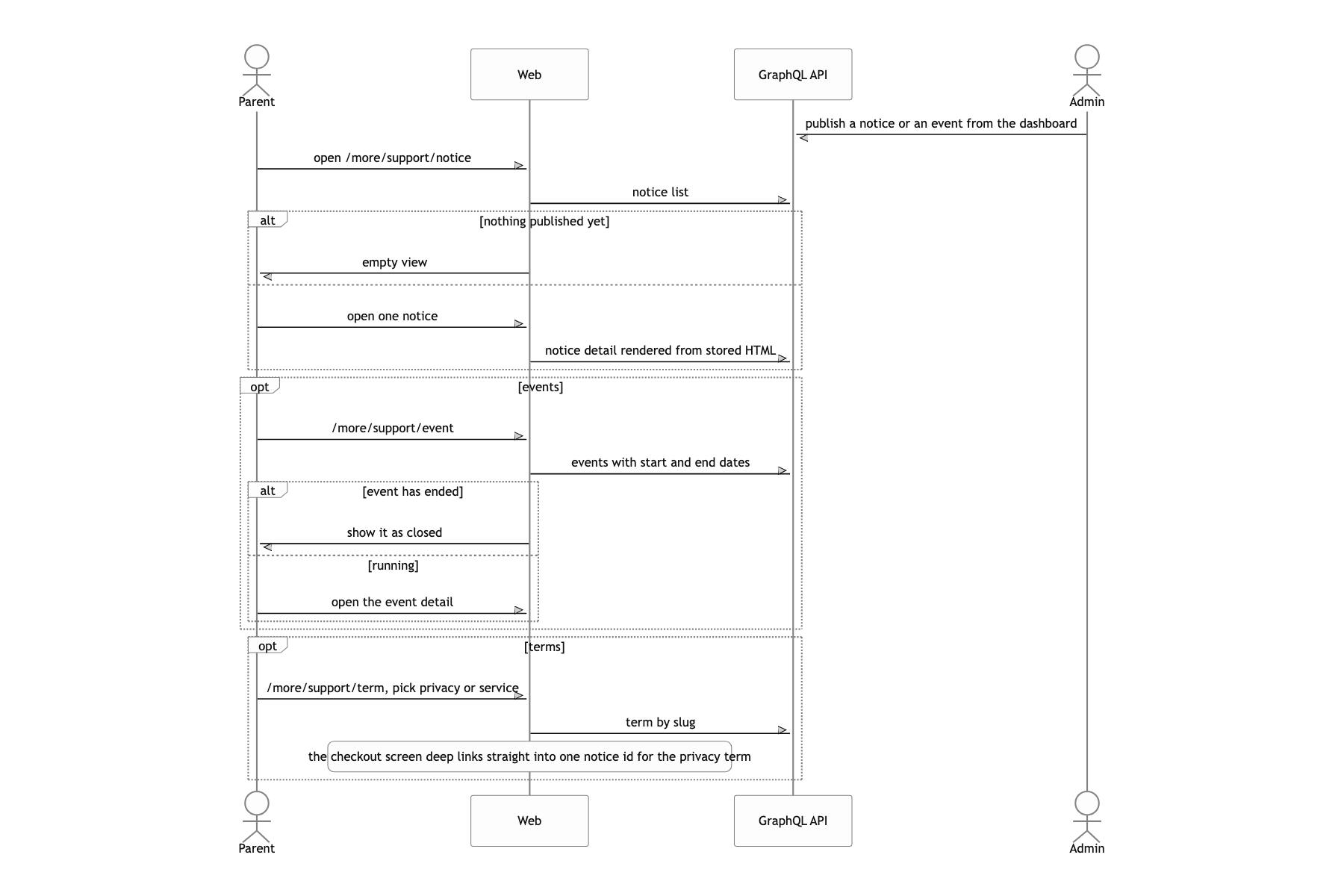
There was one more condition. Content like notice strings and event banners had to be editable from the admin without shipping a new build. So the first thing to decide was not an individual feature. It was what this app's screens would be drawn with.
This post covers that one choice, and the diary-book printing that follows from it. The single GraphQL schema and code generation, the commerce built on Clayful and Iamport, the admin dashboard and the deploy pipeline are each their own story, so I leave them out here.
Native shell, screens on the web
Built all 113 screens in Next.js, leaving the native apps as a WebView shell and a bridge
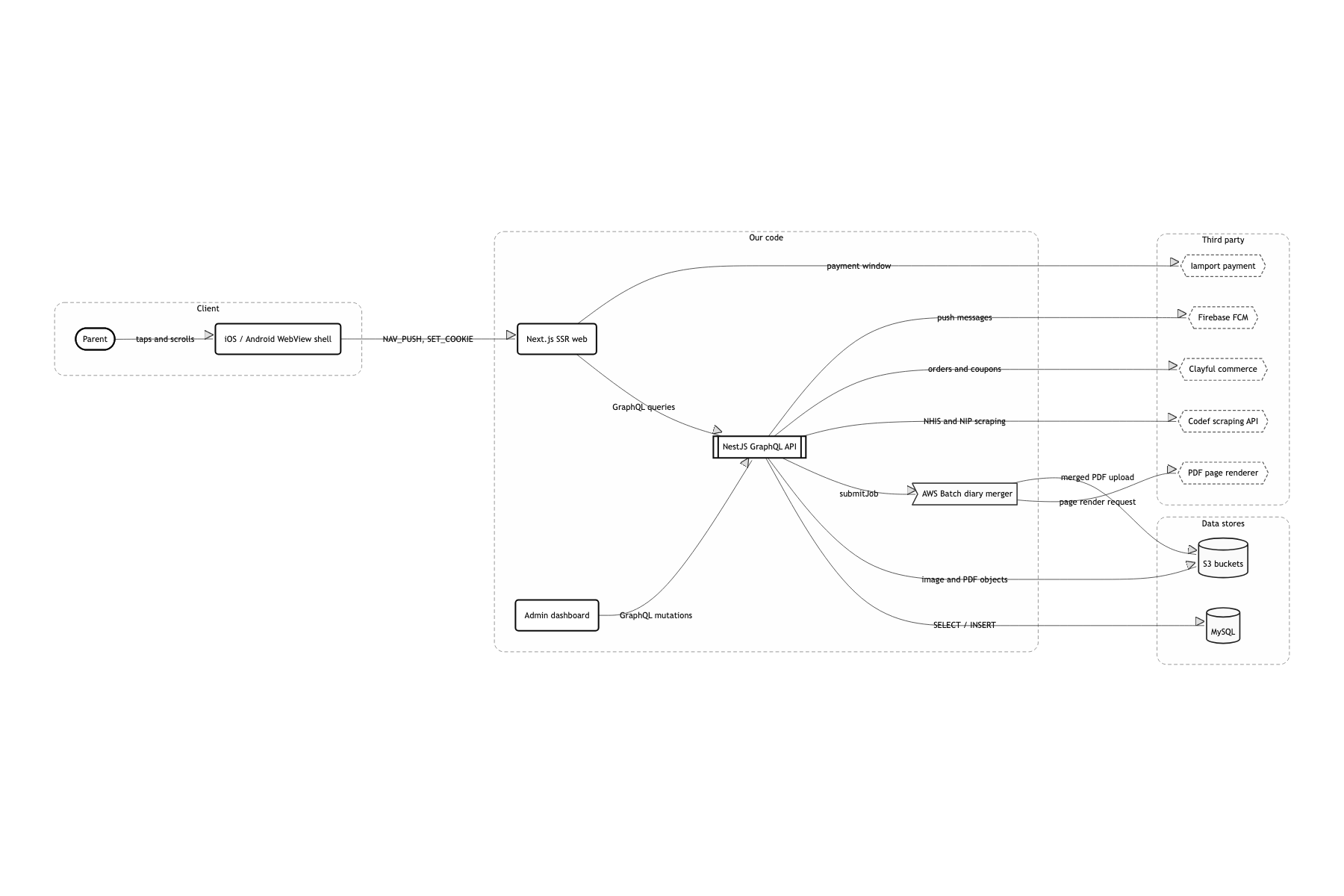
Most of those screens are lists, details, forms, and report flows. There was no reason to build them twice for two platforms, and copy and layout edits had to ship without touching store review. A deploy is one ECS service update. Social sign-in, in-app purchase, saving photos, the share sheet, and the home widget cannot be done from the web. So I pinned what the native side handles down to exactly 12 BridgeActions, wrapped behind a split: window.webkit.messageHandlers.bridge on iOS, window.bridge.sendMessage on Android.
Handled screen transitions with a native stack (NAV_PUSH) rather than browser history
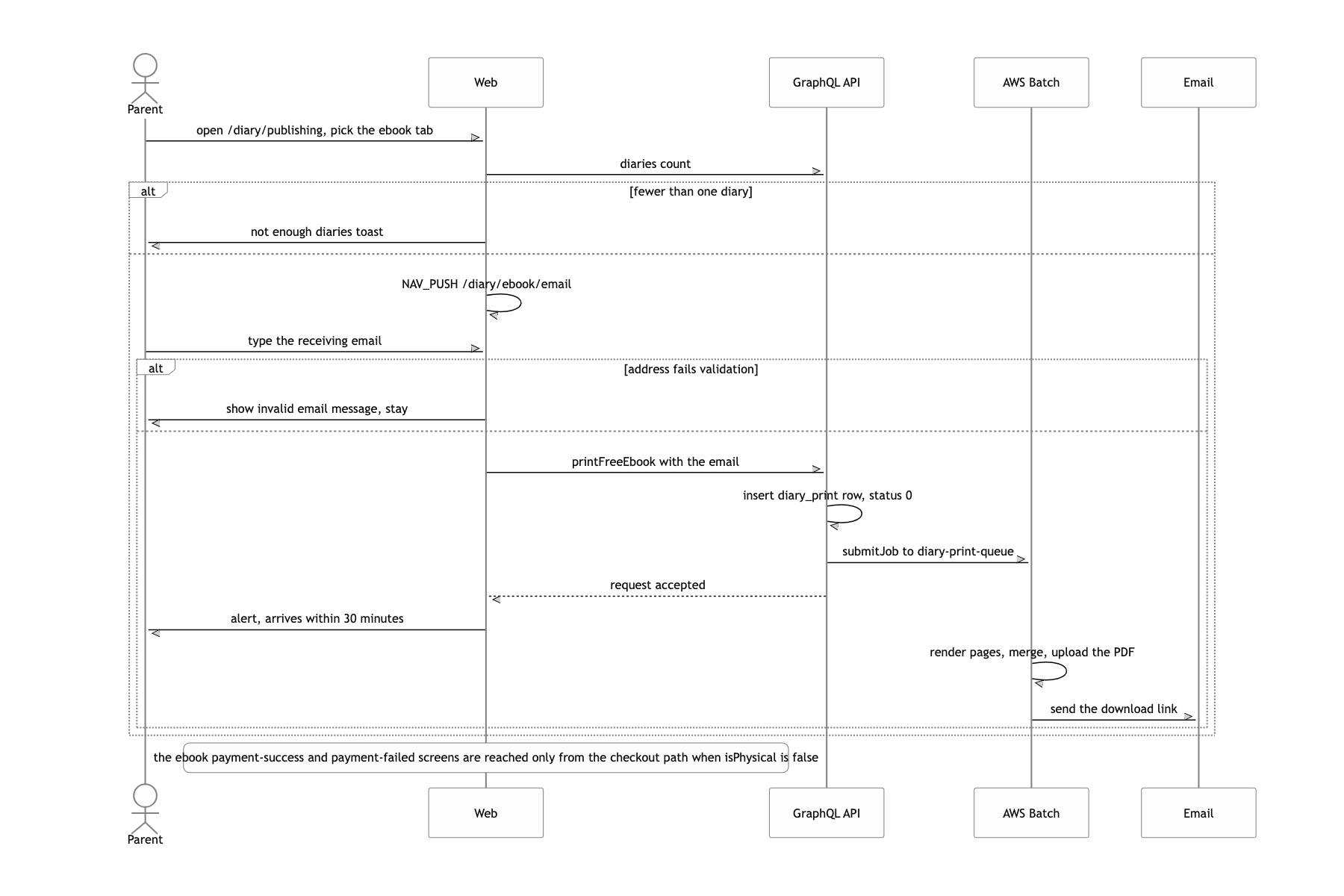
Changing screens with pushState inside a WebView kills the iOS swipe-back gesture and the transition animation, and the scroll position is gone when you go from a list into a detail and back. One NAV_PUSH stacks one WebView, and the app moves like a native app. One screen is now one JavaScript context. Every ordinary way of passing a value between screens disappeared at once.
Pulled diary-book PDF typesetting out of the API server and into an AWS Batch job
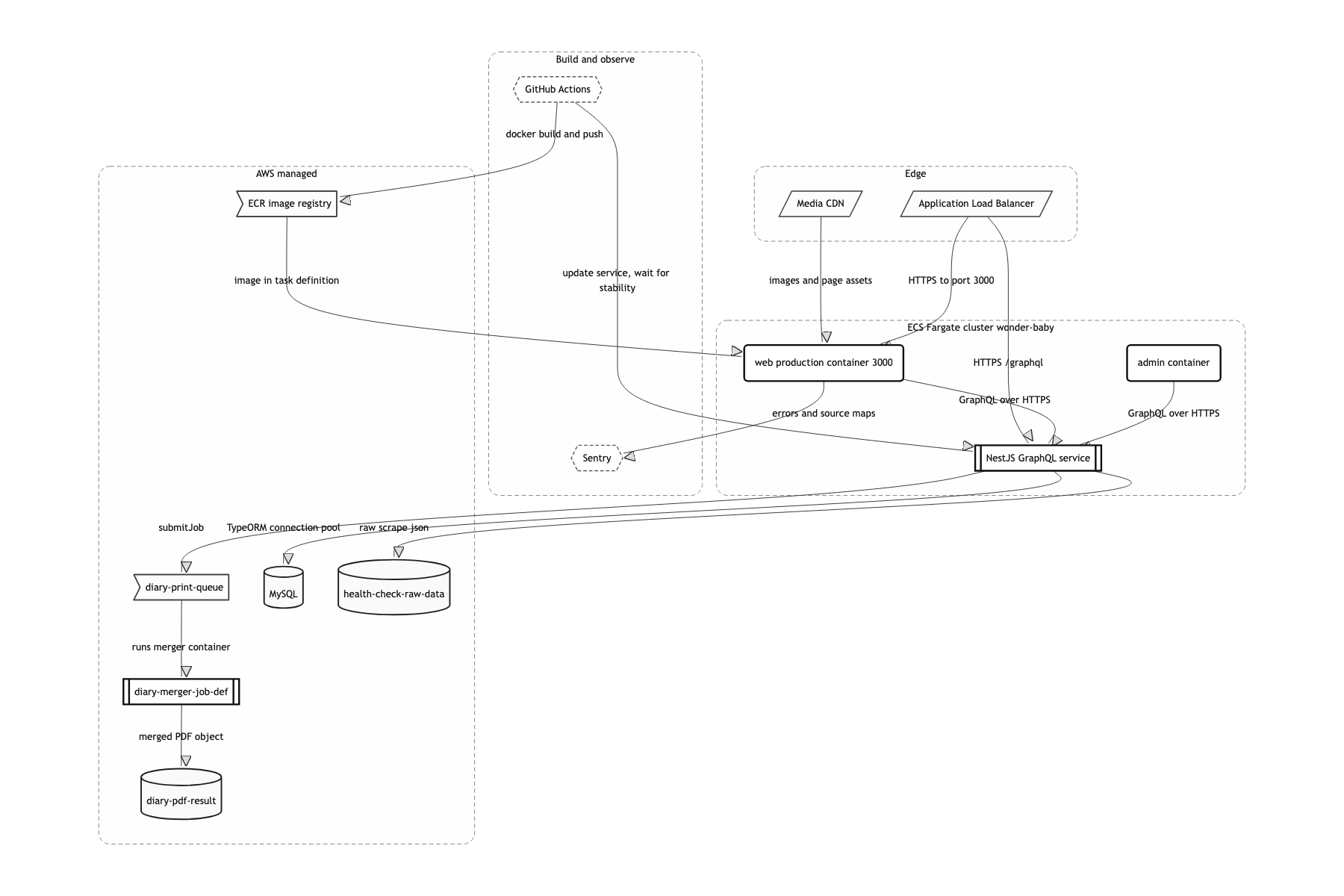
Rendering and merging 200 to 400 pages takes minutes. If an ECS Fargate API task holds that, every other GraphQL request queues behind it. It is handed off with submitJob and the API responds immediately. There is no progress to show the user while the job runs, so the job writes status and currentProcessingPage into the diary_print table and an ops screen reads them.
One WebView stack, one GraphQL API
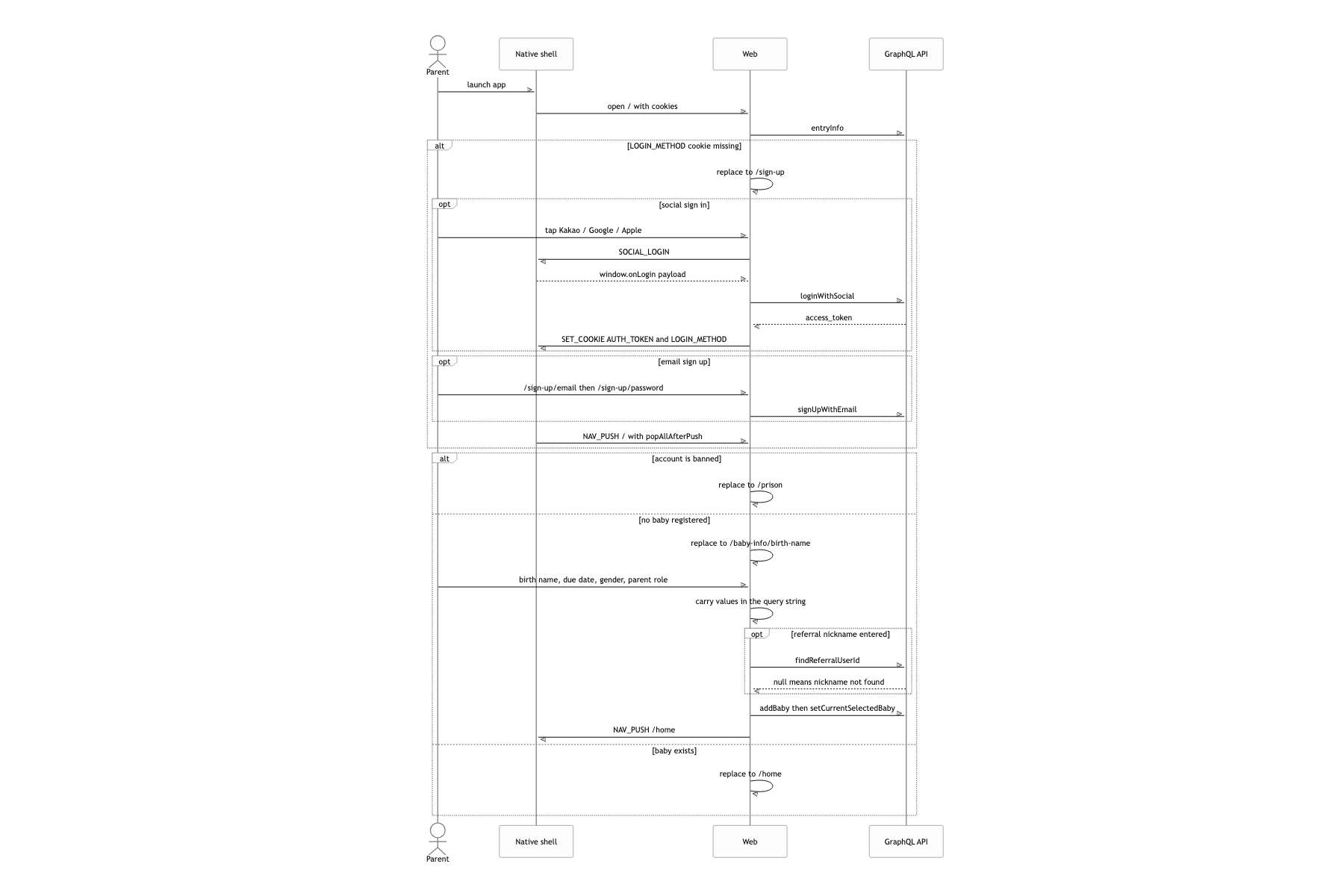
The whole thing in one line: native is a shell that stacks WebViews and plants a cookie, the screens are Next.js, the data is one GraphQL API. On launch, the native shell opens / in the first WebView. At sign-in, native plants AUTH_TOKEN and LOGIN_METHOD via SET_COOKIE, and because every WebView stacked afterwards is the same origin, they all share that cookie. No screen has to be handed a token again. The API is a single NestJS app with 36 modules over MySQL through TypeORM. Exactly one heavy thing leaves the process, and that is diary-book typesetting. AWS.Batch.submitJob drops it on diary-print-queue, a container built from the same NestJS codebase under a different entry (batch-diary-merger.ts) starts up, renders the pages, uploads the merged PDF to S3, and emails the user.
Laying 300 diary entries into a book without breaking the spread
Sort the diaries by date, fill the page templates in order, merge the resulting PDFs in sequence. One photo page, one text page, next diary, next diary. On a screen, nothing about this is wrong.
I narrowed the way pages get added down to a single addPage, and put a cursor there. getCurrentPageLeftRight() looks at how many pages have accumulated so far via length % 2 and says whether the next sheet is a left or a right, so photo pages and text pages both pick the matching one of two templates.
On top of that cursor I laid the book's rules. A pregnancy-week divider always has to start on the right, so if the cursor is on a right, an empty left page goes in first to push it one slot. If a day's mom diary and dad diary end on a left, a closing page goes on the right so the next diary starts on a fresh spread. When text overflows a sheet, the renderer returns overflowingTextData carrying hiddenText, nextTemplateId, and nextNodeId, and a while loop keeps appending until it is exhausted. Photos go up to 4 on one side; at 5 they split 3+2 across both sides of the spread, not 4+1.
Each page PDF is cached in print_cache under a SHA-512 hash of the templateId and the data. Covers, blank sheets, closing pages, week dividers, anything whose input is identical only has to be rendered once.
A book is not an array of pages. It is an array of spreads. On a screen, left and right mean nothing, but in print, one slot of drift puts a photo and the text about that photo back to back, facing away from each other. What the user receives is paper, so there is no undoing it.
The reason no amount of added branching can throw the sides off is that there is exactly one path by which the page count grows: addPage. However many photos, however many sheets the text overflows, however many weeks there are, the cursor is always computed from the sheets actually stacked. Instead of counting conditions, I put the state in one place. The cache leans on the same property: a page PDF is a pure function of its input data, so if the hash matches, the result can be trusted to match.
Getting a value back when every screen is its own WebView
Normally you put it in a global store, or wrap it in a Context, or failing that throw it into localStorage and read it back when you return.
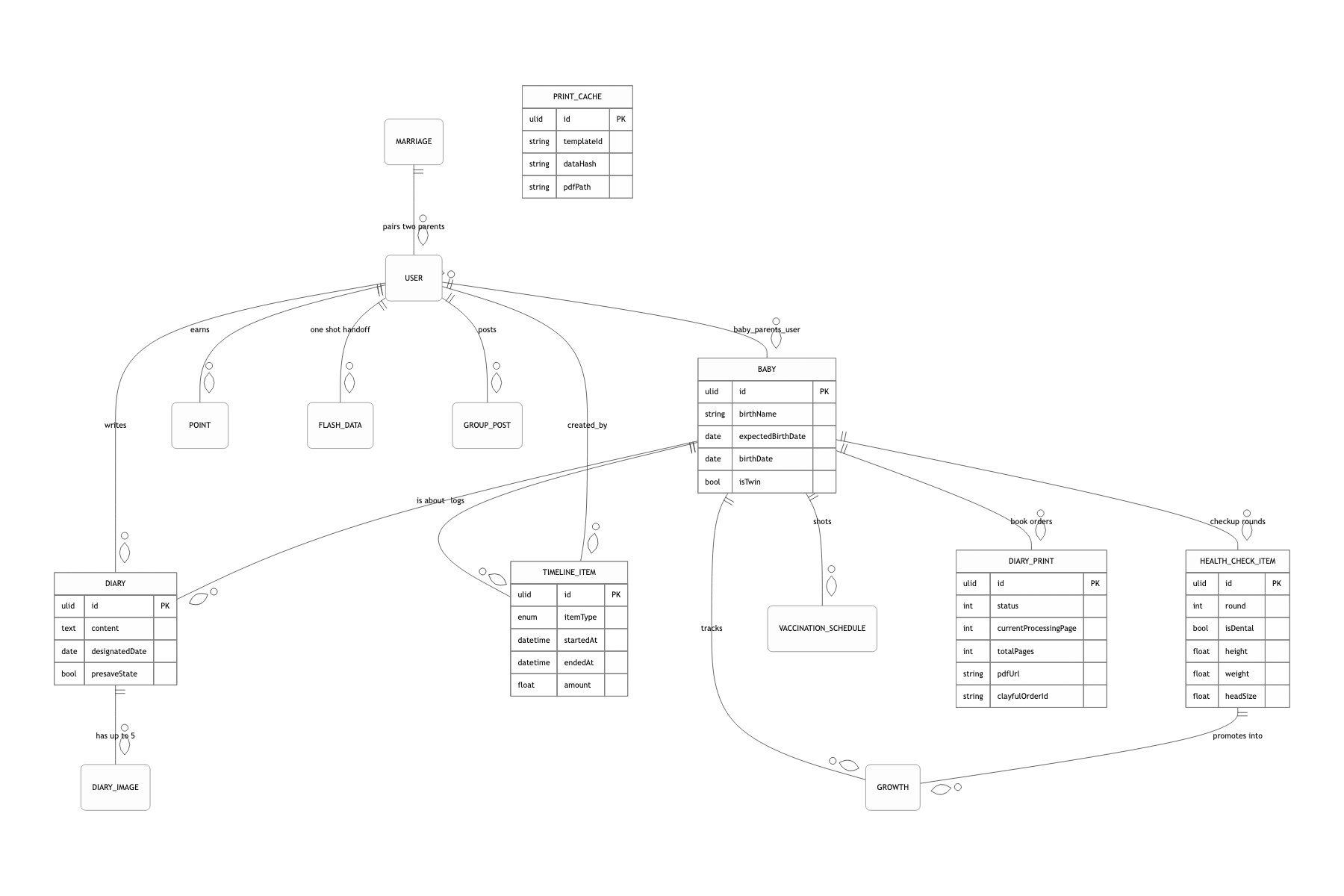
In this app all three are wrong. One NAV_PUSH stacks one WebView, so every screen is a completely separate JavaScript context. I put a flash_data table on the server and write (userId, key, json) into it. getFlashData reads one row and deletes it in the same breath. The per-key pop callbacks and the refetchQueries in _app.tsx are their own story about moving between screens, so I leave them out here.
Put a read-once value on the server and the whole problem goes away. The WebView can die and come back, the user can kill the app and reopen it, and the result is the same.
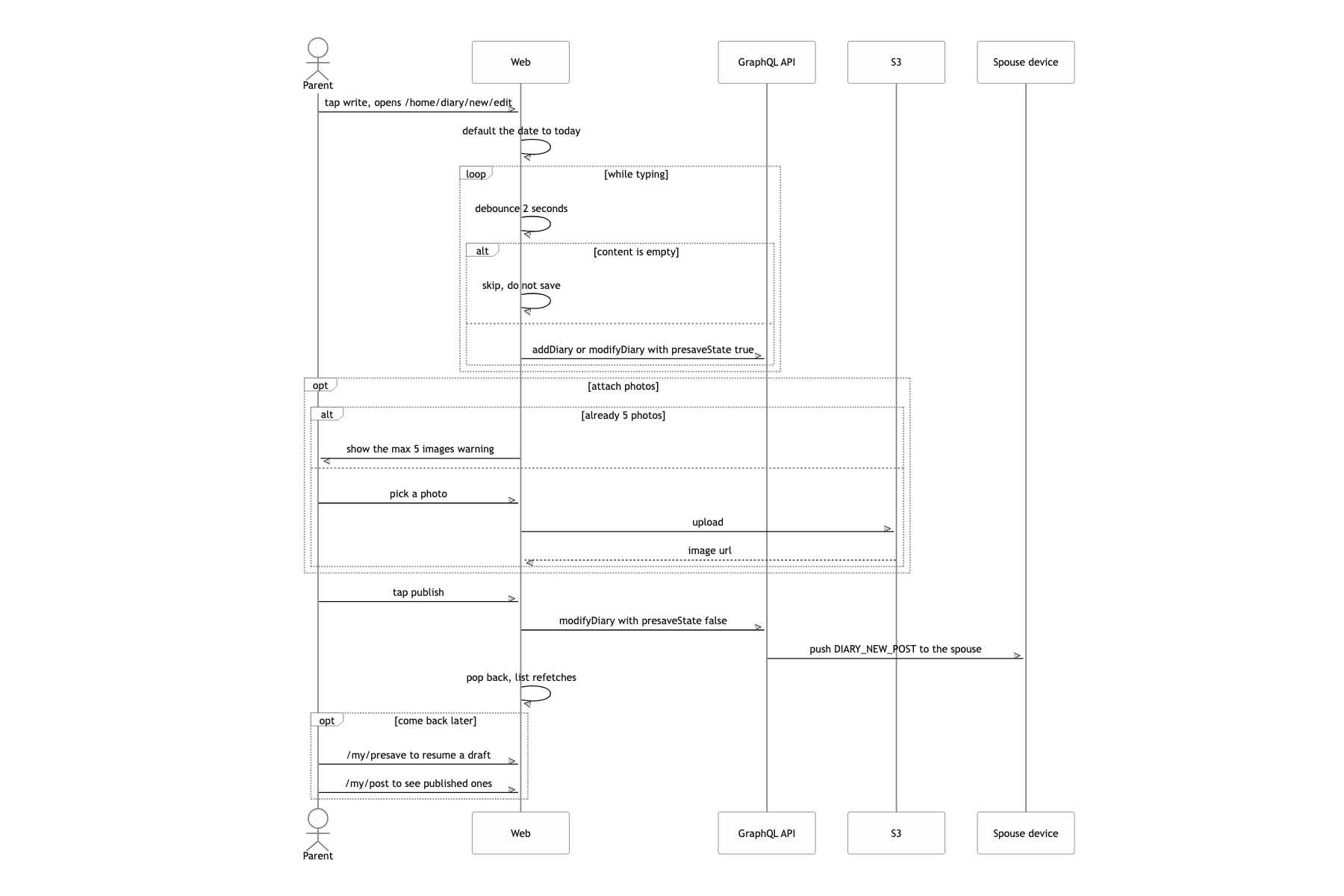
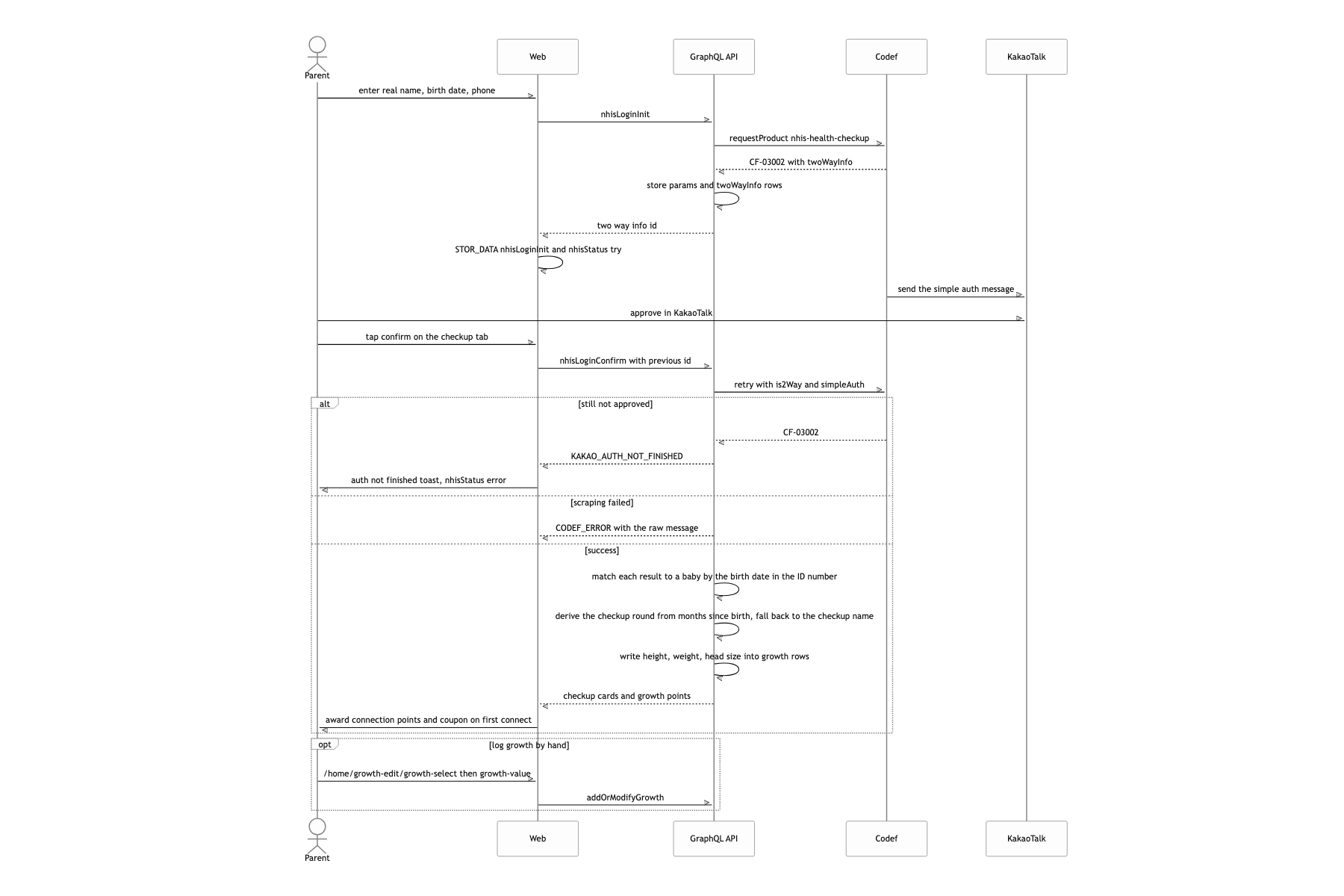
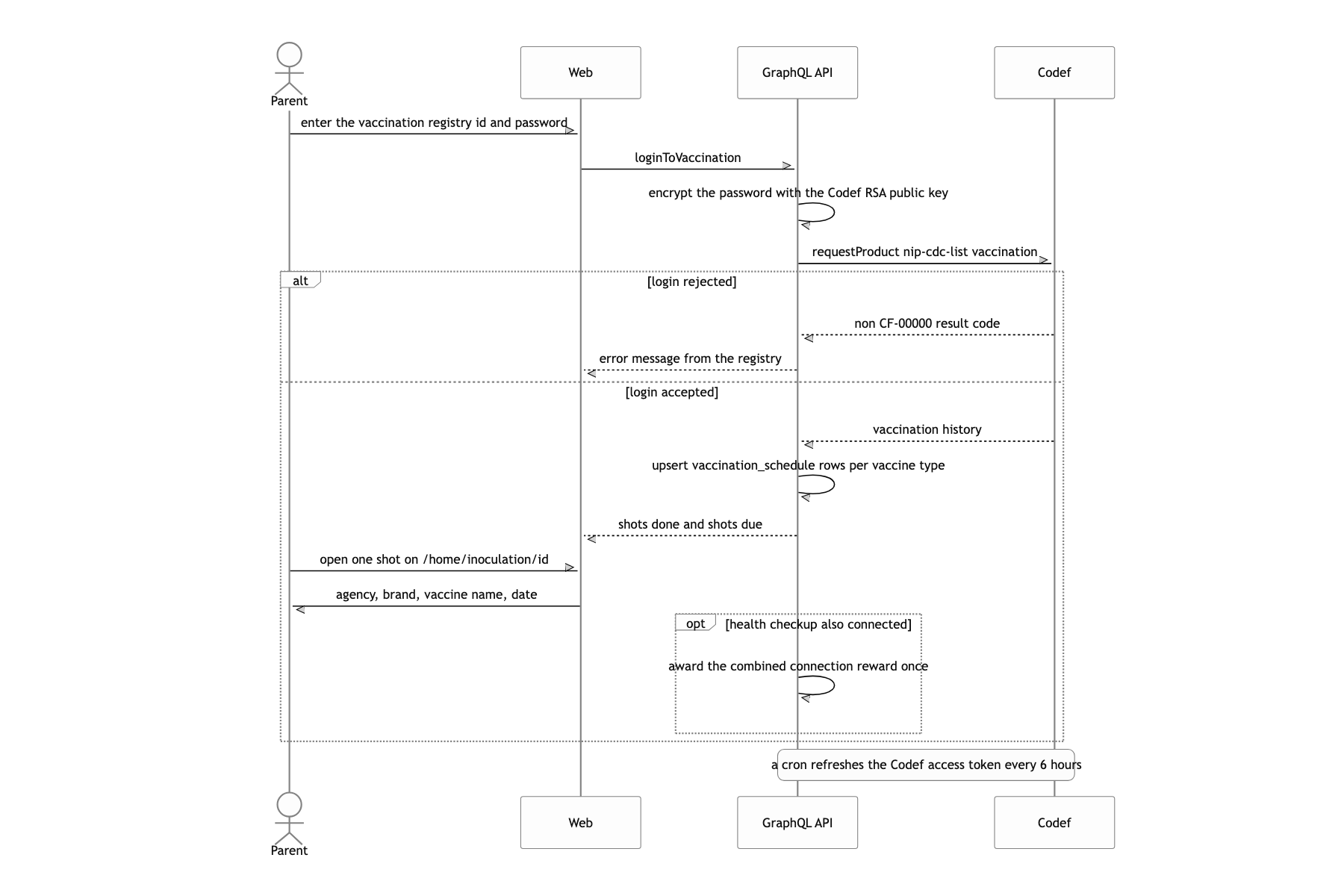
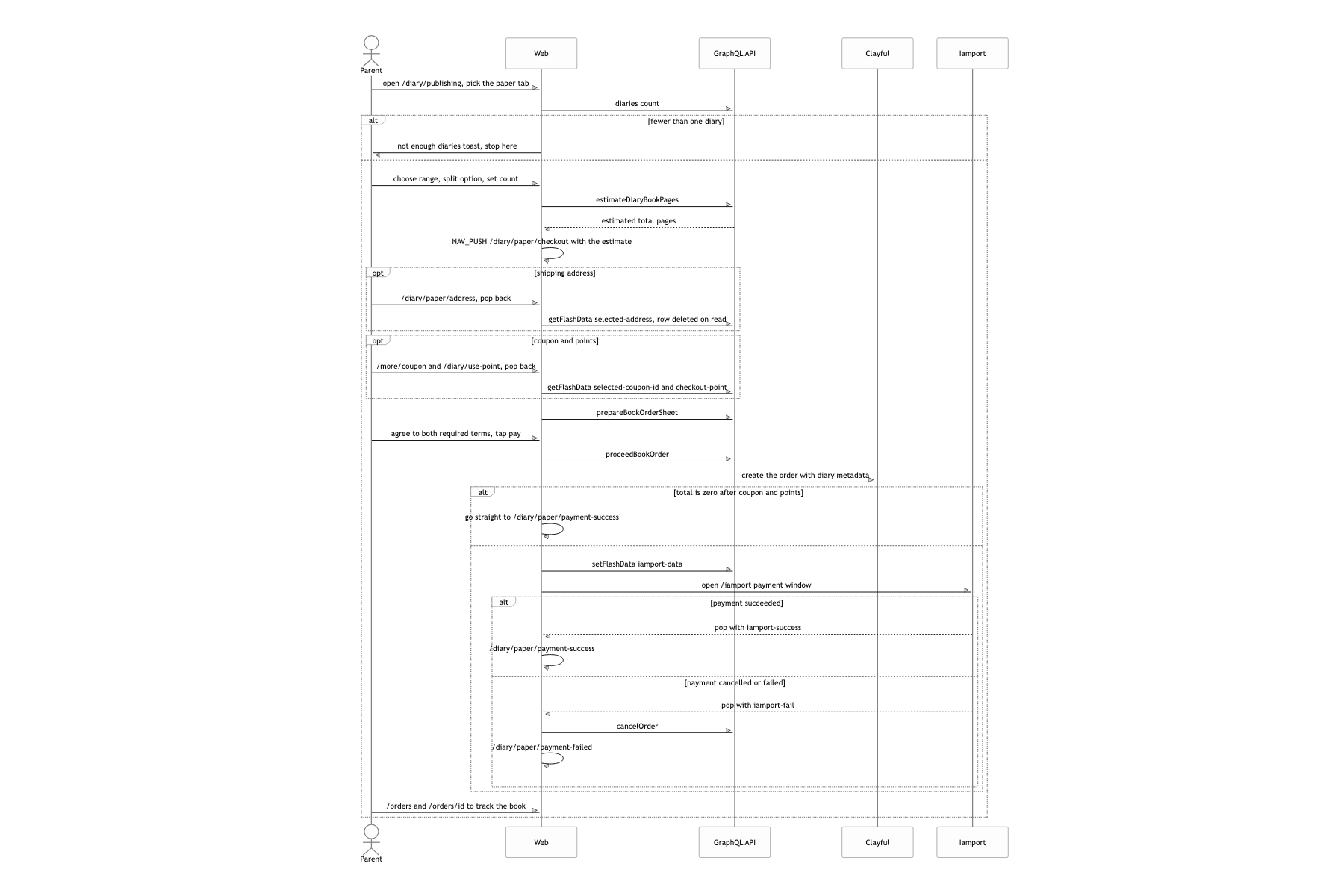
What a user can do
No tests, keys in the source
Writing this down honestly.
There is not one line of test code. jest, msw, factory.ts, next-page-tester are all sitting in devDependencies, and there is not a single *.spec.ts in either the frontend or the server. Code like the typesetter, dense with branches and hard to check by eye, is exactly what needed tests, and the launch schedule kept pushing them back. If I built it again I would at least pull getCurrentPageLeftRight and the page-assembly functions out as pure functions and put snapshot tests on them.
AWS and Clayful credentials are sitting in the source. new AWS.S3({ credentials }) in print.service.ts and health-check.service.ts, and Clayful.config in clayful.service.ts. Today I would move them to task roles and parameter store.
The estimated print page count does not match reality. The order sheet prices the book off estimateDiaryBookPages, which approximates 733 characters as one page and 4 photos as one page, while the actual typesetter inserts extra left-right correction pages and closing pages. The number the user saw can disagree with the thickness of the book that arrives. I should have run the typesetter once up front to fix the page count, then quoted from that.
