Marketing Site for Tax Agency and Management SaaS
A marketing site introducing seven features across three tax services
Seven features with nowhere to explain them
The site had to introduce two things in one place: an agency service, and the management SaaS the client companies use. There were seven features (work tickets, attendance, org management, e-signature, cash management, receivables and payables, insight) and three services. Three requirements: a CMS where case studies and customer interview videos can be published and unpublished directly from the admin, a blog running inside the company domain, and consultation and free trial forms that hand the request straight to the product API.
Next.js renders, NestJS routes
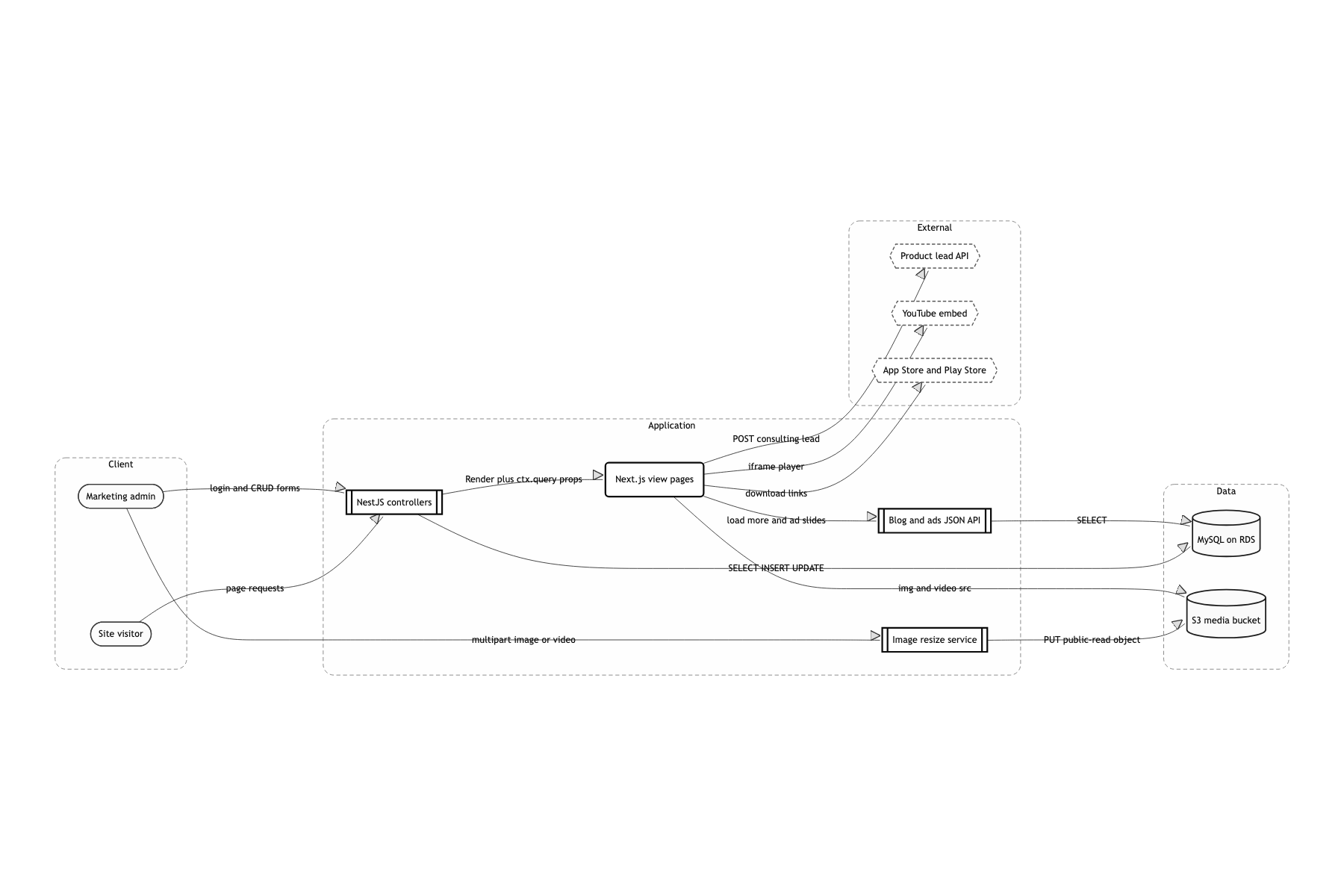
A single process with Next.js embedded in NestJS as the render engine
Admin CRUD, file uploads and JWT auth were needed. Splitting the frontend from the backend would have meant two repositories and two deployments. With nest-next's RenderModule, a controller can point directly at a page under pages/views with @Render('blog'), so routing and data fetching stay in one place. It was a two month schedule staffed mostly with frontend people, so there was no room to stand up and maintain a separate API server.
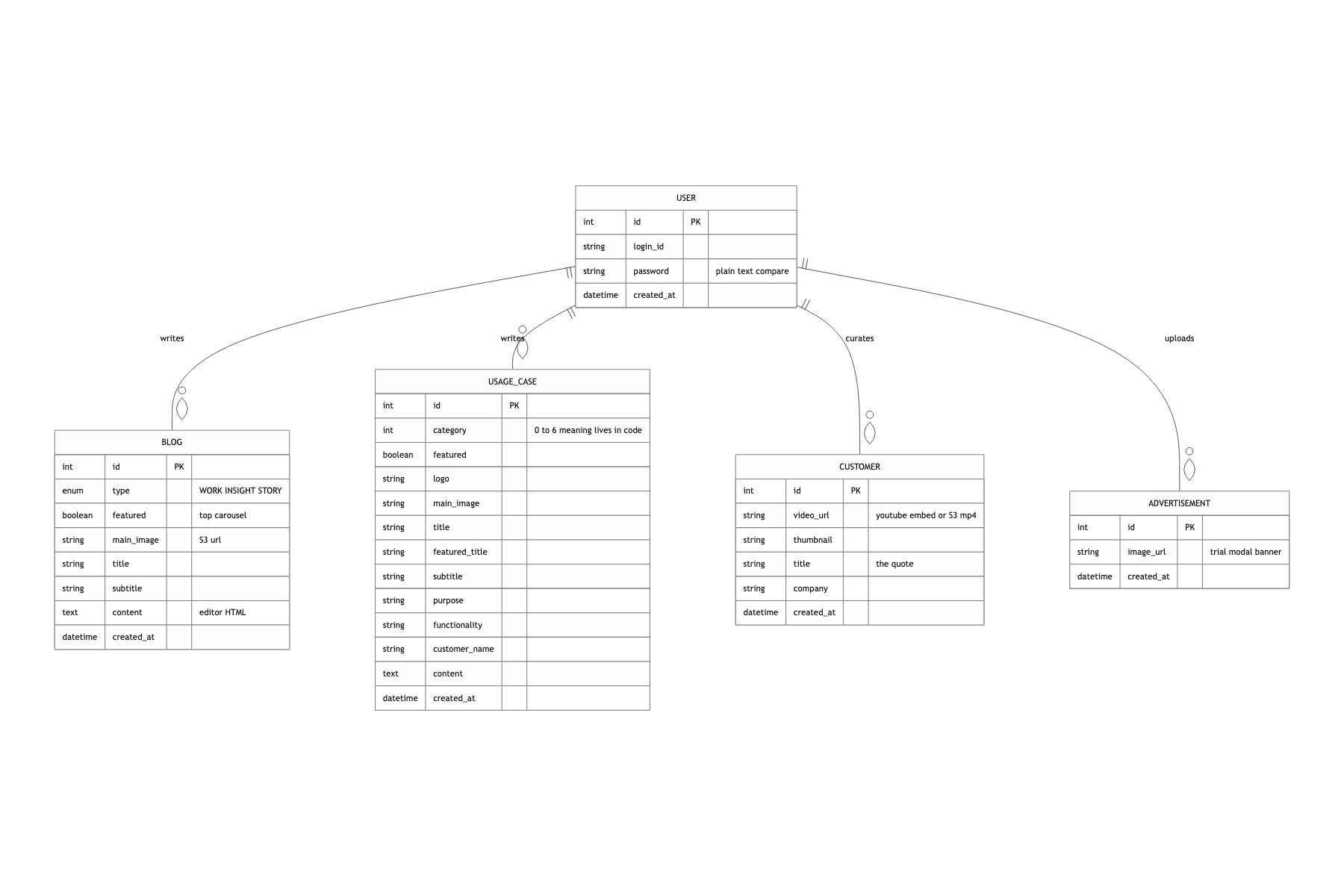
TypeORM with MySQL on RDS, synchronize only when APP_ENV=development
Blog types and case study fields kept growing alongside the spec, so locally it was faster to edit the entity and let the table follow. Leaving it on in production can drop columns, so it was cut by environment. There was no time to add a migration tool and get the team used to the flow.
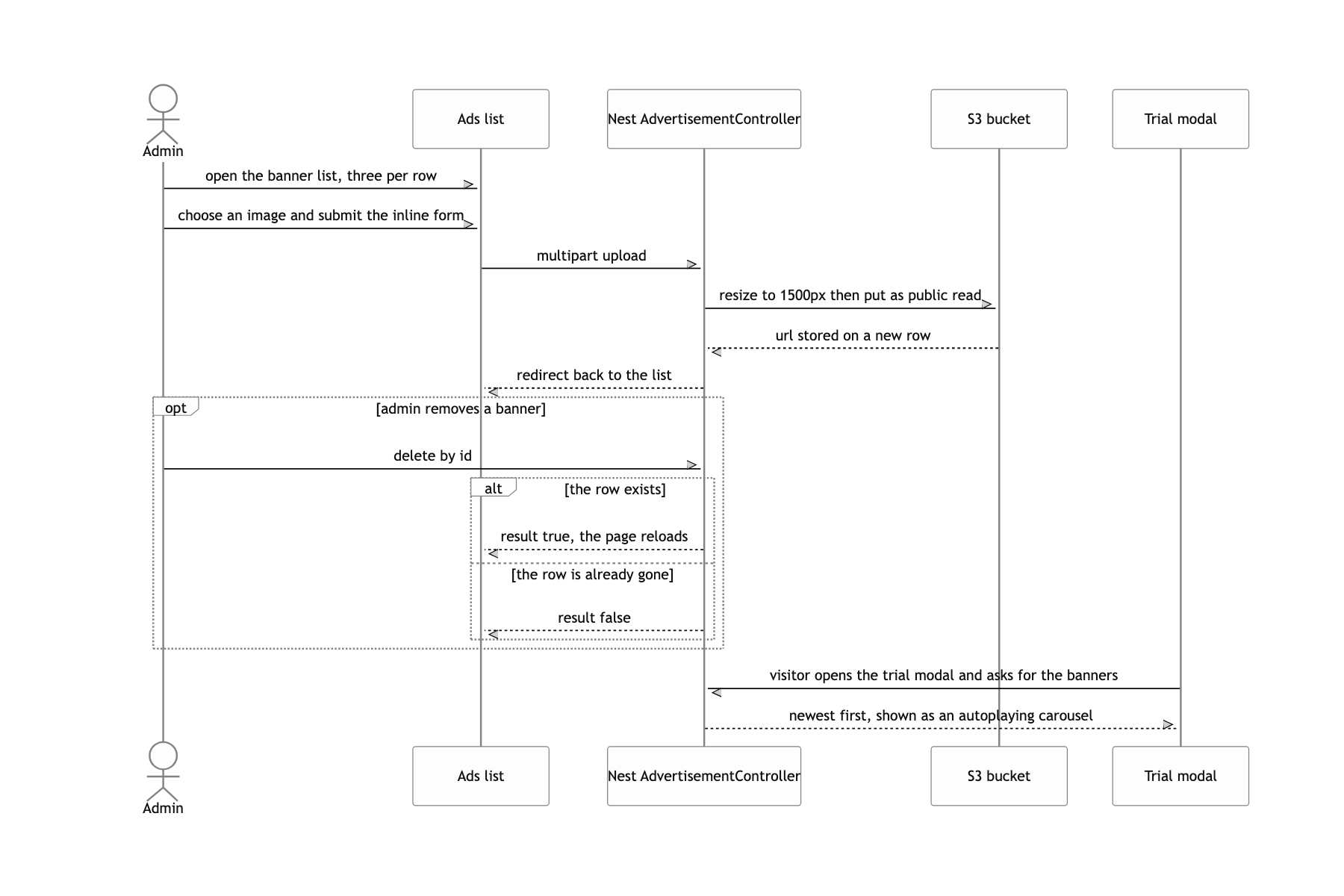
Uploads go through a resize step and land in S3 as public-read
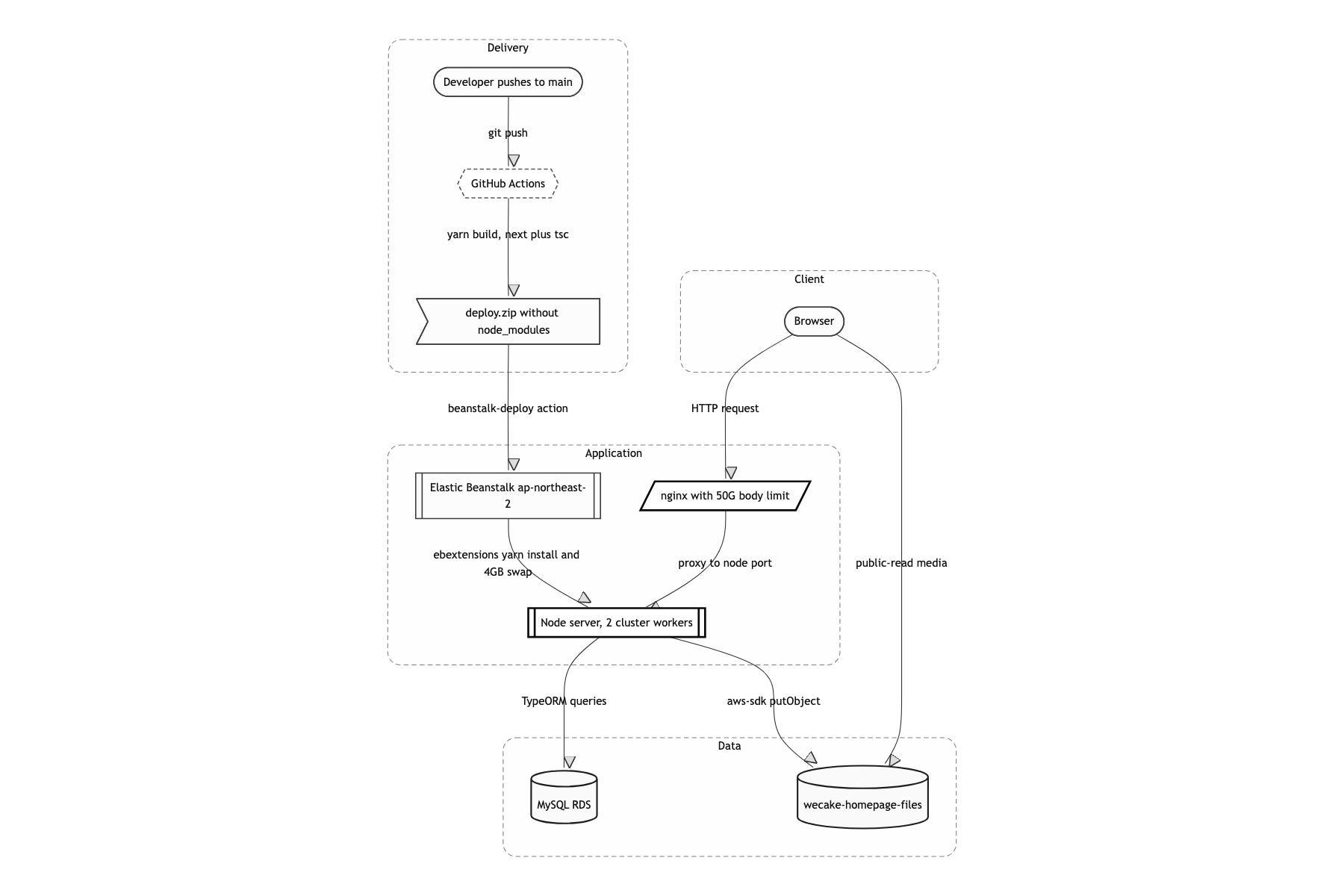
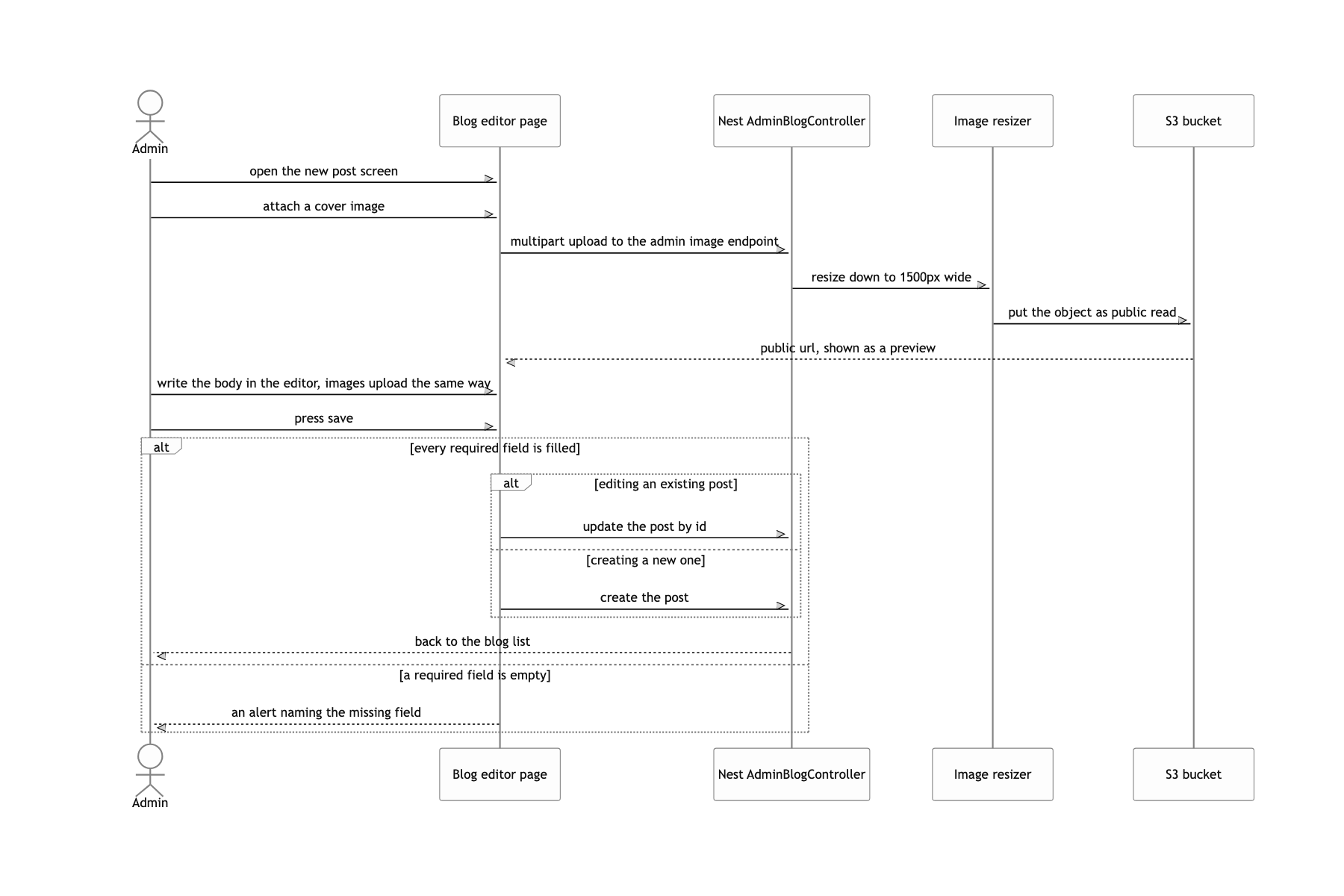
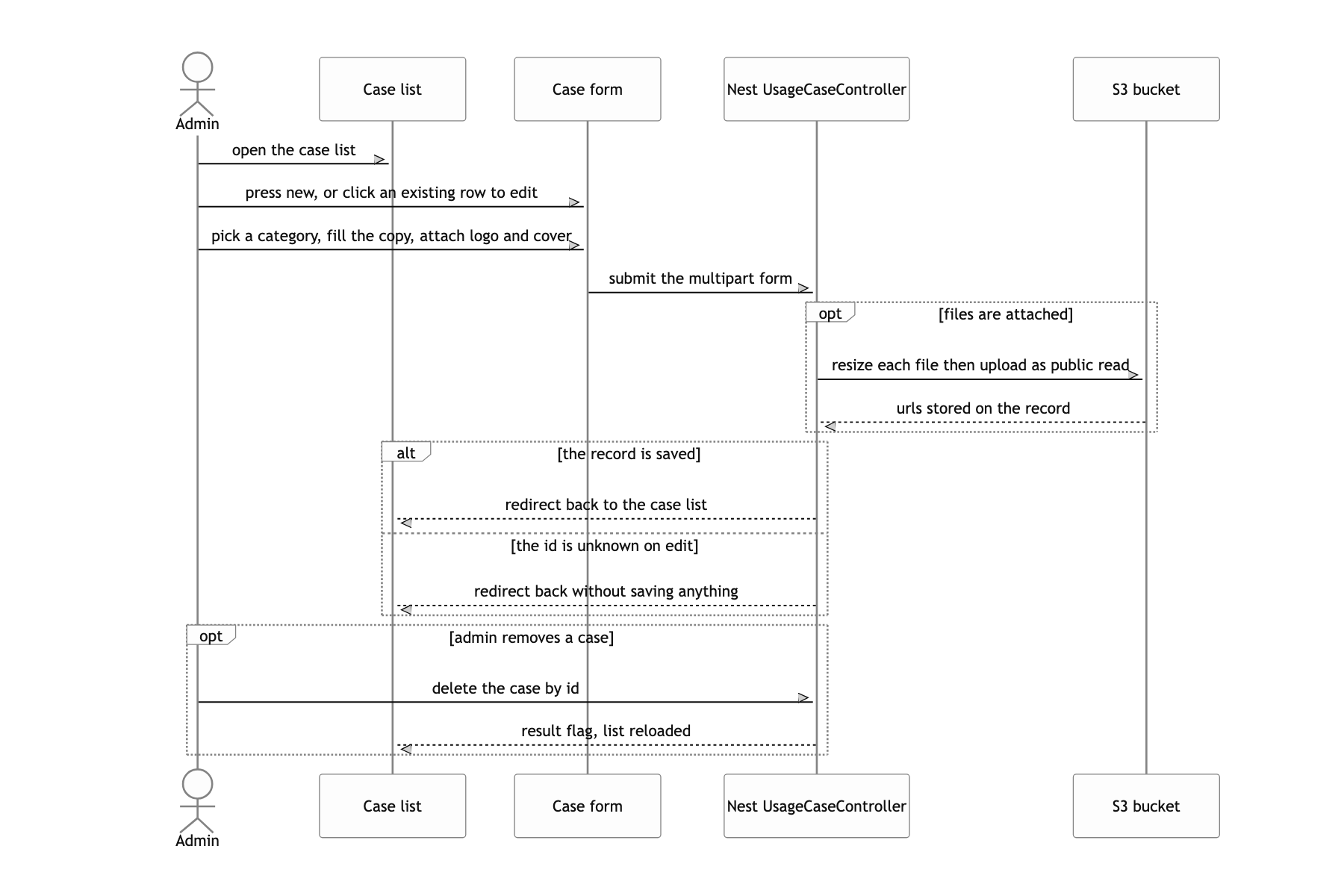
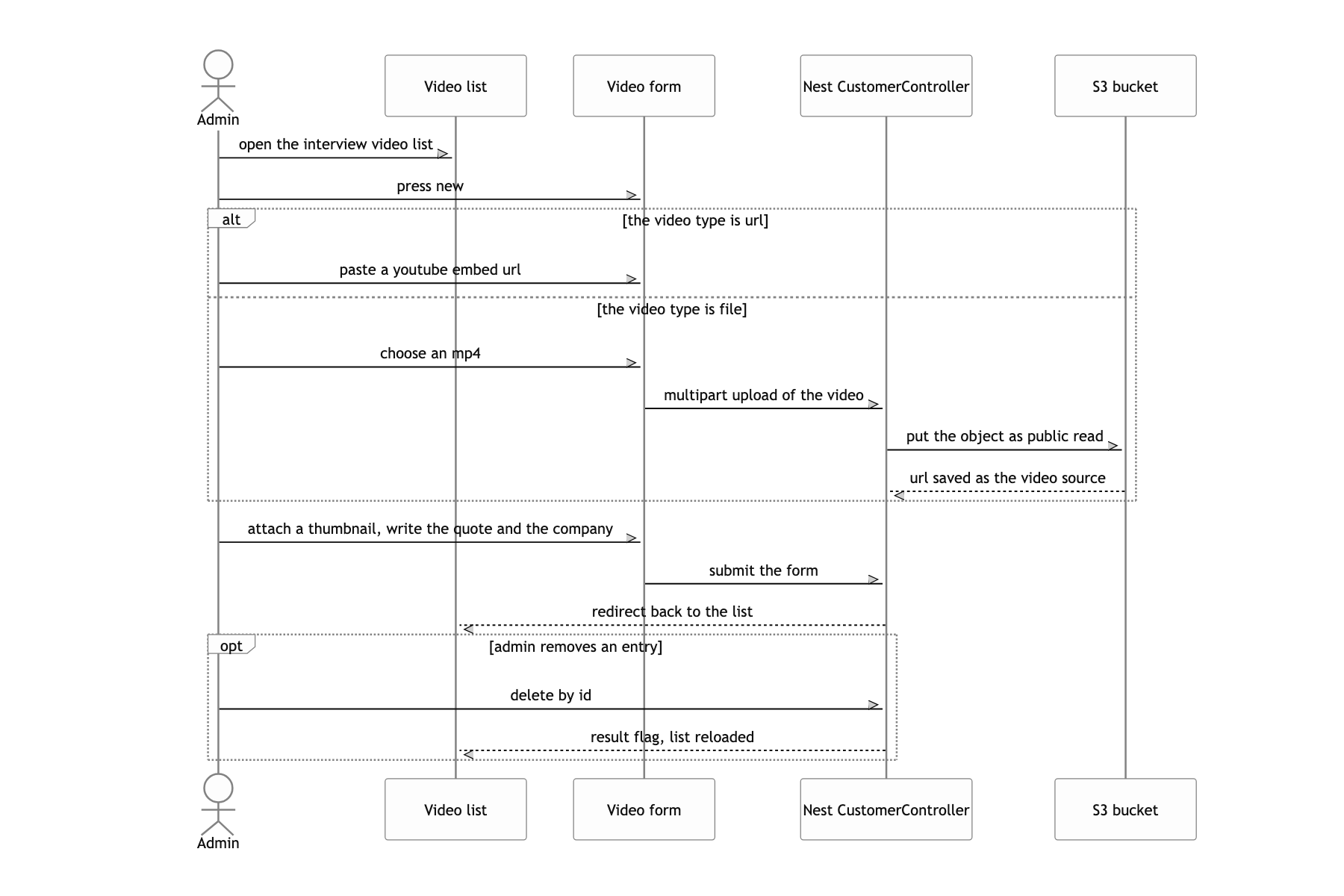
Blog body images left at their original size run several MB each. @dicolabs-kr/nest-module.media-converter shrinks the buffer to 1500px wide, the file goes into the wecake-homepage-files bucket, and the DB stores only the public URL. There was no budget or time for CloudFront, so the S3 URL is exposed as is.
Elastic Beanstalk with GitHub Actions, .ebextensions forcing yarn and a 4GB swap
The default EB hooks try to install with npm, but this repository runs on yarn.lock. 49_yarn.sh was dropped in to make it use yarn, and the default 50npm.sh was overwritten with an empty file. Installing dependencies on the instance blew out its memory, so 4GB of swap was reserved alongside it. The dev environment had to run on one small instance, and instead of shipping node_modules in the deploy zip the install had to happen on the server.
Chakra UI with createBreakpoints
The design was a two column composition that split at 845px. Setting md: '845px' matched the breakpoint to the comps, and writing every spacing value as a { base, md } object let one component cover both layouts. There was no design system, and components had to be built as the comps came in.
The controller names the page
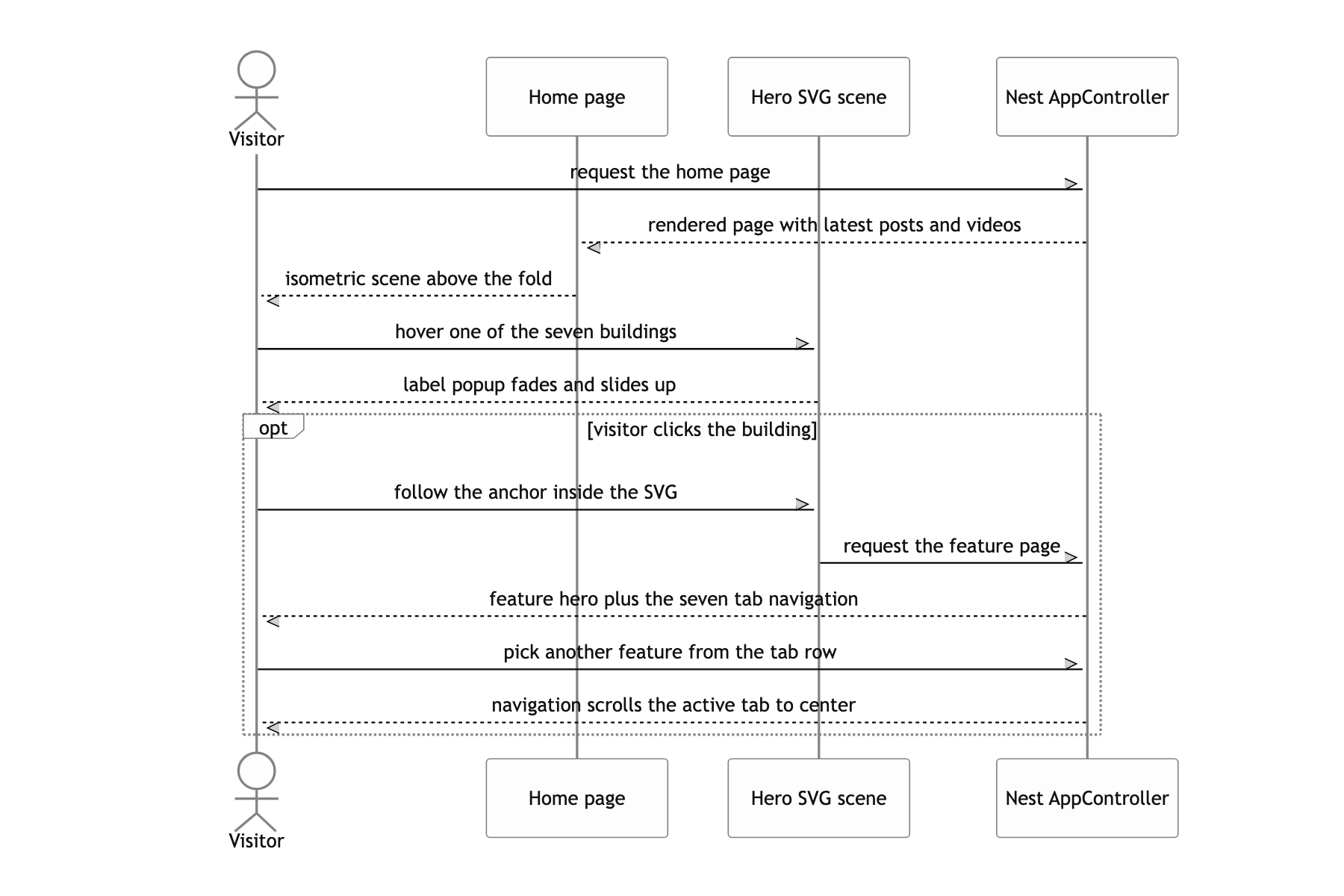
A request reaches a Nest controller first. AppController.index() reads the latest 6 rows from Blog and 7 from Customer, returns them with @Render('home'), and nest-next carries that return value into Next's ctx.query. The page pulls ctx.query.blogs out in getInitialProps or getServerSideProps and uses it as props. That is why this site has almost no API routes for data fetching.
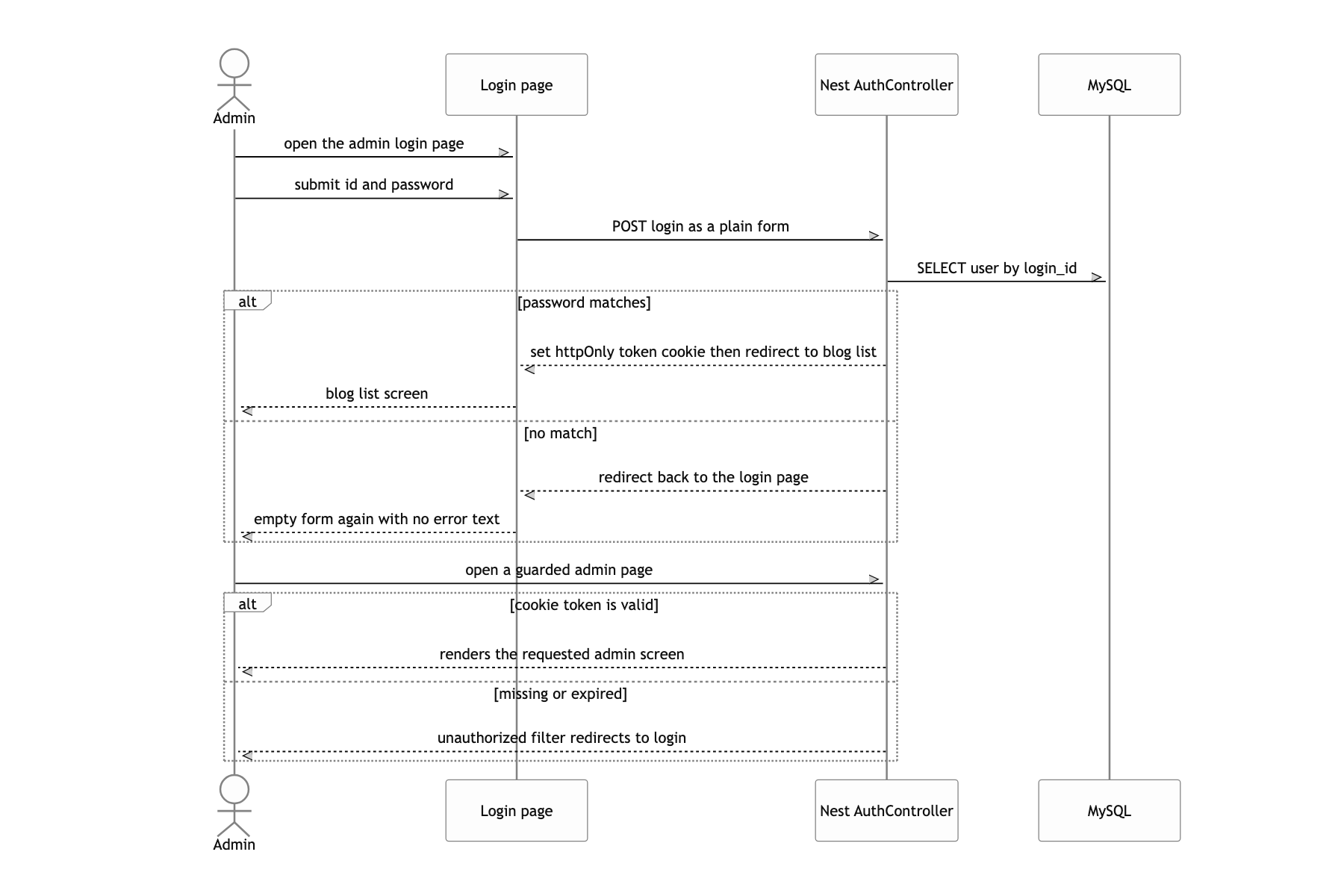
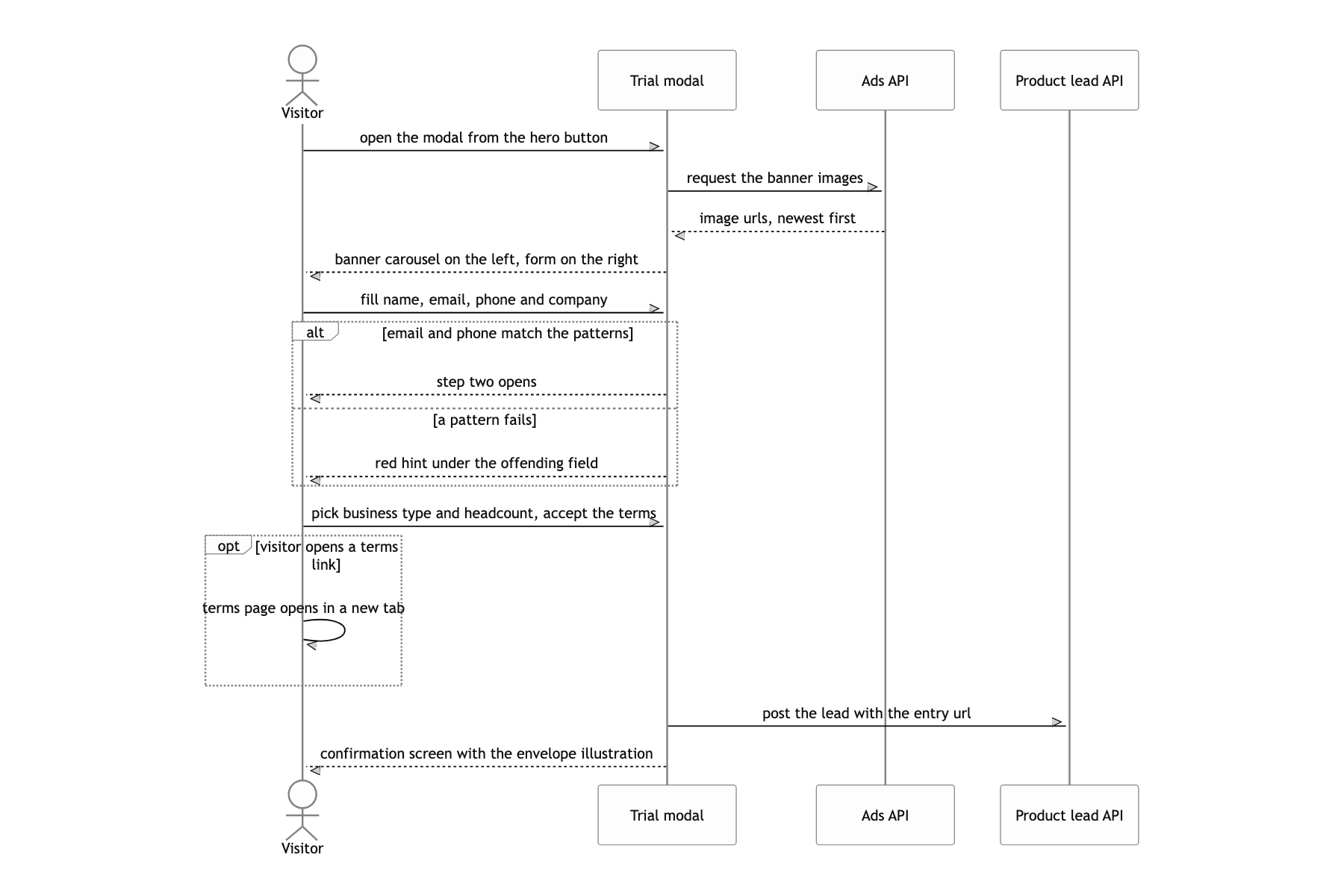
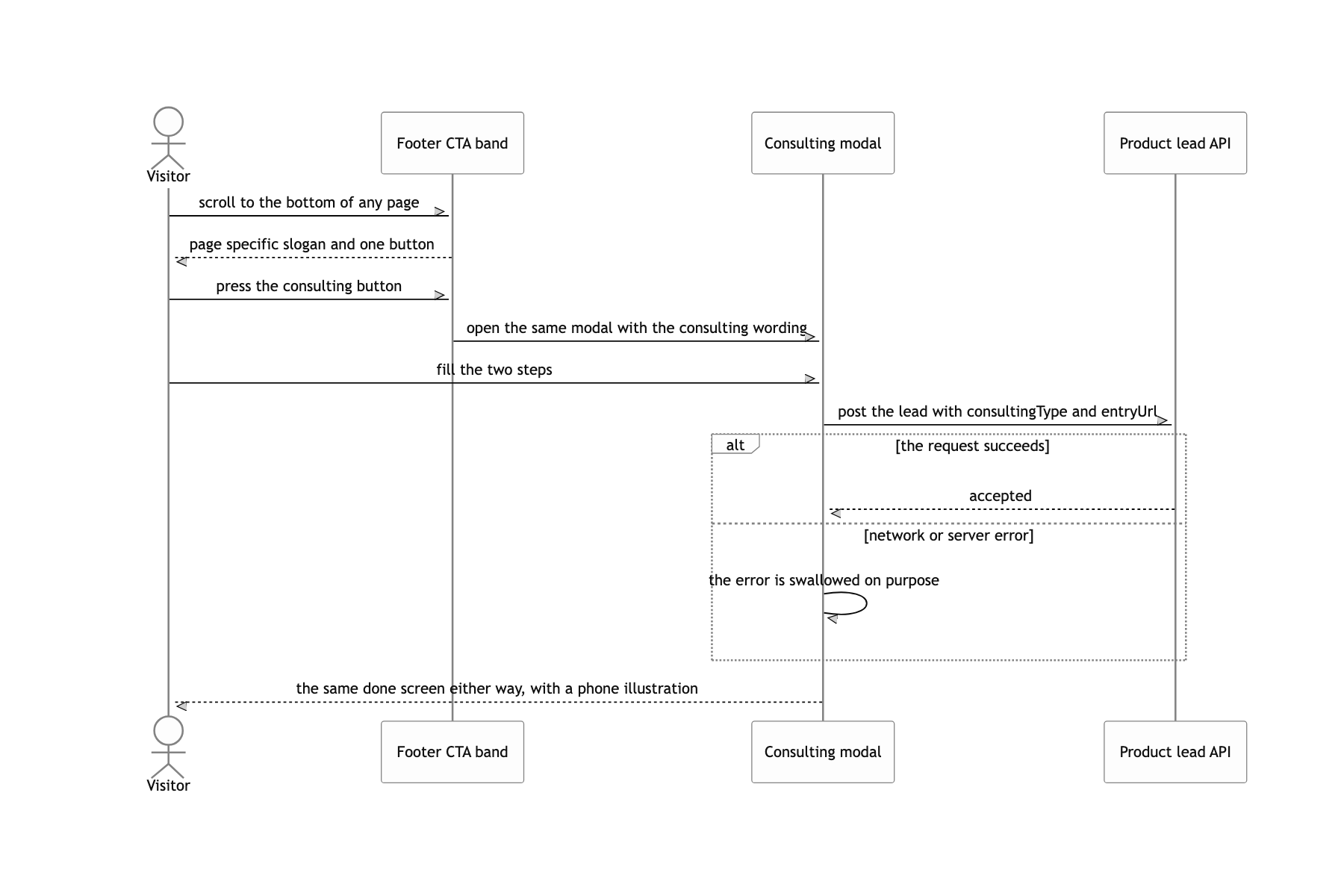
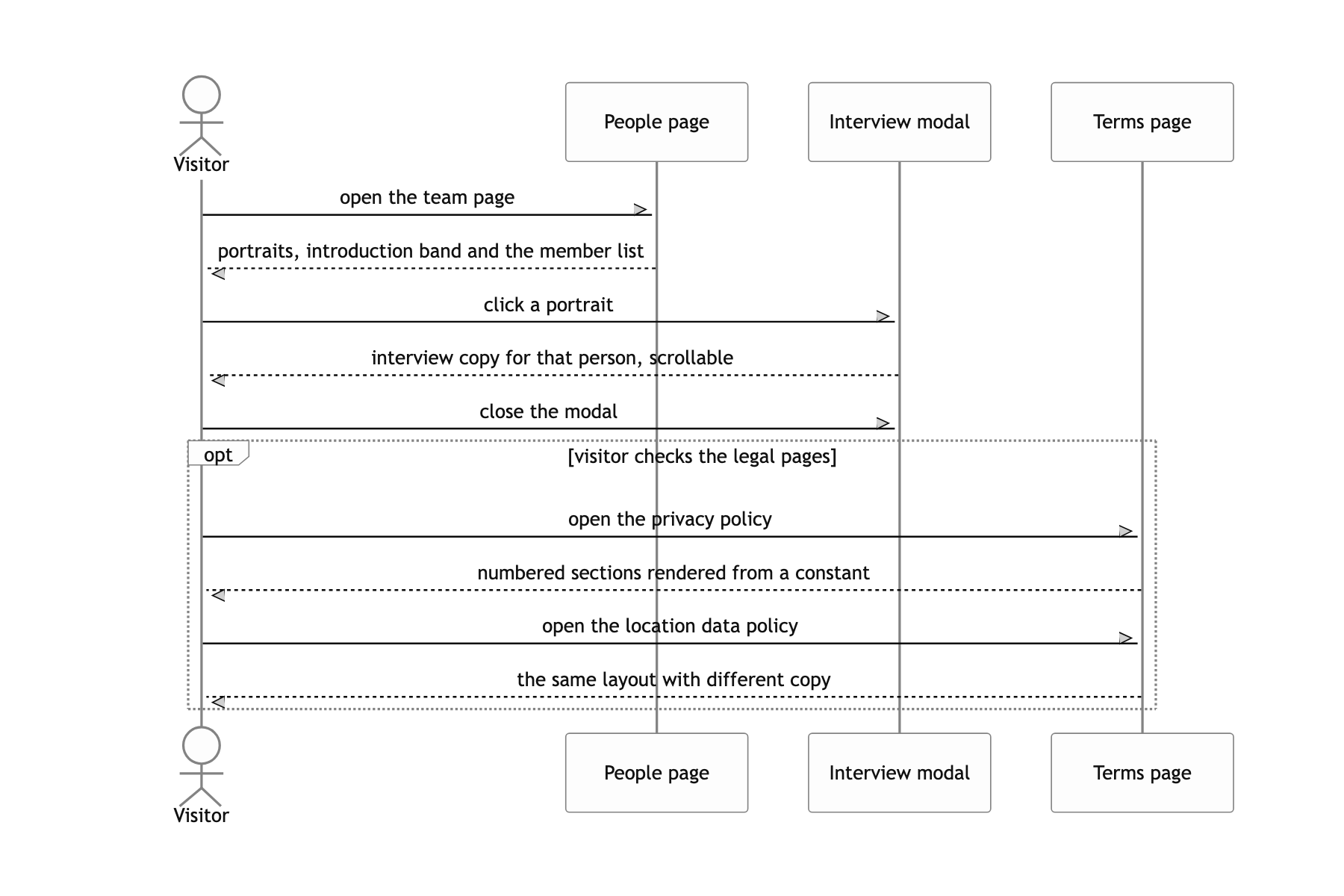
There are only two exceptions. Blog load more (GET /api/blog?page=2&slug=insight) and the banner rotating beside the request modal (GET /api/advertisements) are the only calls the browser makes itself. There is one outbound request too: the consultation and free trial forms POST https://api.wecake.io/consultings to hand the lead to the product. Images and video pass through /admin/image or each form's multipart handler, get resized, land in S3, and the DB keeps only the URL string. The admin lives at /admin/* in the same process, and JwtAuthGuard reads the token from an httpOnly cookie to block it.
Swapping typefaces one character at a time with unicode-range
When you want Hangul in Noto Sans KR and Latin letters and digits in Poppins, the first idea that comes to mind is a fallback list like font-family: Poppins, 'Noto Sans KR'. The other is to wrap each Latin fragment in a <span> per component and set the font there. The first gives you no control over which face digits, parentheses and the won sign fall into. The second cannot be applied at all to body HTML coming out of the admin.
I declared eight @font-face blocks and gave every one of them the same font-family, 'Noto Sans KR'. In exchange the four Hangul faces got unicode-range: U+AC00-D7AF, and the four Latin faces, whose files are actually Poppins, got the alphabet, digit and symbol ranges plus the won sign U+20A9. The Chakra theme is handed one family, 'Noto Sans KR', for both heading and body.
The browser picks the face per glyph according to unicode-range, and downloads a file only when a character in that range actually appears. So the markup needs no changes, and body content coming from the admin or a button label mixing Hangul and English splits on its own. Since all four weights (300/400/500/700) are prepared on both sides, changing fontWeight moves both typefaces together.
Building the hero illustration as a block of links instead of an image
Export the isometric illustration as a PNG, lay it down, and place a transparent position: absolute <div> over each building by coordinate. The coordinates have to be remeasured at every breakpoint, the hover popup has to be drawn on a separate layer outside the image, and the links never reach the HTML so crawlers cannot follow them.
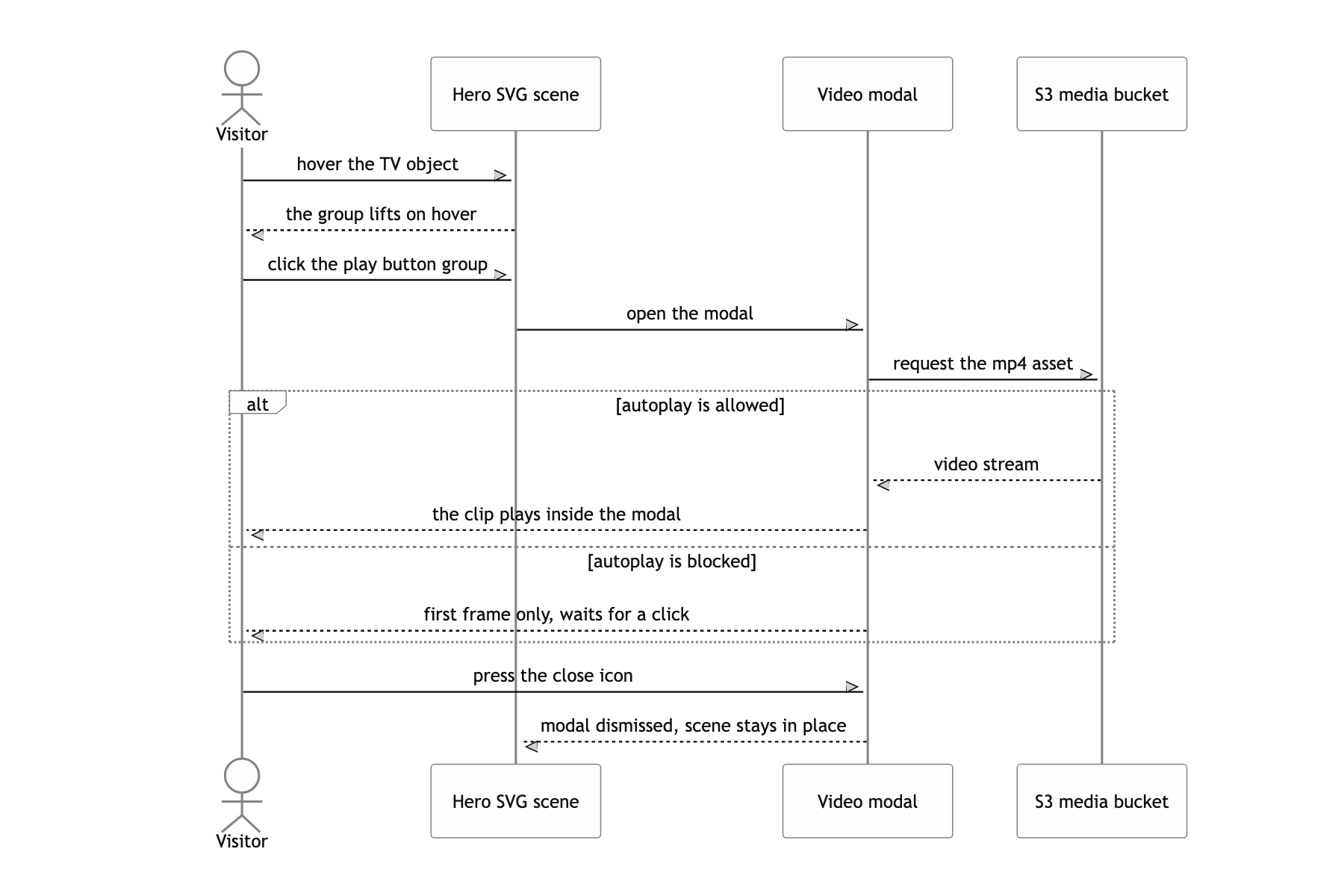
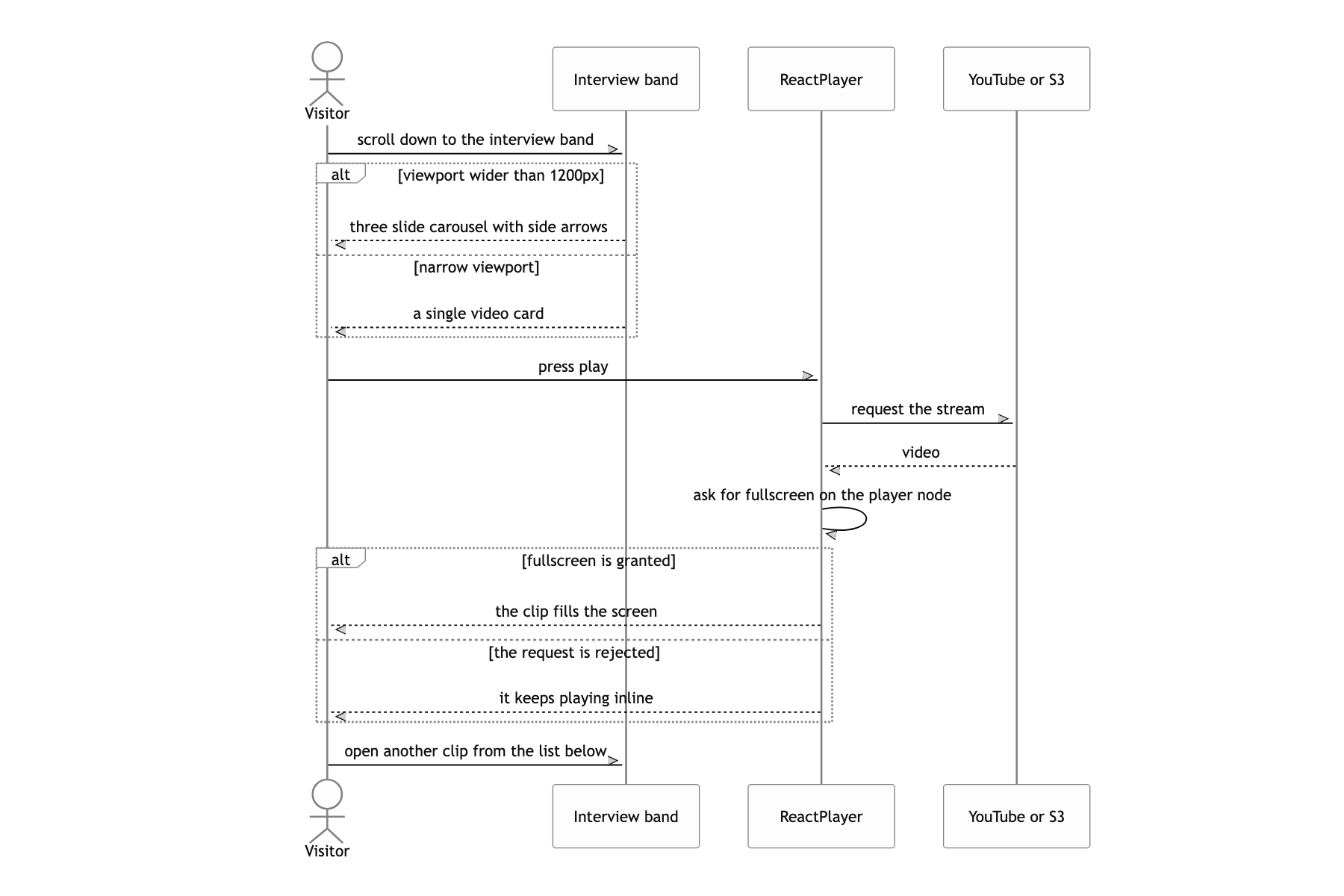
I inlined the whole illustration as SVG (JSX). The single file source/home/hero/illustration/index.tsx runs past 9,000 lines. In exchange, the seven features are wrapped in <a href="/feature/bond-and-debt"> inside the SVG, and each link holds a <g className="popup"> that rises on hover with opacity and translateY. Fill colors are planted inline per path as --fill / --hover-fill CSS variables and handled by one rule, a:hover > path:first-child { color: var(--hover-fill) }. The TV in the middle has an onClick on g.play-button that opens the brand video modal.
Because the coordinates are defined inside viewBox="0 0 1532 702", the hit areas and the popups track the drawing at exactly the same ratio no matter how wide the container gets. Adding a breakpoint leaves nothing to remeasure. The links are real <a href>, so they stay in the HTML the server drew and they open in a new tab. Pulling the colors into variables saved writing a hover rule for each of dozens of paths. The price was a bigger bundle, but this drawing was the entire first screen of the home page, so it was a trade worth taking.
What a user can do
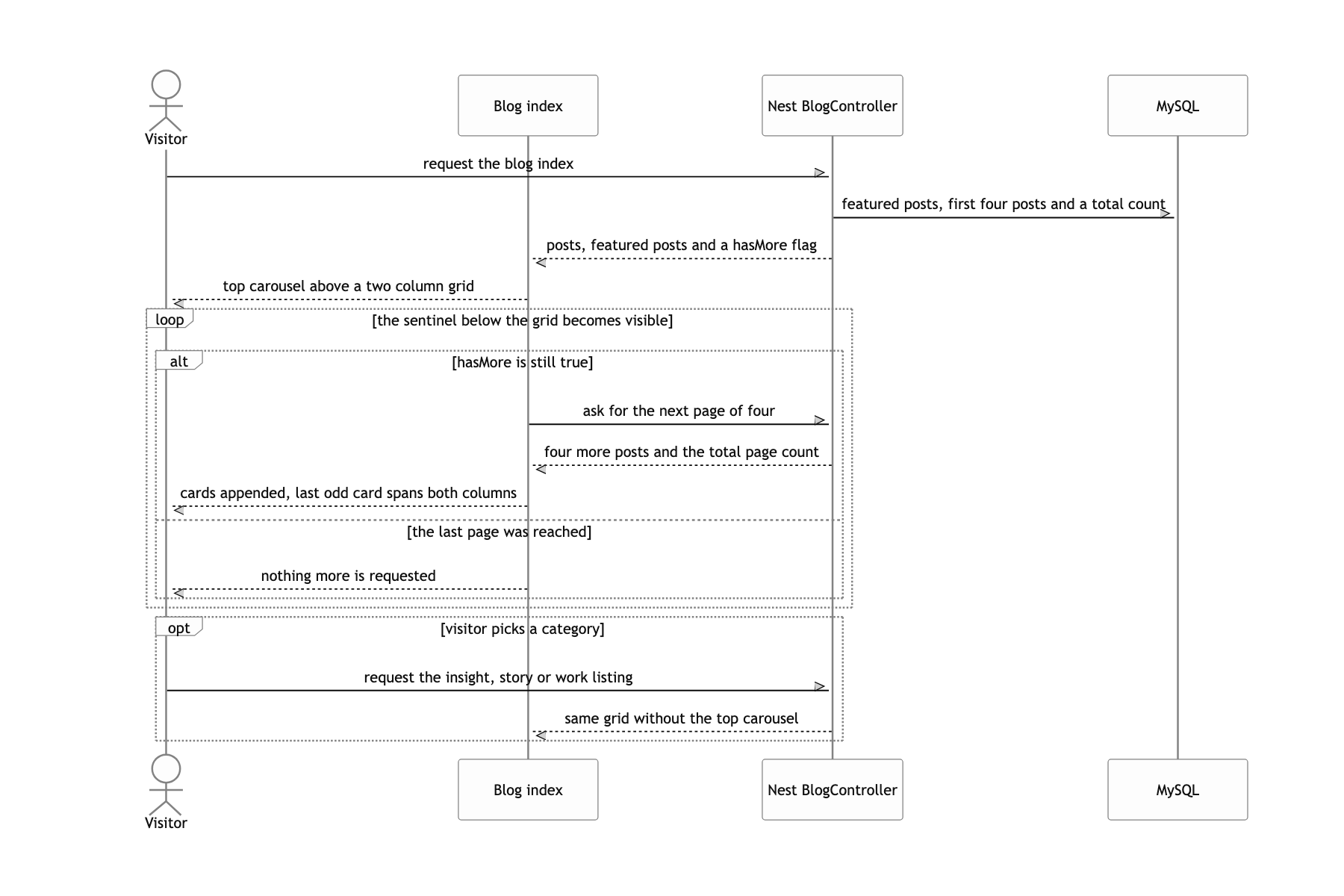
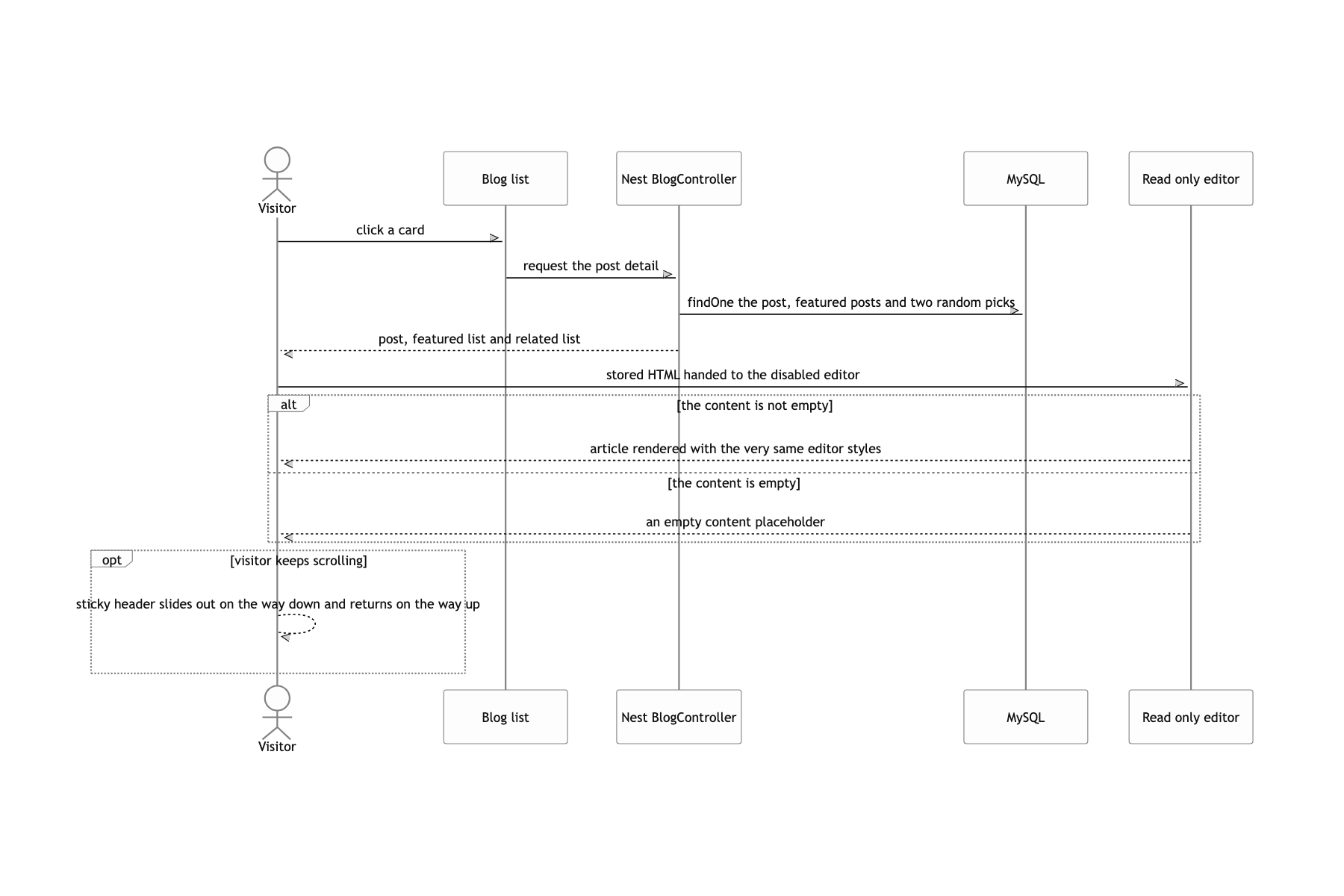
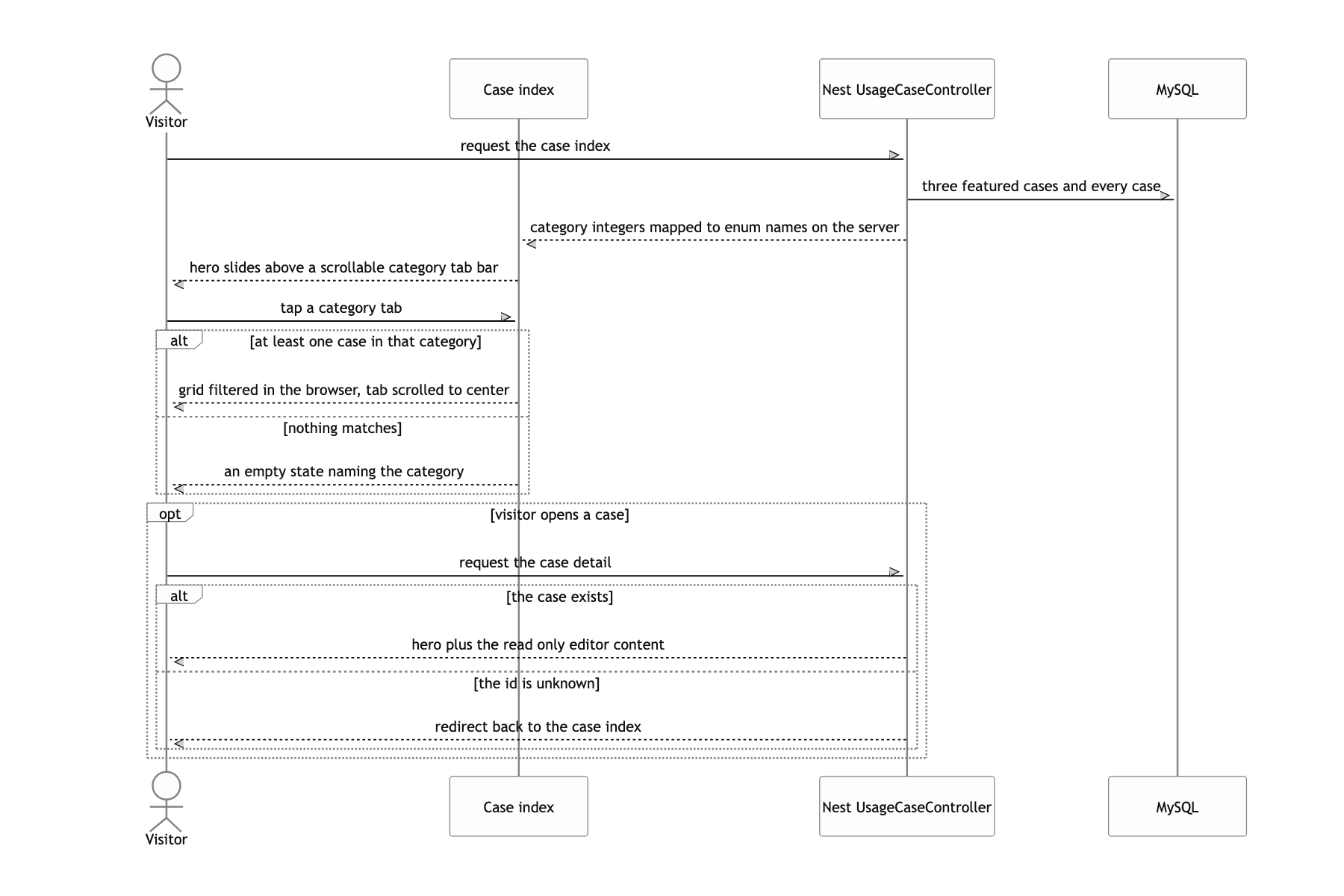
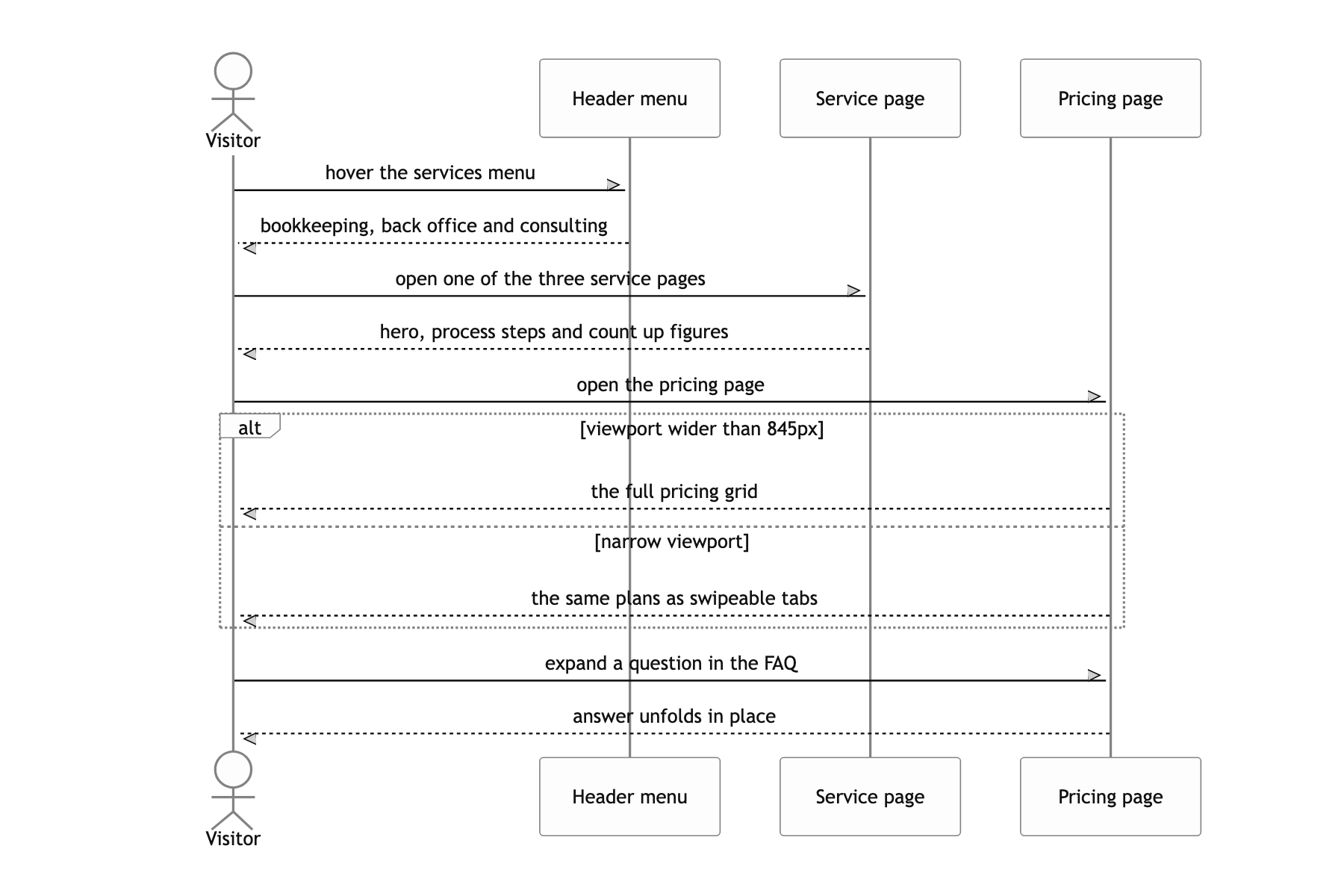
The cost of one global !important
Not everything got a clean finish. The one that still bothers me most is letter spacing. There is a global * { letter-spacing: -1.25px !important; }, and after mount setLatinLetterSpacing() tries to undo it for Latin runs by wrapping them in <span style="letter-spacing: 0">. But in the CSS cascade an !important declaration beats a normal inline one. That correction was effectively never applied. Today I would strip the global !important and give the Latin class an ordinary rule.
The case study categories are the same kind of thing. The DB stores an integer and the meaning is written down in three separate places: the entity comment, categoryNumToEnum in the controller, and CASE_CATEGORY on the frontend. The values happen to line up, but the names contradict the meanings. MEDICAL is food service and franchise, IT is logistics and distribution. This should have gone to an enum column or a category table.
Beyond that, the admin password is compared in plain text with user.password === password, and with no migrations and synchronize on only in development, the production schema was matched by hand. pages/views/admin/advertisement/detail.tsx is a copy of customer/detail.tsx that sits there wired to no route. I let these go on the judgement that there was a single admin and this was a short lived marketing site, but all three were one or two lines of work.
