Timed Reveal Travel Log Map Promotion Site
A promotion site that flips to full content on schedule
A launch nobody has to press
A promotion site that turns a five-day trip taken by six members of an idol group into a route fans walk on a map.
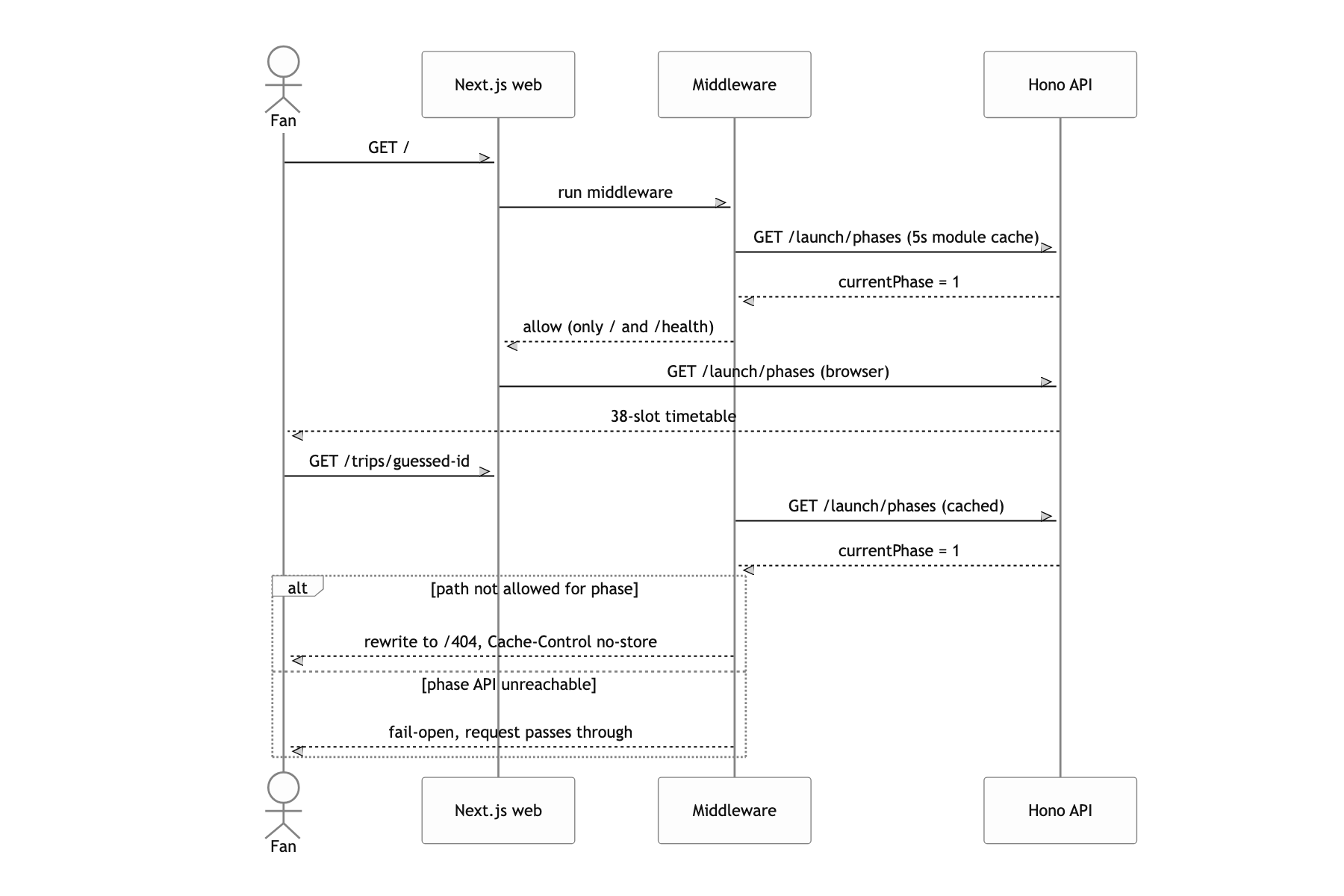
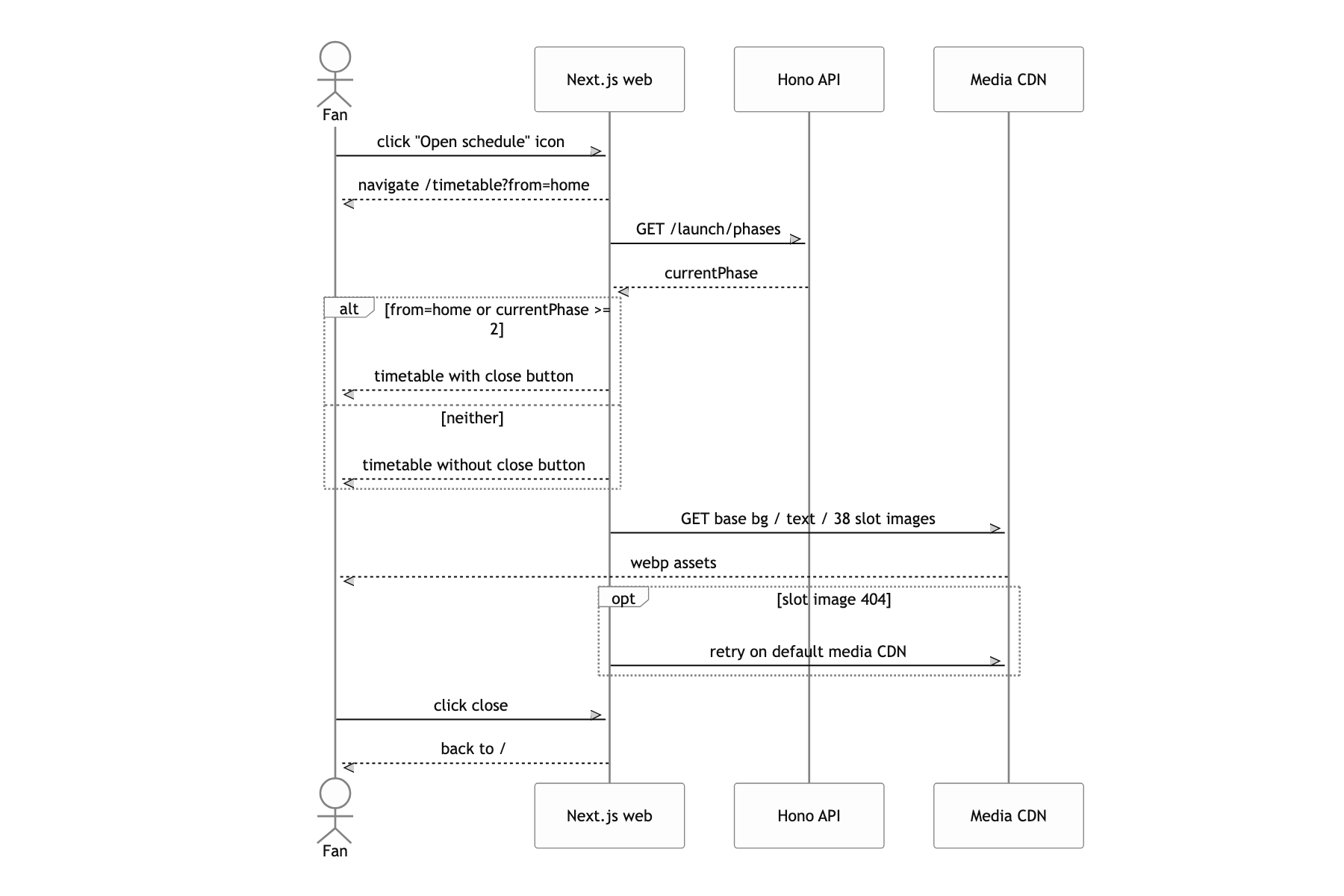
The launch was split in two. The first launch showed nothing but a schedule table, and once the second launch time passed, the same URL had to become the real thing. The switch had to run off a set time rather than a deploy, and until then, hitting a URL like /trips/1 directly could not return any content.
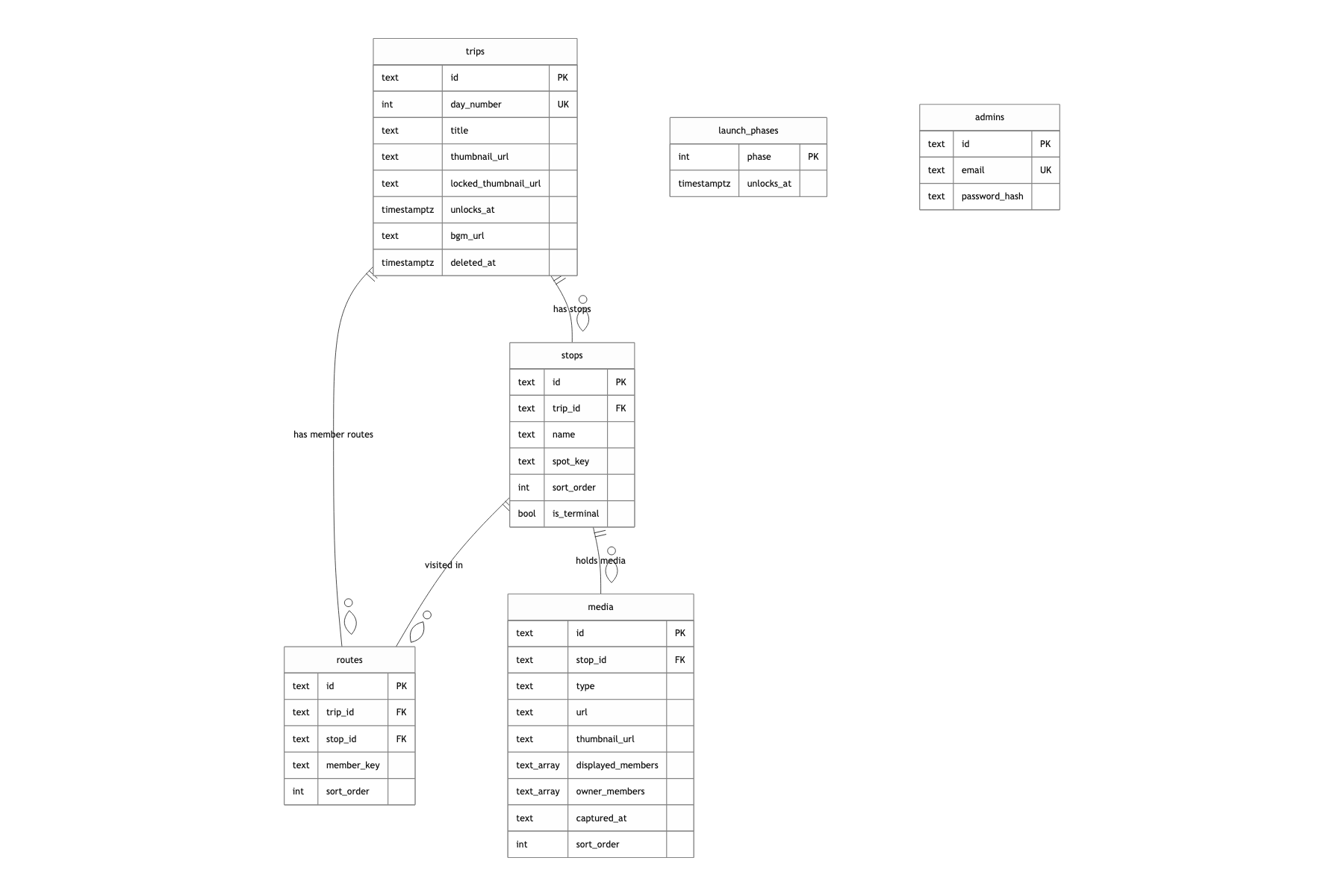
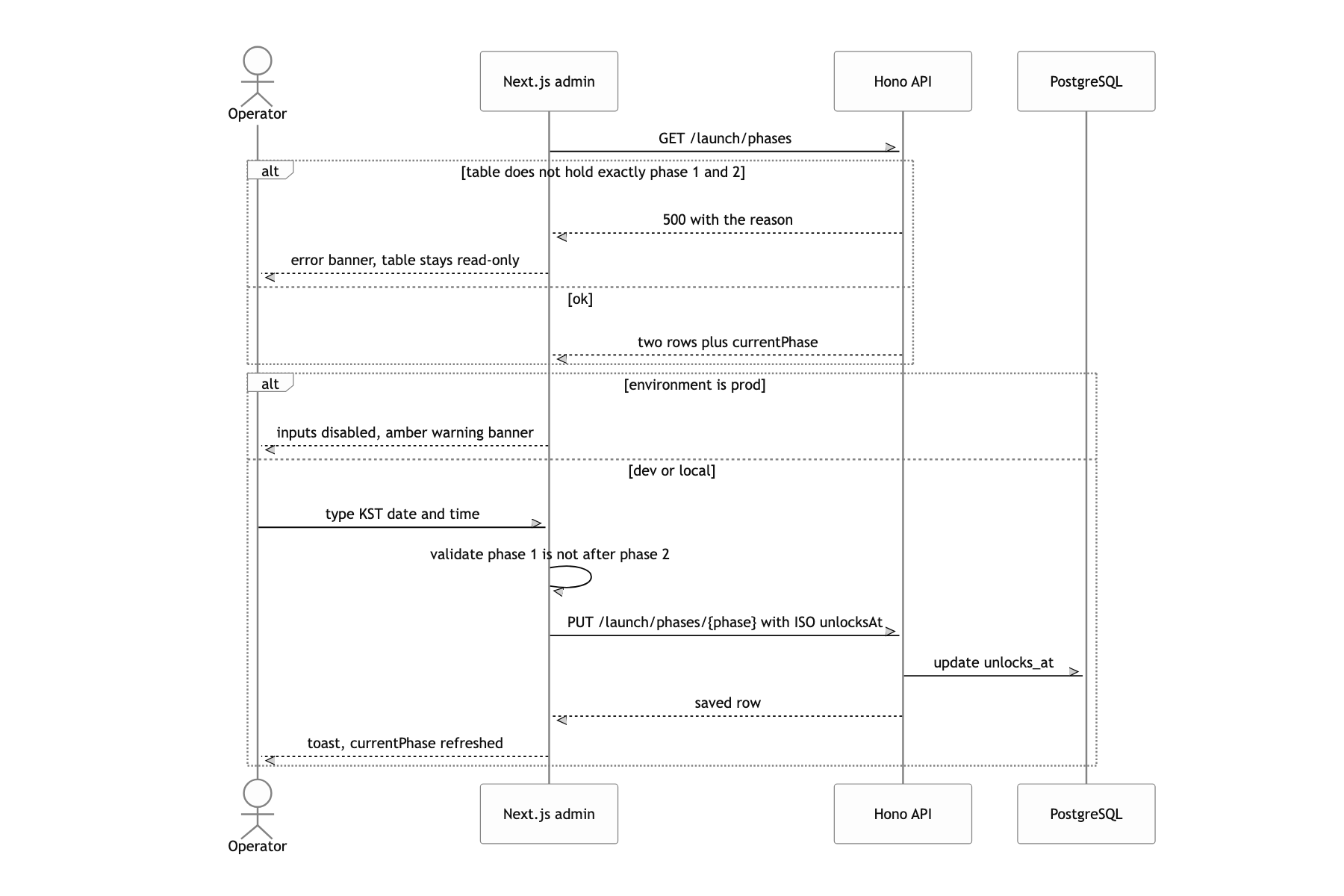
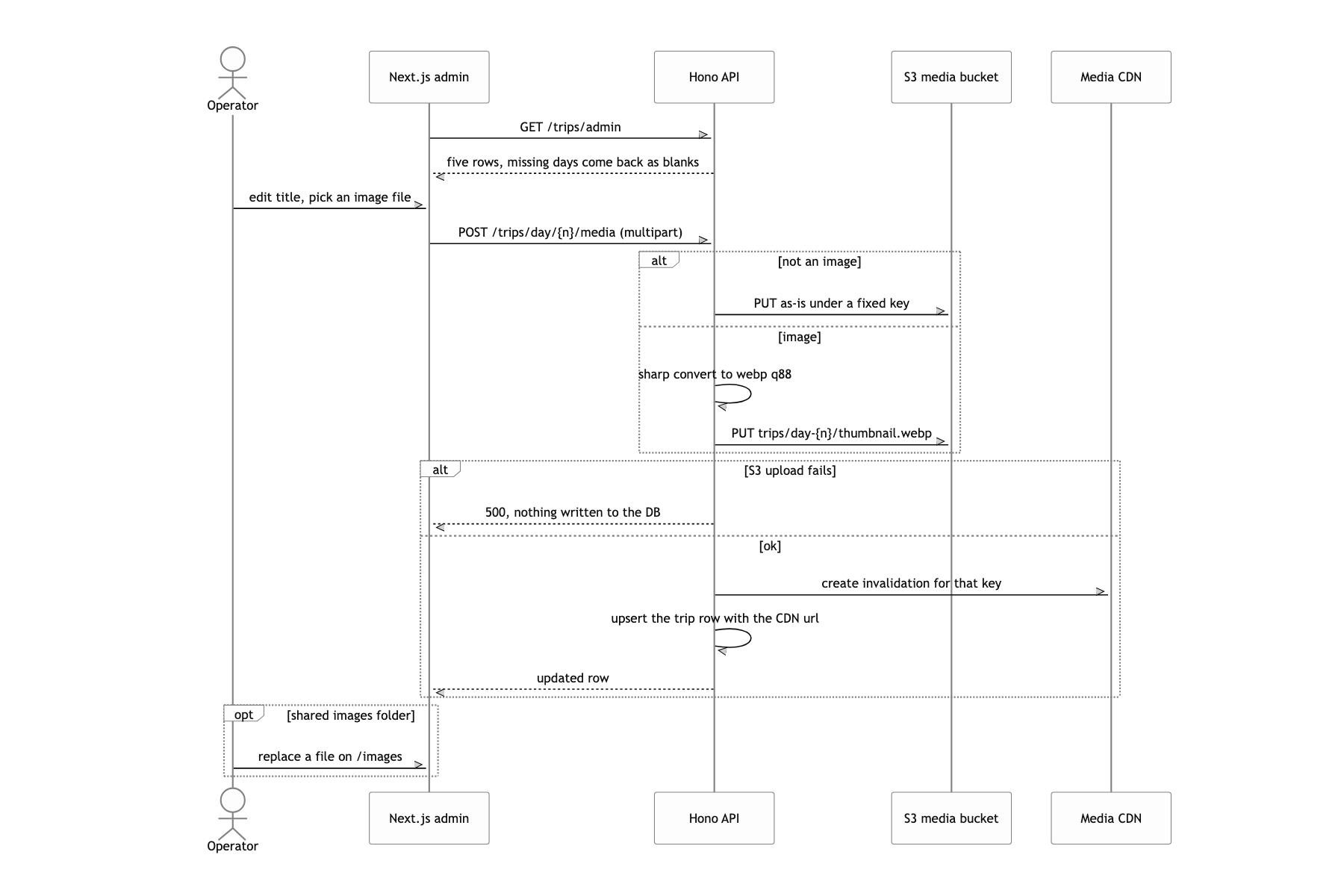
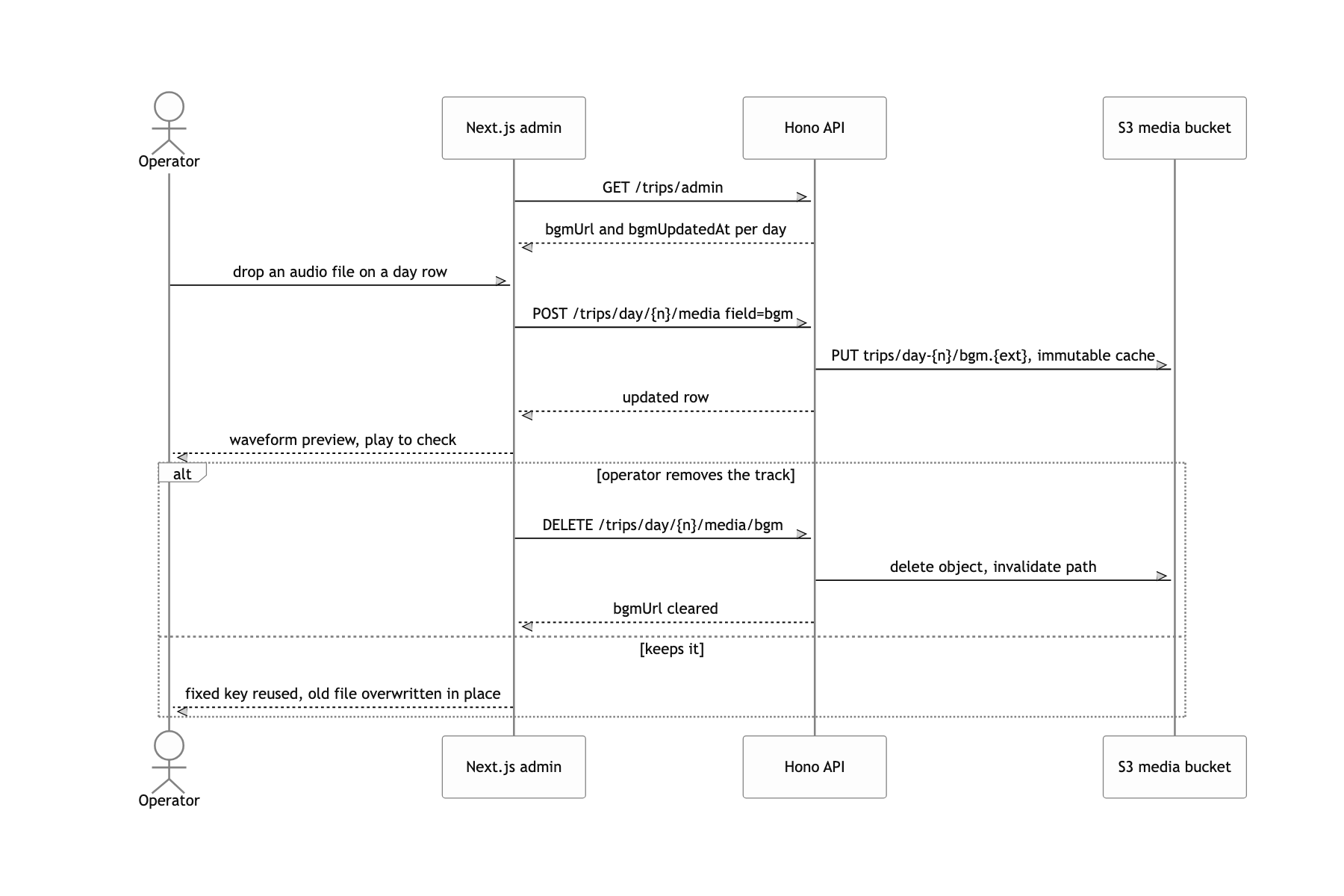
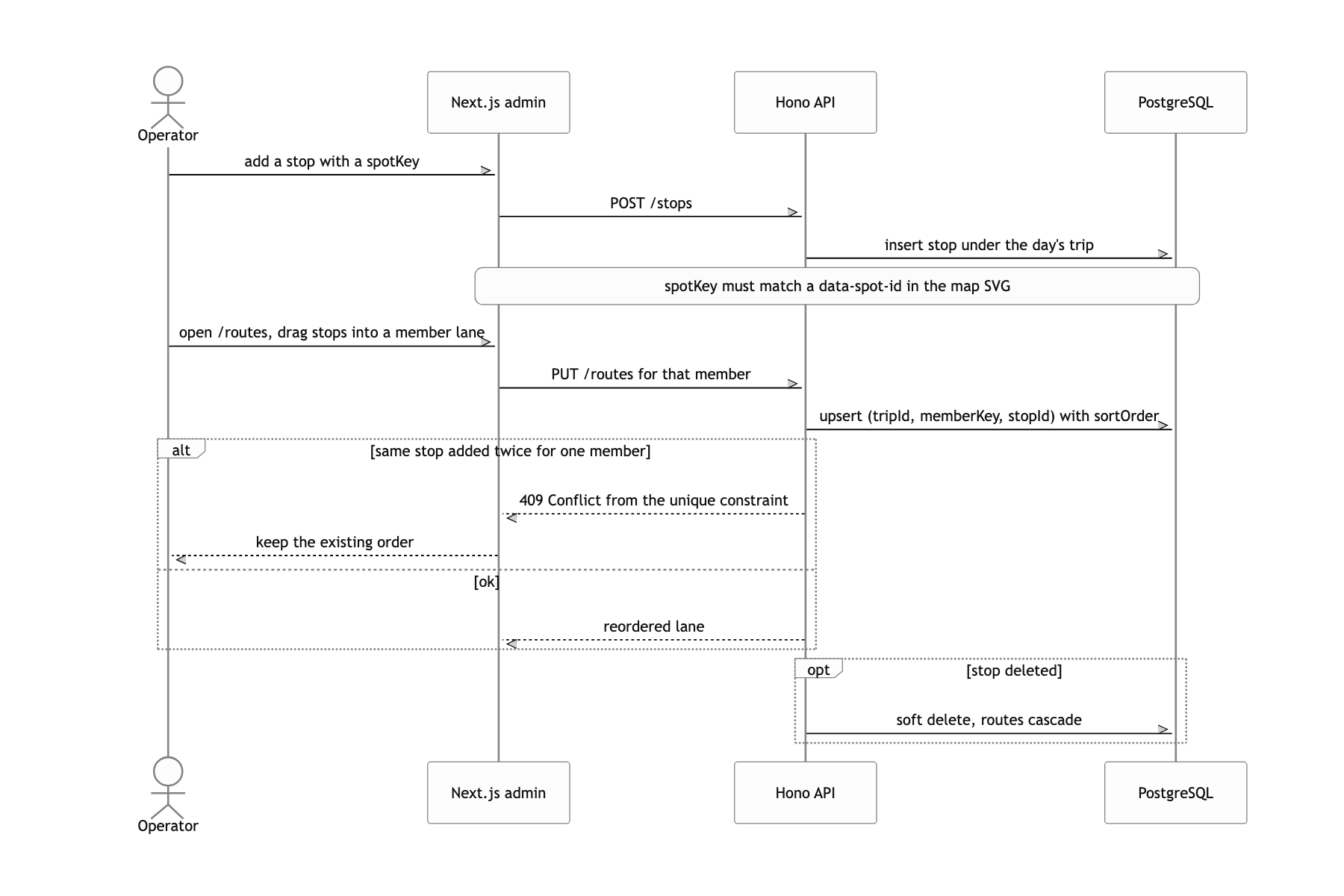
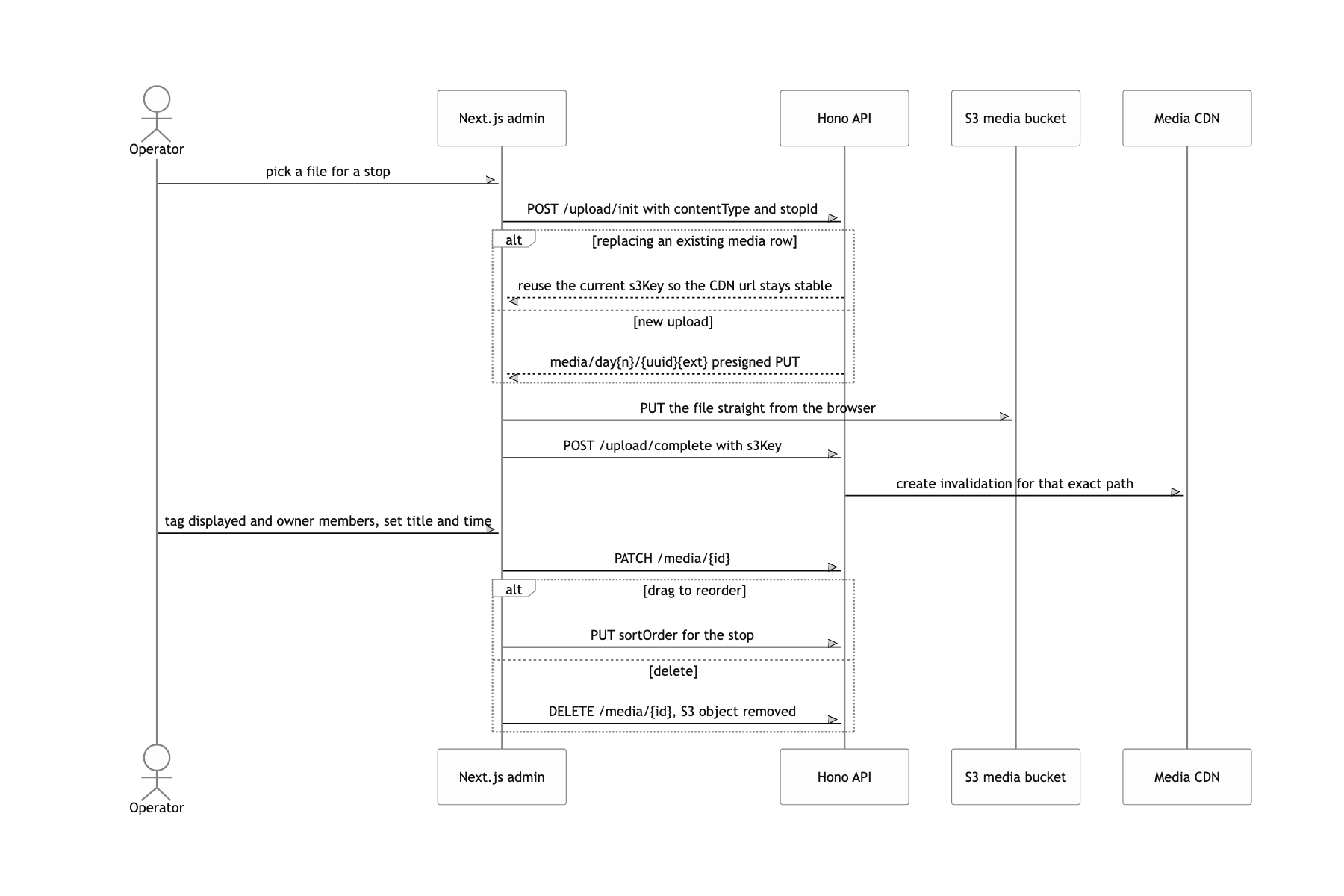
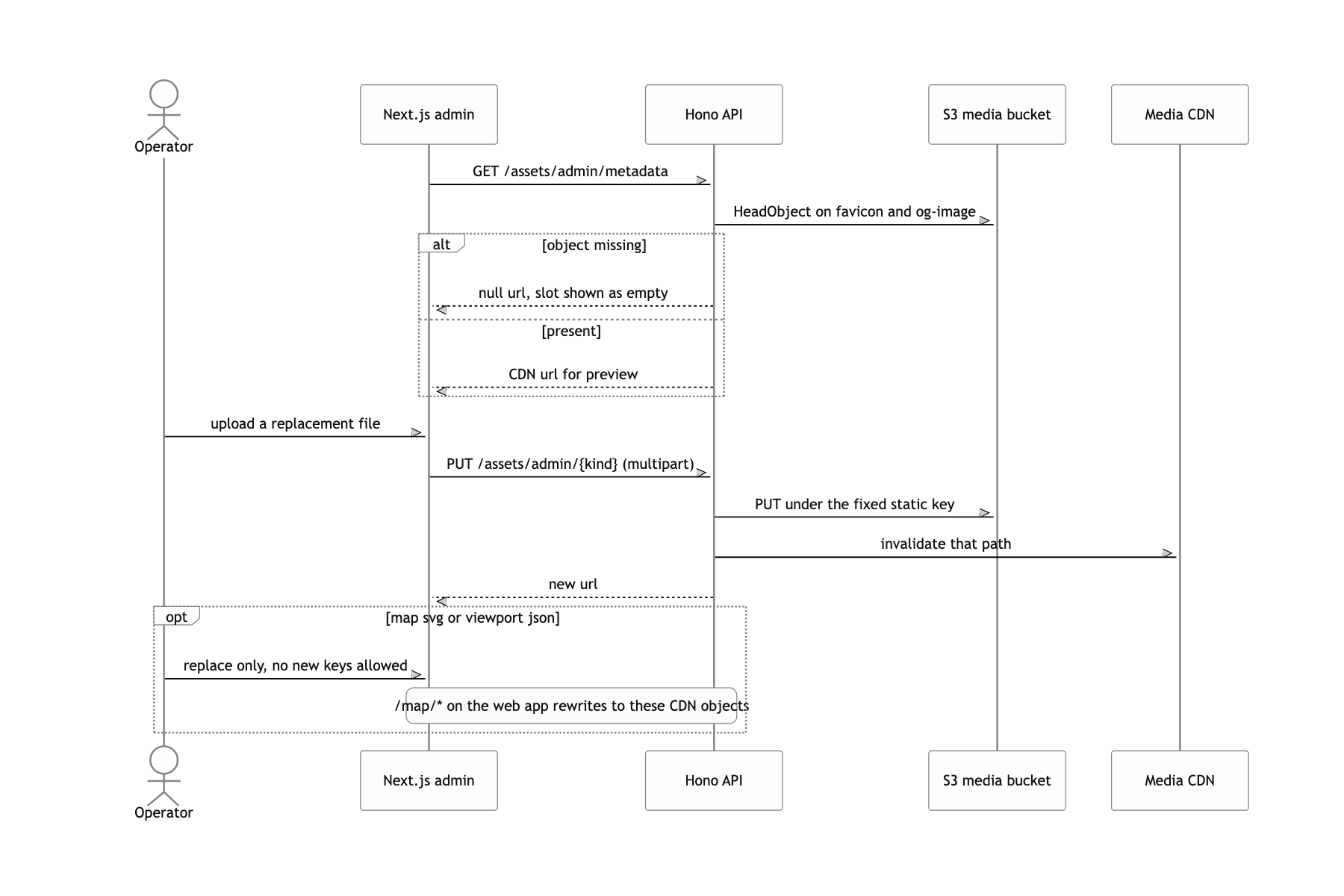
Content had to be managed directly in an admin: five days of photos, video, audio, and writing, plus a per-member route, all uploaded, reordered, and swapped out without a developer in the loop.
Three managed apps, one CDN boundary
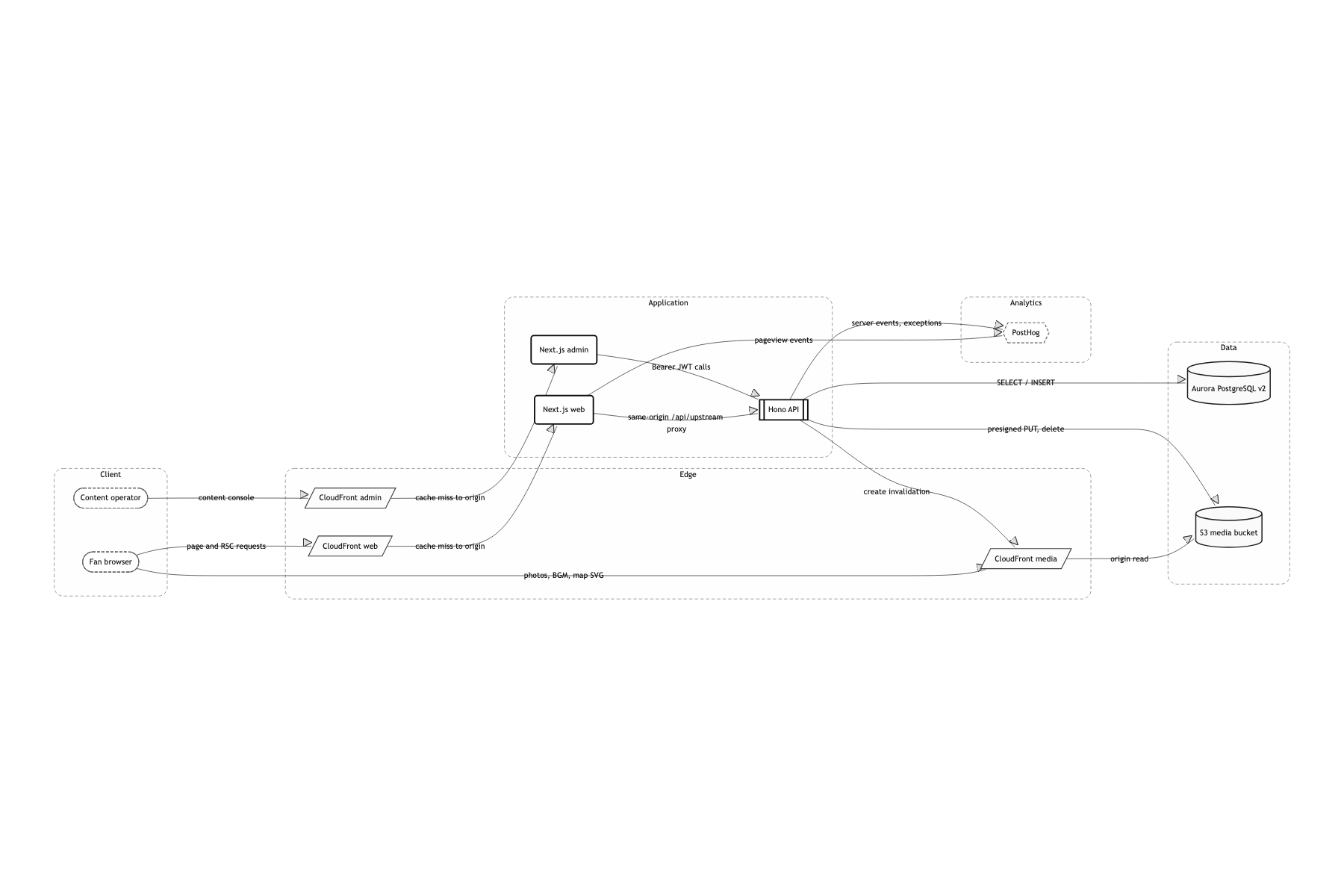
A Turborepo monorepo with two Next.js apps (web, admin) and one Hono API
web and admin show the same data in different ways. I wanted the logic that hurts when it is wrong, the lock decision above all, to live in exactly one place, so I exported Hono's AppType straight into an hc client and let both frontends share the same types. If the API had lived entirely in Next.js Route Handlers, admin would have ended up calling web's internal functions, or the logic would have been copied. The team was small enough that splitting into more services was not realistic, and the domain itself was six tables.
ECS Fargate + ALB + three CloudFront distributions + Aurora PostgreSQL Serverless v2
The traffic shape was extremely spiky. Everything arrives at the launch moment and it is near zero the rest of the time. Serverless v2 keeps the idle bill low, and ECS lets me raise desired count by hand right before launch. prod web actually deploys with desired count 4, api and admin with 2. With a fixed launch time, a late scale-out is not something you get to undo. There was no room to wait for autoscaling to react, so I chose to size up ahead of time.
The browser goes through a same-origin /api/upstream proxy, server components go straight to the ALB via API_INTERNAL_URL
The moment you attach a custom domain, browser CORS and CloudFront's front-door policy both show up at once. Route every browser call through a Route Handler on the same origin and CORS never comes into existence. Server components, on the other hand, run inside the container and have no reason to take a lap through the CDN, so they hit the ALB DNS directly and pick the target group with an X-Forwarded-Service: api header. Node.js fetch (undici) will not take a relative path, so the server side was forced onto absolute URLs, which is why path resolution ended up forking in two.
Web starts after migrations
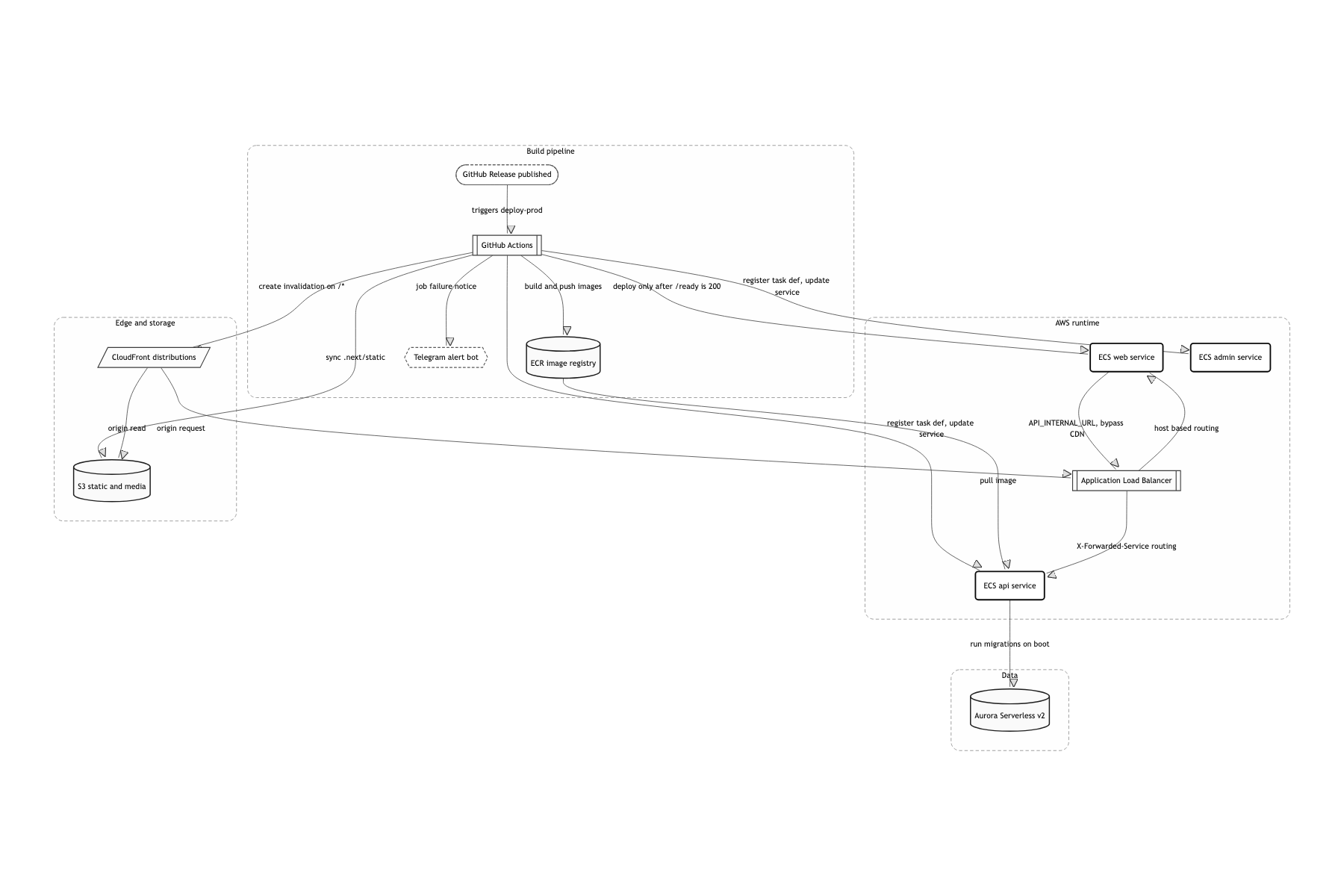
There are three ECS services (api, web, admin) behind an ALB, each with its own CloudFront in front. Media goes out through a separate S3 bucket and a separate CloudFront. The part of deployment I worried about most was ordering. DB migrations run themselves as the API container boots. The trick is that the HTTP server comes up first and migrations run behind it. /health always returns 200 so the ECS health check passes, while /ready only returns 200 once migrations finish. In the meantime every path except /health and /ready is blocked with a 503. The deploy workflow waits for the ECS rollout to reach COMPLETED, then polls /ready, and only after a 200 does it ship web and admin. Skip that order and you get a brief window where a web build expecting the new schema is looking at the old one. This piece goes deep on exactly one thing: map rendering. Splitting CloudFront's RSC cache key, admin auth, and the media upload flow are each worth their own writeup, so I am leaving them out here.
Dropping the map library and putting a camera on a single SVG
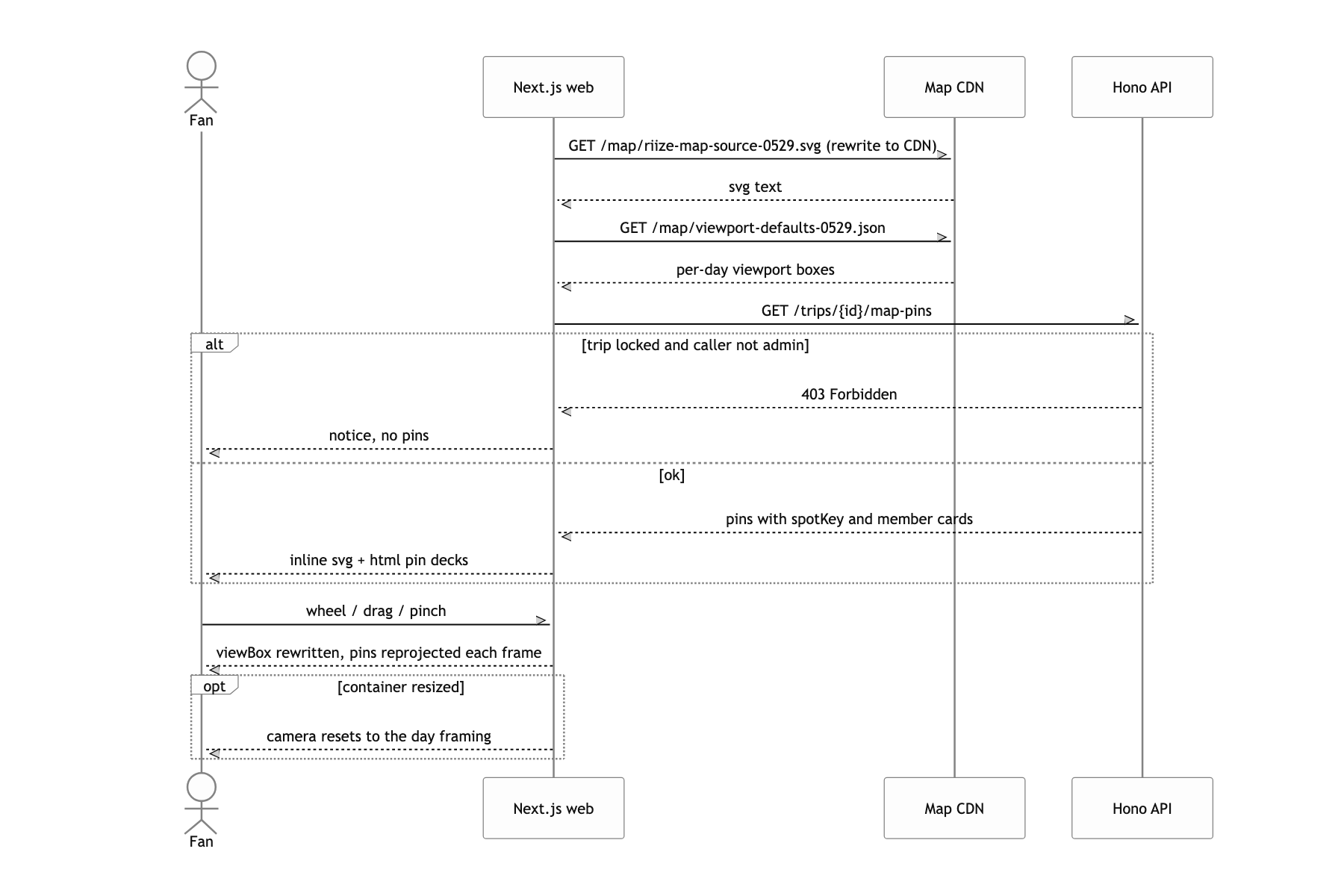
Say "map" and the reflex is Leaflet or Mapbox: bake the hand-drawn illustration into tiles, attach a lat/lng to each spot, drop markers. But this map is a drawing, not a place. There is no lat/lng to begin with, and if you invent one, every revision of the artwork means re-tracing the coordinates. On top of that the pins were not simple markers but card decks, several member photos stacked at an angle. The moment you try to build that on top of a library's marker API, you spend more time fighting the library than drawing.
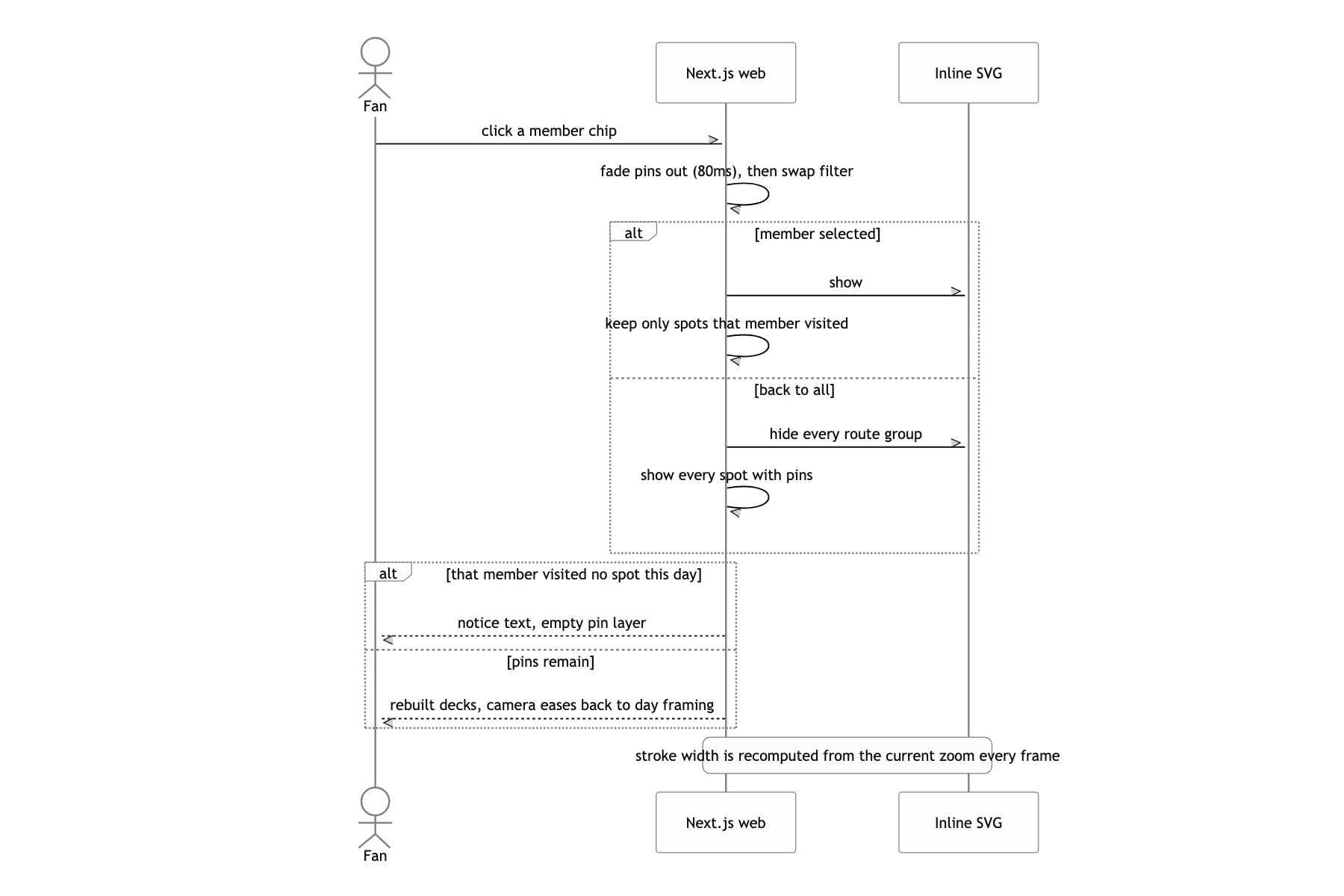
I used no map library at all. I fetch a single SVG exported from the illustration, drop it into the DOM with innerHTML, define the camera as three numbers, {k, cx, cy}, and turn that into a viewBox string written back onto the SVG every frame. Spot positions come from reading the getBBox() center of [data-spot-id] elements inside the SVG, projecting that through the viewBox into container pixels, and absolutely positioning an HTML div pin there. The dotted leader lines and diamond anchors that connect a pin to its actual spot are drawn in screen coordinates on a separate overlay SVG. Wheel zoom runs through dampZoomTarget, which shrinks the step near the limits, and constrainCamera, which blends the center back toward the home position the closer you get to minimum zoom.
It is vector, so it holds up at 4.7x, and the whole tile-baking pipeline disappears. There is exactly one coordinate system, the viewBox the illustrator handed over, so the artwork can change and the code stays put as long as data-spot-id survives. Because pins are ordinary HTML, the photo deck layout, the pressed state, and Next.js routing are all just DOM, and switching days is a display toggle on the #DAY${d} group. The price of skipping the library was writing inertia, pinch, and edge damping myself, but with all of that math in my hands, a requirement like "at minimum zoom it always returns to the home framing" is a one-liner.
Launch is one row in the database, not a deploy
The usual approach is to compare unlocksAt against the current time on the client and paint a locked UI over things.
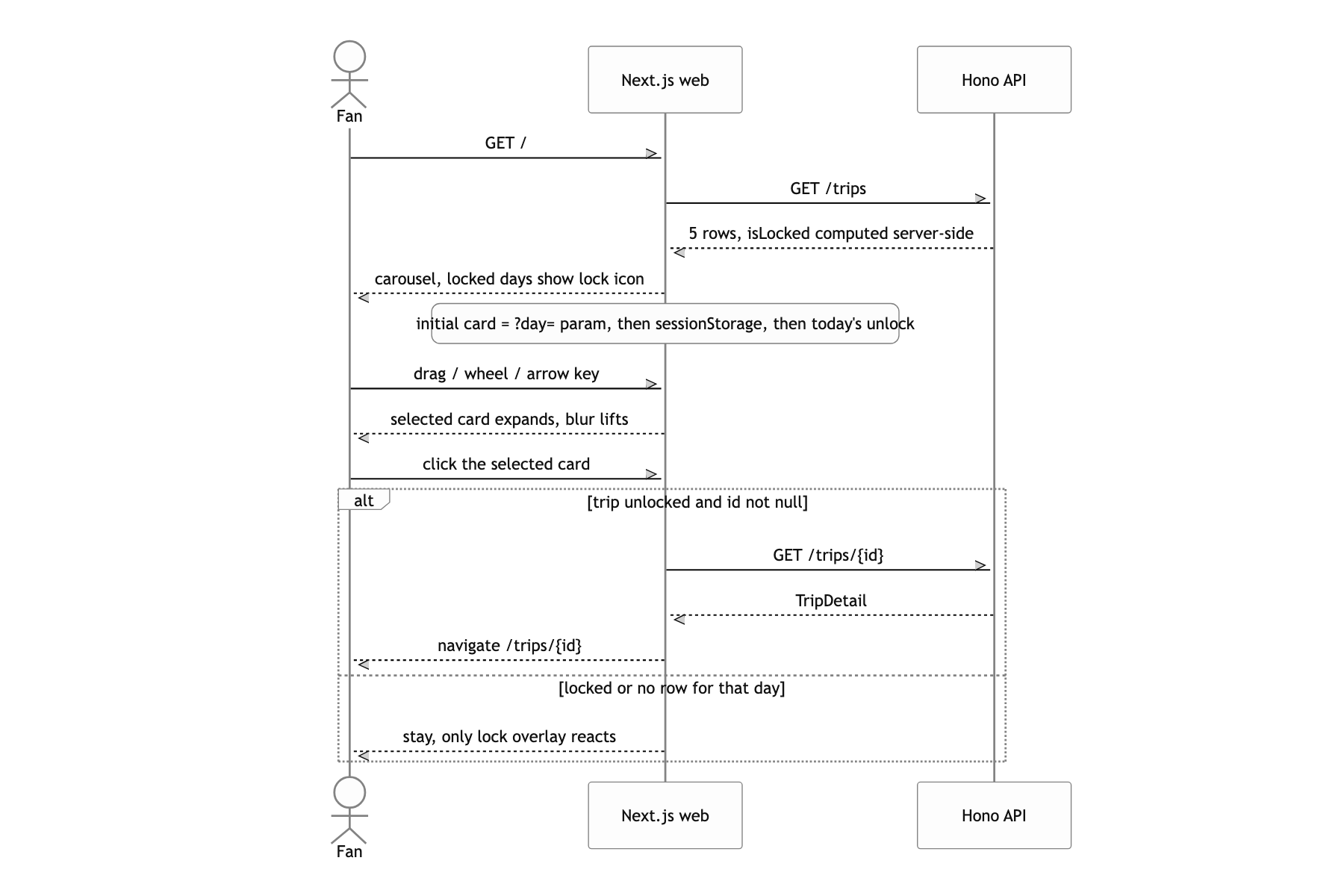
I pushed the lock down to the server. The launch_phases table holds exactly two rows, phase 1 and 2, and currentPhase is computed by comparing each row's unlocks_at to now. Next.js middleware checks that value on every request: below phase 2, everything except / and /health is rewritten to /404 with Cache-Control: no-store, and /api/* simply returns a 404.
Knowing the URL does not get you in, because the decision lives outside the browser. And launch comes unbundled from deployment.
What a user can do
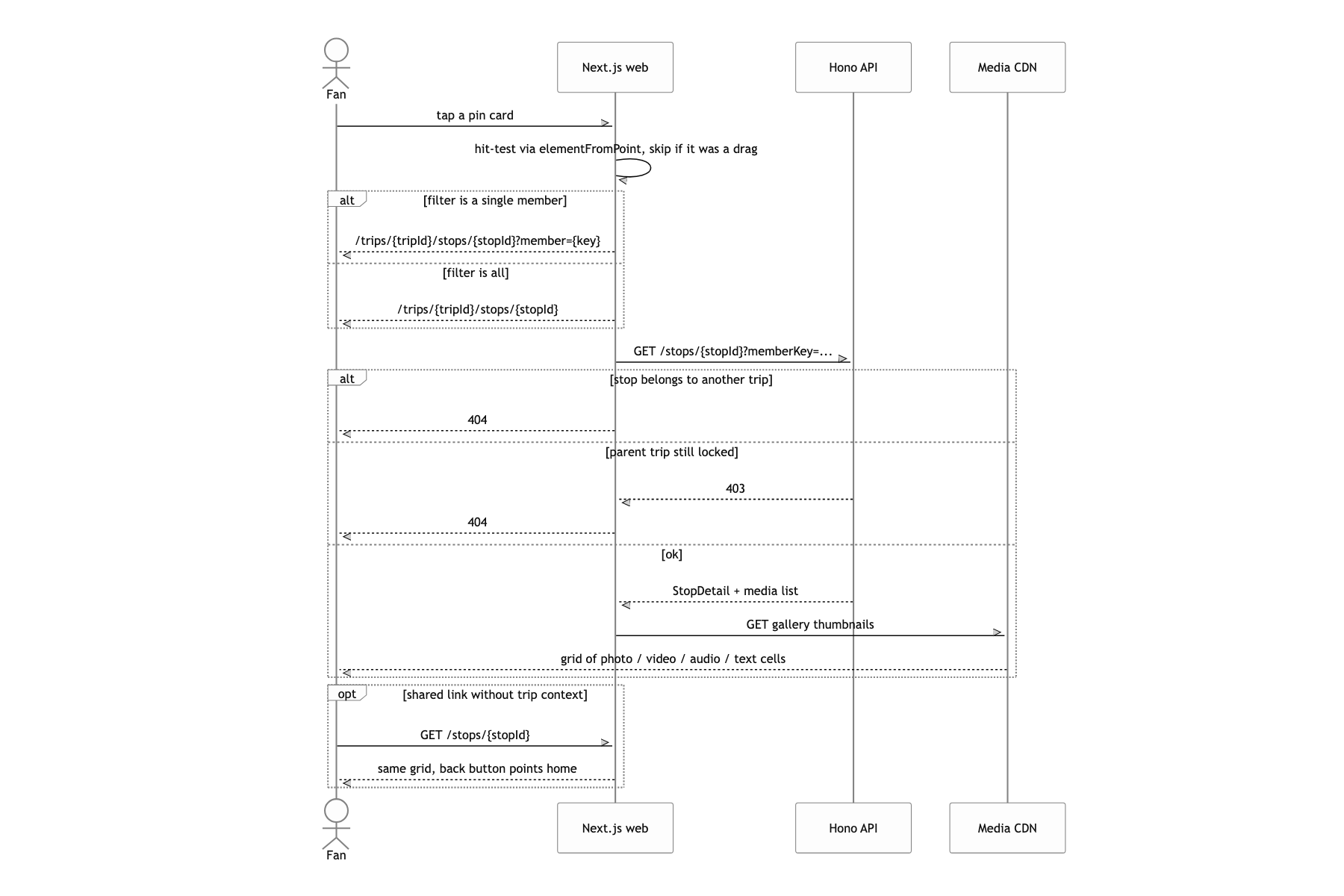
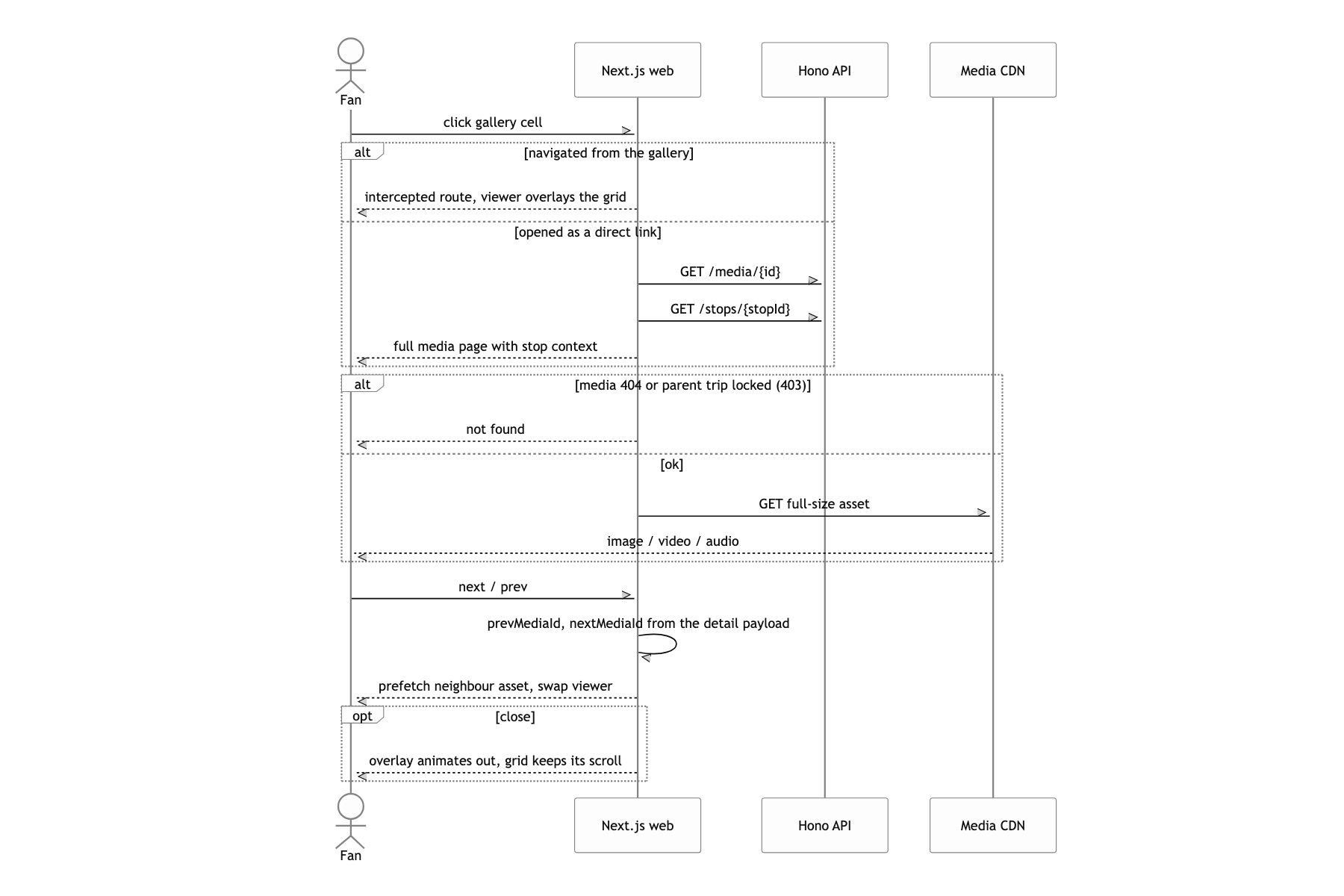
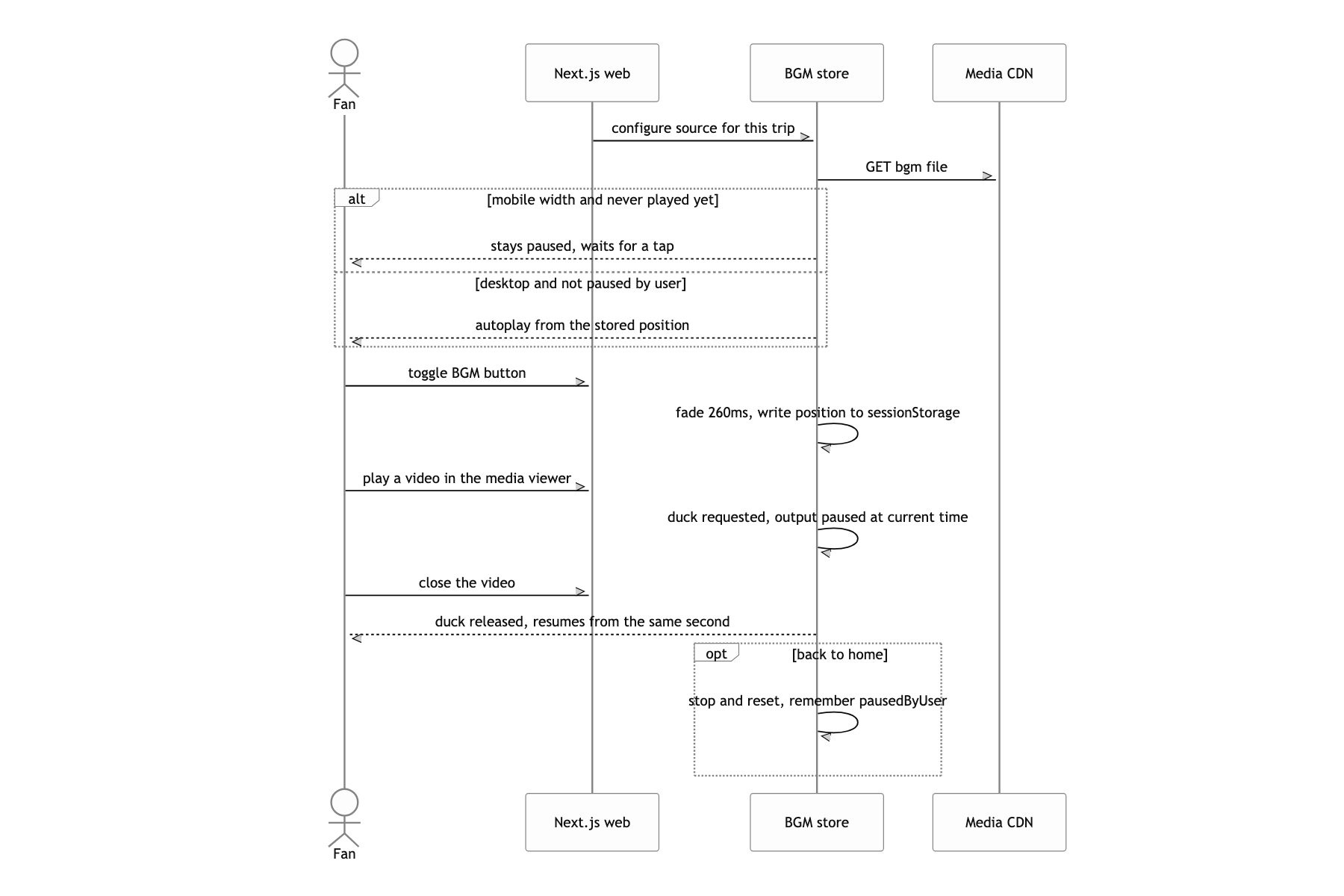
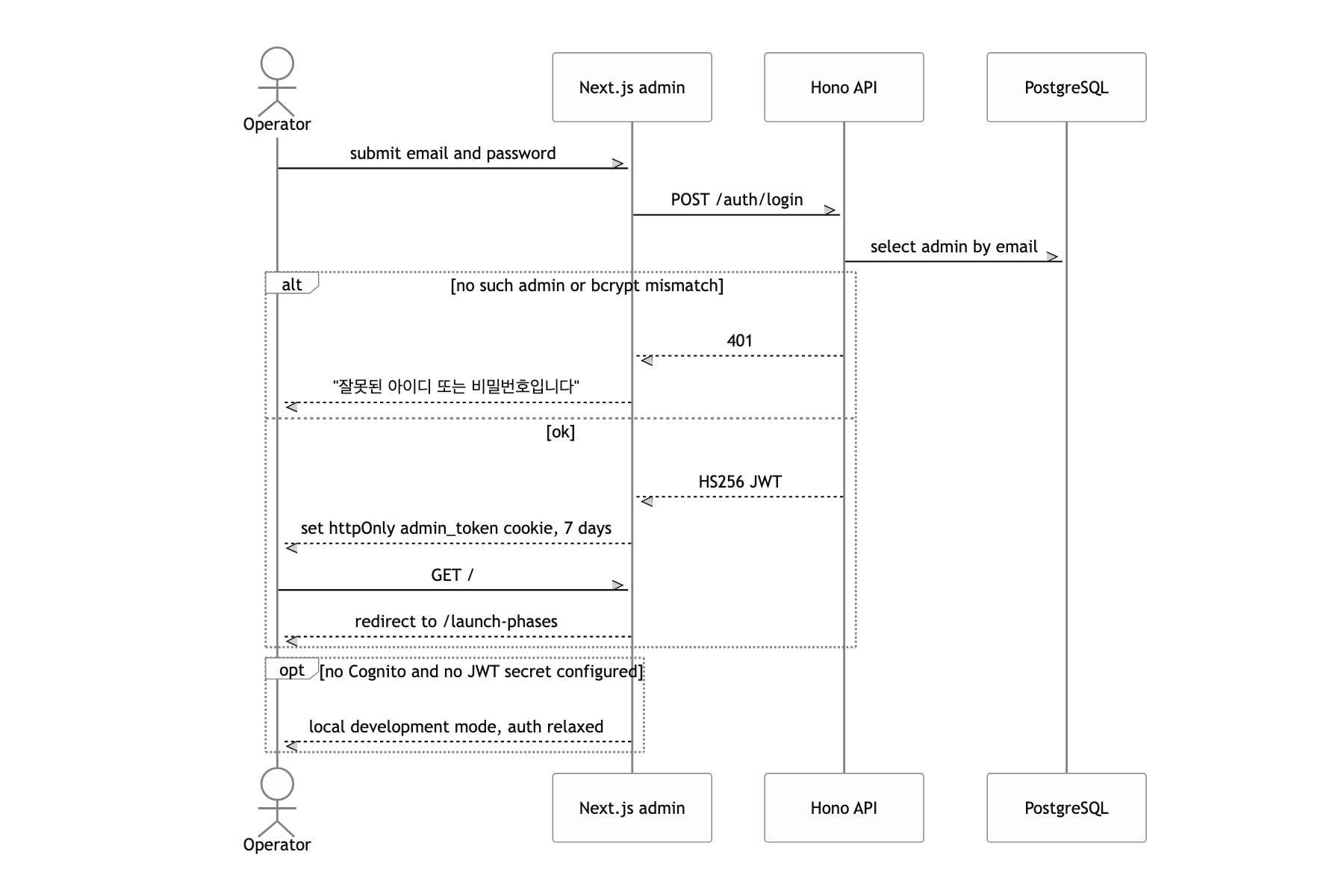
No IaC, one 2,300 line map
There is not one line of IaC. ECS task definitions get patched by an inline Python script inside GitHub Actions that strips fields out of a describe-task-definition result and swaps environment variables in. The ALB DNS and the S3 bucket name sit in the workflow file as string literals, and rebuilding the cluster would mean remembering everything that was clicked together in the console. This should have been CDK or Terraform from day one. At the time the launch date came first and "just get it up" won, and I still do not think that call was badly wrong. I just paid the entire bill at once when it came time to stand up the second environment (prod).
The map view sitting there as a single 2,300-line component is debt too. Camera, pin layout, gestures, and routing are tangled inside one component, so almost nothing is testable. The camera math is already cleanly factored into pure functions, so that is where extraction into hooks should have started.
I only covered the map and the launch gate here. The BGM that survives route changes pulls in sessionStorage checkpoints, a dual Web Audio / HTMLAudio path, and automatic ducking during video playback, which is a whole piece on its own. I will write that one separately.
