
PDF to Quiz and Study Schedule App
Turning one lecture PDF into a day by day study plan
Three weeks versus four months
This is a study app for university students and test-takers. The requirements came down to two things: turn an uploaded lecture PDF into practice questions, and decide what the student should study each day up to the exam date.
There is a wide gap between those two. The first is an AI pipeline problem. The second is a scheduling problem. And most spaced repetition tools on the market don't solve the second one. Algorithms like FSRS, which the Anki family uses, compute the next review date on the assumption that you want to remember something forever, so once a card looks well-learned they will cheerfully schedule its next review four months out. For a student whose exam is in three weeks, that card has simply vanished.
What the product needed was not a tool for retaining memory over the long run, but a tool that peaks on a fixed date. I put that distinction at the center of the product, which is why nearly every screen in this app carries a D-day.
This piece covers two things: spaced repetition with a deadline, and pushing a 15-minute AI pipeline out of a 60-second request. RAG retrieval, the AI tutor chat, auth, and type sharing each deserve their own write-up, so I'm leaving them out here.
Splitting work by time budget
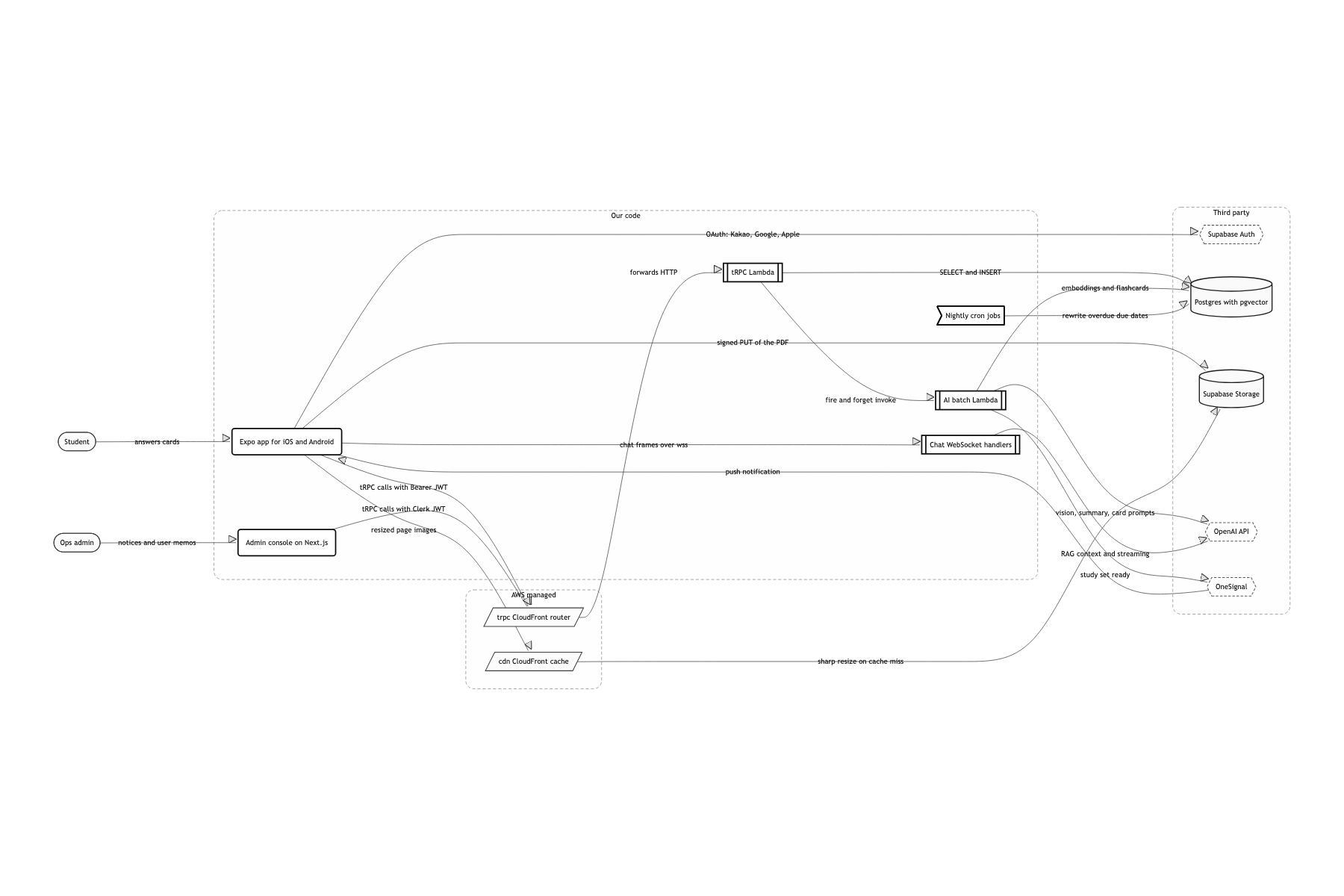
No always-on server. I split the work into purpose-specific Lambdas with SST v3
Traffic on this app clusters around exam season, so paying for idle capacity the rest of the time felt wasteful, and more importantly, each job needed a different time budget. tRPC gets 3008MB and 60 seconds, the AI batch gets arm64 and 900 seconds, image transforms get 2048MB. With one server I would have had to size the whole thing for the heaviest job Nobody was dedicated to infrastructure, so the IaC had to be writable in TypeScript. I split it so that one file under libs/infrastructure maps to one stack
All FSRS math runs on the server
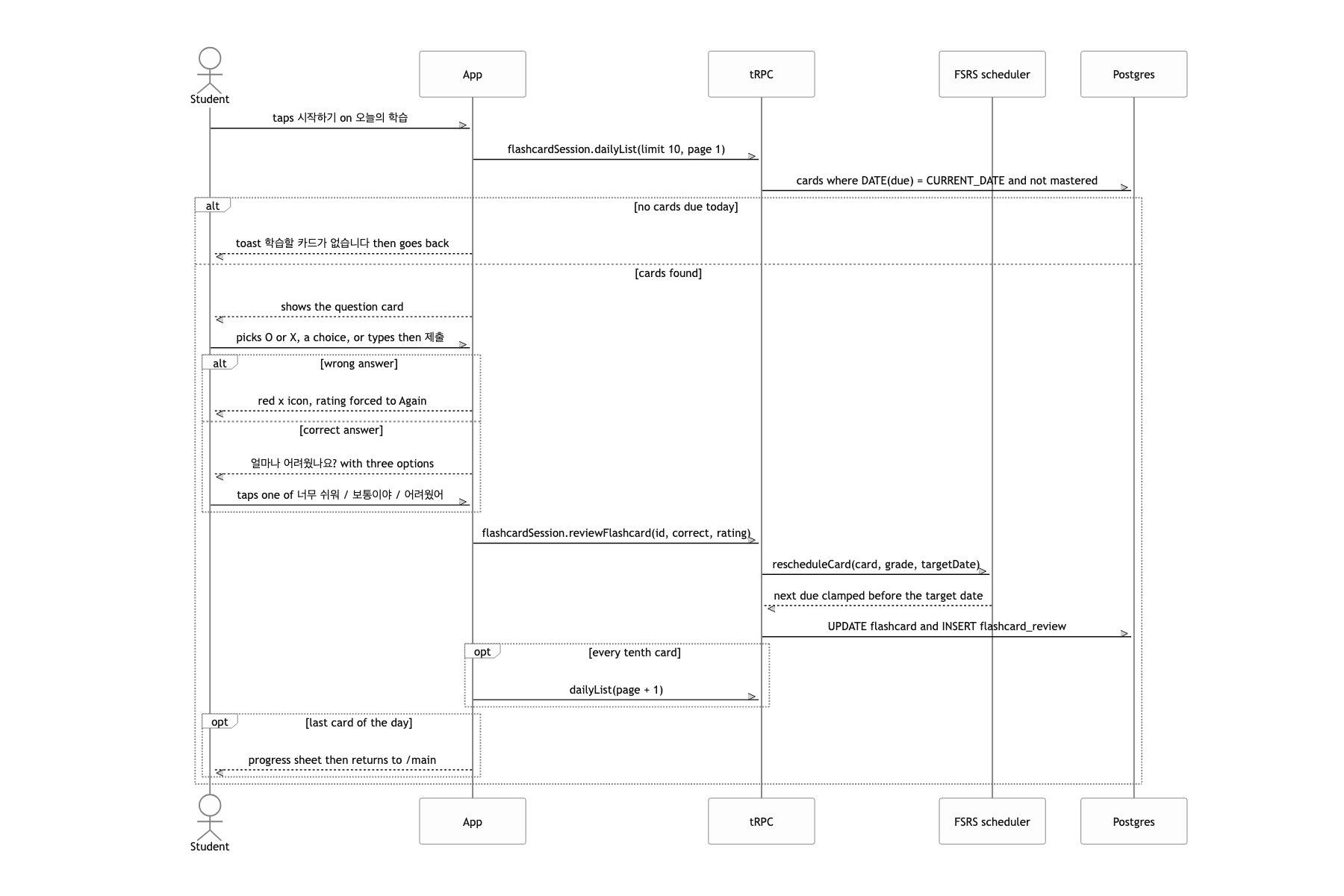
A review schedule must not depend on the device clock. Move the clock forward and today's whole batch of cards unlocks, and worse, if you can push cards past the D-day the premise of the product falls apart. ts-fsrs lives on the server only, and the app sends up just "right/wrong" and how hard it felt I gave up offline study. Every card flip costs one round trip, and on the subway you notice it
One 60 second line, two systems
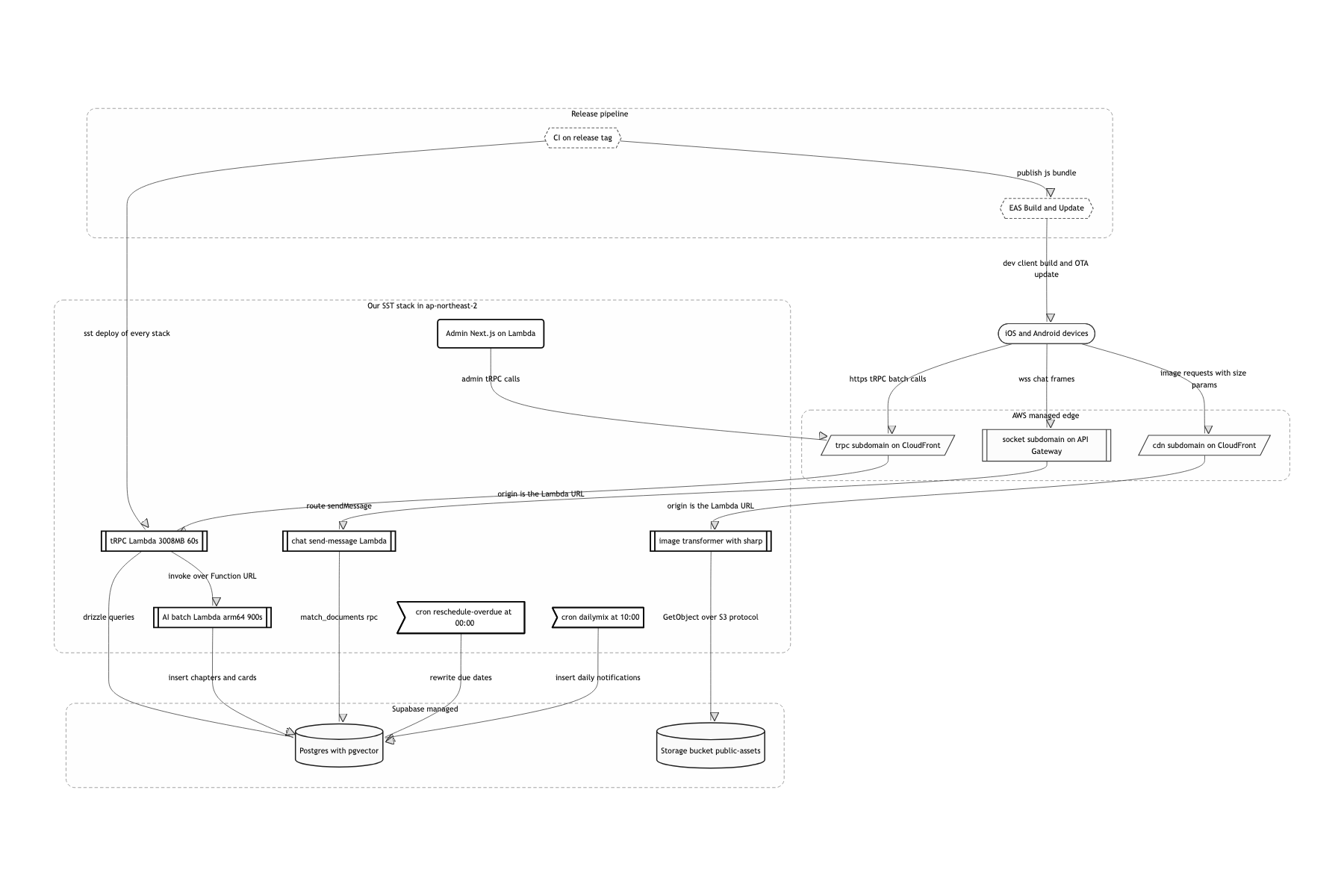
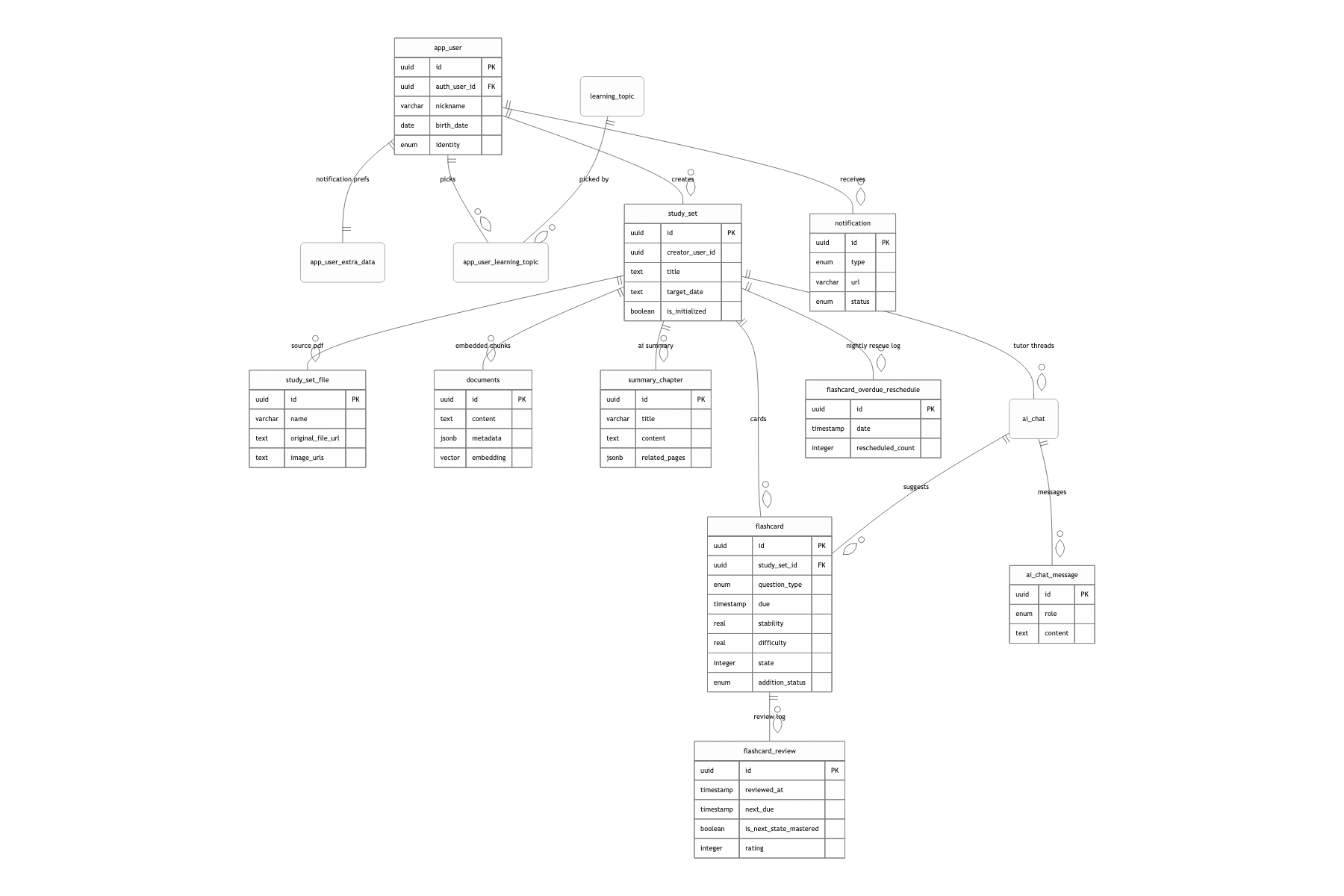
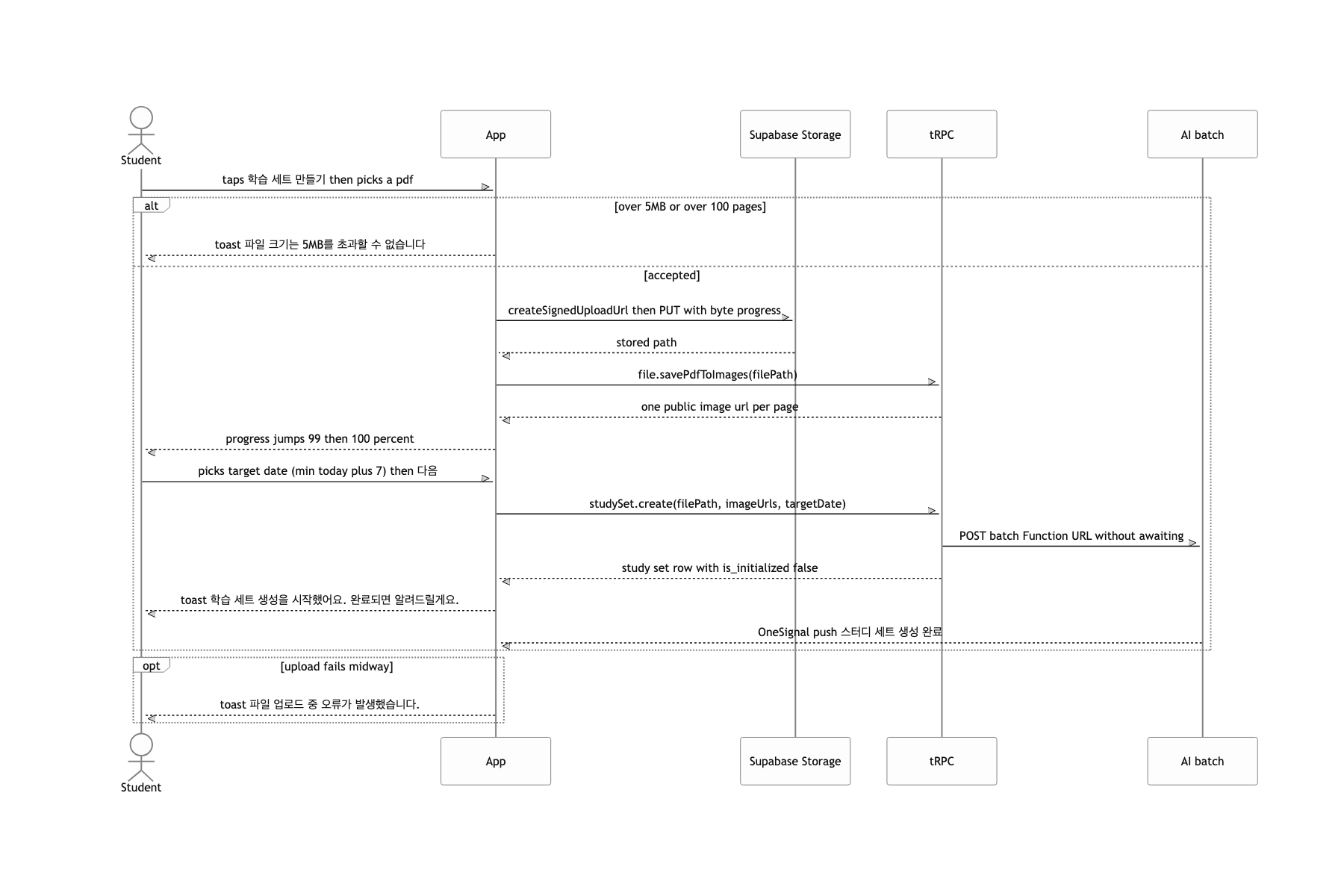
The fastest way to understand this system is to draw a single line at 60 seconds. Above the line are the things that must finish immediately. Below it are the things that take minutes. When a study set is created, the tRPC Lambda inserts just two rows, study_set and study_set_file, fires a request at the Function URL of the 900-second batch Lambda, and responds right away. On the batch side, each page image goes to GPT to be scored for relevance as academic material, and only the high-scoring ones get a second, detailed pass. The resulting image descriptions are appended to the PDF text chunks to build embeddings, and that vector store becomes the basis for generating the set title, the chapter outline, per-chapter summaries, and finally the question cards, in that order. Once the cards exist, the scheduler scatters them across the days up to the D-day, flips is_initialized to true, and sends a push through OneSignal.
Spaced repetition with a deadline
You drop in ts-fsrs as-is. Save the due that fsrs.repeat(card, now) hands back, pull the cards where due <= today each morning, and it looks done. That is exactly what the first implementation did. But get a card right twice and FSRS pushes the next review months out. For someone with an exam in three weeks, that card never comes back, and you end up with a low progress number frozen in place and zero cards to study today. The opposite instinct is just as common: "just divide the total cards by the days remaining and call that a daily quota." That throws away spaced repetition for flat distribution, so the card you struggled to memorize and the card you keep missing show up at the same frequency.
I kept FSRS's math intact and folded its output under a ceiling called the D-day.
rescheduleCard, which handles a single review, sets lastAllowedDate to the day before the target date. If the due FSRS returns crosses that line, it isn't discarded; it gets dropped back onto a random day within the range from today to lastAllowedDate. In the other direction, if the user picks "that was hard", I pull the date in to 1 to 2 days out instead of the FSRS default, and on a wrong answer I reset due to now so the card comes back within the same day.
When cards are first created, FlashcardScheduler.distributeInitialDueDates computes a per-day cap based on the first 70% of the available window, packing them more densely toward the front. Cards added later go through distributeAdditionalFlashcards, which counts the cards already assigned per day and slots the new one into the emptiest day. And a cron at midnight finds the cards that were due yesterday and never touched, then revives them with even distribution if fewer than 7 days remain, or with the same distribution logic if 7 or more do.
The definition of progress follows the same idea. It is not "cards answered / total cards". Each card's forgetting curve is projected forward to the target date, and only the cards expected to sit at 85% or higher recall count as mastered.
Because it separates what FSRS is good at from what the product has to own. "When should this card come back so it sticks?" belongs to the algorithm. "What happens when that when lands after the exam?" is a product decision. Since I never modified the algorithm, its stability and difficulty estimates are still fully alive, and since I only applied a ceiling, no card ever disappears past the exam.
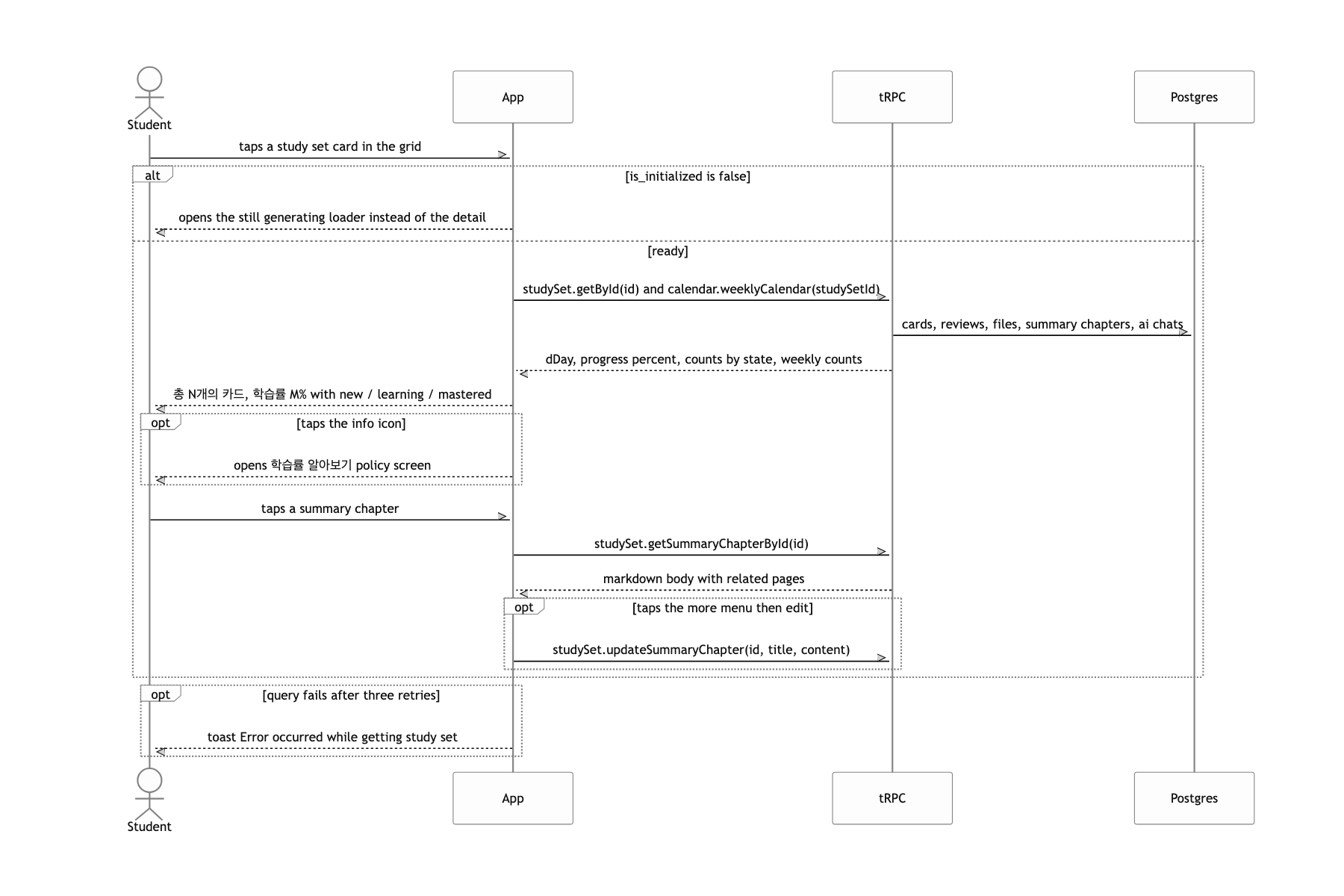
The progress definition mattered most. Computed from recall probability, someone who crams 100 cards in one day ends up with a lower number than someone who did 10 a day for ten days. Cram and the number honestly rises less. And because this definition is something you can explain to the user as-is, I built a separate "how your learning rate works" screen in the app that spells out what each recall band means. It turned the metric into one I didn't have to hide.
Keeping a 15-minute pipeline out of a 60-second request
You do all of it inside the studySet.create mutation. The problem is that this pipeline runs anywhere from a few minutes to well over ten on a 100-page document. The tRPC Lambda times out at 60 seconds, and the CloudFront originReadTimeout in front of it is also 60 seconds.
I split the functions along a file boundary. The tRPC Lambda is defined at 60s and 3008MB, the AI batch Lambda separately at arm64 and 900s, and SST's link injects the batch Lambda's Function URL into the tRPC side. In exchange, I laid down three separate paths for signaling completion.
Because what the user waits on shifted from a response to a notification.
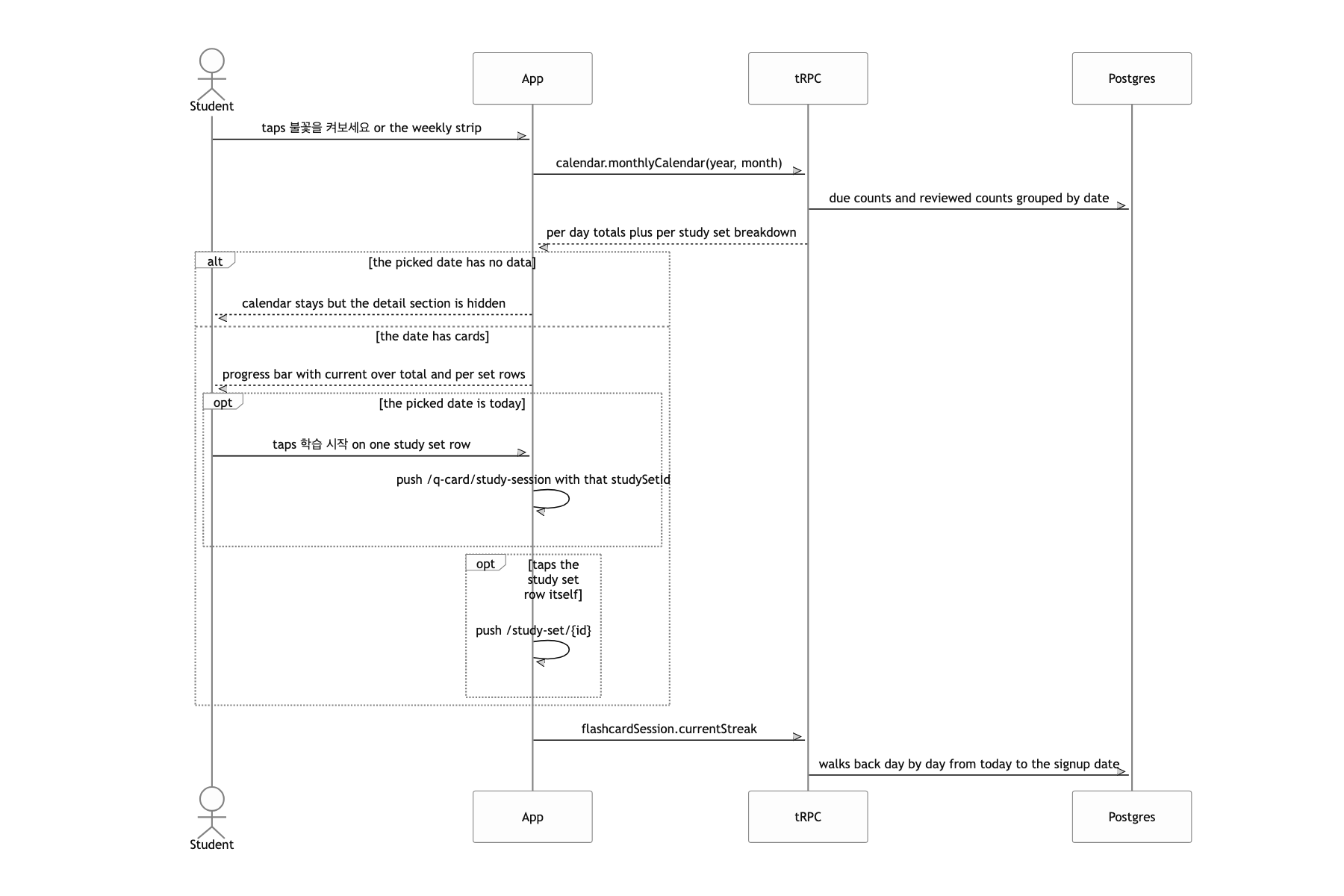
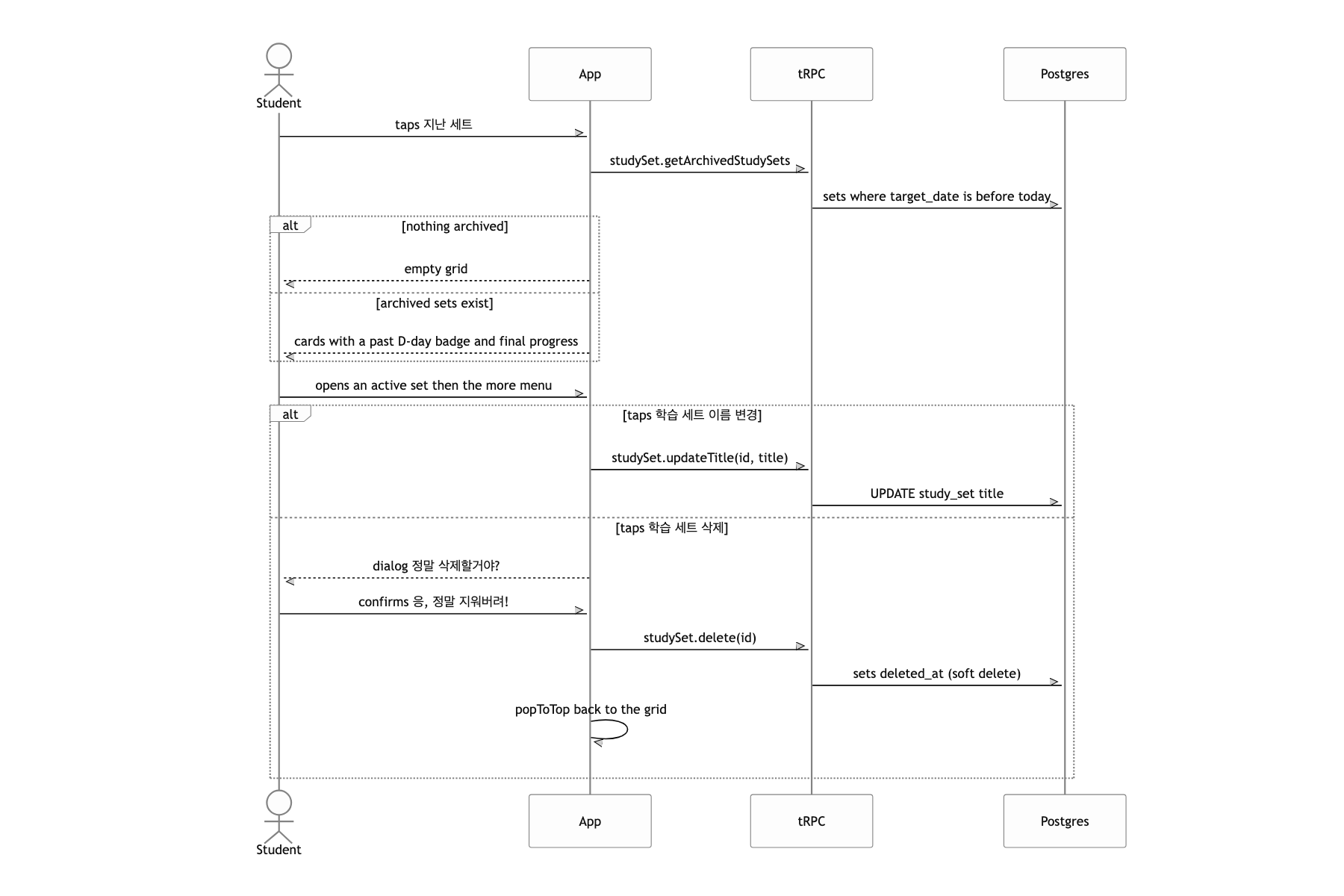
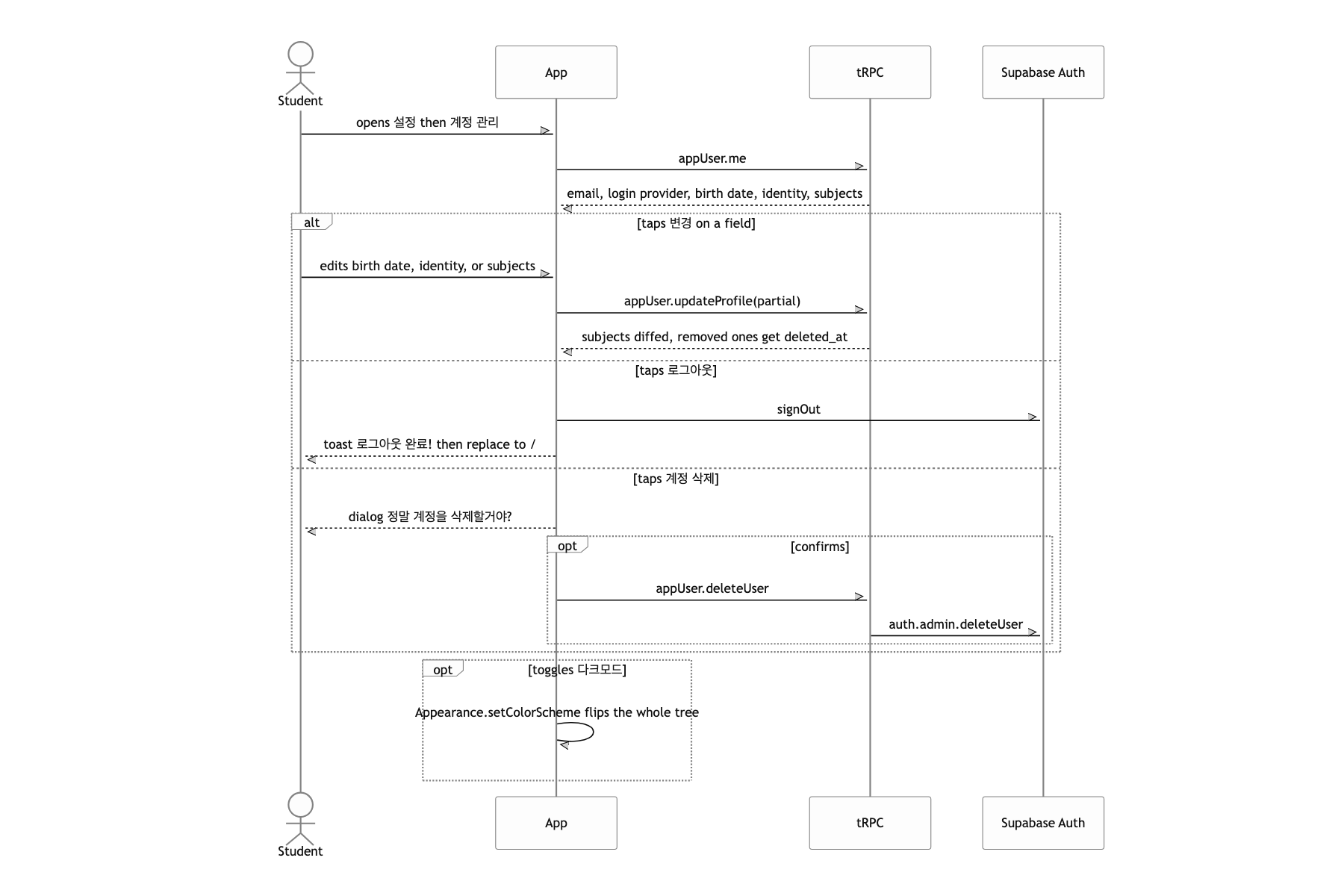
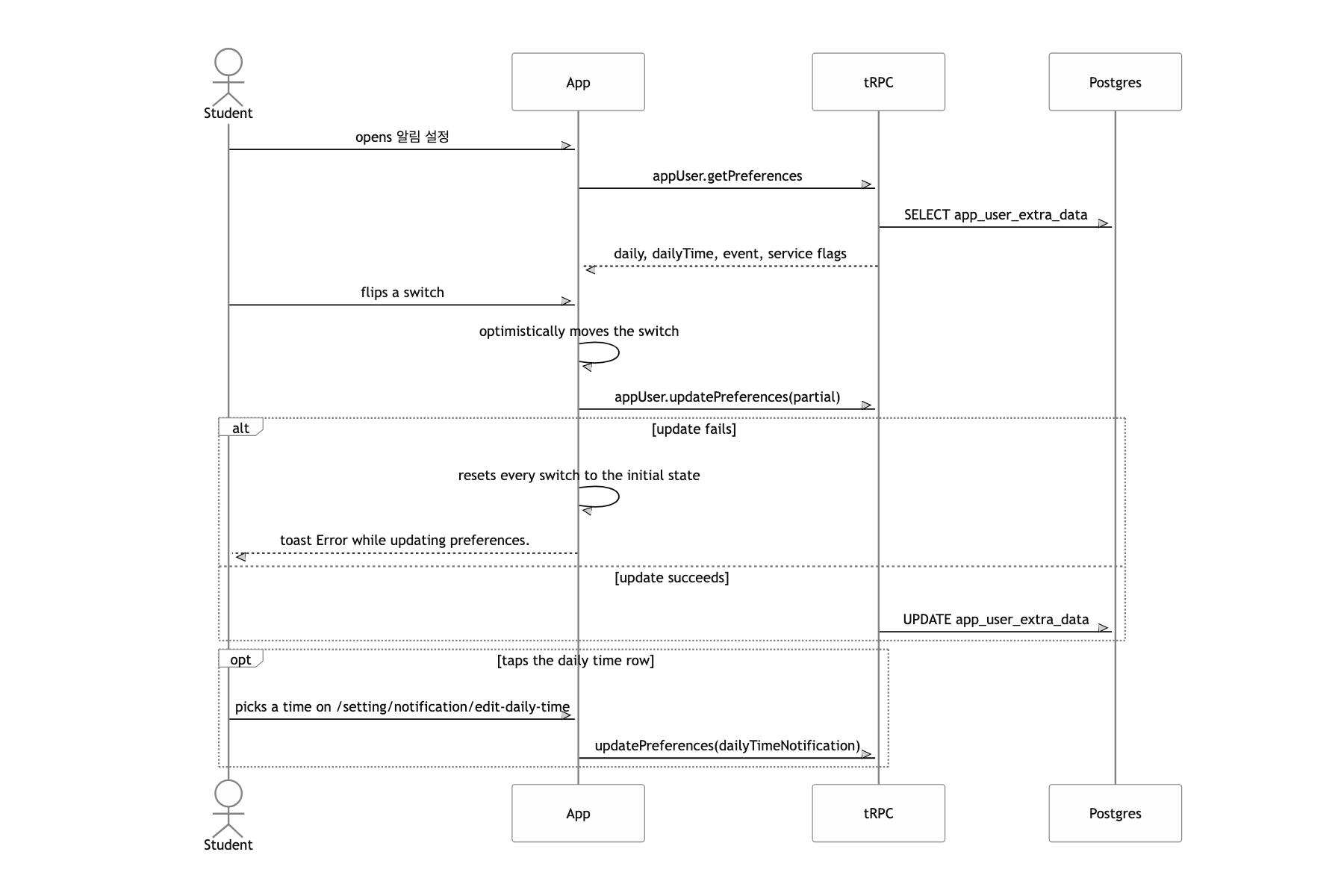
What a user can do
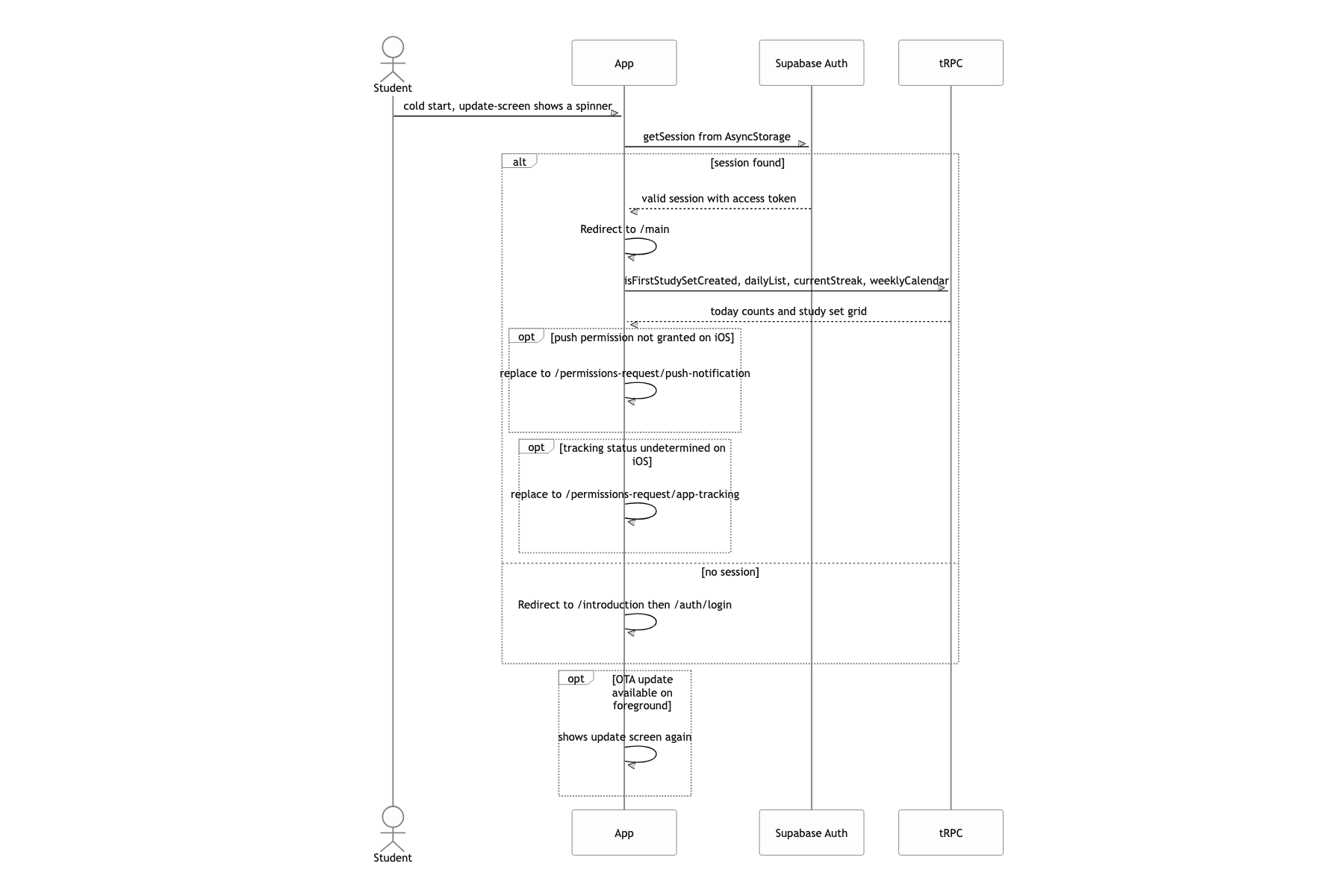
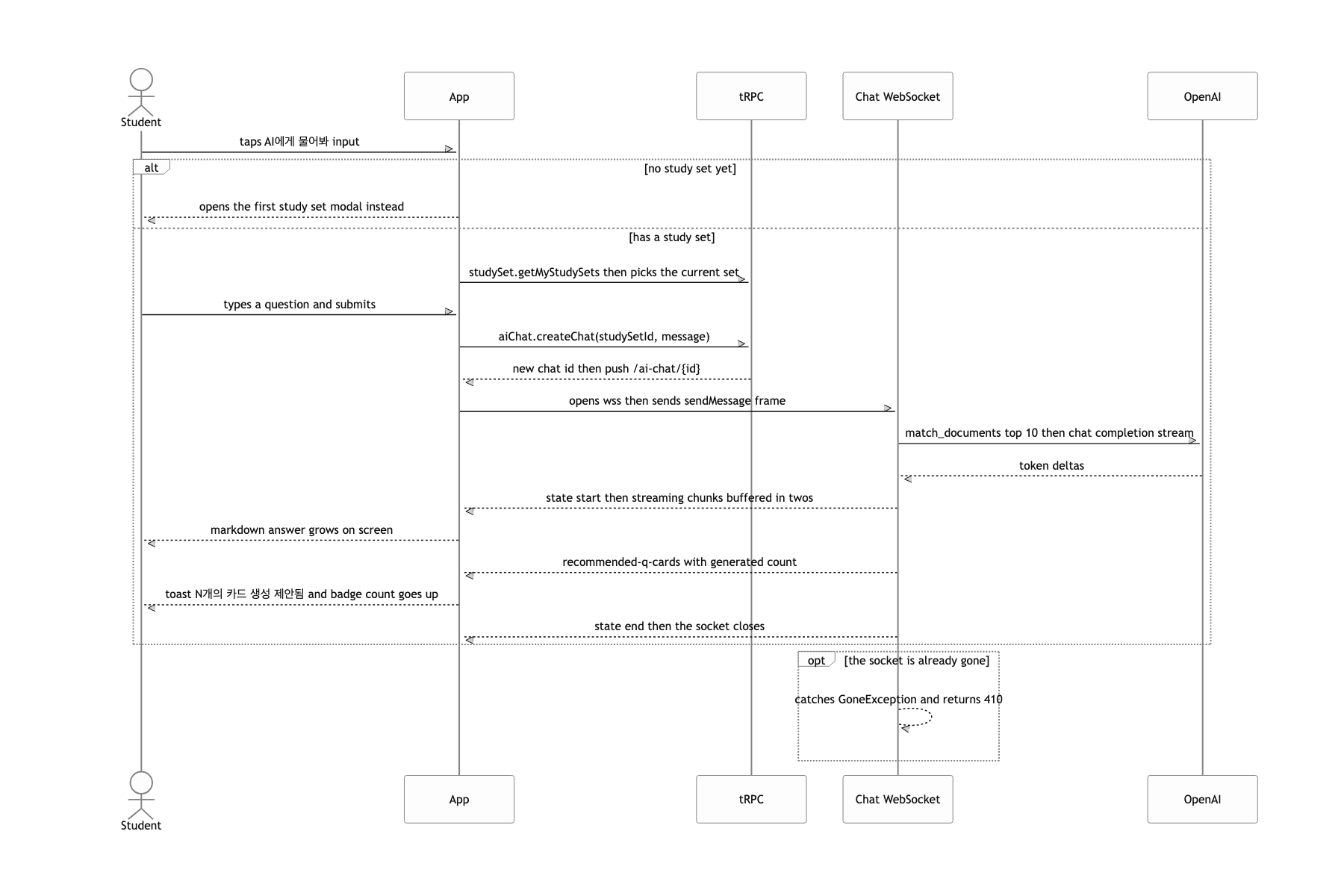
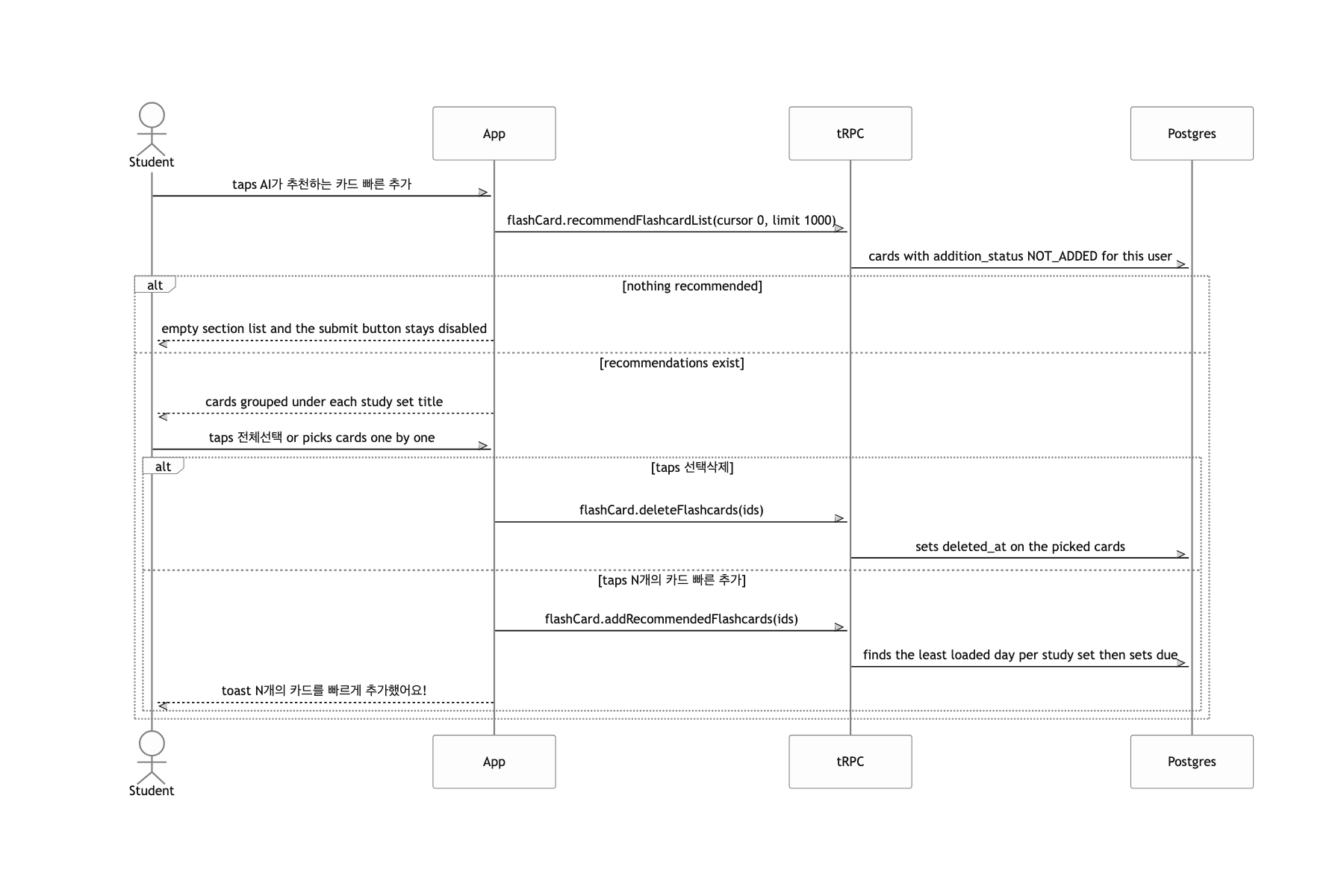
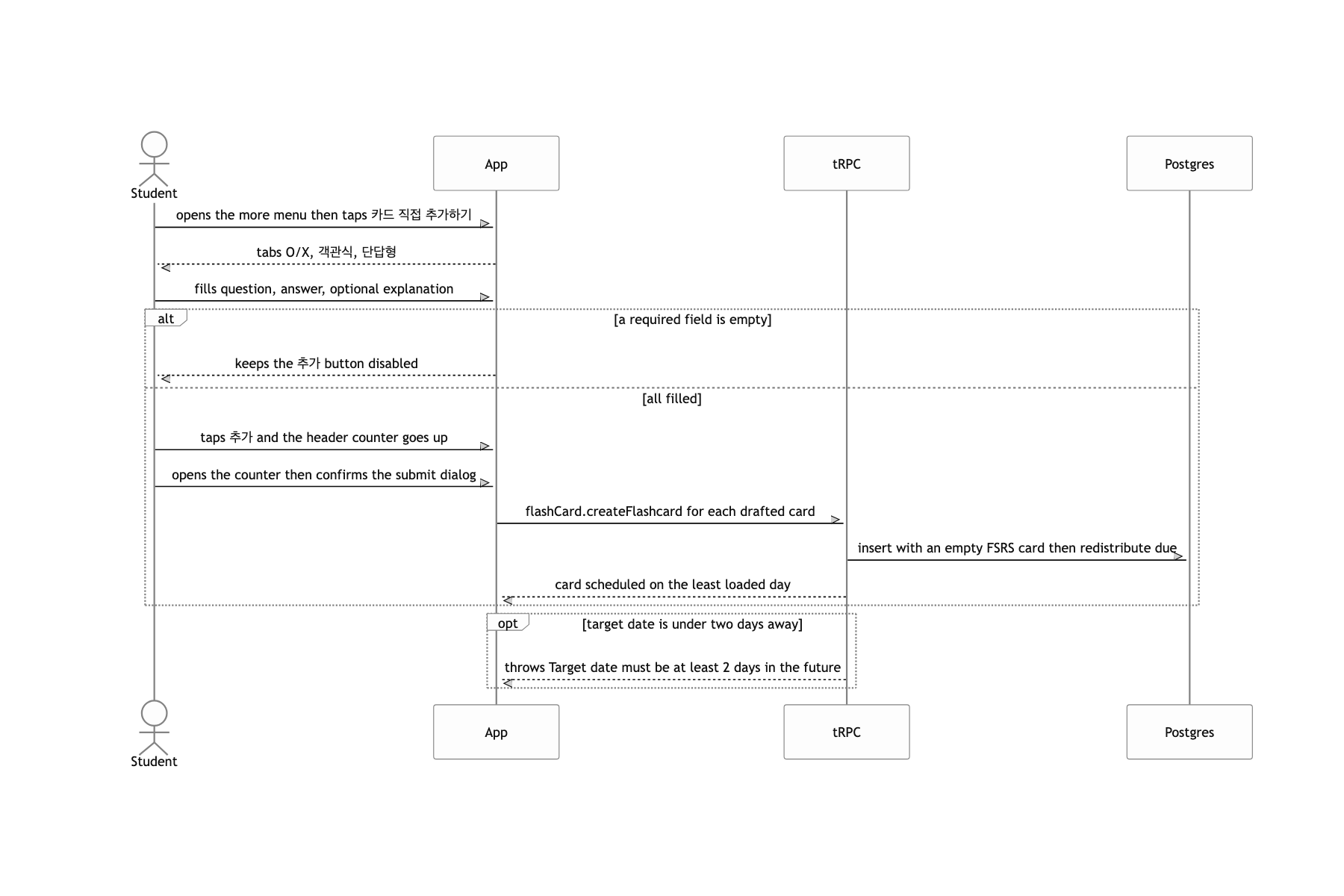
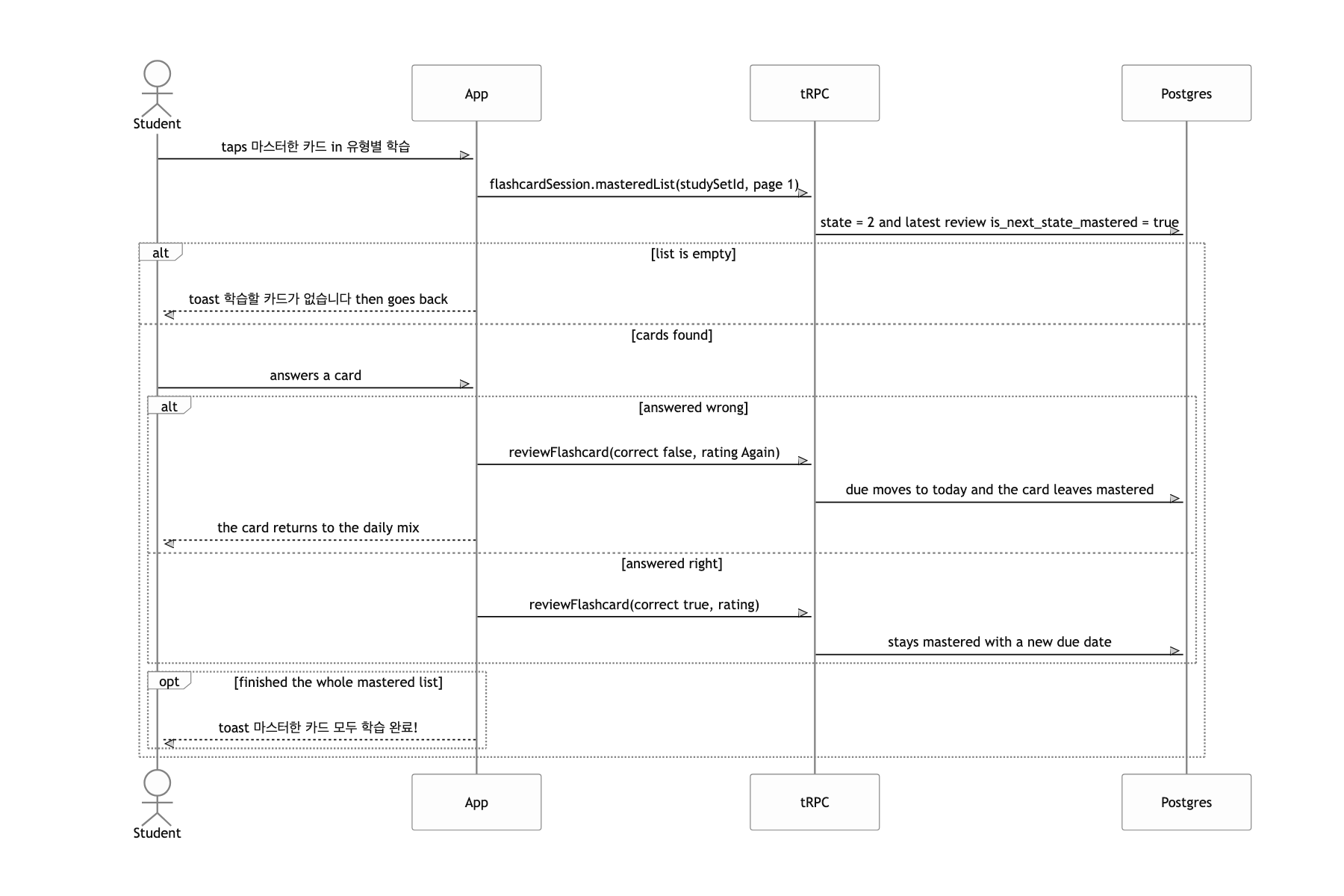
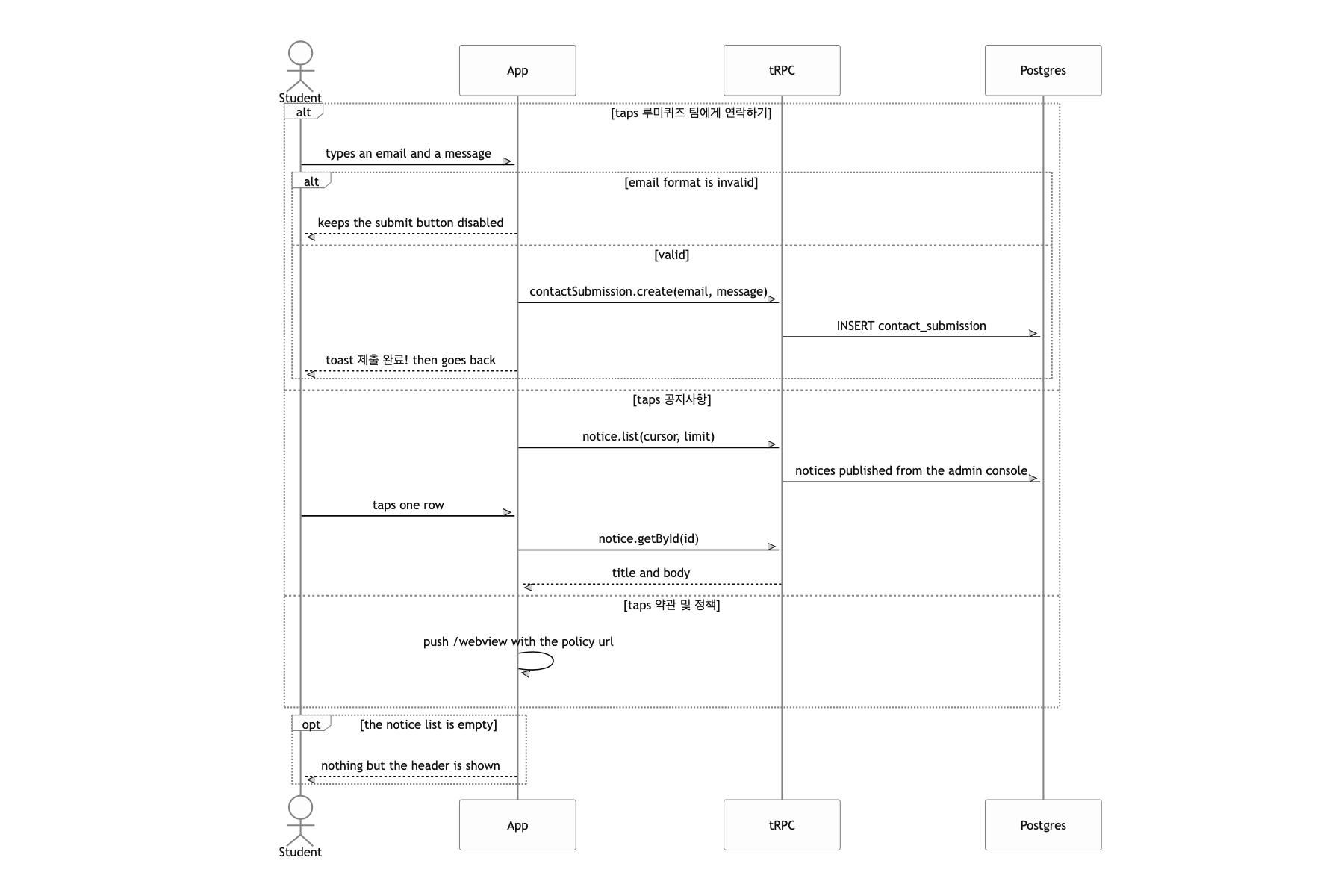
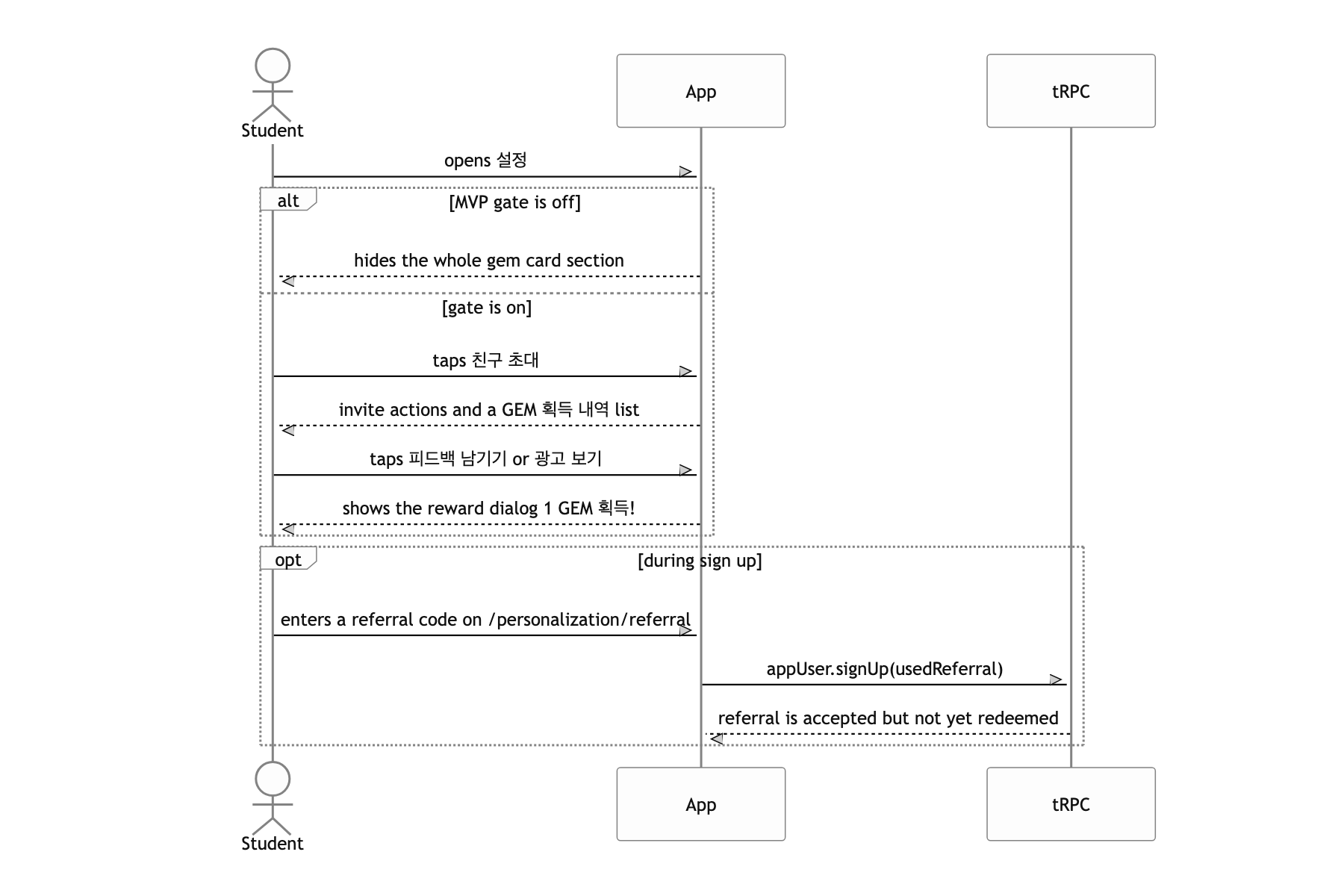
Live secrets and a dead switch
Not everything got tidied up. I'll note two things here and set ownership checks and timezone handling aside, since those deserve their own write-up.
First, secrets are sitting in the repo. The README says dev and prod environment variables are managed through Infisical, but in practice the zod schema in env-template.ts has AWS keys, the OpenAI key, the OneSignal REST key, and the Sentry token baked in as .default() values. It was a convenience so a new developer could run yarn gen:env once and be up and running, but the price of that convenience was far too high. If I did it again, the default slot would hold nothing but a placeholder like #{FILL IN YOUR VALUE}, and the only local values would be the ones the local Supabase instance prints out.
Second, I cut the MVP the wrong way. Instead of deleting paid billing, GEM missions, and ad banners, I wrapped them in a process.env.PROJECT_ENV === 'Local' condition. But Expo only inlines environment variables prefixed with EXPO_PUBLIC_ into the bundle. That condition is therefore always false in a built app. It behaves the way I intended, but only by accident, and anyone reading the code will read it as "a feature that turns on locally". Dead code should have been marked dead or removed.
